Categories
Uncategorized

The Top 10 Social Media Management Tools to Consider in 2024

Managing multiple social media profiles and executing impactful campaigns across diverse platforms has become an indispensable part of modern digital marketing strategies. However, doing so manually is a tedious task that eats up valuable time. This is where social media management tools come into play by streamlining processes, facilitating collaboration between team members, and empowering marketers to boost engagement in a timely, consistent manner.

In this comprehensive guide, we’ll walk through the top 10 tools that leading social media management professionals recommend for 2024 based on key factors like features, ease of use, pricing, and real reviews from satisfied customers.

1. Sprinklr – A Powerful Unified Platform

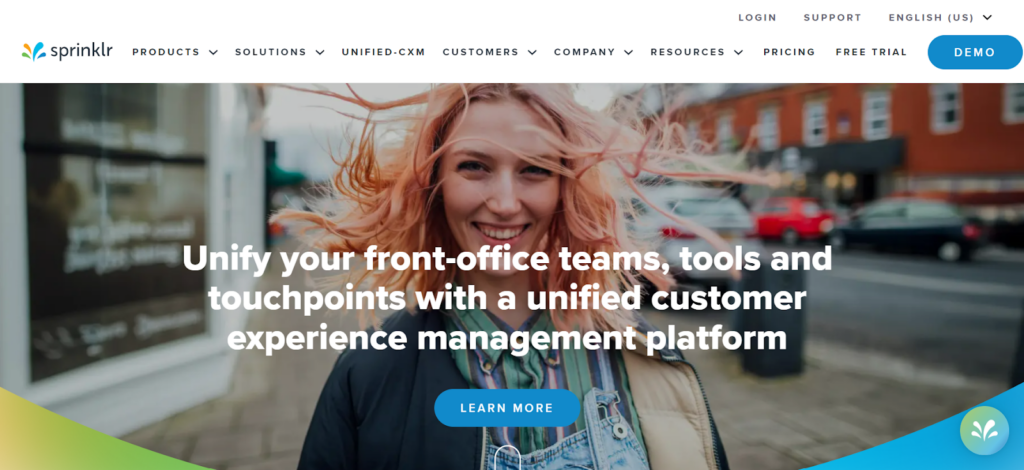
Sprinklr offers a robust unified platform to manage your social presence, customer experiences, and marketing efforts at scale through a single intuitive dashboard. As one of the most full-featured players, it covers over 30 major digital channels and comes with built-in AI capabilities.

sprinklr screenshot

Some highlight features include unified customer experience management, Sprinklr AI for personalized responses, persona apps for specialized workflows, global reach with localization options, and flexible approvals to ensure brand compliance. While its in-depth setup involves learning lots of nuanced functions, satisfied customers praise Sprinklr’s ability to optimize omni-channel experiences seamlessly across sales, marketing, and customer service teams.

Though meant for enterprises, its scalability and customizable design have helped global brands like Microsoft and Uber streamline social media publishing globally while delivering top-notch customer service to diverse audiences.

2. Hootsuite – Comprehensive Yet Complex

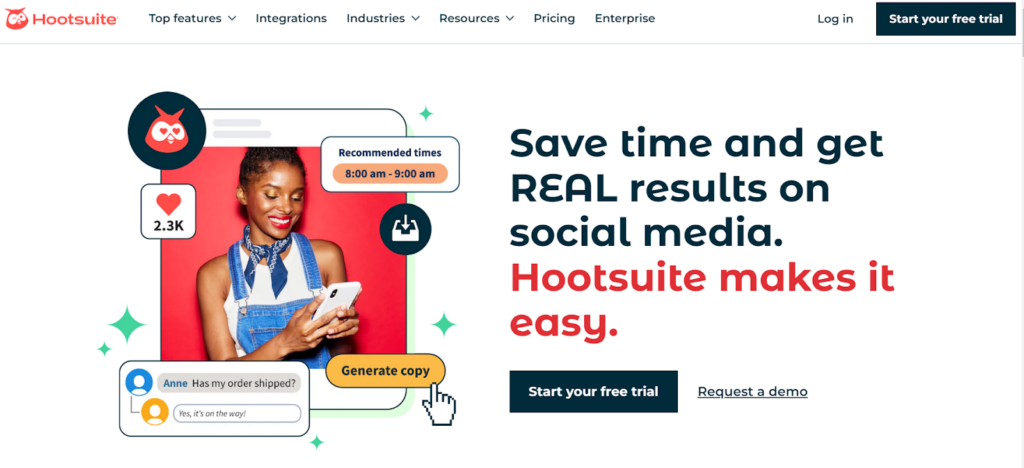
Hootsuite is a veteran in the social media management tools space with a wide user base thanks to its complete suite of publishing, engagement, listening, reporting, and advertising features rolled into one place. It offers best-in-class integration for Twitter and intuitive analytics dashboards.

hootsuite screenshot

Other favored features include a centralized dashboard, bulk scheduling, AI-powered copywriting, third-party app integration, and smart alerts to flag important conversations. While very good, its interface tends to become complex for non-technical users. 

Additionally, limited free access and steep pricing make Hootsuite unsuitable for individuals or budget-conscious small businesses.

Nevertheless, Hootsuite remains the top choice of many large enterprises for managing Twitter with all premium features available and optimizing marketing campaigns at scale across different regions globally.

3. Reputation – Reviews and Local Search Leadership

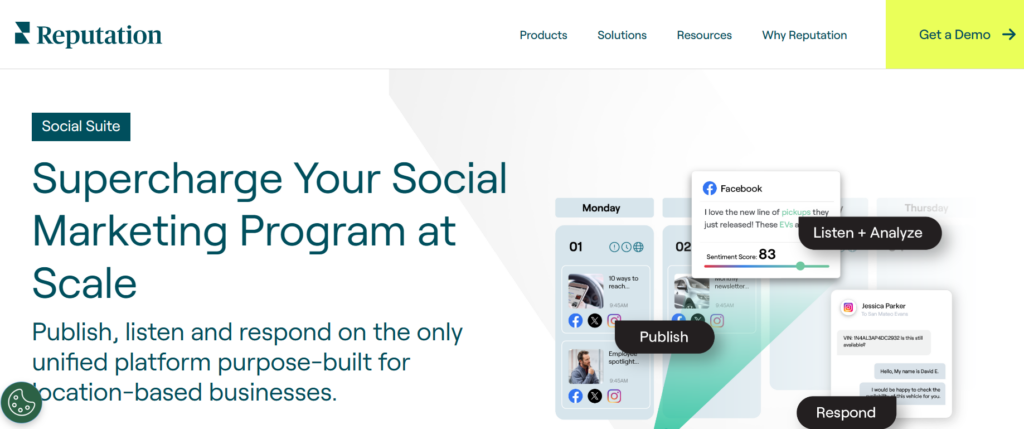
Reputation’s sweet spot lies in optimizing online reviews and local search visibility – two aspects critical for customer retention. It facilitates monitoring reviews on leading platforms, guided response templates, and robust sentiment analysis to identify pain points proactively.

reputation screenshot

With location-based listing management as another forte, Reputation helps companies improve local rankings and customer satisfaction scores. However, some users point to its rather basic social media engagement capabilities and lack of native AI-powered solutions for tasks like auto-generated responses.

Still, for businesses targeting local customers through reviews, Reputation stays an attractive option to streamline the publishing and reputation management aspects into one place. It has paid rich dividends especially for services industries like restaurants, contractors, and medical verticals.

4. Buffer – Simplicity for Creators and SMBs

As one of the earliest and most popular players in this space, Buffer has mastered delivering core necessities like cross-network publishing and engagement tracking through a clean interface. It equips individuals and solopreneurs with all essential tools for basic social management on a budget.

buffer screenshot

Some top features include AI-powered content repurposing, a built-in landing page builder called Start Page, smart alerts to surface comments needing attention, and educational resources to help users gain proficiency over time.

While barebones compared to premium products, Buffer’s intuitive design, lifelong free tier, and regular updates make it an excellent starting point for those just venturing into the world of digital PR and online community building. Its simplicity has won fans across developers, marketers, and CEOs scaling modern brands efficiently on emerging platforms.

5. Sprout Social – Powerful Reporting Dashboards

Sprout Social steps up to compete with heavyweights like Hootsuite by integrating key capabilities spanning social publishing, engagement, team collaboration, robust reporting, and optional CRM functionality within its all-in-one platform.

sprout social screenshot

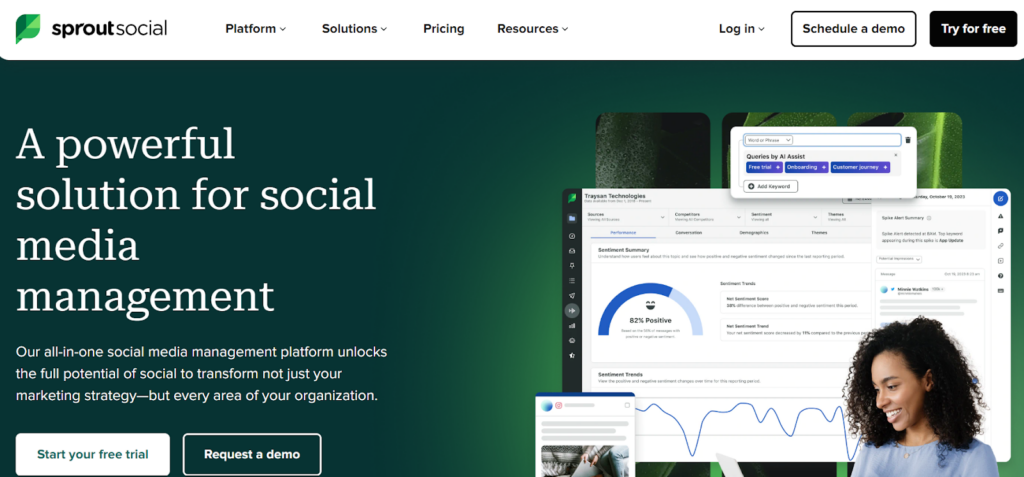
Its detailed charts and visualizations aim to transform raw user data into actionable insights that help optimize effectiveness. Many users praise Sprout Social’s reports as some of the clearest, easiest to understand breakdowns available in this industry.

Although its calendar interface could use improvements, Sprout Social has established itself as a scalable solution trusted by mid-market brands and agencies to enhance engagement across owned channels while demonstrating ROI of marketing activities. Its top-notch customer support sweetens the deal further for businesses.

6. Brandwatch – All-Inclusive Yet Imperfect

Formerly known as Falcon.io, Brandwatch aims to be a one-stop-shop covering everything from publishing and engagement to competitive benchmarking, first-class analytics, customer experience management, and a DIY landing page builder.

brandwatch screenshot

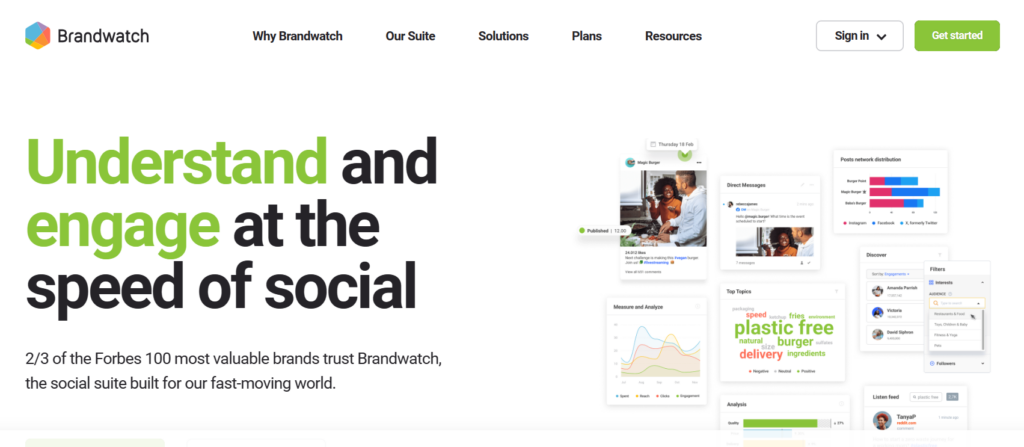
On paper, it offers all key ingredients needed to strengthen digital presence and tap rich user sentiment data. However, several users report experiencing glitches with the platform over time. Some have also flagged inconsistent support for visual platforms like Instagram and TikTok along with room for improving automated insights.

While feature-rich on the whole, Brandwatch will require commitment from businesses to look past its rough edges. For sophisticated analytics needs, it remains a strong contender – as long as user experience deficiencies don’t outweigh its technical strengths for your use case.

7. SocialPilot – Affordable Basics

As one of the more affordable options out there, SocialPilot attracts budget-conscious small businesses with its easy-to-use interface for cross-posting to linked channels and simplified content curation features.

socialpilot screenshot

Key criteria it ticks include support for over 50 social networks, team collaboration tools, calendar-based scheduling, and integrated AI for auto-generating hashtags and copy variants.

Though lighter than counterparts, SocialPilot strikes an ideal balance between essential features and reasonable pricing. However, it may lack certain advanced analytical capabilities expected at the enterprise level. Overall, a great starter tool for newbies and solopreneurs.

8. CoSchedule – Rock-Solid Content Planning

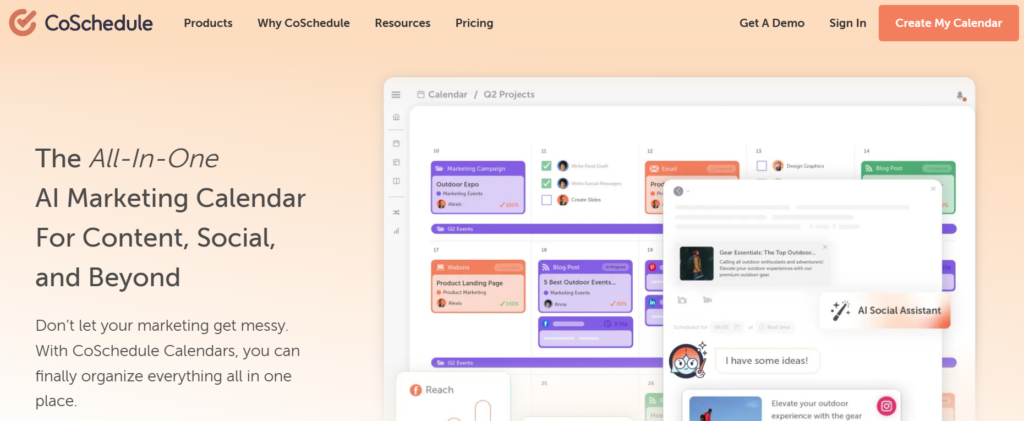
CoSchedule pitches itself as a winner for the ‘best marketing calendar’ stake, bringing all your social, blog, email, and event activity under one roof for collaborative planning and execution.

Social Media Management Tools

With its clear calendar interface, automated social publishing, reusable content templates and ReQueue feature to resurface old hits, it delivers an intuitive visual workflow appreciated by content teams of all sizes.

Still, some brands find its interface overwhelming initially while others demand more inclusive features for the asking price. Nevertheless, CoSchedule remains a go-to for digital PR and inbound teams juggling publishing across multiple channels smoothly each month.

9. SocialBee – Emphasis on Engagement

SocialBee prioritizes user engagement with capabilities like generating post variations to recycle evergreen content while keeping it fresh. Its centralized dashboard organizes all social accounts for simplified oversight. Additionally, SocialBee facilitates cross-channel publishing and analytics inclusive of major networks. 

Social Media Management Tools

While its interface may not be the most visually appealing, satisfied users appreciate SocialBee’s emphasis on engagement optimization through tactics like permission-based collaborative workflows and multilingual support accommodating diverse audiences globally. It presents a well-rounded option for international businesses.

10. Loomly – Unique Custom Networks

Social Media Management Tools

Loomly differentiates through its ability to create custom social networks that publish to any external service like your blog, email list, or beyond – all via seamless Zapier integration.

This expands its utility for syncing updates everywhere. Otherwise, Loomly is fairly basic, lacking some standard features present even in free tiers of major competitors. Still, as a versatile multi-channel publishing option, it deserves consideration for specific automation use cases.

Upbeat Agency offers a comprehensive suite of specialized TikTok marketing services to help businesses unlock the full commercial potential of this powerful platform. As a dedicated TikTok agency, they have the expertise to develop optimized targeting strategies, produce engaging native content, manage impactful influencer campaigns, and implement data-driven paid ads tailored for each client’s unique goals.

Making Your Choice

Each of these 10 leading social media management tools brings unique strengths. But your pick ultimately depends on hard factors like team size, budget, technical competence, industry, scalability needs, and desired level of control over analytical capabilities and automation.

Carefully assess core and optional features, consulting reviews from experts and existing customers within similar domains. Request generous free trials from top contenders to test interface compatibility before any investment.

With the right selection aligned with your strategic growth goals, these platforms empower businesses of all sizes to engage audiences proactively, optimize efforts, and reap the rewards of streamlined digital conversations.

Categories
Uncategorized

Top 15 Website Builders: Creating the Ultimate Online Presence

In the digital age, having an online presence is crucial for anyone looking to engage with a broader audience—whether you’re a small business owner, an artist, or running a nonprofit organization. Website builders make it easier than ever to create a professional-looking site without needing to know how to code. In this comprehensive guide, we will explore the top 15 website builders that can help you create a website today, with a special focus on why Elementor is our top choice.

What are the Website Builders and how do they work?

Website builders are online tools that allow individuals and businesses to create a website without manual code editing. Essentially, they provide a platform where users can construct their websites using a visual editor, making the process accessible even to those without any technical knowledge or design experience.

These builders typically operate on a drag-and-drop principle where users can select various elements—like text boxes, images, videos, and interactive features—and place them onto a page exactly where they want them. Each element can be customized in terms of size, color, font, and more, giving users a lot of creative control over the design.

Most website builders come with a variety of pre-designed templates that are tailored for different uses, such as personal blogs, e-commerce stores, or corporate websites. These templates provide a basic structure, which can be customized further to suit the user’s needs.

Additionally, website builders handle all the technical aspects of website hosting and maintenance. They typically offer domain registration, web hosting services, and tech support as part of their packages. This all-in-one approach not only simplifies the web development process but also ensures that the websites are optimized for performance, mobile responsiveness, and SEO.

Top 15 Website Builders in 2024:

1. Elementor

top website builders

Overview:

Elementor leads the pack as a versatile and user-friendly website builder for WordPress users. It simplifies the design process, allowing you to create, manage, and host a website with ease.

Features:

  • Drag-and-drop editor
  • Responsive design options
  • Comprehensive widget selection
  • Full theme builder
  • WooCommerce builder
  • Popup builder

Pros:

  • Intuitive interface suitable for beginners and professionals alike.
  • Extensive customization capabilities.
  • Regular updates and a strong community.

Cons:

  • Requires WordPress, which might not suit everyone’s needs.
  • Some advanced features are locked behind a premium plan.

Elementor is ideal if you want to create a website today that’s robust, flexible, and beautiful. Its powerful tools and user-friendly interface make it the best choice for WordPress users.

2. Wix

top website builders

Overview:

Wix is known for its simplicity and rich array of features, making it a popular choice for those looking to create a website quickly.

When comparing Wix vs Shopify, Wix offers more flexibility for design and a broader range of templates, while Shopify is tailored specifically for e-commerce with powerful tools for online stores.

Features:

  • Drag-and-drop interface
  • Over 500 designer-made templates
  • App market for additional functionality
  • Advanced SEO tools
  • Mobile optimization
  • ADI (Artificial Design Intelligence)

Pros:

  • Extremely user-friendly.
  • Offers a lot of creative freedom and flexibility.
  • Strong suite of tools to support online stores, blogs, and more.

Cons:

  • Can get expensive with add-ons and premium plans.
  • The site can become slow with too many features added.

Wix is a great tool for those who need to create a website today and want a range of design options and tools at their fingertips.

3. Squarespace

squarespace screenshot

Overview:

Squarespace is favored for its sleek design templates and intuitive editing tools, ideal for creatives looking to showcase their work.

Features:

  • Award-winning design templates
  • Built-in mobile websites
  • SEO management
  • E-commerce capabilities
  • Blogging tools
  • Custom CSS

Pros:

  • Beautiful, professional-looking designs.
  • All-in-one platform with hosting and domain services.
  • Excellent customer support.

Cons:

  • Less flexibility in terms of third-party integrations.
  • Higher learning curve compared to other builders.

4. Shopify

shopify screenshot

Overview:

Shopify is a top choice for online merchants due to its powerful e-commerce features and scalable platform.

Features:

  • Comprehensive e-commerce tools
  • Over 70 themes
  • Powerful marketing and SEO features
  • Mobile commerce ready
  • App marketplace
  • 24/7 support

Pros:

  • Specialized in e-commerce.
  • Scalable for businesses of all sizes.
  • Extensive app store to extend functionality.

Cons:

  • Monthly fees can be expensive for small businesses.
  • Limited content management capabilities outside of e-commerce.

5. Weebly

weebly screenshot

Overview:

Weebly is a solid all-rounder, offering an easy-to-use interface with powerful built-in features for both websites and online stores.

Features:

  • Drag-and-drop editor
  • Custom headers and footers
  • Video backgrounds
  • Integrated analytics
  • SEO tools
  • App center

Pros:

  • Straightforward design tools.
  • Affordable plans with good features.
  • Good for basic online stores.

Cons:

  • Less flexibility and customization than competitors.
  • Designs are not as modern as some other platforms.

6. GoDaddy Website Builder

godaddy screenshot

Overview:

Known primarily for its domain registration and hosting services, GoDaddy also offers a user-friendly website builder aimed at beginners.

Features:

  • ADI (Artificial Design Intelligence)
  • Mobile-friendly design
  • SEO optimization
  • Email marketing tools
  • Simple e-commerce functions
  • 24/7 support

Pros:

  • Very easy to use for beginners.
  • Fast setup to get online quickly.
  • Effective integration with other GoDaddy services.

Cons:

  • Limited design flexibility.
  • E-commerce features are basic compared to specialized platforms like Shopify.

7. Adobe Dreamweaver

dreamweaver screenshot

Overview:

Adobe Dreamweaver stands out as a website builder for those who prefer to manually edit website code while still having access to a visual interface.

Features:

  • Code editor
  • Live view
  • Multi-monitor support for Windows
  • Git support
  • Flexible coding engine
  • Integration with Creative Cloud

Pros:

  • Powerful for those with coding knowledge.
  • Offers full control over web design and development.
  • Integrates seamlessly with other Adobe products.

Cons:

  • Steep learning curve.
  • Not a traditional drag-and-drop builder; more suitable for experienced developers.

8. Jimdo

jimdo screenshot

Overview:

Jimdo is perfect for users looking for simplicity and speed in creating a basic website, using AI to streamline the design process.

Features:

  • Dolphin AI-powered builder
  • Responsive design
  • SEO tools
  • Photo galleries
  • Blogging tools
  • Basic online store features

Pros:

  • Extremely quick setup.
  • No technical skills required.
  • Automatically designed websites based on user input.

Cons:

  • Limited customization options.
  • Not suitable for complex e-commerce needs.

9. Zyro

zyro screenshot

Overview:

Zyro (owned by hostinger) is a newer player in the website builder market but has quickly gained recognition for its affordability and simplicity.

Features:

  • AI content generator
  • Drag-and-drop editor
  • Logo maker
  • AI Heatmap
  • SSL security
  • E-commerce functionality

Pros:

  • Very affordable with straightforward pricing.
  • Innovative AI tools help with various aspects of website creation.
  • User-friendly interface suitable for beginners.

Cons:

  • Limited features and integrations compared to more established competitors.
  • Templates and design options are more basic.

10. BigCommerce

bigcommerce screenshot

Overview:

BigCommerce is designed for larger online stores that need a powerful, scalable e-commerce platform.

Features:

  • Advanced product search
  • Multi-currency sales
  • API access
  • SEO features
  • Integration with various payment gateways
  • Customizable templates

Pros:

  • Focuses on large e-commerce businesses.
  • Extensive features for growing stores.
  • Strong SEO capabilities.

Cons:

  • Can be overwhelming for small businesses or beginners.
  • More expensive than some other options.

11. Strikingly

Strikingly screenshot

Overview:

Strikingly specializes in creating one-page websites that are easy to build and navigate, making it perfect for personal projects and portfolios.

Features:

  • Simple Store for e-commerce
  • Blogging tools
  • Sign-up and contact forms
  • Social feed integration
  • Responsive templates
  • Domain registration

Pros:

  • Ideal for quick, simple websites.
  • User-friendly interface.
  • Affordable pricing.

Cons:

  • Limited by the nature of single-page sites.
  • Not suitable for complex or large-scale websites.

12. MotoPress

motopress screenshot

Overview:

MotoPress offers a WordPress-based website builder that enhances the functionality and design possibilities for users looking to create a website today.

Features:

  • Visual builder for WordPress
  • Content modules for various media
  • Pre-built templates
  • Full integration with WordPress
  • WooCommerce support
  • Slider and lightbox functionality

Pros:

  • Integrates well with WordPress.
  • Suitable for users who prefer a plugin over a full platform.
  • Offers additional plugins for extended functionality.

Cons:

  • Requires some familiarity with WordPress.
  • Not a standalone site builder; depends on WordPress for hosting.

13. Site123

site123 screenshot

Overview:

Site123 is known for its straightforward approach to website building, making it easy for anyone to get a site up and running quickly.

Features:

  • Free hosting
  • SEO tools
  • Mobile optimized
  • Multi-language support
  • E-commerce capabilities
  • Blogging tools

Pros:

  • One of the easiest builders to use.
  • No design skills necessary.
  • Free plan available.

Cons:

  • Less design flexibility.
  • More basic features compared to other builders.

14. Webflow

webflow screenshot

Overview:

Webflow is aimed at designers who want more control over their site’s design and interactions without diving deep into code.

Features:

  • Visual CMS
  • Interactions and animations
  • Client billing
  • Integrated SEO tools
  • E-commerce integration
  • Exportable code

Pros:

  • High degree of customization.
  • Professional-grade design capabilities.
  • Allows for complex interactions and animations.

Cons:

  • Steeper learning curve than other builders.
  • Pricing can be high for premium features.

15. Duda

duda screenshot

Overview:

Duda is designed for web professionals who build multiple websites and value speed and efficiency.

Features:

  • Team collaboration tools
  • Client management
  • Widget builder
  • Personalization tools
  • E-commerce solutions
  • Multilingual capabilities

Pros:

  • Strong set of features for professionals.
  • Focuses on collaboration and client management.
  • Efficient building process.

Cons:

  • More expensive than solutions aimed at individual users.
  • May be overkill for users with simpler needs.

Conclusion

Each of these website builders offers unique tools and features that can help you create a website today. However, Elementor stands out as the best choice for WordPress users due to its flexibility, comprehensive design options, and strong community support. Whether you’re building a simple blog or a complex e-commerce platform, Elementor provides the tools you need to create a powerful and engaging online presence. Remember, the best website builder for you will depend on your specific needs, skills, and budget. Explore these options and choose the one that best fits your vision for your online space.

Categories
Uncategorized

Plus AI: The Top AI Presentation Make

Presentations are a key element for success in professional and educational environments. Be it presenting a business idea, delivering an anticipated lecture, or disclosing a project, presentations are invaluable tools in the communication of information.

Well, who really will have the time to create a presentation from zero? Even though creating a visually beautiful presentation design is vital, it may easily take up time when you should be spending that time on your presentation delivery or other more pressing tasks. 

Fortunately, we now have exciting tools such as Plus AI which transformed the process of creating presentations. Plus AI’s sophisticated artificial intelligence skills save you from the burden of creating visually appealing presentations, freeing you up to concentrate on impactfully conveying your message!

Plus AI – What is It?

Plus AI (Plusdocs), the best AI presentation generator for Google Slides, allows customization and creation of presentations simply by the use of artificial intelligence. Haven’t enough of a programmer? Worry not! All you need to do is install the Plus AI extension from the Google Workspace Marketplace, and you can start using Plus AI straight away in Google Slides – without learning another design tool. Once you have this extension installed, you can use Google Slides to access it and instruct Plus AI on the type of presentation you wish to create. Plus AI will create a high-end and personalized presentation within just a minute according to your chosen criteria. You won’t ever need to start from zero when designing a presentation. 

After you have generated your presentation with Plus AI’s tools, you will be able to utilize its additional smart AI features, such as adding new slides, rewriting the text, automatically changing the layout, and designing it further. AI also covers more than 100 different templates for users to pick and use. However, if none of them sticks to you, you can also create a custom theme by adding your logo to it and choosing fonts and colors that reflect your branding. 

Essential Features of Plus AI

  • Prompt to presentation 
  • Transform text into slides
  • More than 100 amazing layouts 
  • Possibility of AI in any language 
  • Change the look of your slides
  • AI-powered design slides

Who is Plus AI Most Likely to Help?

Businesses: For doing sales pitches, client representations, or internal meetings, Plus AI helps businesses present visually nice and attractive presentations that would impress the audience. 

Educators: Teachers and professors can rely on Plus AI to come up with outstanding presentation slides on very short notice for their lectures. Applying the technology of artificial intelligence, teachers convert passive content to attractive slides that attract students’ attention and indeed place them in the position of receiving quality education.

Startup Owners: Also, AI’s set of tools can be utilized to assist in the creation of compelling and professional pitch decks that maintain the attention of investors or clients. The startup owners can concentrate on the entrepreneurship strategy and leave the presentation design to Plus AI.

Bloggers: Rather than resorting to traditional blog posts, bloggers can enrich the experience of their readers with the Plus AI by converting written content into interactive or shareable slideshows. Regardless of the type of post, a tutorial, or a roundup of the products, AI Plus aids bloggers in making their content presentable and more appealing to a larger public.

Precise Plus AI Guide: Create a Presentation in a Minute

There comes an important part – we are now familiar with the features of the Plus AI and now it’s time to see how they work. 

Here is how you can do it. It takes only a few minutes for Plus AI to make a Google Slides presentation. Let’s recap everything one by one so you don’t get lost in the process. 

  1. Sign in to your Plus AI account
  2. Install the Plus AI plugin 
  3. Open Google Slides
  4. Make a blank presentation
  5. Click the Plus AI extension
  6. Begin your free trial
  7. Get a presentation started 
  8. Select a preset
  9. Create an outline
  10. Select a theme
  11. Generate!

Among all presentation makers, Plus AI stood out without any doubt. Whichever field you work in, they will make your work easier and more successful with their tools. Therefore, hurry up and experience the numerous advantages of this incredible tool!

Categories
Uncategorized

8 Essential Online Tools for Small Business Financial Management

It may not be as taxing as big companies, but running a small business still means juggling many tasks, especially your financial activities. But today, here are some tips and tricks with online tools that can transform your financial game. 

These handy digital tools will help you streamline your business processes and boost accuracy from speedy loan comparisons and intuitive budgeting software to credit health checkers.

Finance Web Tools for Your Business

  1. Quick Loan Comparison Platforms

Today, some of your innovative financial aid may come from quick loan comparison platforms that act like they’re your financial matchmakers. These platforms simplify and help ease the often confusing process of finding the right loan for you.

With the ease of assessing loan options online, entrepreneurs can effectively use the resources provided by the SBA to help small businesses like yours find the most suitable financing. These efficient services are found in many web companies like Lendio. They can help find lenders with competitive interest rates, terms, and eligibility criteria within minutes. 

So, to lessen your workload, adopt your own loan comparison platforms to help you manage, at the same time, level up your business.

  1. Efficient Budgeting Software

It actually works like a financial GPS for small businesses–these budgeting software can guide you toward your financial goals with precision. Many of these efficient software, like QuickBooks or FreshBooks, are user-friendly platforms where you can track income and expenses, generate insightful reports, and create achievable budgets–all in one place.

Since you can visualize your cash flow in these systems and identify your spending patterns, you can make well-based decisions to optimize your financial cycle and stay on track. 

  1. Real-Time Credit Health Monitoring Services

Many online credit health monitoring services can act like vigilant guardians to make sure your financial well-being remains in good health. Some of them, like Karma or Experian, can help you obtain real-time updates on your credit scores and alerts for any suspicious activity on your account.

For thriving small businesses like yours, maintaining a healthy credit profile is your ticket to accessing favorable financing options and securing investors or partnerships. With these tools, you can competently manage your credit, detect potential issues early, and take positive actions to safeguard your financial standing.

  1. Meticulous Expense Tracking Applications

Just like accounting software or a digital accountant, these expense-tracking applications can meticulously record every penny you spend to keep your business financially healthy. Applications like Take Expensify or Receipt Bank, for example, are handy apps that can allow you to snap photos of your receipts, categorize expenses, and track spending in real-time.

So, by getting a clear overview of where your money is going, you can identify those you need to cut off or minimize to prevent overspending and rocking your financial boat. 

  1. Innovative Invoicing and Billing Software

These innovations in invoicing and billing software can serve as your digital assistants to help you streamline the process of sending invoices and tracking payments. It’s best that you consider tools like Square Invoices and Xero to assist you in creating professional invoices, sending them to clients, and monitoring payment status without sweat. 

By automating these things and tasks, you can efficiently improve your cash flow, reduce admin hassles, and ensure timely payments. 

  1. Efficient Payroll Management Sys

Paying for your team today has never been this pressure-free with payroll management systems that work like highly efficient digital assistants. They simplify the complex task of paying employees, like Gusto or ADP, for instance. They are your trusty platforms to automate payroll calculations, tax deductions, and direct deposits to your employees’ accounts. 

These automated capabilities save you valuable time, aside from reducing paperwork and risk of errors. Their intuitive interfaces and compliance features can assure you of accurate and timely payments to keep your employees happy and your business operations running smoothly.

  1. Trusty Tax Prep Software

Today’s tax preparation software is like your very capable virtual accountant at your fingertips. They can simplify tax season nuances for your small business. You may consider Intuit TurboTax or H&R Block platforms, for example. These user-friendly and efficient online tools can guide you through tax filing and all its processes. 

These platforms usually prompt you to input tax information, like your tax base and eligible deductions. With their built-in error checks and electronic filing capabilities, you can make sure you have accuracy and efficiency in your filing, reducing your stress of tax compliance and, at the same time, avoiding costly tax filing mistakes. 

For self-employed individuals impacted by COVID-19, the Self-Employment Tax Credit (SETC) can provide significant financial relief. Introduced as part of the Families First Coronavirus Response Act (FFCRA), the SETC offers credits of up to $511 per day for a maximum of 10 days in 2020 and 2021 if you were unable to work due to COVID-related circumstances, and up to $200 per day for family leave if you had to care for a child whose school or daycare was closed due to the pandemic.

  1. Reliable Financial Reporting and Analytics Tools

Acting like your virtual Finance Officer, these financial reporting analytics tools can be your competent helpers in making reliable data-driven decisions. 

Some of them are QuickBooks Online and DataRails, which are digital financiers you can use and trust. They can compile your financial data into clear, customizable reports, offering insights into your profitability, cash flow, and performance trends.

By giving you the visuals of your business’s key figures and identifying areas for improvement, you can optimize operations and use your resources strategically to succeed in the ever-evolving business landscape.

Conclusion

As you embrace these digital solutions, you can easily and competently flow through business challenges with confidence. From streamlining payroll to optimizing tax preparations and gaining actionable insights through analytics, each tool can play a vital role in making sure you achieve financial success. 
Categories
Uncategorized

How Does Remote Work Technology Shape Today’s Digital Ecosystem?

Remember when work was a place you went, not just something you did? Not too long ago, employees’ physical presence in the office space was a must-have – then came along a tide of technology that changed the way we define the concept of work. 

While there are still some companies that don’t accept remote work, the number is decreasing every year. Most companies today practice a hybrid work approach, where employees spend two or three days per week at the office and the rest working remotely. 

Whether we accept remote work as a possibility or not, one thing is clear: recent technological advancements have set in motion a series of changes that can’t be undone. As such, today, we’ll have a look at how specific technologies have impacted the way we work and what we should expect in the near future.

Communication Platforms 

Remote work can’t happen without effective digital communication, so it’s safe to say that the emergence of user-friendly platforms like Slack, Microsoft Teams, or Zoom helped reshape corporate culture and recalibrate team dynamics. 

Slack offers instant messaging with seamless integration of various work tools, while Zoom’s video conferencing capabilities make face-to-face meetings possible across continents. Microsoft Teams merges these features into an all-in-one collaboration hub, offering features for both live document editing and project coordination. 

Moreover, with AI integration, communication platforms can now offer predictive text, smarter scheduling assistance, sentiment analysis on communications (to gauge engagement or customer satisfaction), and even automate routine tasks.

Collaborative Tools 

Teamwork is crucial for achieving efficient results, but it becomes even more important when working remotely. This is why the right tools can make a world of difference. Collaborative software ups the game by keeping everyone on track and in sync, no matter where they are.

Take Asana: it’s like a digital to-do list for your whole team, helping you break down big projects into tasks you can actually tackle. Trello uses boards and cards so you can see who’s doing what at a glance, cutting through the confusion. Lastly, Dropbox and Google Drive are amazing for stashing and swapping files without fuss.

The results are also clear: teams that use project management tools are more likely to nail their projects. Straightforward collaboration tech is essential as it keeps work flowing smoothly – even when your team is spread across different time zones.

IT Management Solutions 

A couple of years back, many companies found themselves forced into the world of remote work without any time for extensive preparations and planning. This opened the door wide open to ill-intended actors who went on a rampage, looking for weak or unsecured connections. Many businesses suffered data leaks and ransomware attacks, and many couldn’t recover from the shock.

This is why companies that work with remote teams need reliable and solid IT management solutions. These tools give a clear overview of every device and software in use, which means you can prevent problems before they occur.

Tools like Remote Monitoring and Management (RMM) are essential for IT teams managing off-site workstations. They can remotely install updates, run diagnostics, and fix issues – often before the user even notices a glitch. Technology research firm Comparitech notes “there are 50+ RMM solutions on the market.” and identifies 7 criteria to help you compare vendors.

Companies with proactive IT management report up to 85% less downtime. In short, keeping your digital gears running smoothly isn’t just about avoiding hiccups; it’s about making sure everyone stays connected safely.

Cloud Services 

The cloud was a game-changer for remote work, with tech giants like Amazon Web Services (AWS), Microsoft Azure, and Google Cloud leading the charge. These platforms have revolutionized the workspace by offering easy-to-use tools right at your fingertips – no matter your location. 

AWS offers a flexible environment where you can run applications and store data without investing in physical servers. Over time, it proved to be a great tool for anyone, from Agile startups to Fortune 500 companies. 

Microsoft Azure’s suite connects seamlessly with familiar Office software, making it a comfortable fit for many businesses transitioning online. Meanwhile, Google Cloud shines with its data analytics prowess and integration with consumer-friendly apps.

What stands out is the security these clouds offer; enterprise-grade protection means sensitive company information stays safe in virtual lock boxes. Plus, scalability is a breeze – your digital infrastructure grows as you do, sidestepping any growing pains linked to on-premises setups.

Wrap Up

Technology has irrevocably transformed our work landscape, turning what was once stationary into something boundless. The digital age redefined ‘office’ to wherever there’s Wi-Fi and stretched traditional 9-to-5 boundaries around the clock. 

As we look ahead, advances in tech will continue to dismantle the old blueprint of workplaces and replace it with dynamic, effective remote ecosystems that are as limitless as they are secure. The future of work isn’t coming – it’s already here.

Categories
Uncategorized

From Novice to Pro: Leveraging Cheats for Skill Improvement in Apex Legends

In the competitive world of Apex Legends, players are constantly seeking ways to enhance their skills and gain an edge over their opponents. While some may frown upon the use of cheats, when used responsibly, they can serve as valuable tools for skill improvement. In this article, we’ll explore how novice players can leverage cheats to transition into seasoned pros in the realm of Apex Legends.

Understanding the Landscape of Apex Legends

Before delving into the realm of cheats, it’s important to understand the competitive landscape of Apex Legends. This battle royale game developed by Respawn Entertainment pits players against each other in a fast-paced, action-packed arena where only the strongest survive.

The Importance of Skill Development in Apex Legends

Apex Legends stands as a testament to the fusion of tactical prowess, strategic acumen, and razor-sharp aiming skills required to clinch victory within its dynamic arena. In this highly competitive landscape, success isn’t merely about landing shots or outmanoeuvring foes; it’s about mastering the intricate dance between intuition and execution. However, for novice players, this dance can often feel more like stumbling through a minefield, with every misstep bringing them closer to defeat.

  • The Multifaceted Demands of Apex Legends: At its core, Apex Legends demands a multifaceted approach from its players. It’s not enough to merely have quick reflexes or a keen eye for the target. Success in the game hinges on a delicate balance of tactical decision-making, strategic positioning, and split-second execution. Novice players stepping onto this battlefield may find themselves overwhelmed by the sheer complexity of these demands.
  • Navigating the Fast-Paced Battlefield: The relentless pace of Apex Legends is notorious for leaving novice players gasping for breath as they struggle to keep up. In the blink of an eye, engagements can escalate from calm reconnaissance to chaotic firefights, testing the mettle of even the most seasoned warriors. For newcomers, this breakneck tempo can feel like a whirlwind, leaving them disoriented and vulnerable to more experienced adversaries.

Challenges Faced by Novice Players

As novice players venture into the world of Apex Legends, they are met with a barrage of challenges that threaten to impede their progress and stifle their potential growth. These challenges manifest in various forms, ranging from fundamental deficiencies in aiming to more nuanced issues of game sense and decision-making.

  • The Foundation of Success: At the heart of every successful engagement in Apex Legends lies the ability to land shots with precision and accuracy. Yet, for many novice players, this fundamental skill remains elusive, hampering their ability to contribute meaningfully to their team’s efforts. Whether it’s struggling to track elusive targets or failing to connect shots under pressure, poor aim can serve as a significant roadblock on the path to improvement.
  • Navigating the Battlefield with Finesse: Beyond the mechanical aspects of gameplay, cheats in apex legends demand a keen understanding of its ever-evolving battlefield. Novice players often find themselves grappling with the nuances of map awareness, enemy positioning, and strategic decision-making. Without a solid grasp of these fundamental concepts, they risk falling prey to more experienced adversaries who can exploit their vulnerabilities with ruthless efficiency.
  • The Crucible of Success or Failure: In the heat of battle, split-second decisions can mean the difference between victory and defeat. Novice players, however, are often plagued by indecision and hesitation, unsure of the best course of action in any given situation. Whether it’s choosing the optimal engagement range, deciding when to push or retreat, or prioritizing targets in a firefight, the ability to make informed decisions under pressure is a skill that must be honed through experience and practice.

Leveraging Cheats for Skill Improvement

Contrary to popular belief, cheats can serve as valuable tools for skill improvement when used responsibly. Rather than relying solely on cheats to secure victories, novice players can use them as training aids to hone their skills and gradually transition into more competent players.

  • Aim Training Cheats: One of the most common challenges novice players face in Apex Legends is poor aim. Aim training cheats can help players improve their accuracy and precision by providing them with a controlled environment to practice their aiming skills.
  • Benefits of Aim Training Cheats: Allows players to practice aiming techniques without the pressure of a live match. Helps improve muscle memory and reflexes. Enables players to fine-tune their sensitivity settings for optimal performance.
  • Game Sense Enhancement Cheats: Game sense, or the ability to anticipate enemy movements and make strategic decisions, is crucial for success in Apex Legends. Novice players can use game sense enhancement CobraCheats Gaming Forums to gain insights into enemy positions, predict circle movements, and plan their strategies accordingly.
  • Utilizing Radar Cheats: Radar cheats provide players with real-time information about nearby enemies, allowing them to plan their movements more strategically. Helps novice players develop a better understanding of map awareness and positioning. Enables players to anticipate enemy rotations and plan ambushes more effectively.
  • Learning from Spectator Cheats: Spectator cheats allow players to observe matches from a bird’s-eye view, providing valuable insights into high-level gameplay strategies and tactics. Novice players can use spectator cheats to analyze the movements and decisions of experienced players, identify common patterns, and incorporate them into their gameplay.
  • Analyzing Pro Gameplay: Spectator cheats enable novice players to study the gameplay of professional Apex Legends players, gaining insights into their decision-making process, positioning strategies, and teamwork dynamics. Helps players identify areas for improvement and learn new tactics and strategies. Facilitates the development of a more strategic mindset and improves overall gameplay performance.

Conclusion

In the competitive world of Apex Legends, skill improvement is essential for success. While cheats are often associated with unfair gameplay practices, when used responsibly, they can serve as valuable tools for novice players looking to transition into seasoned pros. By leveraging cheats to enhance their aiming skills, develop their game sense, and learn from high-level gameplay, novice players can accelerate their growth and become formidable competitors in the realm of Apex Legends. However, players need to use cheats responsibly, avoiding unfair advantages and respecting the integrity of the game and its community. With dedication, practice, and ethical gameplay, novice players can rise through the ranks and achieve greatness in Apex Legends.

Categories
Uncategorized

Why Are You Streaming and How to Make it More Profitable

Live streaming involves broadcasting real-time footage over the internet, allowing viewers to engage via chat. Gaming live streams, capturing gameplay and sometimes the player’s video feed, dominate platforms due to their popularity and profitability. Statista forecasts the gaming livestream industry to reach $13.65 billion by 2024’s end, with 1.8 billion users by 2029. Choosing the right streaming platform is crucial, but you first need to ask yourself why you want to stream. 

Is it for enjoyment, business marketing, community building, or direct income? According to CyberGhost’s piece, understanding your purpose is key before exploring the vast streaming realm.

Let’s discuss why people might want to start streaming in more details.

Streaming for Entertainment

Many find joy in streaming, sharing activities and engaging with friends. Easily stream games with Nvidia or AMD’s built-in functionality, or use your phone for real-life streams. Choose any convenient platform for fun streaming, but aligning with friends’ preferences enhances the experience. 

Streaming for Advertising

Businesses, large and small, boost marketing via streaming. Livestreams address queries, demo new products, and showcase expertise. Like YouTube or blogs, streams serve as vital marketing tools. Formats must suit the audience; dry content won’t engage. Tailor streams to fit your core customer base, broadcasting where they’re most active on social media.

Streaming to Develop a Community

Certain streams promote community around various subjects, individuals, or brands. Community-building intersects with marketing, monetization, and enjoyment. Yet, sometimes, fostering a community is the primary goal. Some streamers advocate for causes like gaming accessibility, while others unite around shared interests like knitting or programming. Engaging with viewers in chat creates a sense of camaraderie, similar to being among friends, though sometimes this feeling can be misleading.

Streaming to Earn Dollars

Streaming can be tempting as a full-time gig, but relying solely on it for income isn’t realistic. Most streamers, except the top few, struggle to earn enough. To make significant money, you need a large concurrent viewer count, which is rare. Many mid-level streamers supplement their income with merchandise sales, donations from other platforms, and sponsorships. However, sponsorships can fluctuate, and donations might decrease during tough times. Diversifying income streams is crucial. Merchandising, such as selling branded products or offering exclusive content for subscribers, can boost revenue. While some creators strike it big quickly, others may take years to gain traction. Therefore, it’s wise to keep a day job until streaming income stabilizes. Remember, success in streaming often requires patience, persistence, and multiple sources of revenue to sustainably support a livelihood.

Once you decide why you want to stream, the next question is how to make money from live streaming. Here are some methods to gain income from live streaming.

Live shopping 

Live shopping, or live stream shopping, merges e-commerce, social media, and live video. These streams sell products/services in real-time, allowing viewers to purchase instantly. Brands or content creators can host these streams. Streaming options include social media apps like YouTube and TikTok, dedicated platforms like TalkShopLive and Amazon Live, or integrating with your own e-commerce store. Each option enables product showcasing and seamless purchasing, whether it’s through specific features, apps, or QR code integration. With live shopping, reaching and engaging with audiences becomes effortless, regardless of platform, enhancing the shopping experience for both sellers and buyers.

Donations or rewards 

Receiving your first donation or tip in the realm of live streaming is a milestone worth celebrating. It signifies that someone values your content enough to support you financially, even if it’s just a few dollars. Major platforms like YouTube, Twitch, and Facebook offer various ways for viewers to donate or tip creators. YouTube’s Super Chat allows pinned messages, Twitch uses Bits for cheering, and Facebook offers Stars. Remember to acknowledge and thank your supporters, especially during live sessions or AMAs. These contributions can indicate that your streaming venture is gaining traction and heading in the right direction.

Paid subscriptions

Receiving occasional tips from your audience is good, but consistent payments are even better. Although each payment may be small, they accumulate over time. However, to access this support, you must meet specific criteria set by platforms, typically part of their content creator programs. Here’s a breakdown of recurring payment options on major platforms:

– YouTube offers a channel membership program for creators in its Partner Program, allowing subscribers to make monthly payments.

– Twitch provides a subscription program for Affiliates and Partners, with viewers able to use Twitch Prime or payment methods like PayPal and credit cards.

– Facebook Gaming offers Fan Subscriptions for Level Up gaming creators, requiring a minimum of returning weekly viewers and available in select regions.

Creating exclusive content for subscribers is a nice gesture to reward loyal supporters, and acknowledging subscriptions and anniversaries promotes a sense of appreciation. Additionally, employing third-party services like Patreon can facilitate recurring payments from fans.

Categories
Uncategorized

Challenges of Online Learning and How to Overcome Them

The adoption of online learning is a game-changer in the education sector. It allows individuals to access education anytime, anywhere in the globe. The trend was accelerated by the COVID-19 pandemic as schools looked for solutions to facilitate learning. Presently, online education programs are the new normal in education. It has a few perks, such as accessibility, convenience, and flexibility. Despite the many advantages, it also presents a few challenges, significantly affecting students’ academic outcomes. Let’s take an in-depth look at the setbacks faced in online learning and how they can be solved or prevented to ensure students maximize the chances and perks provided by e-learning.

Distractions

Unlike traditional learning, where students are guided by strict classroom rules such as phone usage, e-learning has no such rules. E-learning utilizes the internet and technology such as a laptop or a phone. It exposes the learner to distractions installed in the gadgets. For instance, they can be in class while operating other internet and social media sites. Such distractions are one of the biggest challenges in learning. They delay the learning curve by reducing concentration. Reduced concentration means the student would not grasp the concepts taught. Such a student will struggle to write assignments because they would not know how to approach the assignment question. It’s one of the reasons a student might choose to use an essay writing service.

Avoiding distractions needs self-disciplined. You need to train your mind and body that class time means business. You can do this by setting timers. For instance, you can set 2-hour alerts where you focus on your academics within those two hours and restrict access to other sites. Also, get rid of unnecessary devices from your study area. For instance, you can choose only to use your laptop and keep your tablet and phone away.

Students who study from home can easily get distracted by family and household responsibilities. To avoid this, create a schedule on when to perform household chores and set aside time for learning. You can make a room or space for reading that is quiet and secluded to avoid distractions associated with home environment.

Reduced Interactions and Isolation

Online learning is characterized by reduced face time and one-on-one interaction with other students. The lack of physical interactions leads to a disconnection among students, diluting the sense of community and support experienced with physical learning. Besides, it often leads to some students feeling isolated. To curb the feeling of isolation and maintain a sense of community, tutors should create opportunities for students to interact, for example, through virtual sessions such as online meetings, online discussion groups, and virtual groups. On the other hand, students should make an effort to interact with other people; don’t sit in your room the entire day. Get out and catch up with friends.

Lack of Motivation

With e-learning, you are not subjected to accountability checks from your peers. In physical learning, you are always on your toes since you don’t want to be the last one in class, or you want to answer questions and be on par with classmates. There is a form of healthy competition and accountability. It’s not the case with e-learning, especially in self-paced learning. Nobody pushes or motivates you; hence, you must take the initiative to set your goals and follow through. 

Most online students suffer from avolition, which is a condition that prevents them from initiating and following through goal-oriented objectives. To remain motivated, you need to set SMART goals. At the beginning of every week and day, set objectives you need to achieve to keep you on your toes. You can also create time to engage with students online, such as class discussion boards and accountability groups. It will help to motivate one another.

Communication Breakdown

Effective communication is key to learning. Through communication, students can ask for clarifications and seek feedback from tutors on concepts they don’t understand. In physical learning, most communication is timely, and feedback is instant, boosting student’s understanding. Conversely, in e-learning, mostly there is a break in communication between students and tutors. To communicate, students have to send an email or a text and wait for feedback from the tutor. The waiting time depends on the schools’ systems and the tutors’ availability. This delay in feedback denies students the advantages that come with immediate feedback. 

For example, some courses have interrelated concepts that demand understanding basic concepts to solve more advanced ones later in the course. In such a case, immediate feedback is relevant since failure to understand means the student would have difficulty progressing with other topics. The result is poor performance, or a student might decide to pay for essay to safeguard their grades. 

Schools can ensure timely feedback to curb communication gaps. They can utilize systems such as chatbots where students use AI to enable virtual assistance. In case the problem doesn’t get solved, institutions should ensure that online tutors are present to attend to student queries.

Technical Issues

Technical disruptions are unavoidable when dealing with tech gadgets and systems. Once in a while, there will be technical glitches, for example, system disruptions and internet connectivity issues. Technical glitches disrupt learning and can be frustrating, especially when submitting assignments and exams. Institutions should perform regular checks to ensure their e-learning systems are operating well. Also, they should put a call line where students can call if they need technical assistance.

Lack of Effective Time Management

Most students prefer e-learning due to its flexibility, which allows them to study at any time while carrying out their day-to-day activities. Interestingly, this advantage can become a challenge. The freedom to choose when to learn may lead to laziness and procrastination. In such circumstances, students lag in curriculum coverage, completely forget their studies, or don’t prioritize academic work. To ensure effective time management, you should plan properly by making a schedule that sets aside study time. Otherwise, leaving everything open creates chances for “something popped up” type of activities.

Signing Off

Online learning is the new norm in education. However, it is associated with various challenges that may affect students’ performance. Such challenges include distractions, communication breakdown, isolation, and technical issues. However, these challenges can be solved with goal setting, time scheduling, improving systems to facilitate quick feedback, ensuring the availability of technical assistance, and creating time for interactions with learners.

Categories
Uncategorized

5 Ways to Create Backlinks for Your Website

Having many reputable backlinks directing to your website is important for improving your ranking on search engine results pages (SERPs). This brings your website’s credibility and authority, resulting in better rankings and increased traffic.

This article will provide five methods for creating high-quality backlinks for any website.

1. Guest Blogging

Guest blogging is a widely used strategy for creating valuable backlinks. This approach includes writing a blog post for a website in your industry and inserting a link leading back to your website. Below are the rules to follow when guest blogging:

Find websites in your specific industry that welcome guest contributions. Use search engines or specialized tools like https://ninjareports.com/da-checker/ to find these websites. Taking domain authority as a basis for assessing, you can choose a good domain for placement and then backlinks will bring good results.

Look for the guest posting rules on the website. These guidelines recommend article length, content type, and formatting requirements.

Create a well-written article that will be interesting for the audience. Remember to add a hyperlink in the text leading to your website.

Submit your article to the website and wait for their reply. If they approve your article, it will be posted on their website, and you will receive a backlink.

If you work as a fitness instructor, you can write a guest article about health and wellbeing. In the post, you can share tips on maintaining a healthy lifestyle and include a link directing readers to your website for more information on the services you offer.

2. Infographics

Infographics, a widely popular visual form of content, can generate valuable backlinks to your website. They are easily digestible and shareable, making them more likely to be linked to than other forms of content.

Below are guidelines for building backlinks using infographics:

Choose a topic related to your specific industry and create an attractive infographic.

Be sure to include interesting and relevant facts and figures in your visual presentation.

Reach out to websites in your industry that might want to share your infographic. Offer to give them the HTML code needed to display the infographic on their site

3. Broken Link Building

Broken link building is a strategy that consists of searching for broken hyperlinks on other websites and replacing them with your hyperlink. This is one more way to build high-quality backlinks by offering help to website owners in repairing broken links. The following are the steps to build a broken link building:

  • Find websites in your industry that contain broken hyperlinks. 
  • Find broken links on the site related to your content.
  • Develop content on your website that is very similar to the broken link’s content.
  • Contact the site owner and let them know about the broken link. Offer to replace it with a link to similar content on your site.

3. Infographics

Infographics, a widely popular visual form of content, can generate valuable backlinks to your website. They are easily digestible and shareable, making them more likely to be linked to than other forms of content.

Below are guidelines for building backlinks using infographics:

Choose a topic related to your specific industry and create an attractive infographic.

Be sure to include interesting and relevant facts and figures in your visual presentation.

Reach out to websites in your industry that might want to share your infographic. Offer to give them the HTML code needed to display the infographic on their site.

4. Resource Pages

Resource pages found on websites contain valuable resources related to a specific topic or industry. These pages offer a good chance of getting high-quality backlinks as they often link to top-notch content. Below are guidelines for creating such pages:

  • Discover websites within your specific industry that feature resource pages. 
  • Search for material on your website that is suitable for inclusion on the resource page. This material should be informative and pertinent to the specific topic.
  • Reach out to the website and suggest adding your content to their resource page. Explain the benefits that your content can bring to their audience.

If you are a pet blogger, you can seek out a pet website with a page dedicated to resources on pet care. You can suggest adding your blog post on pet care tips to their resource page.

5. Podcasts

Podcasts have become popular as a way to share knowledge and experiences. Being a guest on a podcast that focuses on your specific field can help you get valuable backlinks and expand your reach. Follow these steps to participate in podcasts:

Look for podcasts within your specific industry or interest that are open to having guests. 

Contact the podcast host and propose being a guest on their show. Communicate how your knowledge and expertise can benefit your audience.

If you’re into fitness, you might want to check out a fitness podcast where guests and volunteers discuss the benefits of strength training. Once you publish an episode, you can promote it on social media and your website to increase the visibility of the backlink leading to your site.

Conclusion

Building strong backlinks is an important aspect of a successful SEO plan. By using the 5 methods provided in this article to build quality backlinks, you can improve your website’s visibility and your search engine rankings.

Categories
Uncategorized

Making Learning Fun and Interactive with AI Tools

In today’s fast-paced world educational world, students have a lot on their plates. But technology comes to the rescue, offering cool ways to make learning easier and more fun. One exciting tool is AI essay writer, which not only makes writing essays easier but also adds some fun to the process. This article dives into the world of AI writing tools, looking at how they help students, where they should be used, and how they make learning more enjoyable.

AI Tools and How They Work

AI has changed how students approach writing assignments. No more endless research or boring drafts! AI-powered writing tools are packed with features to make writing easier and boost productivity. They use advanced natural language processing (NLP) algorithms to analyze text, give suggestions, and offer feedback instantly. This helps students polish their writing skills faster and better.

Benefits of AI Essay Writing Tools

AI essay generators offer students a range of benefits, including time efficiency, improved writing skills, easy access, plagiarism prevention, flexibility and customization. Let’s take a closer look at them.

Time Efficiency:

AI generators cut down the time needed for brainstorming, researching, and editing drafts. By instantly providing relevant info and personalized tips, students can focus their energy on crafting compelling arguments and refining their writing style. This boosts productivity and teaches better time management.

Improved Writing Skills:

Many AI writing tools act like online writing assistants, providing instant feedback and tips on grammar, style, and syntax. With regular use, students develop a deeper understanding of effective writing techniques, improving their overall communication skills and academic performance.

Easy Access:

AI essay writers make learning more inclusive and accessible. They offer support to students of all backgrounds and skill levels. Whether it’s helping non-native English speakers improve their language skills or helping students with learning disabilities, these tools ensure that everyone can succeed in academic writing.

Plagiarism Prevention: 

Plagiarism is a big problem in academics, but AI writing tools help tackle it by detecting and highlighting instances of potential plagiarism in student work. By encouraging originality and honesty, these tools promote a culture of integrity among students, showing them the importance of academic standards.

Flexibility and Customization:

AI paper writing tools give students plenty of options to customize their writing experience. They can tweak settings for tone and style, add multimedia, or work together with classmates in real time. These tools let students be creative and express their unique perspectives.

Applications of AI Paper Writing Tools

There are many applications of AI tools, from generating academic tasks like essays and research papers to helping with exam preparation and supporting professional growth.

Academic Tasks:

AI essay writing tools can help students with all kinds of academic tasks. Whether it’s essays, research papers, presentations, or case studies, these tools offer helpful support and resources. They help students tackle complex writing assignments with ease, boosting their critical thinking and analytical skills while achieving academic success.
Exam Preparation: 

AI essay writing tools are great for exam prep, too! They help students practice writing within time limits and improve their exam strategies. By simulating exam situations and giving instant feedback on practice essays, these tools build students’ skills and confidence for success in important assessments like standardized tests and entrance exams.

Professional Growth:

Beyond the classroom, AI essay writing tools can be useful for professionals, too! They help aspiring writers, researchers, and professionals in different fields with tasks like writing resumes, business proposals, or scholarly articles. These tools offer great help and tips, letting users polish their written communication skills and advance their careers.

How to Make Learning Fun with AI

Students now have access to a wide range of AI tools designed to help them in their studies. AI essay writing tools aren’t just about boosting grades and productivity. They can also make learning more enjoyable and engaging for students! 

 These tools provide insights and customized assistance in addition to improving learning experiences. Let’s explore some popular types of AI tools for students:

1. AI-based Learning Management Systems (LMS)

  • Personalized Learning Paths: Imagine a student using Knewton LMS, which analyzes their performance on quizzes and assignments. If the student struggles with trigonometry but excels in algebra, Knewton can recommend personalized lessons and practice problems specifically targeting trigonometric concepts.
  • Progress Tracking and Feedback: Brightspace LMS tracks a student’s progress throughout the semester. If a student consistently performs well on quizzes but struggles with essay writing, Brightspace can provide feedback on their essays, highlighting areas for improvement and suggesting additional resources for writing support.
  • Adaptive Assessments: EdX platform offers adaptive assessments for students taking online courses. If a student answers a calculus question correctly, EdX may present a more challenging calculus problem next. Conversely, if the student answers incorrectly, EdX might provide additional explanations or links to review materials.

2. AI-powered Tutoring Tools

  • Personalized Lesson Plans: Socratic tutoring app creates customized study plans for students preparing for exams. For instance, if a student is studying biology, Socratic can generate study guides, flashcards, and practice quizzes tailored to the topics they need to review.
  • Real-time Feedback and Guidance: Brainly tutoring platform offers real-time support for students seeking help with homework. If a student posts a question about solving quadratic equations, Brainly’s AI algorithms can provide step-by-step solutions and explanations to guide the student through the problem-solving process.
  • 24/7 Accessibility: These tools provide round-the-clock tutoring assistance for students. Whether it’s late at night before a midterm or early morning before a final exam, students can access database of textbook solutions, video tutorials, and expert explanations anytime, anywhere.

3. AI Tools for Language Learning

  • Interactive Language Practice: Duolingo language learning app offers interactive exercises for students learning Spanish. Through simulated conversations with virtual characters and pronunciation practice activities, Duolingo helps students improve their speaking and listening skills in a fun and engaging way.
  • Personalized Learning Recommendations: Rosetta Stone language learning software analyzes a student’s language proficiency and learning style. If a student struggles with verb conjugations in French, Rosetta Stone can recommend specific grammar lessons and exercises focused on verb tenses.
  • Progress Tracking and Goal Setting: Babbel language learning platform tracks a student’s progress in learning German. Students can set goals for vocabulary acquisition and pronunciation improvement, and Babbel provides regular progress reports and feedback to help them achieve their language learning objectives.

User Cases of AI Tools for Students

AI technologies have great potential to improve the educational experience for students. By using AI-driven tools in their learning, students can improve their study habits, get personalized support, and excel academically in today’s digital age.

Refining Writing Skills:

Clear and coherent communication is an essential skill for academic and professional success. AI writing help from PaperTyper.net provides students with great examples and guidance in their assignments. By offering constructive suggestions for improvement, this AI paper generator helps students refine their writing skills and learn to structure essays better.

Text Summarization: 

Students often face lengthy articles or research papers that can be overwhelming to read. AI-powered text summarization tools like GPT-3 or SMMRY make it easy for students to condense large texts into short summaries. These summaries focus on the main ideas, helping students understand the material quickly and making study sessions or research more efficient.

Adaptive Quiz Generation:

Adaptive learning is key to addressing students’ individual learning needs. AI-driven quiz platforms such as Quizlet can create adaptive quizzes tailored to students’ learning progress and weak areas. This enables students to concentrate on topics needing more review, improving their understanding of the subject matter.

Study Schedule Optimization:

Effective time management is essential for academic success. AI scheduling assistants like MyStudyLife or Clockwise analyze course workloads, deadlines, and personal preferences to optimize students’ study schedules. By suggesting ideal study times, breaks, and task prioritization, these tools empower students to manage their time efficiently and achieve a balanced academic workload.

Personalized Study Recommendations:

Every student has unique learning preferences and goals. AI recommendation engines like Coursera or Khan Academy analyze students’ learning preferences, performance data, and goals to suggest personalized study materials, courses, or resources. Through interactive exercises and real-time feedback, students can improve their language skills and fluency at their own pace.

Language Translation and Practice:

Mastering a foreign language requires consistent practice and feedback. College students studying foreign languages can use AI-powered language apps like Duolingo or Babbel for translation, vocabulary practice, and conversation practice. These apps provide interactive exercises and feedback, making language learning and fluency development easier.

Conclusion

AI essay writing tools are a game-changer in education, giving students amazing help and resources to improve their writing and do better in school. By making writing easier, giving personal feedback, and adding some fun, these tools help students become more confident, creative, and good at expressing their ideas. 

As tech keeps growing, there is no limit to how these tools can revolutionize learning and make it more fun. By using these tools and seeing how they can change things, we can unlock new opportunities for student success and lifelong learning.