Categories
Productivity, Workflow & Remote Work

9 Habits for Remote Workers to Implement to Maximize Efficiency

Remote work is becoming more common and accepted, with 22 million Americans working fully remote jobs or hybrid schedules that split work time between the office and home. Remote workers are typically 35-40% more productive than office workers, in part because they are less likely to be distracted

Being efficient in a remote office environment requires changes to your lifestyle and work structure, and some essential office technology (you can’t expect to work efficiently from home without a reliable internet service, for instance). Without a supervisor, you need to be intentional about your efficiency until the best practices for remote workers become habits. 

Habit 1: Start with a Clear Morning Routine

A predictable morning routine makes it easier to get into work mode. Otherwise, it’s all too easy to let yourself get distracted by social media, texting, or housework. Routines give you structure, which helps you be more efficient. 

The exact nature of your pre-work routine doesn’t matter, as long as it’s consistent. You might shower, have a coffee, and spend an hour doing a non-work activity like reading every morning. At the end of this routine, start work at the same time every day. 

Habit 2: Use Time-Blocking to Prioritize Deep Work

“Deep work” describes an uninterrupted period when you focus entirely on a task. Everyone has a different time when they’re at their most efficient. Once you know what that time is for you, you can use it to prioritize important work. 

This means time-blocking or calendar batching to create focused workflows for many people. Time-blocking simply means dividing your workweek into blocks of time and assigning particular tasks to specific times. Doing so lets you plan your week and helps you manage deadlines and prioritize tasks.

Calendar batching is a slightly different strategy, where you group similar tasks and assign time blocks in which you always work on those types of tasks. It’s a more general productivity strategy than time-blocking, which schedules time for specific projects. 

All you need for either strategy is an online calendar like Google Calendar or a workspace app like Notion. To keep you focused while blocking out time for short breaks, consider using Pomofocus

Habit 3: Set Up Tech That Works With You

Your tech and office equipment directly impact your efficiency, so choose equipment, software, and even furniture carefully. An ergonomic mouse and a well-made office chair help reduce wrist and back strain so you can work more comfortably. A webcam, microphone, and noise-cancelling headphones help you get the most out of video calls, while high-speed fiber internet improves all online activities, from video conferences to working with cloud-based software. 

Habit 4: Optimise Internet & Run Regular Speed Tests

Optimising your router helps you improve your wireless network while protecting yourself and your employer or clients from security breaches. For dedicated home offices, consider installing Ethernet cables, which provide faster, more secure data transfers than Wi-Fi. 

Regularly testing your internet speed is a good idea, so you can catch any problems before a big presentation or project. Use an online speed tool once a week to ensure you’re getting the speeds your internet provider advertises. 

Source: Brightspeed Internet Speed Test

Consider switching to a different ISP if your speed tests reveal consistently underwhelming internet speeds. Choose one that offers reliable, high-speed fiber internet, helpful customer service, and excellent online reviews. Your internet is the foundation of your home office, so don’t try to cut costs in this area. 

Habit 5: Establish a No-Distraction Zone

Remote workers don’t have to worry about Gary from Accounting interrupting “for a quick chat,” but they still need to deal with distractions. From kids and pets to dishes that will “just take a few minutes” to put away, the home offers plenty of obstacles to work. 

One significant factor influencing a remote worker’s ability to maintain a no-distraction zone, especially for parents, is the availability of affordable childcare. This is where government programs, like child and dependent tax credits, can play a crucial role. By providing financial relief for families, these credits can help offset the cost of childcare, enabling parents to secure dedicated care for their children during work hours, thereby significantly reducing distractions and boosting productivity.

Have a designated work space and set work boundaries with family members or roommates. If you can set aside a room as a work office, keep the door closed while you work.

If you don’t have room for a separate office, a pair of noise-cancelling headphones can help block distractions. Don’t forget about the many distractions the internet offers. Use app blockers to help resist the temptation to check in on social media or visit your favourite online store or news site.

Habit 6: Make Breaks Intentional

Regular breaks help combat stress and replenish your mental resources. Avoid using your breaks to doom scroll or answer a few emails: that’s not a break, it’s just more computer or phone time. Plan for a five-minute break every 30 minutes so you can stretch, walk, do some yoga, or grab a glass of water away from the computer.

Habit 7: Maintain Clear Work-Life Boundaries

Effectively working from home requires hard start/stop times so that you can make a clear distinction between work and life. Without clear work-life boundaries, you could work overlong hours or, conversely, spend too much time away from work. 

Set established hours for work,  and don’t deviate from them. Have a daily ritual to start the workday, such as checking email or reviewing your calendar. Have a ritual to indicate work is over, such as tidying your desk or writing down your goals for tomorrow. Once the ritual is complete, leave your workspace and don’t return to it until the start of the next work day. Some remote workers put a lock on their office door. Locking and unlocking the door helps them set boundaries between work and at-home hours.

Habit 8: Communicate Before You Need To

Regular communication with managers, team members, and clients is essential if you work from home. One of the best practices for remote workers is to take a proactive approach to communication. Send updates, emails, and requests for information well in advance, to give people time to respond, especially if you work in a different time zone from your coworkers. 

Message boards and other asynchronous tools allow information to flow freely when people are online at different times. Remember, clear communication builds trust, especially when dealing with supervisors who may have doubts about the efficiency of remote work. 

Habit 9: Audit, Adjust, Repeat 

Efficiently working from home isn’t about perfection. It’s about making small, incremental choices that stack up to real productivity. Choose one or two of these habits and test them over a week. Start with some of the smaller, more straightforward suggestions, such as an internet speed test to assess your current internet plan. The best practices for working from home will change over time, so you’ll occasionally want to reflect on what’s working for you and make some tweaks to improve productivity. 

Categories
Online Tools & Software Reviews

Top 10 Tools for Building Professional Websites in 2025

In 2025, building a business website entails so much more than simply being inspired. It requires effectively binding their tools in order to deliver great performance and aesthetics, along with an exceptional user experience. In recent times, new technologies have rendered this process faster and easier. Regardless of whether you are a professional developer or a first-time entrepreneur, these tools will ensure that you are creating effective, visually appealing, user-friendly, and successful websites.

And the digital space is more competitive than ever. In a competitive setting, you will require platforms with flexibility, optimization tools for velocity, and features for user functionality. 

10 Best Tools for Building Professional Websites in 2025:

  1. An all-in-one platform for building a website

All-in-one website creation platform is crucial for seamless website building experience. It has everything you require, such as drag-and-drop interfaces, content management, and hosting features. This set up makes it easier for users to create websites, even without coding skills.

An absence of an all-in-one website creation tool makes it confusing. To switch between tools for design, coding, and hosting is a time-consuming process that can create errors. It also pushes the launch timeline to discover for non-technical users.

Some examples are templated designs with built-in responsive grids, auto-formatting for text elements, and cloud-based hosting integration. The combination of these elements provides a smooth building experience combined with always up-to-date standards for your website.

  1. Drag-and-Drop Page Builders

Drag-and-drop page builders make it easy to design by visually organizing elements. This makes designing intuitive, removing the complexities of the coding process. Users make professional designs easily by transferring layouts with attention.

Such tools were not available, which made website creation require training or hiring a developer. Making even simple design changes is complex and tends to slow projects down and increase the cost of development markedly.

For example, the drag-and-drop editor allows you to fit your content blocks on grid layouts to make sure that it’s balanced. The plugin provides visual customizations using tools for resizing, alignment adjustments, and spacing in a real-time preview.

  1. Responsive Design Frameworks

Responsive design frameworks are vital for providing favorable viewing on various devices. They allow websites to scale smoothly to fit a variety of screen sizes, ranging from desktops to smartphones.

Websites that haven’t been developed on responsive frameworks don’t serve mobile users properly. Non-responsive designs, compress content, disrupting navigation. Visitors are likely to abandon these sites, hurting traffic and conversions.

To accommodate different screen resolutions, developers can exercise breakpoints through a framework. Grid systems provide some engagement opportunities as they allow you to dynamically control the size of your elements and hence maintain a proper visual hierarchy for the content across devices.

  1. Advanced Cybersecurity Features

Even if a website is on a shared hosting plan, it must have advanced cybersecurity features. They protect sensitive information and offer users a safe space to shop, socialize, or purchase in. Tools such as firewalls, encryption, and malware detection are the basic building blocks for creating trust and sustaining operations. Focusing on these areas reduces risks and stops expensive data breaches.

Without strong cybersecurity, websites are open to being hacked, having data stolen or being shut down for a period of time. Cyberattacks — whether phishing, ransomware, or other payloads — occur when weak systems are exploited, causing data breaches and financial losses at the individual or company level. This can be reputation-damaging and erode user trust to manifest in the long-term unproductivity.

For example, for project connectivity, you require to place a firewall to filter unwanted traffic and restrict access to your servers. Although, encryption protocols like TLS, protect the data transfers between the users of the web and the server, so attackers cannot intercept it. Many of these are automated malware detection systems that keep an eye out for viruses so that issues can be detected in time and threats thwarted before they escalate.

  1. High-Speed Hosting Services

High speed hosting enhancing the overall performance of your website with optimized servers and greater processing. This helps to avoid high response times such as latency. This not only keeps visitors on your website, but it also makes them come back for more, which most definitely bodes well for conversions and growth as well.

With bad hosting, sites go down quite often and load slowly. When servers are slow, users get upset and leave the site too soon. These problems lead to high bounce rates, decreased search visibility and poor customer retention causing more organics flow and eventually pain to the business.

To give you an idea, speed hosting solutions like ours use SSD-driven servers that allow data to be fetched more quickly, and CDN-caching allows for faster loading as well. Even together, they provide continuous uptime and serve pages to users from around the world. Advanced load-balancing systems also distribute traffic spikes and guarantee users a seamless online experience, no matter the demand.

  1. Powerful Image Optimization for Faster Websites

Powerful image optimization for faster websites improves loading times and user experience. Fast loading means increased engagement and increased conversions.

Unless this tool exists, websites languish with slow load times from large, uncompressed images. If pages take too long to render, visitors are probably going to walk away. Search engines penalize slow Web sites as well, driving down discoverability.

Tools that optimize an image do so by compressing the file without losing any quality. For lighter image sizes, formats are great such as WebP. Using lazy loading then makes the performance even better by only loading images as a user scrolls to them.

  1. Tools for SEO Analysis and Optimization

And thus, SEO analysis and optimization tools are a significant solution to increase online visibility to a broader audience. They analyze keywords, content structure, technical elements, and more, to boost search rankings and link businesses to their perfect audience. This optimization enhances web traffic and brings in leads.

Without the help of SEO tools, your website risks being buried beneath your competitors in the search engine results pages. Your discoverability drops, your incoming users go down, and hence, your conversions go down too. Without optimization, businesses may have to depend on paid advertisement(A) to drive traffic.

For example, some tools analyze keyword performance to optimize meta descriptions and headers for better ranking. SEO crawlers also ensure there are no broken links, boosting website health. In essence sitemap generation allows search engines to index your pages efficiently whilst technical audits help perfect loading speed, usability and structure so they can be easily searchable.

  1. Interactive Design Features

Animations or scroll based effects that make an interactive design attractive. These tools offer an immersive experience that ensures longer visitor presence in your website.

Interactive design revamps the websites and make them look appealing. And thus, they do not Furtively impress the audience, constantly providing a poor and outdated browsing experience. This leads to lower traffic retention and diluted brand messaging.

This could be using JavaScript-based animations when the user scrolls or hover effects. Sticky headers or parallax effects help this along by making interfaces dynamic while retaining functionality and navigation.

  1. Performance Monitoring Tools

Performance monitoring tools play a crucial role in ensuring that websites run smoothly and provide an excellent user experience. These tools measure important metrics, including loading speeds, uptime and user interactions, ensuring that companies perform at their best. Such tools help detect any under-performance early on, thus avoiding any kind of disruption and it helps in running the websites in the most optimum way for the end-users.

Failing to monitor performance means the site may be experiencing server outages or slow load times that go unnoticed. These kinds of problems send users away, hurt search engine results and render the sites less discoverable. In the long run, this affects traffic, engagement, and overall growth.

Example: Real-time monitoring tools send alerts when CPU consumption is over certain percentage point, or when a server is slow which can be fixed immediately. One useful example is heat mapping tools, which analyze where users interact on a page, identifying pain points like problematic navigation. This enables businesses to adapt and perfect, leading to higher user pleasure and performance.

  1. Content Personalization with AI

One of the most significant applications of artificial intelligence is AI-powered content personalization. These tools enhance the way audiences relate to websites, boosting relevance and engagement. Personalization keeps users engaged longer on the site and increases the probability of conversion by several folds.

No Dynamic Personalization; Websites are Dead, and Generic to Visitors. This generic content leads to disengagement and higher churn rates. Brands that ignore personalization miss out on an opportunity to build a deeper relationship with their audience, and in turn, erodes loyalty and trust.

For instance, algorithms monitor user activities — clicks or searches — to predict interests. The AI dynamically updates the content on a company’s website, such as displaying targeted product recommendations or personalized banners. When businesses give people choices to customize, they give them a unique experience and ultimately the feeling of ownership and this builds the connection stronger with their target audience.

Final Thoughts

These tools are the best of the best to build professional websites in 2025 Making use of an all-in-one website creation platform or top-notch image optimization for quicker websites encompasses intuitive design and best-in-class speed. With the right solutions, you can achieve security, speed, responsiveness, and user engagement.

To build a truly great website, you need to use good tools and adapt them immediately. These solutions streamline complex journeys. Choosing the accurate mix prepares your site to succeed in a competitive atmosphere. In the digital era, a well-optimized, secure and engaging website will always be your best friend to success.

Categories
AI Tools & Artificial Intelligence

Top AI Translators in 2025: Breaking Language Barriers with Precision

In today’s interconnected world, effective communication across languages is no longer a luxury—it’s a necessity. Whether you’re a global business, a researcher, or simply someone exploring new cultures, an AI translator can be your gateway to seamless communication.

With numerous options available, finding the right AI translator can be challenging. Each tool offers unique features, catering to different needs like text translation, document localization, or real-time multilingual communication. In this article, we’ll explore four leading AI translators and evaluate their strengths, weaknesses, and pricing to help you make an informed choice.


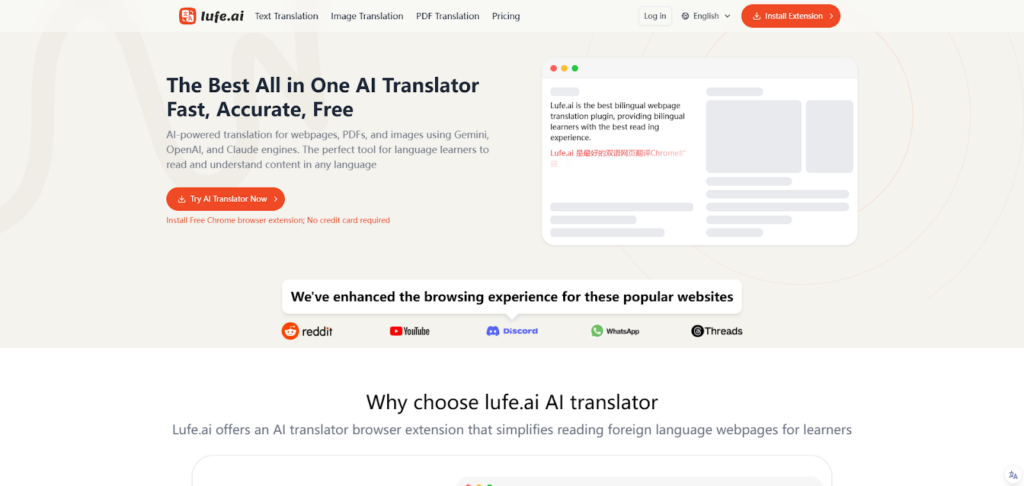
1. Lufe.ai

Lufe.ai is a cutting-edge AI translator that combines advanced contextual understanding with versatility, catering to both casual users and professionals. Designed to handle everything from simple text to industry-specific jargon, Lufe.ai has quickly established itself as a reliable solution for accurate and secure translations.

Pros

  • Contextual Precision: Lufe.ai excels in understanding the nuances of text, ensuring translations retain tone, intent, and meaning.
  • Real-Time Multilingual Communication: Ideal for meetings, conferences, or live conversations.
  • Industry-Specific Customization: Users can train the AI to handle specialized terminology in fields like medicine, law, and technology.
  • Data Security: All translations are encrypted, ensuring sensitive information remains protected.
  • User-Friendly Interface: Clean design and seamless navigation make it accessible to all.

Cons

  • Requires an internet connection for most features.
  • Advanced features may have a learning curve for first-time users.

Price

Lufe.ai offers flexible pricing plans tailored to different user needs, including free trials for casual users and premium options for businesses requiring advanced features.


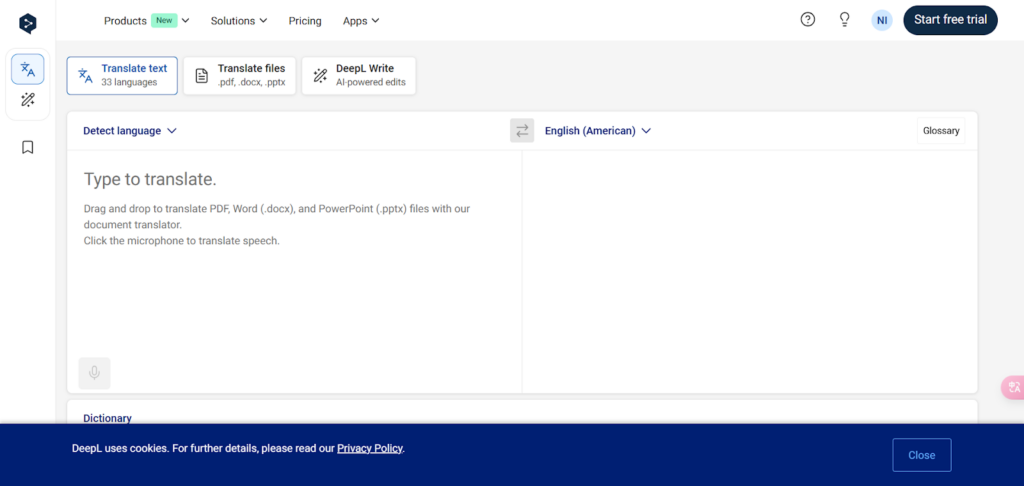
2. DeepL Translator

DeepL is a widely regarded AI translator known for its exceptional accuracy and natural-sounding translations. With a strong focus on European languages, it’s a favorite among professionals and businesses looking for high-quality results.

Pros

  • Exceptional Accuracy: DeepL delivers translations that feel natural and fluent.
  • Document Translation: Maintains formatting while translating large files.
  • User-Friendly Interface: Simple and intuitive, suitable for casual and professional users.
  • Paid Plans for Advanced Features: Includes options for businesses and teams.

Cons

  • Limited language support compared to competitors like Google Translate.
  • Free version lacks advanced features, which are locked behind paid plans.

Price

DeepL offers a free version with basic features and premium plans starting at $8.99/month, ideal for businesses and frequent users.


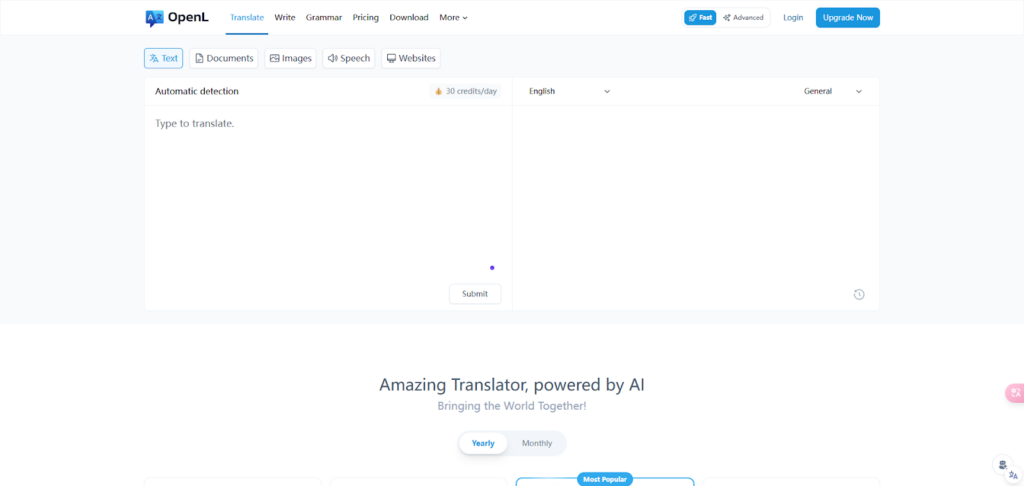
3. OpenL Translator

OpenL is a straightforward AI translator designed for users who need quick and reliable text translations. While it doesn’t offer advanced features like real-time communication, it’s a solid option for casual users and small businesses.

Pros

  • Fast Translations: OpenL prioritizes speed without sacrificing accuracy.
  • Simple Interface: Easy to navigate, even for first-time users.
  • Affordable Options: Great for budget-conscious users.

Cons

  • Limited customization for industry-specific needs.
  • Lacks advanced features like document translation or image recognition.

Price

OpenL offers free access to its basic features, with affordable premium plans available for users seeking higher limits or additional functionality.


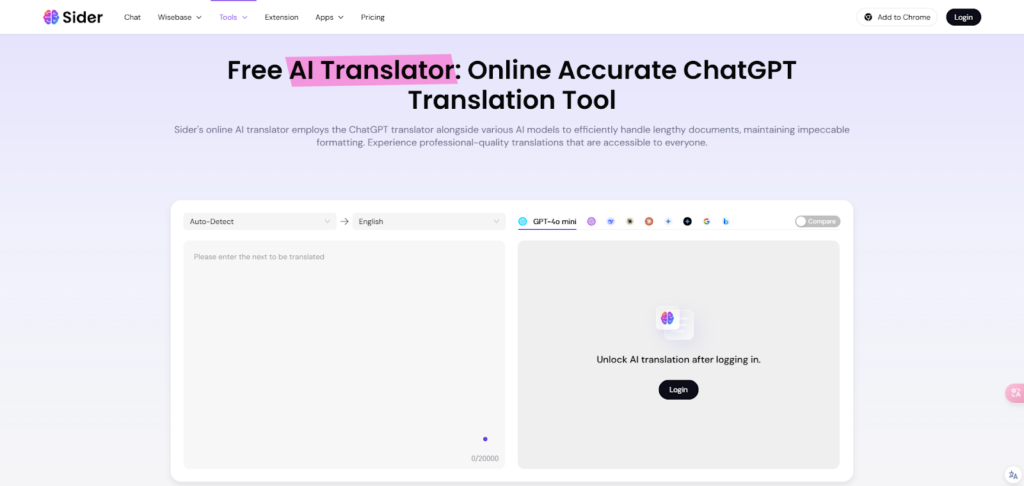
4. Sider.ai Text Translator

Sider.ai’s text translator is designed for quick and efficient text translations, making it an excellent choice for users who need straightforward solutions. It’s particularly useful for translating emails, reports, or short texts.

Pros

  • Wide Language Support: Covers major languages for global communication.
  • Fast and Reliable: Offers quick translations with decent accuracy.
  • User-Friendly Interface: Simple and clean design for hassle-free use.

Cons

  • Limited contextual understanding for complex or nuanced text.
  • Lacks advanced features like real-time communication or image translation.

Price

Sider.ai provides free access to its basic text translation tool, with paid plans available for users requiring higher translation limits or additional features.


Comparing the AI Translators

When choosing the best AI translator, it’s important to consider your specific needs. Are you looking for a tool to handle simple translations, or do you require advanced features like real-time communication and industry-specific customization?

  • For Casual Users: Tools like OpenL and Sider.ai offer quick and reliable text translation without overwhelming users with complex features.
  • For Professionals: Platforms like DeepL and Lufe.ai excel in accuracy and customization, making them ideal for businesses and specialized industries.
  • For Security-Conscious Users: Lufe.ai stands out with its encryption and focus on data privacy, making it a trusted option for handling sensitive information.

Why Lufe.ai Deserves Attention

While established platforms like DeepL dominate the market, newer solutions like Lufe.ai are pushing boundaries and redefining expectations. Its ability to balance contextual accuracy, real-time communication, and industry-specific customization makes it a standout choice for users who demand versatility and precision.

Additionally, Lufe.ai’s commitment to data security and user-friendly design ensures that it’s not only effective but also accessible. Whether you’re localizing a website, translating technical documents, or engaging in live multilingual meetings, Lufe.ai offers a comprehensive solution for modern translation needs.


Final Thoughts

AI translators have revolutionized global communication, making it easier to connect across languages and cultures. Each of the tools mentioned here brings unique strengths to the table, catering to different needs and budgets.

When choosing the right translator, consider factors like accuracy, scalability, and ease of use. And while established names like DeepL and Sider.ai are excellent choices, emerging platforms like Lufe.ai are worth exploring for their innovative features and adaptability.

As the demand for seamless communication grows, investing in the right AI translator can unlock new opportunities—whether for personal growth, professional success, or global collaboration.

Categories
AI Tools & Artificial Intelligence

Short.ai: A Comprehensive Overview and Review of Its Free Social Media Scheduler

In today’s digital-first world, managing content across multiple social media platforms has become a critical task for businesses, creators, and marketers alike. The need for tools that simplify this process while maximizing efficiency has never been greater. Enter Short.ai, a cutting-edge platform designed to revolutionize how we create, manage, and distribute content.

In this article, we’ll explore what makes Short.ai a standout tool, with a special focus on its Free Social Media Scheduler—a feature-packed solution for seamless social media management.

What Is Short.ai?

At its core, Short AI is an innovative platform that combines artificial intelligence with user-friendly tools to simplify content creation and social media management. It offers a suite of features designed to help users save time, enhance creativity, and grow their online presence.

From AI-powered video generation to advanced scheduling tools, Short.ai caters to a variety of users, including:

  • Small businesses looking to streamline their social media strategies.
  • Content creators aiming to maximize engagement across platforms.
  • Marketing teams managing campaigns for multiple clients.

One of Short.ai’s most praised features is its Free Social Media Scheduler, which allows users to plan, create, and publish content effortlessly.

Introducing the Free Social Media Scheduler

The Free Social Media Scheduler by Short.ai is a robust tool that simplifies the often overwhelming task of managing multiple social media accounts. Here’s what makes it a game-changer:

Multi-platform Integration

Short.ai supports scheduling across major platforms, including: YouTube, TikTok, Instagram, Facebook, LinkedIn, Pinterest, Twitter (X), Google Business Profile

This broad compatibility ensures that users can manage all their accounts from a single, easy-to-use dashboard.

AI-powered Content Creation

Creating engaging posts has never been easier. The scheduler is equipped with AI tools that help generate:

  • Captivating titles
  • Optimized descriptions
  • Relevant hashtags

This feature is particularly useful for those who struggle with writer’s block or want to enhance the quality of their posts without investing too much time.

Bulk Scheduling and Automation

The bulk scheduling feature allows users to plan and upload multiple posts at once, saving time and ensuring consistency. With automation, posts are published at the optimal time, even when you’re offline.

Visual Content Calendar

The scheduler includes a Social Media Content Calendar, enabling users to organize their posts by day, week, or month. This visual layout makes it easy to plan ahead, track progress, and adjust strategies.

Key Benefits of Using Short.ai

Time-saving Efficiency

With its automation and bulk scheduling features, Short.ai significantly reduces the time spent on social media management. Instead of manually posting content, users can focus on other important tasks.

Enhanced Creativity with AI

The AI-powered tools not only save time but also boost creativity. By generating engaging titles, descriptions, and hashtags, Short.ai ensures that your posts stand out in crowded feeds.

Seamless Cross-platform Posting

Short.ai eliminates the need to switch between platforms. Users can upload content once and distribute it across multiple channels, ensuring consistent messaging and branding.

User-friendly Interface

The platform’s intuitive design makes it accessible to users of all skill levels. From connecting accounts to scheduling posts, every step is straightforward and easy to follow.

Cost-effectiveness

Unlike many other tools, Short.ai offers a free plan with powerful features, making it an attractive option for budget-conscious users.

A Closer Look at Short.ai’s AI Capabilities

One of Short.ai’s standout features is its integration of artificial intelligence. Beyond the Free Social Media Scheduler, the platform offers tools like:

  • Faceless Video AI: Create short, engaging videos with minimal effort.
  • AI Story Generator: Turn ideas into compelling narratives.
  • Dialogue and Text Generators: Perfect for creating scripts and captions.

These AI-powered tools complement the scheduler, allowing users to create and distribute high-quality content effortlessly.

How to Get Started with Short.ai

Getting started with Short.ai is simple and straightforward:

  • Sign Up: Visit the Short.ai website and create a free account.
  • Connect Your Accounts: Link up to three social media profiles.
  • Create Content: Use the AI tools to draft engaging posts.
  • Schedule Posts: Preview your content and set publishing times.
  • Monitor and Adjust: Use the content calendar to track your schedule and refine your strategy.

Final Thoughts

Short.ai is more than just a social media scheduler—it’s a comprehensive platform designed to simplify and enhance your content creation and management efforts. Its Free Social Media Scheduler is a standout feature, offering powerful tools at no cost.

Whether you’re a small business owner, a content creator, or a marketing professional, Short.ai provides the resources you need to succeed in today’s competitive digital landscape.

Ready to transform your social media strategy? Explore Short.ai today and experience the benefits of its Free Social Media Scheduler for yourself!