
Email gets harder the moment it starts working. At the beginning, you’re sending to a small list, you know your audience, and you can personally feel when something’s off.
Then the campaigns scale. You add automations. Segments multiply. More people touch templates. More links get tracked. And suddenly, “email quality” becomes this fragile thing you’re trying to protect while everything is moving faster.
What’s tricky is that quality issues don’t always show up as obvious failures. Sometimes it’s subtle. A deliverability dip. A template that renders weird on mobile. A slow rise in bounces. A small spike in spam complaints after one aggressive send.
These tools help teams keep email quality steady as volume and complexity grow, without turning every campaign into a fire drill.
1. InboxAlly
InboxAlly is helpful when the real risk isn’t your copy, it’s your reputation. As campaigns expand, you start sending more often, to more segments, from more domains or subdomains. Even if your intent is good, inbox providers can interpret sudden shifts as suspicious.
InboxAlly focuses on reputation conditioning through engagement patterns and steady sending behavior, which is exactly what keeps you stable while you scale.
A practical way to use it is as part of your “pre-scale checklist.” Before you ramp volume, you want to confirm you’re not already drifting into poor placement.
This is also where pairing it with an Email blacklist checker makes sense. Not because you expect disaster, but because checking early is cheaper than recovering later.
The big win here is consistency. Inbox trust is earned slowly, and InboxAlly supports the slow part.
2. Litmus
Litmus is one of those tools you appreciate more the bigger your email program gets.
When campaigns expand, you stop having one template and one layout. You have variations. Dark mode issues. Dynamic blocks. Localization. Different teams making small edits that can break things.
Litmus helps you preview emails across clients and devices, check links, and spot rendering problems before they hit your full list. That’s quality control, plain and simple.
It’s especially useful when you’re running high-stakes sends, like product launches or big promos, and you can’t afford a “looks fine in Gmail” surprise.
3. Email on Acid
Email on Acid plays a similar role to Litmus, but teams often pick one based on workflow preferences and what kind of testing they do most.
Where Email on Acid shines is catching the stuff humans miss during review. Layout quirks in Outlook. Broken buttons on certain mobile clients. Image scaling that looks fine in one place and messy in another.
As you scale, these issues stop being one-off annoyances. They become reputation risks. If emails look broken, people delete faster. That hurts engagement. Engagement hurts deliverability.
Quality is connected. Email on Acid helps you protect the chain.
4. MailGenius
When marketers talk about “spam triggers,” it often turns into superstition. Don’t use this word. Avoid that phrase. Never do this.
Reality is more nuanced. Filters care about patterns, formatting, link behavior, and how your message lines up with your sending reputation.
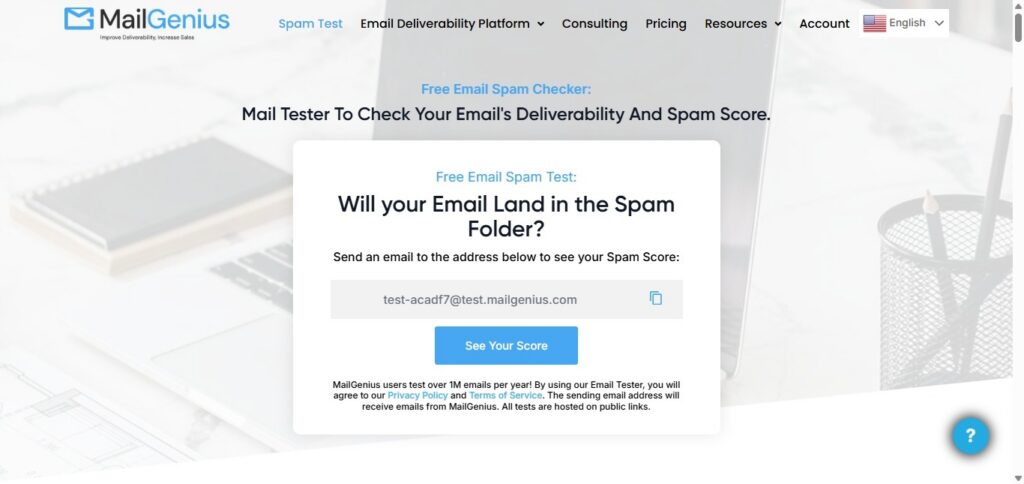
MailGenius is useful because it gives you a quick, practical check on content risk before you send. It’s not judging whether your email is persuasive. It’s checking whether your structure looks risky.
This matters more as campaigns expand because you’re making faster edits, adding more tracking, and moving through approvals with less time to manually spot issues.
Think of it as the last look before the email leaves the building.
5. NeverBounce
List quality becomes a silent killer when you scale. At a small volume, a few invalid addresses don’t matter much. At large volume, bounces stack up. And inbox providers don’t love senders who keep hitting dead inboxes.
NeverBounce helps by verifying addresses and reducing bounce risk before you mail. It’s especially useful when you’re importing leads from events, partnerships, older CRM lists, or reactivation segments that haven’t been emailed in a while.
The misconception is that list cleaning is “optional” if you’re careful. The truth is, list decay happens no matter what. Verification tools help you stay ahead of it.
6. Folderly
Folderly sits in that space between deliverability monitoring and deliverability improvement.
As campaigns expand, many teams notice the same pattern: one inbox provider starts filtering more aggressively, while another still performs fine. Or placement varies by segment. Or a domain that used to be healthy starts drifting.
Folderly helps you identify those patterns and improve sending behavior without relying on guesswork. It’s also useful when you’re scaling outreach or adding new sending streams, because those changes can create reputation volatility.
The value here is prevention. If you can spot problems early, you don’t have to “fix” them later under pressure.
7. Dmarcian
Authentication problems rarely show up like a flashing warning light. They show up like confusion.
Your emails still send, but placement gets inconsistent. A provider throttles. Another starts filtering. Someone asks what changed, and nobody has a clean answer.
DMARCian helps teams monitor DMARC and understand whether SPF and DKIM alignment is holding steady. That becomes increasingly important as campaigns expand because more tools and domains get added, and alignment can drift quietly over time.
If you want fewer deliverability mysteries, authentication monitoring is part of the answer.
8. Valimail
Valimail is another strong option in the authentication and DMARC space, especially for organizations that need ongoing monitoring and enforcement as their email footprint grows.
As you scale, you’re not just protecting marketing sends. You’re protecting the entire domain reputation tied to your brand. That includes transactional emails, support, HR, and any other system that sends mail on your behalf.
Valimail helps teams keep visibility over who is sending, whether authentication is aligned, and where risks are emerging. It’s the kind of tool that supports stability, which is what quality looks like at scale.
The Support Ticket Signal Teams Ignore
One of the simplest indicators that email quality is slipping is the support inbox. If customers or internal teams keep asking, “Why can’t I receive emails?”, it’s rarely a single issue.
It could be filtering, throttling, authentication drift, list hygiene problems, or content triggering stricter filtering than usual. But the point is the same: when those questions increase, your monitoring stack should get louder, not quieter.
That’s the moment to slow down, diagnose, and protect your reputation before you send bigger.
Conclusion: Scaling Email Without Losing Quality Is a System
Email quality isn’t one thing. It’s a set of small disciplines working together.
Rendering checks keep your emails readable. Content tests reduce avoidable filtering. Verification protects your bounce profile. Reputation and authentication monitoring prevent slow drift. And tools like these give you visibility before you make a big move.
When campaigns expand, the teams that stay stable are the ones who treat quality like maintenance, not crisis response. That’s what keeps email reliable, even when everything else scales around it.
