Categories
Web Development & Programming

Developing a Powerful Content Strategy for Your Blog Using WordPress

In the broad digital realm, where content is king, the success of your WordPress site needs to have a well-defined content strategy. Your audience will thank you for your constant delivery of great information if you use a planned approach, which will also help you achieve the goals you have set for your blog. This post will walk you through the process of developing an efficient WordPress content strategy that will take your blog to new heights, regardless of whether you are an experienced blogger or just getting started with blogging.

I. Establishing Explicit Objectives

The establishment of transparent objectives serves as the bedrock of a fruitful content strategy. Your goals will serve as a roadmap for all that you do about your blog. Do you want to boost the amount of traffic to your website, the number of leads you create, the amount of engagement your audience has with you on social media, or establish thought leadership in your specialized field? The process of defining your goals will assist you in shaping your content and determining how successful you have been.

“If one of your objectives is to increase the amount of traffic to your website, for instance, you can place a higher premium on search engine optimization (SEO) and content that is appealing to a more diverse group of people. If generating leads is your primary goal, you can consider concentrating your efforts on developing helpful resources such as ebooks or seminars.” – Timothy Allen, Director at Oberheiden P.C.

II. Research on the Target Audience

It is critical to understand your target demographic before attempting to craft content that will resonate with them. To begin, you will need to create in-depth audience profiles based on information regarding demographics, interests, and pain areas. Gather information about your existing audience with the use of technologies like Google Analytics and the insights provided by social media platforms.

“If you understand your audience, you will be able to modify your material to meet their requirements and cater to their tastes. For instance, if you learn that the people who read your WordPress blog place a high value on in-depth tutorials, you may make plans to publish more in-depth guides and tutorials on your site.” – Josh Thill, Founder of Thrive Engine

III. Keyword Research and Search Engine Optimization (SEO)

Your search engine optimization plan must begin with thorough keyword research. Determine the terms and phrases that are pertinent to the information that people in your audience are looking for about your topic. You may uncover profitable keywords with large search volumes and low competition with the assistance of various tools, such as the Google Keyword Planner, SEMrush, or Ahrefs.

“When you have identified your target keywords, the next step is to strategically incorporate them into your article. You should include them in the titles, headings, and body of your articles while maintaining a natural flow of reading. WordPress SEO plugins such as Yoast SEO might be of assistance when it comes to optimizing the content of your website for search engines.” – Tom Miller, Director of Marketing at FitnessVolt

IV. Content Calendar

A content calendar serves as a guide for maintaining a consistent schedule of content generation and publication. It makes it easier for you to maintain organization and ensures that you cover a variety of issues that are pertinent to the audience you are speaking to. When developing a content calendar, it is vital to take into account a variety of elements, including seasonality, industry trends, and significant events relevant to your specialty.

“The content you publish on your WordPress site may be easily scheduled and managed with the help of plugins like Editorial Calendar. Having a content calendar means that you will always have a strategy for upcoming blog posts, which reduces the amount of stress you experience at the last minute.” – Natalia Dávila Merlo, Content Marketing Manager at Ling App

V. Varieties of Content and Their Formats

Maintaining your audience’s interest requires using a variety of information types and presentation techniques. Because individuals have varying preferences about how they take in information, it is helpful to provide a variety of content types, such as blog posts, videos, infographics, podcasts, and interactive material, to appeal to the widest possible audience.

“Think about the people you’re trying to reach and the tastes they have. For instance, if your audience consists of people who learn best through visual means, it may be very helpful for you to create educational infographics or video tutorials. WordPress is compatible with a wide variety of content types, and there are plugins available to expand the functionality of each type.” – Mark Valderrama, owner of  Aquarium Store Depot

VI. Quality Over Quantity

Creating material of high quality is the key to your success. It is not enough to simply produce a large amount of material; you also need to ensure that this content is valuable to your audience. Content that has been thoroughly researched, is useful and is interesting to readers not only motivates readers to return but also encourages sharing and backlinks.

“Make it a priority to create material that assists your audience in finding solutions to issues, provides answers to queries, or entertains them. Your blog will receive higher positions on search results pages as a result of the growing trust that people have in you as a reliable source of information.” – Tessa Benson, Founder of Thoughtful Gift Lab

VII. Promotion and Distribution

Developing high-quality content is only one side of the equation; successfully promoting and disseminating that material is also extremely important. To ensure that your content is seen by the people you want to see it, you should employ tactics such as social media marketing, email marketing, and search engine optimization.

“Send your content out via email to your subscribers, share it on the social media platforms that are relevant to your audience, and interact with them by replying to their comments and messages. Utilize WordPress plugins such as Social Warfare to maximize the social sharing buttons on your blog. This will make it simple for visitors to pass along the information they find on your site to their respective networks.” – Robert Herrera, President & Automotive Specialist at COR Wheels

VIII. Analyze and Adapt

It is crucial to your strategy’s development that you do regular analysis of the performance of your content. Tracking important metrics like website traffic, engagement levels, conversion rates, and bounce rates may be accomplished with the help of WordPress analytics plugins and tools like Google Analytics.

“Determine which kinds of material have the biggest impact on your audience as well as which channels are responsible for the most traffic. Pay attention to the comments and feedback left by users so that you may better understand their preferences and requirements. Make use of these facts so that over time, you can adapt and improve your content strategy.”- Cindi Keller, Communications Manager at THE CRIMINAL DEFENSE

In conclusion, developing an efficient content strategy for WordPress requires a combination of meticulous planning, research on the target audience, optimization for search engine results, and a dedication to producing consistently high-quality content. If you construct a successful WordPress blog that achieves your goals and satisfies your readers by following these steps and remaining adaptable in your approach, you will be well on your way to accomplishing both of these things. It is important to keep in mind that an effective content strategy is a fluid process that adapts to the development of your blog as well as the ever-shifting nature of the digital landscape.

Categories
Web Development & Programming

Simple Web Scraping Projects With Google Sheets – A Complete Guide

Web scraping is a method for extracting data from websites. It can be used to gather specific information from the web, automate data entry tasks, or aid in competitive analysis.

While there are many ways of implementing this technique, we’ll focus on using Google Sheets because it’s simple and accessible for all levels of technical expertise!

With just basic knowledge of formulas and functions, you can start your own web scraping projects right away.

Setting Up Your Google Sheets for Web Scraping

Before diving into any web scraping project, it’s important to get your Google Sheets environment in order. It’s one of the best tools for students and professionals alike. Here’s a simple guide on how to set things up:

  • Open your internet browser and log into your Google account.
  • Create a new Google sheet or choose an existing one from your drive.
  • Familiarize yourself with basic functions: reassure you know how to add, copy-paste, drag down formulas etc.

Everything starts with good organization. Following these steps not only sets you up well for this project but also helps streamline the learning process as we navigate through more complex tasks later on.

Understanding How Google Sheets Can Extract Data from Websites

Google Sheets can extract data from websites through in-built functions, namely ImportXML and ImportHTML. These versatile tools enable the following:

  • Selective extraction: With these functions, you can pinpoint specific sections of a webpage from which to pull data.
  • Real-time updates: As websites update their content, your Google Sheet will automatically refresh with new information.
  • Accessibility: Since it requires no installation or sophisticated coding skills, this method is perfectly suited for beginners.

You can carry out more complex and comprehensive web scraping operations via ZenRows’ API, and it’s worth moving on to this type of advanced tool once you’ve got to grips with the basics. That said, mastering how to retrieve online data using Google Sheets alone means you’re establishing a strong foundation for any web scraping project ahead.

Your First Project: Basic Web Scraping in Action on Google Sheets

Now that you’re familiar with the tools, it’s time to get started with your first basic web scraping project. Let’s extract live weather data for this exercise:

  • Open a new Google Sheet.
  • In A1 cell type “Weather Today”.
  • Select B2 cell and write `=IMPORTXML(“http://www.example.com”,”//p[@class=’temperature’]”)`. This is an example function where you insert the website URL and XPath of the information you want to scrape.

Or, if using HTML:

  • Select B2 cell and write `=IMPORTHTML(“http://www.example.com”, “table”, 1)`. Here you replace `”http://www.example.com”` with your desired URL, meaning you are accessing the first table found.

This formula might require adjustments based on how the targeted page structures its data. Through practice, you will become adept at writing precise formulas compatible with various websites.

Advanced Techniques: Dealing With Dynamic Content in Google Sheets Web Scraping

Once you’ve mastered the basics, you might encounter web pages with dynamic content. Such pages can often be a little tricky to scrape as they load data asynchronously using JavaScript. Here’s how to handle them:

  • Identify dynamic content: Observing your chosen web page carefully can help spot elements that load or change after the initial page load.
  • Use specialized tools: Some add-ons and external tools excel in handling dynamically loaded data, so explore these for more complex tasks.

Although Google Sheets may have limited capabilities when dealing with such advanced requirements, learning how to navigate them develops your overall web scraping expertise. This breadth of understanding will make tackling any future challenges significantly easier.

Debugging Common Problems Encountered during Web Scraping

As you spend more time web scraping, you are bound to encounter a few hurdles. Let’s look at common problems and their solutions:

  • Data not showing up: Double-check your formula syntax. Errors in typing or unwanted spaces might be the issue.
  • Slow sheet loading: Hefty amounts of imported data can slow down Google Sheets load times. Consider breaking your data into smaller chunks across multiple sheets.

By understanding these situations, effectively troubleshooting becomes significantly more manageable from the get-go.

Applying Ethics and the Legalities of Web Scraping: Do’s and Don’ts

While web scraping can be a powerful tool, it’s crucial to respect privacy and follow legal guidelines. Always check a website’s robots.txt file before extracting data and avoid sensitive information like personal data.

Moreover, for users concerned about privacy and security, employing a free Android VPN while web scraping adds an extra layer of protection, ensuring safe data extraction practices and safeguarding sensitive information from potential threats.

Also remember that just because the information is available doesn’t mean we always have the right to use it. By following these principles, you’ll obtain valuable insights ethically.

The Last Word

You’ve learned the basics of web scraping with Google Sheets, tackled dynamic content, debugged some common problems, and discussed important ethical considerations. With these skills in your toolkit, you’re ready to explore countless data extraction possibilities, and ideally move on to making use of more advanced web scraping tools to get even richer results from your data mining activities.

Categories
Web Development & Programming

The Ups and Downs of Node.js Web App Development

Node.js is an open-source runtime environment constructed on Chrome’s V8 JavaScript engine. Conceived in 2009 by Ryan Dahl at the European JSConf, it gained instant acclaim as the most captivating advancement in the JavaScript domain.

Under the patronage of Joyent, a firm known for backing technologies like Ruby on Rails and hosting giants like Twitter and LinkedIn, Node.js blossomed. Notably, LinkedIn was among the first to adopt Node.js for its mobile app backend. Following suit were tech stalwarts like Uber, eBay, Walmart, and Netflix. Yet, it was only around 2017 that the broader adoption of this technology truly began.

Node.js isn’t a framework. Instead, it’s a runtime environment that interfaces with the operating system, executing code based on the V8 engine originally crafted for Chrome. Its capacity to run server-side JavaScript through just-in-time compilation is notable. Though some mistakenly label it a framework, it’s distinct in its purpose. Frameworks are tools aiding speedy development, whereas Node.js stands as the base. However, node.js web development services developers have access to many frameworks tailored for Node.js, including Express, Meteor, and Sails.

Node.js: The Highs

Technological Robustness: JavaScript’s dominance paved the way for Node.js to rise as a significant player. Adopted by numerous websites, it offers the merits of full-stack JavaScript development like improved efficiency, code reuse, rapid performance, knowledge-sharing, and access to myriad tools. The outcome? Agile teams and efficient software.

Swift Web-task Processing: Node.js’s speed isn’t folklore. Comparative tests show it excelling in handling concurrent requests, attributable to the V8 engine’s rapid JavaScript-to-machine code compilation, a product of Google’s robust investments.

Scalability via Microservices: Node.js’s lightweight nature makes it apt for microservice architectures—developing applications as a suite of small, distinct services. This modular approach fosters flexibility and scalability.

Expansive Developer Community: In 2023, Node.js emerged as a top pick among web technologies, with a considerable chunk of StackOverflow’s community endorsing it. The standout framework in this realm is Angular https://www.aimprosoft.com/technologies/angular-development/

Node.js: The Lows

One of Node.js’s most pronounced weaknesses is its inability to efficiently handle tasks that demand significant CPU power. This limitation is rooted in the very design of JavaScript. Originally conceived as a frontend language, JavaScript operates on a single-threaded model. This design choice, while ensuring rapid task execution, particularly in frontend operations where multi-threading isn’t typically essential, becomes a hindrance when it comes to backend tasks that could benefit from concurrent processing.

Limitations with Intensive CPU Tasks: Node.js’s Achilles heel remains its sluggish processing of CPU-intensive tasks. This limitation stems from JavaScript’s design, which, being a frontend language, uses a single thread for swift task execution without requiring threading.

The Callback Conundrum: Node.js’s asynchronous nature leans on callbacks, leading to “callback hell”—a messy, nested structure of callbacks making code harder to comprehend and maintain.

Tooling and Dependency Concerns: While core Node.js modules are stable, numerous tools in the npm registry are either inadequately documented or of questionable quality. The registry’s structure lacks a comprehensive rating system, making it tough for developers to pinpoint top-tier tools.

In conclusion, while Node.js presents promising capabilities, understanding its constraints is crucial for leveraging its full potential.

Categories
Web Development & Programming

Python and Django Development: Empowering Innovation and Efficiency in Web Development

Python is a high-level programming language that was developed by Guido van Rossum and first released in 1991. It’s often used as a general-purpose language, but it can also be utilized for scientific computing and data analysis. Its versatility makes it an ideal solution for web development because it allows developers to use similar code on multiple platforms without having to rewrite their applications from scratch each time they need to port it over.

The Power of Python

Python is a general-purpose programming language that can be used for everything from web development to data science. It’s also one of the most popular programming languages in use today, with over 100k open-source projects on GitHub alone.

Python was created by Guido Van Rossum in 1991 and released as open-source software under an MIT license in December 2000. Since then it has grown into a mature ecosystem with an extensive standard library providing many powerful features out of the box (such as concurrent programming).

In this article, we’ll explore some of Python’s strengths as well as its weaknesses compared with other languages such as Ruby or JavaScript which are often used alongside Django and Flask applications respectively

Unleashing Django’s Potential

As a Python framework for developing web applications, Django offers several advantages. It’s free and open source, and it can be used on Google App Engine (GAE).

Django is written in Python and runs on GAE. As such, it’s designed to be highly scalable so that you can start small with your website or app development project and grow as needed without having to throw out what you’ve already built or rework your entire codebase at once. Django also makes use of MVC (Model-View-Controller) architecture–a pattern that separates data from presentation logic from business logic–to facilitate rapid application development while maintaining consistency across different platforms such as mobile devices and desktop computers alike

Advantages of Python and Django in Web Development

Here are some of the advantages of using Django and Python development services in web development:

Python for Web Development

Easy to Learn: Python syntax is straightforward to read, making it simple to learn even for beginners.

Versatile Language: Python supports multiple programming paradigms, including object-oriented, functional, and procedural programming, enabling developers to choose the best approach for their projects.

Large Community: Python boasts one of the largest online communities of developers, which helps with problem-solving, and debugging, and provides access to numerous resources, and libraries.

Django for Web Development

Rapid Development: Django is designed to make development as fast as possible by providing pre-written code for many basic tasks, such as authentication, forms, and admin interfaces.

Scalability: Django is built to handle heavy traffic, high user activity, and growing projects, making it a reliable platform for businesses with a large user base.

Security: Django includes a range of security features, such as protection against SQL injections, XSS attacks, and more to ensure your web application is secure.

Versatile Framework: Django is suitable for developing a broad range of web applications, including e-commerce sites, social networks, content management systems, and more.

Real-World Applications:

The marriage of Python and Django has produced remarkable web applications across various industries. From content management systems and e-commerce platforms to social media networks and data analytics tools, many successful websites owe their existence to these powerful technologies. Platforms like Instagram, Pinterest, and Disqus have leveraged Django’s capabilities to build feature-rich, user-friendly, and high-performance applications that have stood the test of time.

Content Management Systems (CMS):

Python and Django development agencies are popular choices for building robust and scalable content management systems. Django’s built-in features like authentication, an admin interface, and the ability to handle large databases make it ideal for developing CMS platforms.

Mezzanine and Wagtail are two popular CMS platforms built with Django that provides a user-friendly interface for managing content, SEO optimization, and customizability.

E-commerce Platforms:

Python and Django are widely used in developing e-commerce platforms due to their scalability, security features, and robustness. The versatility of Django allows developers to create custom e-commerce solutions tailored to specific business needs.

Saleor and Oscar are examples of Django-based e-commerce platforms that offer features like product management, shopping cart functionality, payment gateway integration, and order processing.

Social Media Networks:

Django’s ability to handle high traffic and its built-in features make it an excellent choice for building social media networks. It enables developers to implement user authentication, activity feeds, notifications, and other functionalities required in a social media platform.

Instagram, a widely popular photo-sharing platform, was initially built using Django. It leverages Django’s scalability and performance to handle millions of users and their interactions effectively.

Data Analytics Tools:

Python’s rich ecosystem of libraries, such as NumPy, Pandas, and Matplotlib, combined with Django’s web development capabilities, make it a powerful tool for building data analytics applications.

Django allows developers to build user-friendly dashboards, data visualization tools, and interactive data analysis platforms. Examples include Superset and Redash, which are open-source data analytics and visualization platforms built with Python and Django.

These are just a few examples, but the combination of Python and Django has been used in numerous other industries, such as healthcare, finance, education, and more. The versatility and robustness of these technologies make them a popular choice for building a wide range of web applications.

Conclusion

From small startups to large corporations, Python and Django are being used by organizations around the world. In fact, in a recent survey conducted by RedMonk, it was revealed that Python has become the top programming language for web development. With its ease of use and flexibility, these two languages are helping businesses of all sizes create innovative products and services that can be accessed by customers anywhere at any time.

Categories
Web Development & Programming

Flutter Power Unleashed Benefits of Choosing Flutter for Your Next App

In the ever-evolving app development world, developers are constantly searching for reliable frameworks to simplify the process and achieve exceptional results. Google’s Flutter, an open-source UI software development kit, has emerged as a game changer. Flutter has attracted the attention of developers worldwide due to its unique set of benefits. In this article, we’ll examine the essential benefits that make Flutter the ideal platform for your next app.

Flutter’s Customizable UI Widgets enable beautiful, responsive user interfaces

With Flutter development services, developers can create visually stunning and precise user interfaces using customizable UI widgets. These widgets adhere to the Material Design and Cupertino design guidelines, giving them a native look and feel on iOS and Android platforms. Flutter’s adaptable UI framework enables developers to create gorgeous user interfaces with fluid animations, seamless transitions, and eye-catching visual effects, resulting in a pleasurable user experience that captivates users from the moment they load the app.

Flutter excels at performance, which is critical in app development. Flutter apps are written in Dart, a compiled programming language that avoids the need for JavaScript bridges that are common in other frameworks. As a result, Flutter apps perform admirably, with fluid animations, quick response times, and a snappy user experience. 

Flutter’s Hot Reload and Cross-Platform Capability Speed App Development

Flutter’s ability to create cross-platform apps that operate flawlessly on iOS and Android is one of its most notable features. Developers can save time and work by writing a single codebase and deploying it across different platforms with Flutter. This cross-platform efficiency lowers development costs and assures a consistent user experience across devices, removing the need for various development teams for each forum.

The hot reload functionality in Flutter is a game changer for developers. It enables them to change the code and immediately see the consequences without restarting the program. It accelerates the development process, allowing developers to quickly iterate and experiment with various UI elements, layouts, and features. With hot reloading, developers can squash problems and fine-tune app performance on the go, resulting in shorter development cycles and more productivity.

Flutter’s native capabilities and quick reloading will optimize your app’s potential

Flutter gives developers direct access to native functionality and device APIs, allowing them to utilize the underlying platforms fully. Flutter makes it simple to tap the power of the native platform, whether it’s accessing device sensors, integrating with Bluetooth or NFC, or exploiting platform-specific capabilities. This seamless connection with device characteristics ensures Flutter apps can provide a rich and immersive user experience using each platform’s strengths.

Time-to-market is a vital success factor for every software. Flutter’s rapid reload and cross-platform efficiency substantially contribute to reduced development time. Flutter allows developers to swiftly prototype and iterate on their ideas, transforming thoughts into usable apps. The ability to reuse code across platforms, combined with Flutter’s vast widget library, simplifies development and enables developers to bring their apps to market faster than ever before.

Animations and motion are essential in modern app design, and Flutter provides a robust platform for creating visually appealing experiences. Developers can bring their apps to life with seamless transitions, engaging gestures, and visually spectacular effects with Flutter’s animation APIs and widgets. Through a smooth page transition, an eye-catching loading animation, or an interactive user interface component, Flutter allows developers to create apps that stand out and leave a lasting impression on consumers.

Conclusion

Selecting the right platform for app development is critical, and Flutter provides a compelling mix of benefits that make it an outstanding choice. Flutter gives developers the tools they need to build amazing apps thanks to its cross-platform efficiency, quick reload functionality, beautifully crafted UIs, rapid performance, access to native features, decreased development time, and compelling animations. Developers can unleash new possibilities, offer exceptional user experiences, and stay ahead in the competitive app development landscape by using the power of Flutter. 

Categories
Web Development & Programming

Significance of back end development and its prominent features

Backend development is a familiar term in software development. No one can turn down its importance as it is responsible for everything that is visible on your computer or mobile screen. This technical aspect of the software industry is the backbone of all online systems. 

It ensures website performance by efficiently integrating the front end design with backend coding and database management. Smooth working of websites, Apps and other online communication systems depends on multiple activities that are part of backend development. 

What is backend development?

Our computer screen doesn’t show everything to us. Various procedures are involved in making the systems functional. Backend development is the core procedure to integrate all system elements and make them work efficiently. It is a blend of offline and online behind the scene activities.

It is often mentioned as server-side development, but it is not restricted to it. It involves numerous activities, such as implementing logic through coding, creating and managing databases, writing libraries and APIs, system updates and much more necessary for work.   

It also includes server-side management when the website or system goes live, like configuration on the server. It requires regular monitoring and maintenance for smooth working, part of backend development. In short, all the activities performed away from the screen and never displayed on it are backend development. 

Importance of backend development

It is rightly called the backbone of online platforms and systems. Visitors or users interact only with the front end. While backend development deals with the actual procedure of functionality of a website. Software logic is implemented through backend development. Its role is crucial for the performance of online platforms. It comprises key procedures such as coding, authentication, database designing and integration, and efficient linking of front-end and backend components. Numerous software companies provide backend development and design of highly interactive and responsive online solutions for the business. A few key benefits are hereunder:

  • Guarantee fast and easy access for the end user
  • Save time and energy by automating many scheduled tasks
  • Set a productive foundation to help in future expansion and upgradation of the system.
  • Improves UX and provides a state-of-the-art experience 

Tools & frameworks used for backend development

Technological advancement has introduced a large number of tools and technologies that made backend development easier. The developers choose according to their interests, expertise and requirement for the project functionality. A comprehensive search and surfing will reveal many effective tools and technologies. The prominent technologies used for backend development include the following.

  • Express facilitates development using Node.js and is very popular among developers.
  • Django framework allows the development using Python has various benefits.
  • Laravel supports PHP as a programming language and assists in robust backend development.
  • .Net Core is the latest framework, and its popularity skyrocketed within the last couple of years.
  • Kotlin, the latest and stable version that was released in Feb 2023, is also one of the good languages for backend development.

Features of backend development

Backend development is a crucial aspect of web and software development that involves building and maintaining the server side of applications. A variety of tasks is handled by backend development, including client request processing, data management and seamless working of the system.

Some important features of backend development include:

  • Scalability
  • Security
  • Performance
  • Reliability
  • API design
  • Database management

Types of Backend Development

Backend development includes various activities, from

writing code to configure the system on sever, monitoring and updating it. A team of developers is mostly involved in it, and everyone has different responsibilities; however, in small projects, a single developer does everything. Backend development has the following main categories.

  • Database Administration
  • Server Administration
  • Integration & APIs
  • Security Administration

Skills required for back-end developers

Front-end and back-end developers collaborate to create systems with good functionality and performance. We’ve discussed back-end development; let’s touch on another significant parameter, i.e., the skill set of a back-end developer.

Everyone who wants to become a back-end developer should acquire or have the following skills, as these play an essential role.

  • The grip on specific back-end programming languages
  • Comprehensive knowledge of databases and their implementation
  • Server handling
  • APIs

The grip on programming language

Programming languages fall into two basic categories, OOP and functional languages. Object Oriented Programming languages include C++, JAVA, .NET, and PYTHON. While Clojure, R, Haskell, and SQL are examples of functional programming languages. A good back-end should have a good command of back-end programming languages.

Knowledge of Databases and their implementation

Second to programming languages is a database that is significant for a website. Extensive knowledge of the latest database technologies and expertise for implementation is necessary for back-end developers.

Server

Server knowledge is also essential because all web applications run on the server, a remote computer. Managing all server-related tasks is the back-end developer’s responsibility, so up-to-date knowledge of the latest technologies enhances performance.

APIs

Knowledge and command in APIs are compulsory because all the systems perform through them. A set of rules enabling computers or software to interact and communicate is called API. The back-end developers must have a firm grip

Conclusion

In short, backend development bears very important features such as

security, scalability, reliability, working, reliability, database management and API design. A well-designed and optimized backend architecture can help ensure the smooth performance of an application and enable developers to build robust and scalable software systems. Various companies are providing backend development services and also offer services to learn it to have good career opportunities and a skilled future workforce.


Author – Andrey Plisko

In IT since 1998, Andrey advanced his career from a software developer to a team lead and a project manager, and finally to his current position as a software development process manager at ScienceSoft. It is to Andrey’s credit that ScienceSoft’s software development processes comply with ISO standards. Under his supervision, ScienceSoft has moved into strictly regulated domains like healthcare and insurance.

Categories
Web Development & Programming

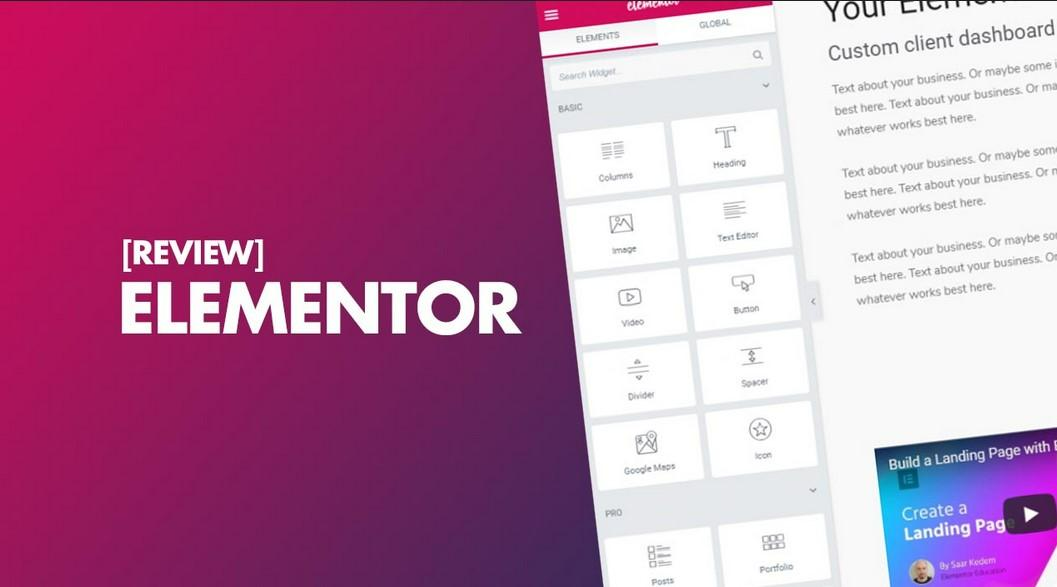
Reasons To Choose Elementor Theme

When you create new projects or plan to update existing ones, you often think about many details. Unfortunately, people overlook some of them. For example, choosing a design for an online store or a WordPress site, not all people even know about the existence of different page builders. The famous examples we can count in one minute. It’s worth studying this question. This point affects how easy it’ll be to work with the new design. The Elementor theme is a frequent request on TemplateMonster. We asked the support service for basic information and looked for articles online. Please read our short review below.

What Is Elementor Theme

This product is a pre-designed website design. At the same time, it is compatible with the most famous software Elementor. So, it facilitates the simplification of editing and is needed. Please note this product isn’t compatible with another web builder.

The Elementor theme features are as follows.

Quick result

You get a ready-made version of the site’s appearance in a few minutes after installation.

Full customization. The installed design is editable as you like. The better the quality of the web developer’s work, the more settings you have in your arsenal. It’s worth using verified marketplaces for purchases — for example, the same TemplateMonster or similar websites with many years of experience.

Ease of use

If you are well-versed in WordPress, you cope with all the settings. Web developers always complete their layouts with detailed instructions to facilitate the process. You can find absolutely everything in the documentation – from changing the background color to carefully editing each page.

Free support

Again, this point depends on which web developer and marketplace you buy from. Most solid, proven, long-standing companies offer six months of free, highly qualified support. This time is enough to use and fully customize the purchased design. Unfortunately, most free Elementor themes don’t have such a service.

Constant updates

The security of the web resource depends on it. However, by purchasing templates on TemplateMonster, you relax and completely forget about this issue. After all, they are exceptionally high-quality and well-maintained. Moreover, the products receive the necessary updates. This point ensures the website’s uninterrupted, stable, and reliable operation.

Low costs

The cost of a high-quality layout is small. At the same time, you get an exceptionally high-quality result. It’s similar to a unique design ordered individually from a web developer. At the same time, you must pay a massive amount for individual work and wait a long time for its appearance. After all, you need to create a project and test it. It takes a lot of time and money.

All Elementor theme buyers get these advantages. Now let’s take a look at the alternatives you may have.

What Is A Page Builder

This product is a unique tool. It’s responsible for the entire process of creating and editing sections.

There are several successful options for this tool for WordPress from different manufacturers. Among the available, in addition to the one discussed today, there are:

  • WPBakery.
  • Beaver.
  • Divi.
  • Spectra.

Each of the listed web builders has its advantages and some shortcomings. Delving into each of the page builders is a topic of a separate conversation. Today we discuss the Elementor theme and the main benefits of this page builder.

Main Pluses Of The Elementor

First of all, it’s both free and premium at the same time. So, many businesses worldwide use its free version. After all, such a cooperation option gives you many opportunities. However, if you buy the paid version, the power becomes even more significant. So, for projects with a small budget, this tool is what you need. After all, you may expand your functionality by switching to premium.

Secondly, all sections become fully adaptive. That is, they adjust immediately to any screen size. A person can open your website on a smartphone, tablet, or a large computer monitor. At the same time, there are both vertical and horizontal gadgets. One thing remains unchanged – the sections adjust to any screen parameters. This feature is available even during free use.

Thirdly, you do all the editing by dragging blocks and elements. This point is crucial if you plan to customize the purchased template for the site. After all, moving the block to the right place is much easier than doing it by editing the site code. And only some buyers of a ready-made layout have coding skills. Therefore, this feature is precious.

Fourthly, it’s perfect for people with minimal experience. The simplicity of management is terrific. Some users may say the interface needs to be updated. However, it’s precisely in this simplicity that absolute benefit. Actions are intuitively clear, and the structure is easy to remember.

Fifth, there are a vast number of templates. For example, when you go to TemplateMonster, you see many options. They are segmented by type of business, color, update date, rating, and more. Therefore, no one limits your imagination and goals.

Conclusions

It’s pretty simple to choose this particular page builder. After all, popularity indicates the product is worth it. Specialists around the world have already created more than 10 million websites. Such mass application is worth your attention and close study. We recommend reading this article by following the link to expand your horizons.

Elementor Theme FAQ

  1. How to choose a template?

It would help if you first filtered out only the designs that suit you. Among the valuable parameters on TemplateMonster is the type of business and color scheme. You may also filter by bestsellers and see the best hits on the marketplace. Finally, watch the demo to see how the site looks after installation. Remember, the demo content only sometimes comes with the purchase of the layout. Read the description to find out all the details.

  1. What are the disadvantages of Elementor?

There are not only positive responses among users. For example, some talk about an outdated interface. However, this point will never break your web resource’s productivity and appearance. There are also people’s reviews of a limited number of templates from the manufacturer of the builder. However, in the example of TemplateMonster, we are convinced of the opposite. It would help if you searched a little.

  1. How to customize the Elementor theme?

The process is quite simple. Some web developers even do the so-called one-click installation. In any case, the instructions for the paid template always help.

  1. Where to buy the Elementor theme?

You can purchase on the TemplateMonster marketplace we mentioned or any other website. Be sure to use verified sources. So you can buy a product that lasts a long time without failure.

Categories
Web Development & Programming

5 Vue JS Project Ideas For Beginners

There are a number of reasons you may want to start a simple Vue JS project. Practicing with Vue JS ideas makes it easier to code in future, providing another skill to help you get  hired or to start your own endeavor.

Vue JS is an excellent framework to learn as it is highly flexible and progressive. It uses the best features of other JavaScript libraries, melding them together to offer a huge range of possibilities. It is for this reason that huge companies like Alibaba, Xiaomi, Grammarly, Adobe, and even Nintendo use Vue JS.

If you haven’t started learning to use Vue JS just yet, we recommend starting with the basics. But if you are getting the hang of it and want to try out some interesting projects, you can try one or more of the following.

Calculator

The easiest Vue JS project to start with is a simple calculator. Calculators are not the most exciting thing to create, especially now that you can just type your equation into Google. However, it provides a way to experiment with the framework. It won’t take you long at all to create the calculator, and then you can play around with the UI and style.

Checkout Forms

This is a big step up from a calculator, but not because the Vue JS components of this project are particularly hard. Rather, it is because a checkout form may need to combine a number of components. If you want to create some simple components that require user input, you can use this Vue WYSIWYG editor, which provides great out-of-box experience.

Checkout forms are a good project to experiment with because they contain components used for so many other purposes. Remember to mess around a bit – you will benefit more from trying and failing than from only doing what you know.

Weather App

Creating a weather app is a fun use of your time and a good way to get to know Vue JS. It will take just a few hours to efficiently code a well-designed weather app that looks great. You don’t need to provide accurate data from the start, as you are just experimenting, but you can use live data from reliable sources once your app looks and acts as you want it to.

Tutorials and Recipes

Vue JS is perfect for creating to-do lists, which also makes it ideal for tutorials and recipes. When you are creating a tutorial or a recipe, you are essentially building a to-do list that requires tasks to be completed in a specific order. Your app can provide a number of tutorials to choose from, in which the user learns to create something themselves.

There are many ways to level-up an app of this kind. Being able to break down certain steps, for instance, may help users who need a bit more guidance. You can add alternatives and substitutes for ingredients of any given recipe.

The above 5 projects are great ways to explore Vue JS. Get started with this intuitive framework used by some of the biggest companies and you won’t look back.

Categories
Web Development & Programming

Tools and frameworks needed to create a REST API

The process of building an API can vary wildly depending on the goals you set yourself and the resources you have at your disposal.

Even so, you will still need to leverage tools and frameworks which are well suited to this task, and comparing them against one another to see whether they mesh with your aims is also essential.

With that in mind, let’s go over a handful of the top contenders in this space and explore what they offer and why you might consider using them to create a REST API of your own.

Image Source: Pixabay

JavaScript solutions

For developers with a background in JavaScript, it makes sense to implement an API using this language as the underpinning.

A typical combination for putting together an API in this context is the Node.js runtime environment, paired with the Express framework. This will be appropriate for both web app and mobile apps alike and offers decent performance combined with a relatively lightweight infrastructure.

A whole host of additional frameworks branch off from the Node.js and Express ecosystem, including well-known solutions like LoopBack, Kraken, and NestJs.

Be aware that learning JavaScript is arguably trickier than some of the other programming languages out there, but its ability to take on a range of duties outside of REST API building means that it will be a skill worth acquiring.

Python solutions

Python is another of the languages that can be put to work when forging your own API, and of course, there are frameworks that are geared towards doing just that.

Flask is among the best known of the bunch, and like JavaScript, it can respond to JSON objects with ease. If you are planning to utilize multiple APIs, then it is worth leveraging an API integration platform for this purpose, but Flask is a good starting point if you just want to work with one for the time being.

In terms of the amount of community support and documentation available, Python-oriented frameworks are definitely well served. And again, if you already have lots of experience with this language, then it makes sense to stick with it for your REST API needs, rather than starting from scratch with JavaScript or any other alternative.

Outside of Flask, there are frameworks such as Django and FastAPI which have their own Python-powered approach to REST API creation. If you work as part of a team, talking to other members to see if they have experience with any of these platforms could help shape your decision.

PHP solutions

Another of the widely used scripting languages in the world of web development, PHP is an option for API creation thanks to frameworks like Laravel.

There may be more of a learning curve to overcome, but once you have got to grips with Laravel, it should empower you to knock up a REST API in a handful of hours.

Other advantages of Laravel include the comprehensive documentation, which is obviously important given the aforementioned complexity that newcomers have to contend with, along with native support for all sorts of SQL databases.

Flexibility is also part and parcel of what Laravel provides, so irrespective of your preferred approach to structuring your API project, it should be able to accommodate your intended design without forcing you to adhere to rigid standards.

There is a range of other PHP-based frameworks and tools aside from Laravel, including Slim and Symfony, so you are not tied to just one. Indeed you might find that through experimentation, your preference becomes clear. You can also beautify your PHP code if you are struggling.

Java solutions

Continuing to cover the various programming languages which can be put to use in an API creation context, Java stands apart as an attractive option that is also deeply ingrained with web development on the whole.

There are frameworks that facilitate its use for REST API initiatives, with Spring Boot being one of the major choices in this market niche.

Catalyzing development and enabling rapid prototyping of apps is what Spring Boot is all about, and its batch processing power in combination with its REST endpoint management chops makes it a productive, efficient service.

A point to make is that not all of these frameworks support every OS environment which you might choose to use.

Spring Boot is cross-compatible with most modern platforms, so you can work with it in Windows, Linux, and even on Mac if you prefer. Be sure to check this before you commit, as compatibility issues can come back to bite you.

Ruby solutions

In terms of accessibility, Ruby has commonly been portrayed as a more approachable programming language thanks to its unfussy syntax. So if you don’t want to face the uphill struggle of becoming a Java expert, turning to Ruby for your app development and API needs makes sense.

Ruby on Rails is the open-source framework of choice for development using this language, and it has been harnessed for all sorts of well-known software services including Shopify, Airbnb, and Twitch.

As well as being all-encompassing, this framework is free to use and boasts a bountiful community of users who are always on hand to answer questions and assist you in conquering any conundrums you encounter.

Performance is flagged as not quite up there with the best of the rest of the frameworks out there, and it might lack the polish of its better-supported peers, but Ruby on Rails is worth considering for REST API creation and all-round app development.

Conclusion

We have only scratched the surface in terms of the options you have available to you as you start down the path to putting together a REST API. You can even go the whole hog and write in C++ if none of the programming languages mentioned above are appealing.

Whatever the case, your choice of framework and tools can only be informed and shaped by what you want out of your API, as well as the expertise you have to hand. Choose wisely and the process of building and launching an API will be less taxing.

Categories
Web Development & Programming

7 Tips For Landing Page Design By Industry – Leading Expert

When designing a landing page, it’s crucial to use the best practices recommended by experts. This can serve as a great means of increasing conversion rates, if done right.  

In this article, we dive deep into the matter and share with you seven landing page design tips as suggested by some of the leading UX design experts.

Let’s dig in!

1.  Integrate Discounts And Coupon Codes

This is one of the most effective ways to drive sales because it prompts the user to take action quickly, instilling the fear of missing out (FOMO), especially when accompanied by a countdown timer that highlights the discount.  

Another way to integrate coupons, discounts, and special offers into your landing page design is by creating exit-intent pop-ups. Whenever a user hovers the mouse to leave, a pop-up will appear, communicating this FOMO message and instilling a sense of urgency.

2.  Display Social Proof  

One of the first things you want your visitors to understand when entering your landing page is that you’re trustworthy. Don’t hesitate to make use of badges, trust marks, client testimonials, and user reviews.

People need reassurance, and because of that, they’ll most likely search for product reviews before they make a purchasing decision. So why not include them within your landing page?  

The average consumer reads 10 reviews before buying a product. So don’t make them postpone their decision. Give them the ability to read reviews right then and there to help move them toward conversion.  

3. Encourage Sharing On Social Media

Here’s the thing: if people love what you offer, they will most likely share it with their friends. That will increase traffic and ultimately get you more conversions.

The first step a brand identity agency takes in order to encourage people to share your page is adding social media buttons to it. This ensures a greater degree of engagement but also improves brand recognition as your brand’s logo design, recognisable copy, and other elements on the page will appear directly in people’s feeds.

4.  Keep Your Landing Page Structured  

The structure of your landing page matters. You can’t just scatter all sorts of elements throughout the page randomly. Everything needs to be placed logically so you can lead the user in going further down the page.

A landing page usually starts with a catchy headline that attracts the user’s attention, followed by a suggestive image, which has the role of maintaining the user’s attention. Next, a contact form is displayed.  

Afterwards, features of the product or service will be presented and finally, social proof will be displayed at the bottom of the page.  

5.  Focus On Page Loading Speed  

Let’s talk about the more technical side of things. The page loading speed matters a lot. In fact, this will make the user decide to either leave or stay on the page.  

Google conducted a study and found out that 53% of users will abandon a page if it doesn’t load within three seconds. In other words, you’ll be missing out on a lot of potential conversions if your landing page is not fast enough.  

To improve your page loading speed, make sure that your landing page includes a minimum amount of heavy elements. Compress all of the images before uploading them to your page, and crop the images to the correct size.

Remember. When scaling down the size of the image, cropping is your go-to method. Don’t use parameters. If you’re doing the latter, the page will load the full image first, then adjust to the size you actually want, meaning that your page will load slowly.  

6.  Create A Responsive Design

Considering that over 50% of all web activity comes from mobile devices, opting for a responsive design is crucial, especially for landing pages.  

Why? Well, devices come in all shapes and sizes, meaning that in order to increase conversions, your website needs to adapt to these changes.

Responsive design does just that, ensuring that your website looks natural and intuitive. Therefore, you’ll create a better user experience, which leads to increasing the chances of generating conversions.   

7.  Perform A/B Testing  

After you’ve finally got your landing page up and running, you still need to find out whether it can drive conversions. And the only way you can do that is through A/B testing.  

What’s A/B testing? Well, it’s the comparison of two different versions of the same piece of content, with one item changed in variation.  

Keep in mind, “one item changed” is the key here. The reason why you should do A/B testing is that it shows you what’s working and what’s not.  

For example, when doing tests on a landing page, you might create a variation of the existing one, but with a different headline. You’ll be able to see exactly which headline generated a better click-through rate and more conversions.  

Besides headlines, you can also do A/B tests on CTAs, images, buttons, navigation links, and more. 


Conclusion

Creating multiple landing pages catered toward different segments of your audience may be more effective, so always consider your audience.  

Keep things simple. Having too much going on can confuse the user and cause them to leave the page.

Emphasise the headline, subheader, and call to action.  

Furthermore, try to find ways to make the user buy your products/services on the spot. Creating a limited-time offer and offering multiple reviews within the landing page can be a great way to achieve this.

And finally, regarding the technical side of things, make the page load as fast as possible, go for a responsive design and don’t forget to do A/B testing.