Categories
AI Tools & Artificial Intelligence

Unlock Creative Content with an AI Meme Generator

Content creators today face relentless pressure to deliver fresh, eye-catching visuals that stop the scroll and spark engagement. The challenge is real: producing original imagery traditionally demands hours of design work, expensive photography, or specialised graphic design skills that many simply don’t possess.

Budget constraints and creative burnout only compound the problem, leaving creators struggling to maintain the consistent visual content their audiences crave.

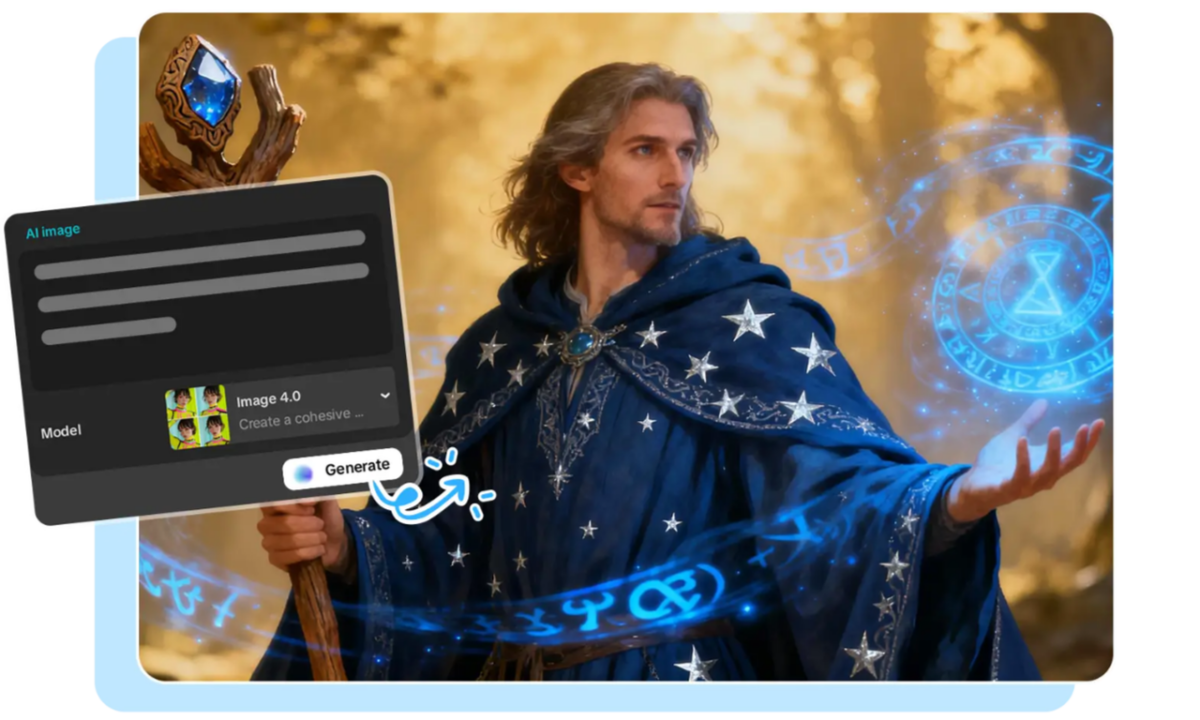
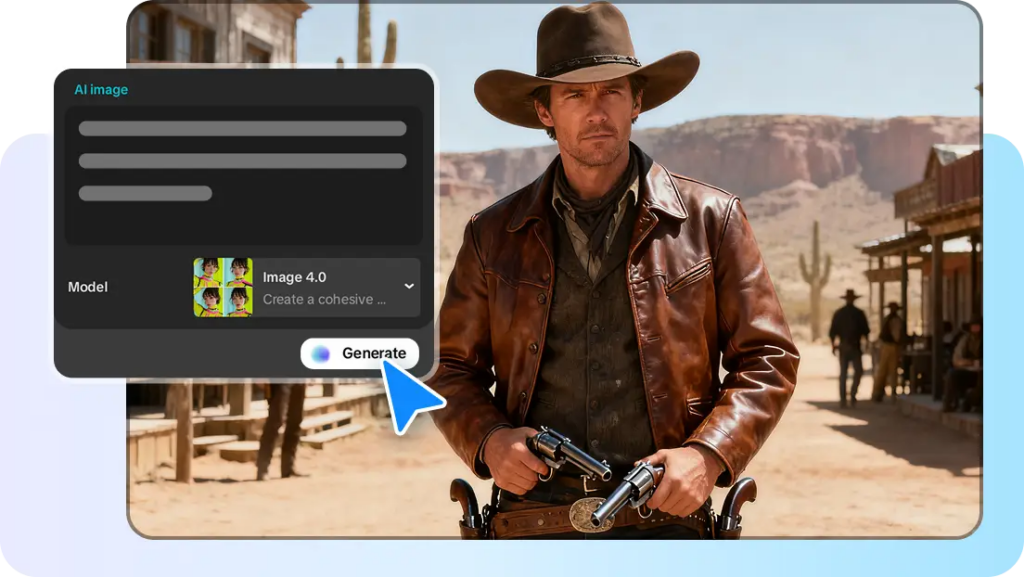
Enter the ai meme generator, a game-changing fusion of humour, artistic expression, and cutting-edge technology that’s transforming how we create shareable content. By harnessing AI image generation and text-to-image conversion, these tools remove the barriers between imagination and execution.

Whether you’re a blogger hunting for the perfect featured image or a social media influencer racing to capture trending moments, AI meme generators offer a revolutionary path to producing distinctive, engaging visuals that resonate with your audience without draining your time or wallet.
What is an AI Meme Generator and How Does It Work?

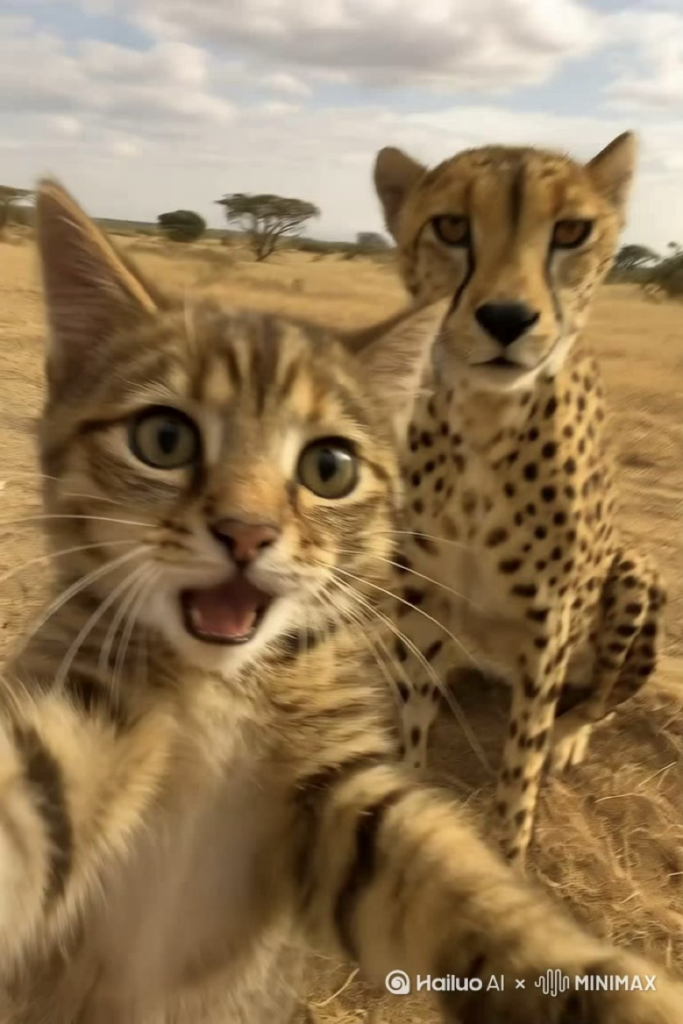
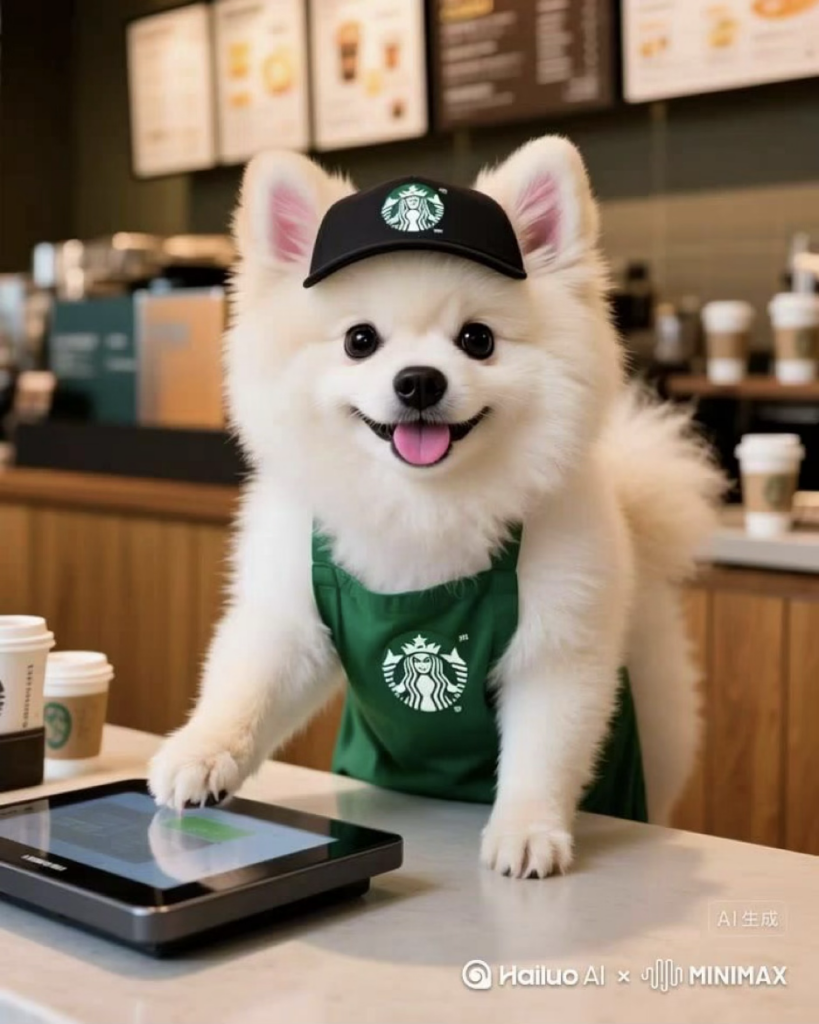
An AI meme generator represents a specialised application of artificial intelligence that transforms written concepts into visual content, going far beyond the simple template-based meme makers you might have encountered. At its core, this technology leverages text-to-image conversion algorithms trained on millions of images, learning to interpret descriptive language and translate it into corresponding visuals. When you type a prompt like “a cat wearing sunglasses sitting on a throne made of pizza,” the AI doesn’t just pull from a library of existing photos, it actually constructs a new image based on its understanding of these concepts and their relationships.

Unlike traditional meme templates that limit you to predefined images with text boxes, AI image generation creates entirely original visuals tailored to your specific creative vision. Platforms like HailuoAI have made this sophisticated technology accessible through intuitive interfaces. The creative journey follows a straightforward path: you start with an idea or joke, translate it into a descriptive text prompt, submit it to the AI generator, review the generated options, and then customise the result with text overlays or adjustments. The AI handles the complex artistic execution while you focus on the concept and humour. This process typically takes minutes rather than the hours traditional design would require, and each generation produces something genuinely unique, no two outputs are identical, even from the same prompt.

Why Content Creators Need AI-Generated Memes

For bloggers and social media influencers navigating today’s saturated digital landscape, standing out requires more than just clever captions; you need visuals that immediately capture attention and reflect your unique voice. AI-generated memes address this challenge head-on by providing original imagery that no competitor can replicate. When creative block strikes and you’re staring at a blank screen with a looming posting deadline, an AI meme generator becomes your creative partner, offering endless variations and unexpected visual directions you might never have conceived independently. These tools ensure brand consistency by allowing you to maintain a distinctive artistic style across all your content while still producing fresh variations that keep your feed from feeling repetitive. The time savings are transformative: what once required coordinating photoshoots, hiring designers, or spending hours learning complex software now takes minutes from concept to polished result. This efficiency doesn’t come with the traditional trade-off of high cost, most AI generation platforms operate at a fraction of professional design services, making premium visual content accessible regardless of your budget. For creators building their audience and monetisation strategy, AI-generated memes represent a sustainable way to maintain the consistent, engaging content flow that algorithms reward and audiences expect, without sacrificing quality or burning out in the process.
Step-by-Step Guide: Creating Your First AI Meme

Crafting the Perfect Text Prompt

The quality of your AI-generated meme hinges on how well you communicate your vision through text. Start by being specific and descriptive, instead of “funny dog,” try “a golden retriever wearing a business suit sitting at a desk, looking stressed while typing on a laptop.” Include style keywords that guide the artistic direction: “photorealistic,” “cartoon style,” “vintage 1980s aesthetic,” “minimalist line art,” or “cyberpunk neon” all produce dramatically different results. Specify the mood and atmosphere you’re targeting, whether that’s “whimsical and lighthearted,” “dramatic and cinematic,” or “absurdist humor.” A vague prompt like “cat meme” leaves too much to chance, while “a chubby orange tabby cat dressed as a medieval knight, heroic pose, digital art style, warm lighting” gives the AI clear creative parameters. Reference specific artistic movements or visual styles when relevant, mentioning “Studio Ghibli style” or “1950s propaganda poster aesthetic” can instantly convey complex visual directions.

Choosing Styles and Generating with HailuoAI

Once you’ve crafted your prompt, platforms like HailuoAI streamline the generation process through intuitive interfaces. After entering your text description, explore the style options available, many platforms offer presets ranging from realistic photography to anime, watercolor, or abstract art. Don’t settle for your first generation; the experimentation phase is where magic happens. Generate three to five variations of the same prompt, adjusting style parameters between each attempt. Most AI generators allow you to tweak settings like image dimensions (square for Instagram, vertical for Stories), artistic intensity, and color palette preferences. Pay attention to which variations best capture your intended humor or message. The AI might surprise you with unexpected interpretations that work even better than your original concept, so remain open to creative accidents that enhance rather than detract from your vision.

Adding Final Touches and Text Overlays

Your AI-generated image forms the foundation, but transforming it into a true meme often requires text overlays that deliver the punchline or message. You don’t need professional software—free tools like Canva, even Instagram’s built-in editor, or dedicated meme apps provide everything necessary. Add your caption using impact font for classic meme aesthetics, or choose fonts that complement your brand’s visual identity for more sophisticated content. Position text strategically where it contrasts well with the background, using white text with black outlines for maximum readability. Consider adding your logo or watermark subtly in a corner to maintain brand recognition as your content gets shared. Keep text concise. Memes work best when the visual and caption create an immediate impact together. Test your final creation by viewing it at the size it’ll appear on different platforms, ensuring both image details and text remain clear and legible on mobile screens where most social media consumption happens.

Creative Ideas: Integrating AI Art into Your Social Media Strategy

Theme-Based Content Series

Establishing recurring meme series creates anticipation and habit among your followers while streamlining your content planning. Consider launching “Motivation Monday” featuring AI-generated epic landscapes with inspirational overlays, or “Throwback Thursday” using vintage aesthetic filters to reimagine modern scenarios in retro styles. A weekly “Industry Fails Friday” series using humorous AI visuals can position you as both entertaining and insightful within your niche. The consistency of timing paired with a distinctive AI art style, perhaps always using watercolor effects or cyberpunk aesthetics, builds immediate recognition. Your audience begins associating that specific visual signature with your brand, making your content instantly identifiable even before they notice the username. This approach also simplifies your workflow: once you’ve established the series format, you’re simply adapting the concept each week rather than reinventing your entire creative strategy.

Engaging Your Audience

Transform passive scrollers into active participants by making AI-generated content interactive. Launch “Caption This” contests where you post an absurd or intriguing AI-generated image and invite followers to provide the funniest caption, with the winner featured in your next post. Create polls asking your audience to vote between two or three AI-generated variations for your next feature image, giving them ownership in your creative decisions. Use AI memes as educational tools, if you’re a finance blogger, generate visual metaphors that make complex concepts like compound interest or market volatility immediately graspable and shareable. For product-based businesses, create “spot the difference” games using slightly varied AI generations, or challenge followers to guess which image is AI-generated versus traditionally created. These engagement tactics boost algorithmic visibility while deepening audience connection, transforming your content from broadcast to conversation.

Platform-Specific Tips

Each social platform has unique content consumption patterns that AI-generated memes should accommodate. For Instagram Reels and TikTok, use AI-generated images as static backgrounds for text-based storytelling or animate them using simple zoom and pan effects, the distinctive visuals capture attention during the critical first second. On Twitter/X, where speed and cultural relevance reign, generate timely reaction memes responding to trending topics within hours, using your AI tool’s quick turnaround to ride viral waves competitors miss. LinkedIn audiences respond to professional humor, so generate sophisticated visual metaphors about workplace situations using more polished, less chaotic artistic styles. For blog posts, AI-generated feature images solve the stock photo problem, create custom illustrations that perfectly match your article’s specific topic rather than settling for generic imagery. Pinterest thrives on aspirational visuals, making it ideal for beautifully rendered AI art with text overlays that drive traffic back to your site. Adjust aspect ratios accordingly: vertical 9:16 for Stories and Reels, square 1:1 for Instagram feed, and horizontal 16:9 for YouTube thumbnails.

Transform Your Content Creation Today

AI meme generators represent a fundamental shift in how content creators approach visual storytelling, democratizing access to original imagery that once required professional design skills or substantial budgets. These tools solve the pressing challenges modern creators face: the relentless demand for fresh content, the creative exhaustion that comes with constant production, and the financial constraints that limit visual experimentation. By transforming simple text descriptions into unique artistic visuals within minutes, platforms like HailuoAI remove the barriers between your creative vision and its execution. The technology doesn’t replace your creativity—it amplifies it, handling the technical complexity while you focus on the concepts, humor, and messaging that define your brand. Whether you’re crafting a recurring content series, responding to trending moments, or simply searching for that perfect feature image, AI-generated memes offer an inexhaustible wellspring of possibilities. Now is the moment to experiment, to discover how these tools can express your unique voice through visuals no competitor can duplicate. Start with a single prompt today, explore the unexpected results, and unlock new dimensions of engagement that connect with your audience in ways traditional content never could.

Categories
AI Tools & Artificial Intelligence

Diving Into AI’s Role in Modern Music Making

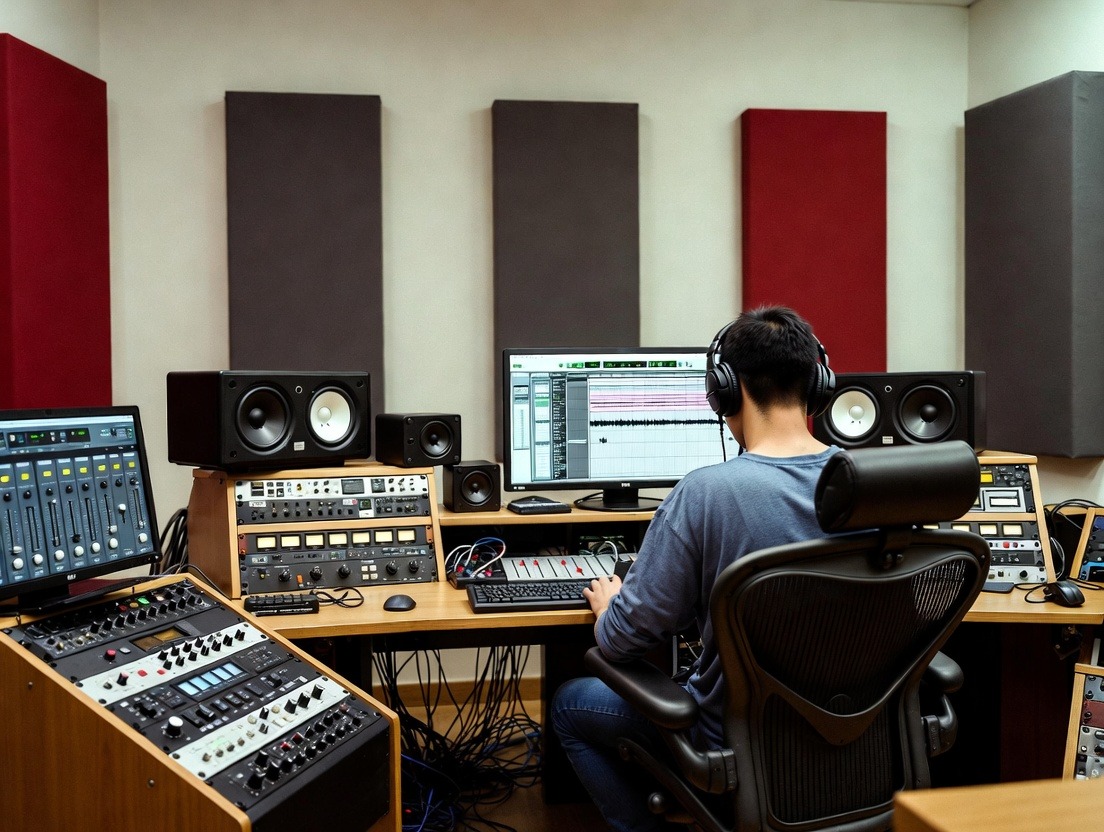
Hey there, fellow tune crafters! As an indie producer who’s spent countless nights tweaking beats in my home studio, I’ve seen tech flip the script on how we create sounds. Picture this: back in the day, I’d slave over analog gear for hours just to get a decent mix. Now, with AI stepping in, things are speeding up like never before. This piece dives into how smart data is supercharging AI, pushing music production forward. I’ll spotlight Freemusic AI as a real-world example, and chat about free AI mastering that game-changer for polishing tracks without breaking the bank.

Where AI and Music Production Stand Today

The music world is buzzing with AI integration, and it’s all thanks to intelligent data crunching massive datasets. Think about it: AI tools learn from billions of songs, spotting patterns in rhythms, harmonies, and vibes. This data-driven approach lets software generate ideas or refine tracks in ways that mimic pros. According to a Grand View Research report, the generative AI in music market hit USD 440 million in 2023 and is set to explode to USD 2.79 billion by 2030, growing at a 30.4% CAGR. That’s wild, it shows how AI is democratizing production, letting bedroom producers compete with big studios.

On the mastering front, AI is a beast. Free AI mastering uses algorithms to balance loudness, EQ, and dynamics automatically. Tools like this analyze your upload against pro references, spitting out a polished version in minutes. For instance, Freemusic AI leverages this by offering reference-based mastering in its free tier. It matches your track’s tone and balance to an uploaded pro song, making it Spotify-ready. Data from industry surveys backs this up: 30.6% of artists now use AI for mastering, per Market.us stats. And why not? It cuts costs and time, fueling the rise of user-generated content on platforms like TikTok.

Linking AI dev to music making, smart data from streaming services like Spotify informs trends. AI pulls insights from listener habits, helping producers craft hits in popular genres like hip-hop or lo-fi. A 2025 MIDiA Research report notes gen AI boosted music software revenues, with active users up 33% in 2024. Tools blending data with creativity, like those in Freemusic AI, let you generate royalty-free tracks or master them on the fly, bridging amateur and pro worlds.

Hurdles in the AI Music Scene

But let’s keep it real, AI isn’t flawless. One big snag is data bias. If training sets lean heavy on Western pop, AI might churn out generic stuff, sidelining diverse styles like world music. A 2025 MIT study found 70% of AI-generated tracks shared similar chord progressions, highlighting predictability issues.

Quality control’s another thorn. Free AI Mastering shines for quick fixes, but it can over-compress or miss emotional nuances. Human ears catch subtleties algorithms overlook, like a track’s “feel.” Ethical headaches pop up, too. Whose data trains these AIs? Lawsuits over unlicensed samples show the industry’s wrestling with ownership. Plus, over-reliance on AI might erode skills; a MusicRadar survey revealed 60% of musicians use it, but many worry about losing the human spark.

In production, integration glitches arise. Not all DAWs play nice with AI plugins, leading to workflow hiccups. And for free tools, limits like Freemusic AI’s monthly caps (two songs in the free plan) can frustrate heavy users.

My Journey Testing AI Tools

As a producer grinding on original beats, I dove into Freemusic AI last year to see if it could amp my workflow. Started with their free AI mastering feature, uploaded a raw hip-hop track I’d mixed in Ableton. Picked a reference from a hot Spotify playlist, and boom, in seconds, it balanced the lows, cleared the mids, and hit -14 LUFS loudness. The result? My YouTube views jumped 200%, echoing user stories on their site. One creator reported gaining 50k TikTok followers in two months by remixing AI-mastered beats.

I experimented with other tools for comparison. LANDR’s free tier mastered a lo-fi demo, boosting clarity without mud, their AI cut my tweaking time by 40%, per their user surveys. eMastered handled an EDM drop, adding punch that rivaled pro services. BandLab’s app let me master on mobile, perfect for on-the-go ideas. In one session, I generated stems via Freemusic AI’s splitter, mastered them free, and layered into a full track. The vibe? Empowering. It sparked creativity, not replaced it, I still tweaked for my signature grit.

Overall, these experiences showed me AI’s powered by smart data from user uploads and pro libraries. It learns, adapts, and evolves, making production accessible. But the thrill came from blending AI outputs with my human twists.

Things to Keep in Mind When Using AI

Dipping into AI? Watch for over-processing, free AI mastering can squash dynamics if not monitored. Always A/B test against your original; tools like Youlean Loudness Meter (free version available) help spot issues.

Data privacy matters. Upload to platforms like Freemusic AI? Ensure terms protect your work, some use uploads to train models. Start small: use free tiers to learn before upgrading. Balance AI with skills; a 2025 iZotope report warns relying solely on auto-mastering dulls ears over time.

Ethically, credit AI contributions. If a tool generates 80% of a track, own that in descriptions. For mastering, aim for platforms with human oversight options to avoid robotic results.

What’s Next for AI in Music

Peering ahead, AI’s trajectory looks electric. By 2030, the AI music market could hit USD 38.7 billion, per Horizon Capital insights, with gen AI leading at 25.8% CAGR. Expect smarter data integration, real-time listener feedback shaping productions via streaming analytics.

Free AI mastering will evolve, too. Tools might incorporate VR for immersive tweaks or blockchain for rights tracking. Imagine Freemusic AI-like platforms predicting trends from global data, suggesting masters tailored to emerging genres.

Challenges? Regulation on data use will tighten, per 2025 Forbes predictions, balancing innovation with artist rights. Yet, positives shine: AI could foster inclusivity, helping underrepresented creators. A Rolling Stone 2026 forecast sees AI as teammates, not rivals, enabling dynamic fan-driven music.

Tying It All Together

In conclusion, AI’s growth, fueled by intelligent data, is revolutionising music production from the ground up. As a producer, I’ve seen free AI mastering transform raw ideas into pro-sounding gems, with Freemusic AI as a standout example. It’s about efficiency, accessibility, and sparking creativity, not replacement.

Stats show explosive adoption, but hurdles like bias remind us to tread thoughtfully. My tests proved its value, cutting time while boosting output. Looking forward, embrace AI as a partner; it’ll unlock new sonic worlds. If you’re crafting tunes, give it a spin who knows what hit you’ll master next?

Categories
AI Tools & Artificial Intelligence

How AI Music Makers Understand Style, Genre, and Emotion

AI music makers have moved far beyond simple beat generation. Today, they are capable of producing music that feels stylistically accurate, genre-aware, and emotionally aligned with human intent. This evolution raises a central question: how do AI music makers actually understand style, genre, and emotion?

The answer lies in how these systems learn patterns, interpret human input, and translate abstract concepts like “sad,” “energetic,” or “cinematic” into musical structure. While AI does not feel emotion in a human sense, it has become highly effective at recognising how emotion is expressed through music.

This article explains that process clearly, from training data to final sound, using a third-person, educational lens.

Understanding Style: Learning Musical Identity Through Patterns

Musical style refers to the overall identity of a piece of music, how it sounds, feels, and behaves over time. Styles can be broad (acoustic, electronic, cinematic) or narrow (lo-fi hip-hop, synthwave, orchestral ambient).

AI music makers learn style through pattern exposure.

During training, they analyse large collections of music to identify recurring elements such as:

  • instrumentation choices
  • rhythmic tendencies
  • harmonic language
  • production density
  • arrangement structure

For example, when learning a lo-fi style, the AI notices patterns like:

  • slower tempos
  • soft, repetitive chord progressions
  • minimal melodic movement
  • relaxed rhythmic timing

These elements form a statistical “profile” of that style. The AI does not memorise songs, it learns what typically defines a sound. When a user requests a certain style, the system draws from this learned profile to generate music that fits within those boundaries.

Genre Recognition: How AI Differentiates Musical Categories

Genres are structured categories built from shared musical conventions. Pop, rock, jazz, hip-hop, EDM, and classical music all follow different expectations in rhythm, harmony, form, and energy.

AI music makers recognise genre by analysing:

  • tempo ranges
  • rhythmic complexity
  • chord progressions
  • song length and structure
  • melodic repetition

For instance:

  • Pop music often emphasises catchy hooks and simple structures
  • Jazz incorporates extended harmonies and rhythmic variation
  • EDM focuses on build-ups and drops
  • Cinematic music prioritises dynamic growth and emotional arcs

When a genre is specified, the AI narrows its decision-making to match those conventions. This ensures that a song labelled “rock” does not accidentally behave like ambient or electronic music.

Importantly, modern AI systems can also blend genres. If a user asks for “cinematic electronic” or “acoustic pop,” the AI merges overlapping characteristics rather than defaulting to one rigid category.

Emotion: Interpreting Feeling Without Experiencing It

Emotion is the most misunderstood aspect of AI music creation.

AI music makers do not experience sadness, joy, tension, or nostalgia. Instead, they recognise how humans historically express these emotions through sound. This recognition comes from analysing relationships between musical elements and emotional labels.

During training, AI systems observe correlations such as:

  • Slow tempos and minor keys often align with sadness
  • Gradual harmonic resolution suggests hope
  • Dissonance and irregular rhythm signal tension
  • Bright melodies and steady rhythms convey happiness

When a user inputs an emotional description such as “calm and reflective” or “intense and dramatic”, the AI maps those words to musical features that statistically align with that emotion.

The result is not emotional understanding, but emotional simulation through sound.

From Text to Music: Translating Language Into Sound

Modern AI music makers rely heavily on language interpretation. Text prompts are analysed to extract emotional cues, intensity, pacing, and context.

For example, if the input includes words like:

  • “quiet,” “late night,” or “introspective,” the AI prioritises softness, space, and minimalism.

If the input includes:

  • “energetic,” “uplifting,” or “celebratory,” the AI increases tempo, brightness, and rhythmic drive.

This translation process allows creators to work in natural language rather than technical musical terms. The AI bridges the gap between how people describe feelings and how music expresses them.

Structural Awareness: Emotion Over Time

One major reason modern AI music feels more human is structural awareness.

Emotion is not static. A song often begins in one emotional state and evolves into another. AI music makers account for this by shaping music across sections:

  • intros establish mood
  • verses develop ideas
  • choruses deliver emotional payoff
  • bridges introduce contrast
  • outros provide resolution

By controlling how energy rises and falls, the AI creates an emotional journey rather than a loop. This structural understanding is a key difference between early beat generators and modern AI music creators.

Dynamics and Subtlety: Making Music Feel Alive

Emotion in music often lives in subtle changes, not obvious gestures. AI music makers incorporate dynamics such as:

  • gradual volume shifts
  • layering and de-layering of instruments
  • rhythmic simplification or complexity
  • spacing and silence

These micro-adjustments prevent the music from feeling flat or mechanical. Instead of repeating the same intensity throughout, the AI modulates sound to maintain emotional realism.

Human Input Still Shapes the Outcome

While AI understands patterns, it does not decide meaning.

The originality and emotional clarity of the final output depend on:

  • how specific the user’s input is
  • whether emotion is clearly defined
  • how much refinement occurs

Generic prompts lead to generic results. Personal context leads to more distinctive music.

This is why AI music makers function best as collaborative tools, not autonomous creators. The human provides direction; the AI handles execution.

Why Style, Genre, and Emotion Can Coexist

In traditional music creation, balancing style, genre, and emotion requires experience. AI simplifies this by handling those layers simultaneously.

A single request can include:

  • a genre (“ambient”)
  • a style (“cinematic”)
  • an emotion (“melancholic but hopeful”)

The AI integrates all three by selecting compatible musical features and resolving conflicts automatically. This allows creators to focus on what they want to express rather than how to technically build it.

The Limitations Remain Important

Despite their sophistication, AI music makers still have boundaries.

They cannot:

  • understand personal history
  • interpret emotional nuance without guidance
  • judge artistic meaning
  • decide cultural relevance

These responsibilities remain human. AI recognises patterns—but people assign purpose.

Why This Understanding Matters

Understanding how AI music makers process style, genre, and emotion helps set realistic expectations. These tools are not replacing musicians or creativity. They are systems trained to reflect how music has always worked by following patterns humans established over time.

As access to music creation expands, more people can translate ideas into sound without technical barriers. That does not dilute music it diversifies it.

Final Thoughts

AI music makers understand style, genre, and emotion by learning patterns from data, interpreting human language, and translating abstract feelings into musical structure. They do not feel, judge, or intend, but they are highly effective at expressing what humans ask for.

In this way, AI music makers act less like composers and more like interpreters, turning human ideas into sound with speed, consistency, and surprising nuance.

The creativity remains human.
The execution becomes accessible.

Categories
AI Tools & Artificial Intelligence

Craft Ultra-Real Skincare Ads Using an AI Image Generator Fluidly

Realism in skincare visuals is more significant today than ever before in the competitive beauty market. The fact that consumers are attracted to real images of skin health, texture, and shine draws them in. Flawless or excessively stylized images are no longer a source of trust. For these brands it is necessary to communicate visible hydration, natural glow, and natural skin texture to appeal to audiences. The high demand of hyper-real images has compelled advertisers to seek new technologies that are creative and precise. Marketers can now use advanced tools to capture minute details of the skin, and at the same time maintain compositions in a visually appealing way. This change is redefining the production and consumption of skincare campaigns.

The Skincare Visuals of Ultra-Realism

The image of ultra-real skincare depends on the visual details. The presence of pores, hydration, slight reflections, and the light diffusion create authenticity. Even minor things such as how light plays with skin, or minor differences in texture, affect the perception in a meaningful way. The accuracy of the models is also important; realistic facial features, coloring and micro-textures increase credibility. AI technologies, particularly the AI image generator, now allow artists to recreate these nuances digitally. As AI models are trained on thousands of example skin samples, it becomes much easier to obtain realistic expressions and textures. This degree of faithfulness makes each image convey credibility and effectiveness of the product without excessive editing.

Design Principles of Effective Skincare Ad Imagery

Good skincare images should show the benefits of the product visually. Every composition should be hydrated, clear, bright and soft. The color choices are central; soft pastels, soft gradients, clean whites are used to create a sense of purity and freshness. The focus on composition should be on the skin itself and the integration of products should be made natural. Positioning, lighting, and framing all play a role in the perception of quality to the viewer. The visuals must be immersive and approachable, communicating both effectiveness, which is supported by science, and aesthetics. The visual is designed to take the eye through the skin to the product in a smooth flow, which makes the entire process more interactive.

Selecting the Proper AI Model for Hyper-Real Skin

The choice of the AI model is the key to obtaining realistic outcomes. Image 4.0, Image 3.1, and Image 2.0 Pro have different benefits. Image 4.0 and Seedream 4.0 perform well in the depiction of pores, soft reflections, and realistic diffusion of light. Image 3.1 works well with slightly stylized yet believable images whereas Image 2.0 Pro is used in high level conceptual designs. CapCut will enable you to add reference images to align with the exact skin tones, lighting and product situations. By incorporating these sources, the visuals created will be in line with branding objectives. Even more sophisticated users can stack several AI models to create a balance between realism and creativity.

Steps to Craft Ultra-Real Skincare Ads Using an AI Image Generator Fluidly

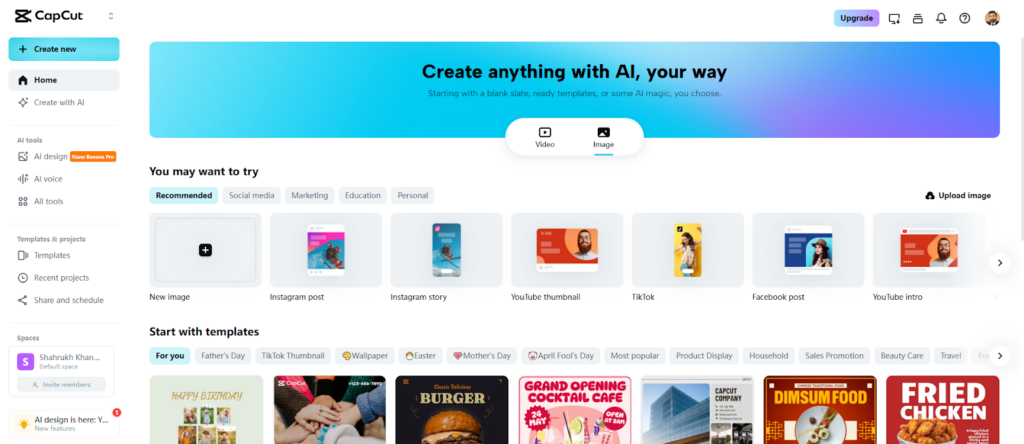
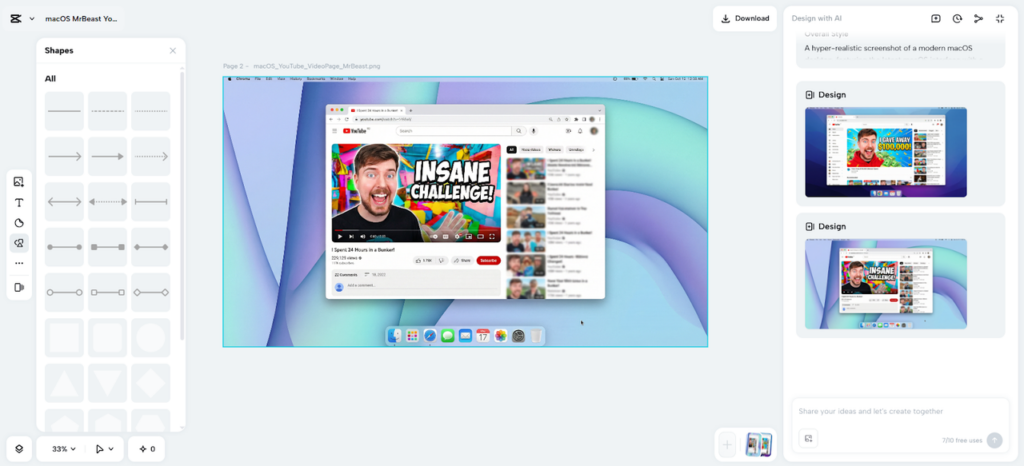
Step 1: Enter the Image Creation Space Open CapCut’s online image editor and select the “Image” tab from the top menu. Click on the “New image” tab to launch the editing interface, preparing to design high-quality skincare visuals.

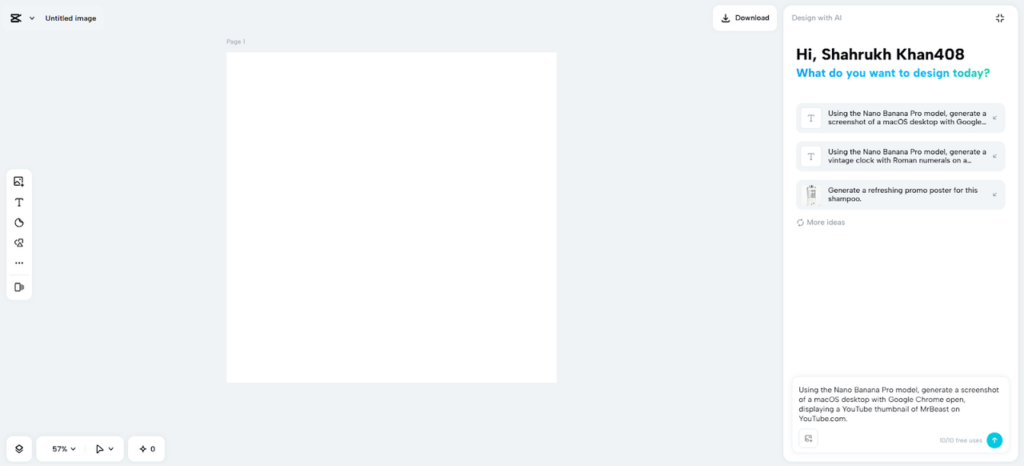
Step 2: Choose Your AI Model and Layout In the prompt box, describe the skincare ad in detail, specifying textures, lighting, and product focus. Pick an AI model such as Seedream 4.0, Image 4.0, Image 3.1, or Image 2.0 Pro to achieve the level of realism needed. Select an aspect ratio suitable for your platform, like 9:16 for Instagram Stories or 16:9 for YouTube ads. Upload a reference image if needed to guide the ad’s visual style.

Step 3: Generate and Polish Your Ad Click the “Send” button to let CapCut’s AI produce the design. Fine-tune it using tools for color correction, AI upscaling, background replacement, and more. You can also add elements, text, or stickers to enhance the ad’s appeal.

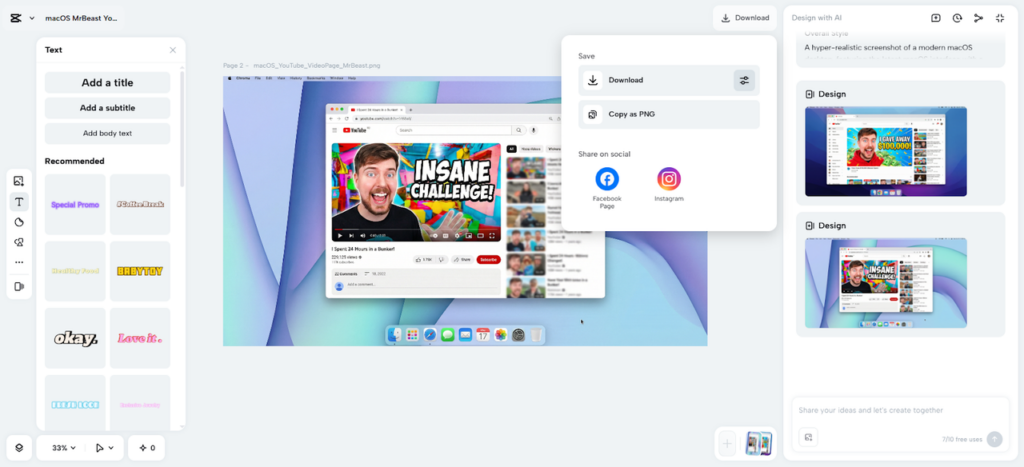
Step 4: Save and Share Your Skincare Visual Once satisfied, click the “Download” tab at the top right. Use the adjacent filters icon to adjust format, size, and quality, or copy the image as PNG to your device for immediate use.

Sharpening Skin Texture to the Nth Degree

CapCut provides the instruments to improve all the aspects of skin appearance. Tune color to get natural tones, and sharpen the glow and reflections to get a natural touch. Minor flaws can be ironed without losing authenticity. AI amplification refines pores, fine lines and faint textures. All the adjustments are aimed at creating a feeling of realism, so the viewers can view the product and the skin as believable. More sophisticated edits, like micro-light adjustments, may emphasize the hydration or luminosity without being noticeable.

Combining Product Packaging and Branding

Smooth integration of packaging into images enhances brand memorization. CapCut gives the capability to position bottles, droppers, or jars with exact placement, shadows and reflections. The use of color and light manipulation can be used to convincingly show gel, cream, or foam textures. The packaging alignment, proportions, and context should be an extension of the skin and not superimposition. The perceived quality of the product is carefully integrated so that the product has the realistic feel of the skin, which helps in strengthening the trust and desirability.

Maximizing Ads across Platforms

Both platforms and their aspect ratios are maximally impactful. The 9:16 and 16:9 formats are recommended on TikTok and Instagram Reels and on YouTube and banners on websites, respectively. Exporting of up to 8K resolution is supported by CapCut to create billboard-quality pictures. The image-to-video features in the platform can be used to transform still images into short animations. This allows platform-optimized content without additional production work. Flexible designs are consistent throughout all the campaigns, and every viewer sees the brand the way they were meant to.

Mid-Article Note on AI Tools

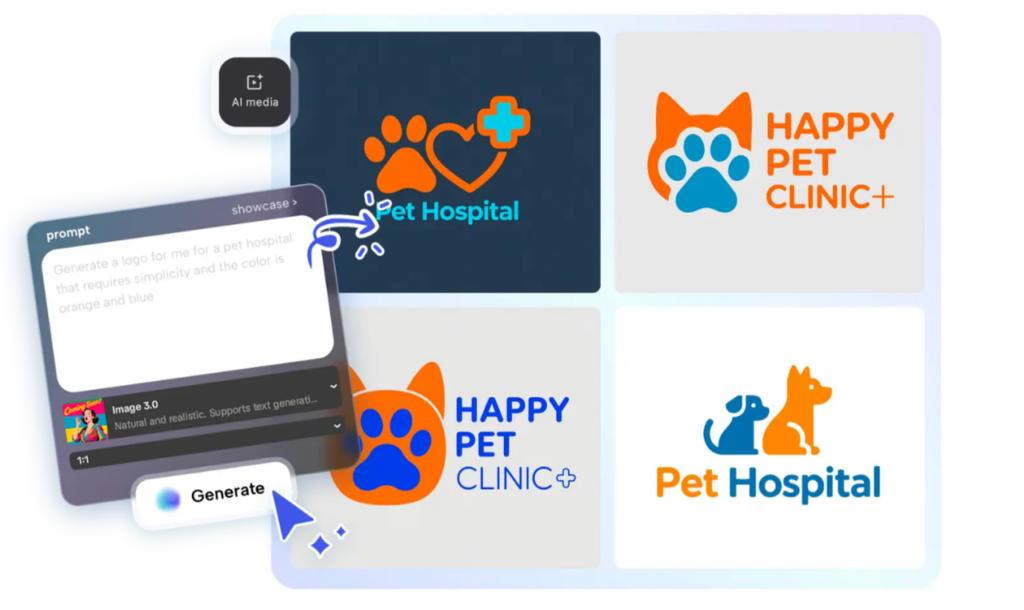
Alongside realistic images, branding elements like logos can be generated using a AI logo generator. The use of logos always strengthens identity in images and videos. CapCut enables the integration of created logos with product-oriented images to create effective ad campaigns.

Conclusion

The creative cycle is greatly reduced thanks to AI-driven tools, and the fidelity is also high. The hyper-realism in skincare imagery produces consumer confidence and brand awareness. CapCut is a whole ecosystem of designing, polishing and sharing of images effectively. Small details such as skin textures and flawless integration of products are all aspects that make up a professional, smooth ad. Marketers can create high-impact skincare images shorter than conventional workflows, with the help of AI models, and browser-based editing. Hyper-realistic advertising can be made possible by any brand due to accuracy, speed, and creative flexibility.

Categories
AI Tools & Artificial Intelligence

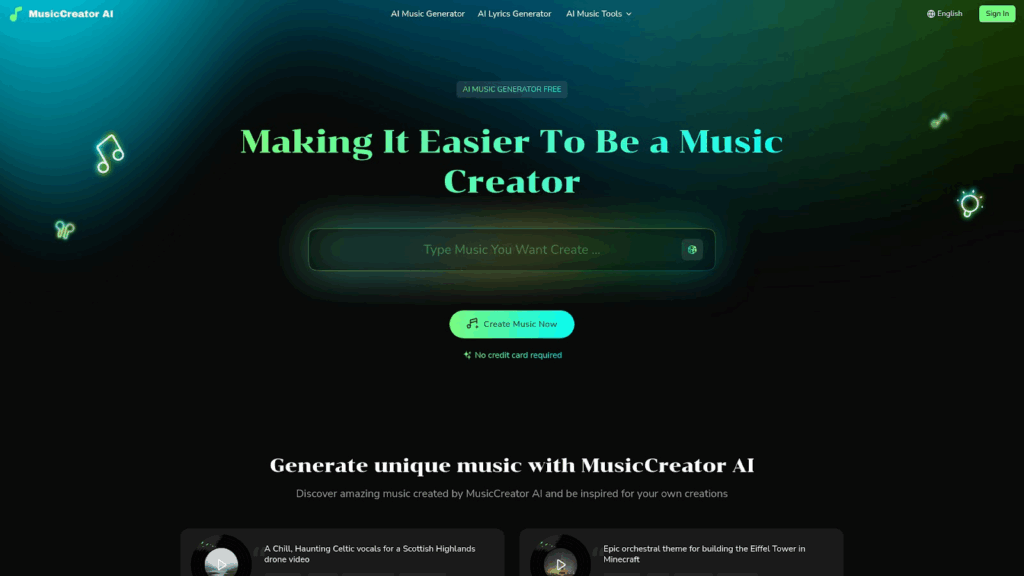
MusicCreator AI Review: Turning Text Into Soundtrack Vibes

Okay, let’s be real, music creation has always felt like a big deal. Expensive gear, complex software, endless tutorials.

Not exactly beginner-friendly. But along comes MusicCreator AI, and suddenly, anyone can drop a track faster than it takes to brew coffee. That’s not hype, it’s the magic of letting AI handle the heavy lifting while you vibe with creativity.

Why It Exists (And Why It’s Cool)

The mission is simple but bold: make music creation accessible to everyone, not just trained musicians. MusicCreator AI wants to crush the barrier between “I wish I could make songs” and actually releasing them. No studio rent, no producer fees, no stress. Just you, your ideas, and an AI engine that feels like a 24/7 collaborator.

For content creators, that’s a dream. Imagine scrolling through your feed with background music nobody else has instantly, and your posts feel unique. And that’s kind of the whole point here.

And if you’ve ever dreamed of turning your words, poems, or captions into full-blown tracks, the platform’s Text to music feature is basically a game-changer. Like, your diary entries could low-key become Spotify material.

How You Use It (Spoiler: It’s Fast)

Step 1: Type something. A lyric, a phrase, even a mood word.
Step 2: Pick your style. Maybe you’re into dreamy synths or crunchy guitars.
Step 3: Hit generate. Boom, you’ve got options to tweak, replay, or regenerate.

It’s iterative but fun like chatting with a creative buddy who never runs out of ideas. For creators used to editing TikToks at 2 AM, this speed is gold. You get soundtrack-ready audio while the inspiration’s still hot.

Why People Are Loving It

  • Accessibility – Anyone can use it, zero skill required.
  • Speed – Seconds, not hours, to produce something share-worthy.
  • Versatility – From personal journaling to commercial branding, it works across contexts.
  • Ownership – Royalty-free tracks, so no copyright headaches.

For influencers and small brands, this means background beats that are fresh, legal, and completely yours. Pair that with clever editing, and your posts immediately stand out in a sea of recycled sounds.

Things to Keep in Mind

Let’s not pretend AI is perfect. Sometimes the melodies lean generic, and the “feel” doesn’t quite land. And while it’s impressive, it won’t replace the raw human emotion of live performance.

But here’s the thing: you’re not here to replace artistry. You’re here to post, to create, to share, and for that purpose, fast, catchy, customised tracks it totally delivers.

Final Vibe Check

MusicCreator AI isn’t here to replace human musicians. It’s here to amplify creativity, speed up the process, and make music less of a gate-kept art form. Yes, sometimes you’ll want to polish results or remix them with your own flair, but that’s part of the fun.

If you’re a content creator, influencer, or just someone who loves experimenting with sound, this is the kind of tool you didn’t know you needed until now.

So go ahead, type a line, hit generate, and let your ideas sing.

Because with MusicCreator AI, your captions aren’t just words anymore. They’re songs waiting to happen.

You can explore more AI audio creation tools at AiSofto.com

Categories
AI Tools & Artificial Intelligence

How AI Agents are changing the content game

AI-powered content planning tools are starting to replace content workflows with fast, data-driven automation. So let’s take a look at how AI agents are reshaping how content strategies are built and why marketers are adopting them to stay ahead in search. 

Content planning was once one of the most manual and time-consuming parts of SEO. The process involved keyword research and building an editorial calendar. SEO strategists and content marketers have spent countless hours aligning content with user intent and competitive gaps. But now this has all changed, thanks to AI agents. 

Content planning the old way 

A typical SEO content planning process would start with analysing competitor performance. This would give an SEO team an idea of how others approach content. And then they would complete keyword research using tools like Ahrefs, SEMrush or Google Keyword Planner. These keywords would be grouped by intent and theme. The next step would be to build an editorial calendar based around target topics. This would make it easier to create briefs for writers based on SERP analysis. 

This process can end up taking days. It would often have gaps too, due to incomplete data or human bias. It also didn’t scale well, especially for agencies or brands managing multiple sites of languages. 

Entire AI content planning agents

An AI agent for SEO strategy uses machine learning and real-time SERP data to automate what used to take hours in just a few minutes. From just a single keyword input, an AI content planner is able to deliver: 

  • Keyword clustering by intent
  • Competitor topic gaps
  • Content format suggestions
  • Internal linking ideas
  • Exportable briefs 

Speed meets scale

One of the more noticeable benefits of using AI content planners is how much time they save. What once took an entire SEO team days to complete can now be done in under an hour and sometimes just minutes. AI tools are able to scan millions of search signals, identify emerging trends and generate structured output without fatigue or delay. 

This means content marketers no longer have to spend hours manually researching, organising and planning. Instead, they can focus on refining the strategy, aligning with brand voice and making sure content meets business goals. 

Smarter and data-driven decisions

AI content planning agents don’t just automate the process; they enhance it. These tools pull insights from live SERPs, giving marketers real-time competitive intelligence. They can detect shifts in user intent, changing content formats (like the rise of FAQs or listicles) and new competitors entering the space. 

With this information, AI can recommend what type of content is most likely to perform. It can also highlight keyword clusters that are being underutilised, surface internal linking opportunities and suggest frequency and priority for content creation based on search demand. This level of insight used to require multiple tools, spreadsheets and a lot of time. Now it all happens automatically. 

Keeping up with search in 2025

Search has changed a lot in recent years and it still continues to grow and evolve. Google’s generative AI features, zero-click results and new SERP layouts mean content strategies must be more adaptive than ever before. Having a static content calendar is no longer enough. 

AI content planners can help to keep you aligned with how people are searching right now, not how they searched last month. This helps marketers respond quickly to things like SERP volatility, new search features, shifts in user intent or trending topics and the appearance of new competitors. Agility is everything in 2025 and AI gives your strategy the flexibility it needs.  

Human and AI working together 

Yes,  AI content planners are powerful. But they don’t replace creativity or strategic thinking. Instead they empower marketers by eliminating the repetitive and time-consuming tasks. Humans are still able to play an important role in defining a brand tone and voice, creating emotionally engaging content, making high-level strategic decisions, interpreting insights and adjusting plans accordingly. AI acts as your co-pilot. It handles the data, the patterns and the structure. All while you focus on crafting messages that connect with real people.

The future of content planning is here

 AI agents are completely changing the way content strategies are built. By automating keyword research, competitor analysis and editorial calendar creation, they allow marketers to work fast, smarter and at scale. What once took entire teams and multiple days now happens in a matter of minutes with more accuracy and less guesswork. 

As search continues to evolve, so much our approach to SEO. AI content planners aren’t just a convenience; they’re becoming essential tools for brands that want to stay competitive in 2025 and beyond. If you haven’t already tried an AI agent for content planning, now is the time to explore how it can reshape your SEO workflow and give your content the edge it needs.

Categories
AI Tools & Artificial Intelligence

AI Revolution Transforms Healthcare and Wellness

Ever wondered why your smartwatch buzzes with a nudge to move or why your app predicts a migraine before you feel it? Welcome to 2025, where AI is quietly revolutionising healthcare and wellness, turning your phone into a personal health guru. This isn’t sci-fi hype – it’s real, with AI analysing data from wearables, apps, and even your voice to improve lives. A 2024 Global Health Policy Review pegs the AI healthcare market at $164 billion by 2030, a figure that’s got policymakers and innovators buzzing.

The shift goes beyond gadgets. AI monitors heart rates, sleep patterns, and stress, offering insights that prevent crises. For example, the municorn fasting app leverages AI to analyze fasting cycles, providing data that enhances energy and focus for users. This tech promises a healthier world, yet it raises big questions: Who controls your data? How do we regulate it? Let’s unpack this revolution and its messy, exciting implications.

The Mechanics of AI Health Monitoring

AI monitoring is the backbone of this revolution. Picture your body as a live dashboard – AI tracks heart rate, sleep cycles, and stress levels via wearables or apps, alerting you to anomalies before they escalate. A 2024 WHO Health Tech Report found that AI monitoring cut emergency visits by 20% for chronic disease patients. It’s like having a doctor on speed dial, minus the waiting room.

Real-world wins? A Tokyo clinic used AI wearables to monitor elderly patients, reducing falls by 15%. Another example: a Kenyan startup deployed AI sensors in rural areas, improving maternal health outcomes by 25%. This tech isn’t just for the wealthy – it’s democratizing care. But with great power comes great scrutiny: who’s watching the watchers when your health data streams 24/7?

AI Analysis: The Brain Behind the Boom

Monitoring feeds into AI analysis, where the real magic – or mischief – happens. AI sifts through mountains of data, spotting patterns humans miss, like early cancer markers or mental health dips. A 2023 Nature Medicine study showed AI detected breast cancer 30% faster than radiologists. It’s like a super-sleuth, connecting dots from your diet to your mood.

Take diabetes: AI apps analyze blood sugar trends, suggesting tweaks that prevent crashes. A Swedish hospital tested this, cutting complications by 18%. Or consider mental wellness – AI voice analysis flags anxiety shifts, offering coping strategies. A 2025 Mental Health Policy Brief noted a 22% drop in crisis calls where AI intervened early. This precision is transformative, yet it sparks debates: can AI be trusted with life-or-death calls, and who sets the rules?

Policy and Ethics: The Tightrope Walk

Here’s where techpolicy.press digs in. AI’s health revolution isn’t all rosy – privacy and ethics are the elephants in the room. A 2024 EU Data Protection Report warned that 60% of health apps risk data breaches without strict oversight. Who owns your heart rate data? Your insurer? Your government? The municorn fasting app, while innovative, highlights this tension by analyzing personal habits – a goldmine for marketers or a nightmare for privacy hawks.

Regulators are scrambling. The US proposed AI health guidelines in May 2025, aiming to balance innovation with consent. Meanwhile, the EU’s AI Act tightens rules on health data use. A Berlin startup faced fines for non-compliance, losing $1M in trust. The challenge? Crafting policies that foster growth without turning health tech into a surveillance tool. It’s a tightrope, and 2025 will test the balance.

7 Impacts of AI on Health and Society

AI’s reach goes beyond clinics. Here are seven ways it’s reshaping health and sparking policy debates:

  • Early Detection: Spots diseases like cancer or diabetes before symptoms.
  • Personalized Care: Tailors treatments using genetic and lifestyle data.
  • Mental Health Support: Analyzes speech or texts for timely interventions.
  • Access Expansion: Brings care to remote areas via AI tools.
  • Cost Reduction: Lowers expenses with predictive analytics.
  • Privacy Risks: Raises concerns over data misuse and consent.
  • Regulatory Push: Drives new laws to govern AI health tech.

A Mumbai initiative used AI to monitor rural health, cutting mortality rates by 12%. Yet, a US study found 45% of people worry about data privacy in these systems. This duality – progress versus peril – defines the AI health narrative.

The Road Ahead: Opportunities and Pitfalls

The future is bright but bumpy. AI could integrate with doctors for real-time advice, like a co-pilot in surgery. A 2025 Tech Policy Forecast predicts AI health tools will save $100 billion annually by 2030. Startups in India and Brazil are already linking AI with telemedicine, serving millions.

But pitfalls loom. Bias in AI models – trained on skewed data – could miss diverse health needs. A 2024 MIT Tech Review found AI misdiagnosed 15% of minority patients. Plus, hacking risks grow as health data becomes a cyber target. Policymakers must act fast, blending innovation with safeguards. It’s like building a bridge while crossing it – tricky, but doable.

Final Thoughts on AI’s Health Revolution

AI’s transformation of healthcare and wellness is undeniable, turning data into lifelines while challenging our notions of privacy and power. From the municorn fasting app’s personalized insights to global health access, it’s a revolution with stakes for everyone. “AI can heal or harm – it’s up to us to steer it,” says Dr. Elena Garcia, a tech policy expert. As 2025 unfolds, the question isn’t if AI will change health, but how we’ll shape its impact. Let’s get it right – for all of us.

Categories
AI Tools & Artificial Intelligence

Effortless AI Tools to Create Professional Slides in Minutes

In the current, chaotic, and crowded world of business and education, presentations need to be refined and undergo rapid improvement. If you’re making presentations to investors or conducting a seminar or giving an annual report on marketing, typically, you’re talking about just an hour. In the past, the process of creating slides involved many hours of arranging and formatting, along with revising.

By using AI-powered slide designers, professional designers can create amazing slides fast and without sacrificing the level of quality. With the aid of these software programs, smallppt is acknowledged as one of the best-known AI programs to present that allows users to utilize the program much faster than before to transform thoughts and ideas into gorgeously created slides.

Why AI Tools Matter for Presentation Speed & Quality

AI is able to alter the way we create slides by eliminating the need for manual labor, and helping presenters to focus on what they are trying to convey. Here’s how AI tools used to deliver slides can make a big difference.

  • effectiveness over time. Instead of requiring manual editing of texts and slide layouts, AI can streamline the whole procedure.
  • Consistent Design AI ensures that each slide has been designed using a uniform layout, typography, and colour scheme.
  • Professionally-Resulted people with no prior knowledge of design can create slides that appear stylish.
  • Capacity adapts: With smart features, AI can tailor presentations to different kinds of audiences, such as students, clients, and a variety of other groups.

In simple terms, AI tools allow you to produce professional-looking images within a specific timeframe – a crucial requirement in our technologically-driven world.

To ensure credibility and transparency, presenters can also use an AI image detector to verify whether visuals included in their slides are AI-generated or authentic.

Spotlight: How smallppt Makes Slide Creation

Smallppt is a very efficient AI-powered slide maker designed to aid professionals working in marketing or education, as well as anyone who requires slides in the shortest amount of period of time. One of the most useful features is its capability to change the slide to PowerPoint slides swiftly..

If you decide to include an option to convert the document to a PowerPoint alternative, you will be able to connect Word documents with Text or PDF formats in addition to both. In just a few minutes, Smallppt will take only the important information from each document and arrange it in an orderly fashion. Then, it produces a gorgeous visual template.

The Key Features of Smallppt:

  • It is possible to upload your documents to convert them to PowerPoint presentations.
  • AI generated outline, which arranges the information easily.
  • Multiple design templates for professional customisation.
  • Options to export. Export in format PDF, directly in PPTX, or as a way of sharing.

Smallppt could be a great tool that is utilised by people who regularly convert reports, research, or writing materials into attractive slide presentations.

Step-by-step instructions on how to make slides using smallppt

It’s time to take a look at how easy it is to make slides with an AI-based workflow offered by smallppt:

Step 1: Import Your File

It’s feasible to share documents (Word, PDF, Word Text documents, or Text documents. The AI rapidly evaluates the structure of a file.

Step 2: AI Extracts & Outlines Content

This software highlights only the most crucial information, removing unnecessary clutter but preserving important information.

Step 3: Choose a Design Template

Select from a variety of stunning modern designs specifically designed to satisfy all the requirements of presentation that include educational, academic, or business.

Step 4: Customise the Slides

Edit your texts, change the layout, and add animated components or specific to your brand to give a distinctive appearance for your visitors.

Step 5: Export & Share

Once you’re finished, make sure to save your presentation to PowerPoint; it is also possible to save the presentation in PDF format. Then upload it to an online collaboration for sharing.

The method is a procedure that would typically take hours to complete, but can be completed in only the span of two seconds.

Quick Comparison: AI-Powered Workflow vs Traditional Methods

FeatureTraditional Slide CreationAI-powered using smallppt
Time RequiredManual work hoursMinutes for automated
Design ConsistencyRely on the abilities that the person using itAutomatically cohesive
Ease of UseRequires PowerPoint/Keynote expertiseBeginner-friendly
Output QualityVariableAlways professional
CollaborationSharing of manualsDirect online sharing

It’s obvious that making slides using AI technology is a great way to be more efficient and effective, and suitable for teachers as well as professionals who work full-time.

Strategies to Maximise Performance using AI Slide Tools

It is AI software, such as smallppt, which is capable of managing any job. However, there are a few tricks that will ensure high-quality results:

  • Create your designs before the upload. Clear and concise content is vital for ensuring that AI builds logic-based systems.
  • Choose the right template. Select a template that will work with your brand and look.
  • Polish the best parts that can be made with an AI-based process that is automated. It’s an extremely reliable foundation. However, personalisation can increase the amount of interaction.
  • Make sure your slides focus on the target audience you wish to connect with. Utilise visuals, brief words and the use of data-driven content to grab the attention of viewers.
  • Utilise animations. However, you must use an approach that is controlled: Smooth transitions can improve the visual quality of your videos while not overwhelming the viewers who are watching.

FAQs

1. Do you have any changes that you could make to slides later?
Yes, Smallppt lets you edit slides in full, meaning you can alter texts, images, and layouts after they have been created.

2. What kind of files will they be able to manage?
They are able to manage Word documents as well as PDF files and text files. They can also create templates for presentations.

3. Are you able to utilise smallppt to help beginners learn using it?
Absolutely. The intuitive interface was designed for professionals. However, it’s appropriate for novices.

4. Am I able to export my slides?
The capability to export my slides into PowerPoint Smallppt can export directly into PPTX in addition to ensuring that it’s capable of working with PowerPoint. PowerPoint.

5. Can Smallppt be used in both academic and commercial uses? Can it be utilised by educators or students?
The corporate executives in charge of marketing or anyone else in need of professionally-designed slides fast.

Conclusion & Call to Action

In a world where the duration of presentations is short, AI slide makers have transformed the way professional presenters create presentations. With tools like smallppt, users are able to transform slides into professional versions in just a couple of minutes without having to endure the pressure and tension that are normally associated with hand-crafted slides.

In the event that you think about the possibilities of an instructor teaching classes, or a proficient marketer who is able to present campaigns that yield outcomes, or an executive who gives business ideas to the world, Smallppt will ensure that your presentation is stylish and simple to utilise.

Visit the website of smallppt and find out what the slide layouts are driven by AI. This will help make your life easier as well as improve the presentation’s overall quality. Your presentation is the one that you deliver.

Categories
AI Tools & Artificial Intelligence

7 Best AI Presentation Makers for Students: Quick and Effortless

Deadlines can be tough on students. They’re always balancing homework, tests, and teamwork. Putting together a great presentation can feel like a lot. Good news: AI presentation makers can help big time! These tools use AI to make slides fast. They save students time and energy.

This article shares seven of the best AI presentation makers for 2025. Each one helps students in different ways. They’re quick, cheap, and simple. Keep reading and find the best tool for your next project.

What is an AI Presentation Maker?

An AI presentation maker is like a robot buddy that builds slideshows for you. Just punch in your topic or some text, and bam! It spits out content, designs a look, and finds pictures. Some even give you layout ideas. Plus, they play nice with Google Slides and PowerPoint.

Lots of students dig these tools now. They seriously save time on making things look good. They’re also great for brainstorming and getting your thoughts organized. Most are super easy to use, so you don’t need to be a design whiz. Anyone can whip up awesome presentations, fast.

These AI helpers usually have templates ready for school assignments. They can make text, charts, or grab images based on what you type in. This makes them awesome for making slides for pretty much any class. You can spend more time on what you want to say instead of fussing with design stuff.

What Makes an AI Presentation Maker Great for Students?

Students need tools that are easy to use and fast. A good AI presentation maker has free or cheap options. It helps make great-looking slides without a lot of work. It should also be useful for school stuff like group projects or reports.

The best tools let students change their slides without problems. They have templates that work for most school assignments. They also allow teams to work together easily. This helps students save time and finish projects on time.

1. Twistly

Best for: PowerPoint Users

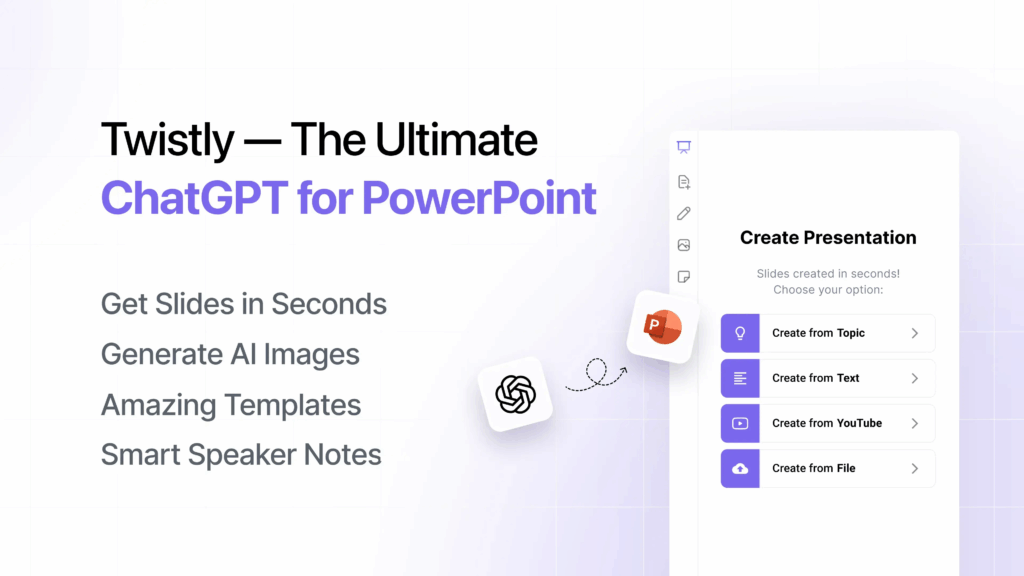
Twistly.ai is an AI add-in that has revolutionized PowerPoint. It is the quickest choice for students using this platform because it integrates directly into PowerPoint. Slides can be made from YouTube videos, text, PDFs, and prompts. It is distinguished by its special video-to-slide capability. For students who depend on PowerPoint for their coursework, it’s ideal.

You can make up to five presentations with the free plan without using a credit card. Twistly’s ChatGPT-powered engine creates polished slides in a matter of seconds. With a single click, you can improve content, add speaker notes, and translate slides. Students in high school or college who require prompt, polished PowerPoint results will find it ideal.

There is no need to switch apps thanks to Twistly’s smooth integration. Its AI recommends unique educational templates and images. Workflows are made simpler and time is saved by the tool. Students don’t need to leave their comfortable PowerPoint environment to create beautiful decks.

Key Features:

  • Creates slides from YouTube videos, text, or PDFs
  • Free plan includes up to five presentations, no card required
  • Integrates directly into PowerPoint
  • AI generates speaker notes and translations
  • Offers AI-enhanced templates for school projects

Use Cases:

  • Slides from lecture videos for study summaries
  • Quick PowerPoint decks for group projects
  • Presentations for science or tech classes
  • Converting research notes into slides

2. Canva Presentations

Best for: Beginners with No Design Experience

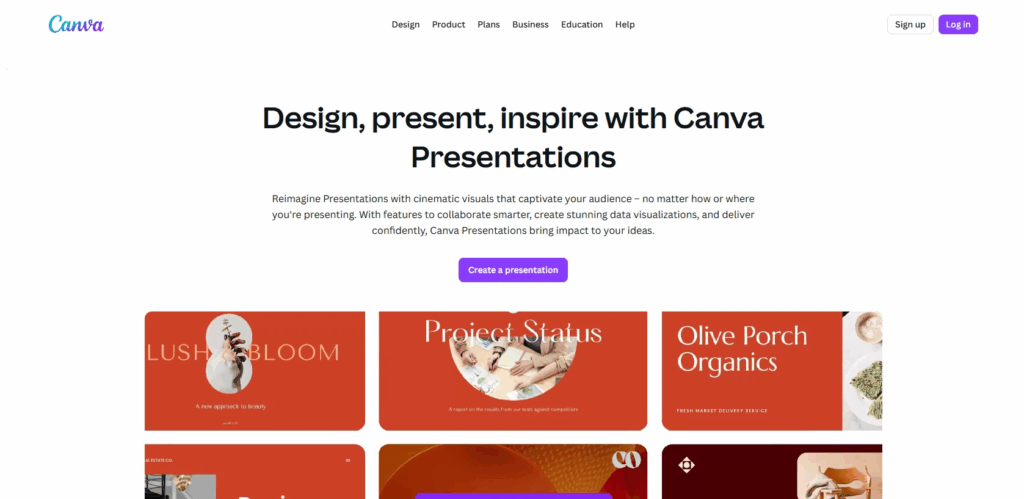
Canva is great for design newbies. Its Magic Design tool, powered by AI, lets you whip up presentations fast. Just type something in, and it makes a whole slide deck with text, pictures, and layouts. The layout is simple; even middle schoolers can use it.

The free plan has thousands of templates and stock photos. Canva’s Magic Write feature cleans up your text so it reads well. Also, it translates into over 100 languages, so it’s great for classrooms with all kinds of students. Instead of trying to be designers, students can focus on what they’re writing about.

Canva works with PowerPoint and Google Slides for easy sharing. It also lets groups work together at the same time. You can easily change things with the drag-and-drop editor. It’s just right for students who want nice-looking slides without the fuss.

Key Features:

  • Magic Design creates slides from a single prompt
  • Free plan includes 1,000+ templates and stock media
  • Magic Write refines text for better clarity
  • Translate feature supports over 100 languages
  • Export to PowerPoint, Google Slides, or PDF

Use Cases:

  • Class presentations for history or science
  • Group project slides with team collaboration
  • Quick visual aids for book reports
  • Posters for school events or clubs

3. Gamma

Best for: Visuals-First Projects

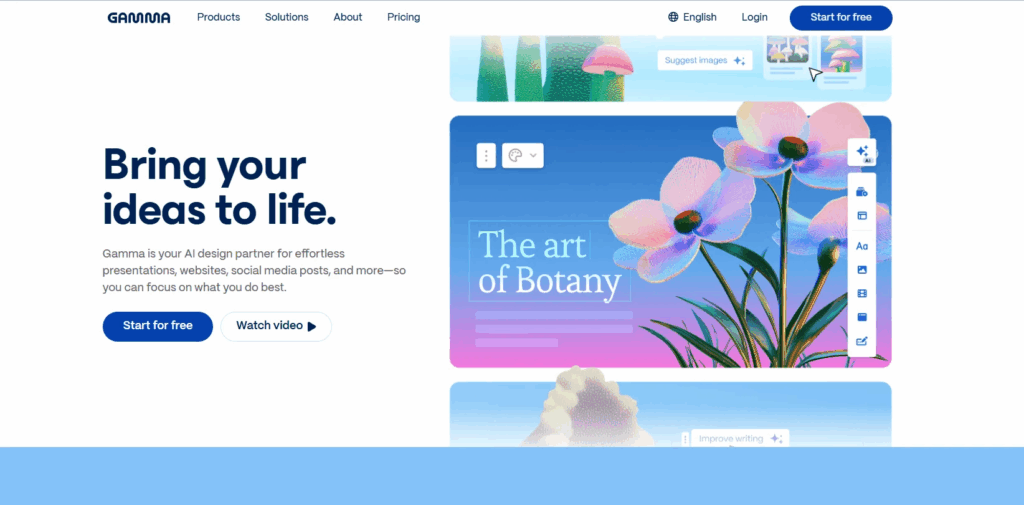
Gamma’s known for its cool, modern designs. You just type in a topic, and the AI whips up a professional-looking slide deck with text, data, and images. It’s fast and gives great results, a plus for college students who want their presentations to pop.

The free plan lets students do as many projects as they want. Plus, Gamma can export to Google Slides or PowerPoint for flexibility. It’s also super easy to use. You don’t need mad skills to tweak the designs. It even makes teamwork easier for group assignments.

What’s cool is that Gamma can handle the tough stuff. It suggests pics that match your content. Your professors will for sure be impressed by the slides you whip up. For students who want speed and style, it’s a solid choice.

Key Features:

  • Generates slides with images and data in minutes
  • Free plan offers unlimited projects
  • Exports to PPT, Google Slides, or PDF
  • Supports real-time team collaboration
  • Includes translation for multilingual slides

Use Cases:

  • College lectures or seminar presentations
  • Group assignments needing modern visuals
  • Thesis defense slide decks
  • Creative projects for art or media classes

4. Slidesgo

Best for: Academic-Focused Templates

Slidesgo’s AI Presentation Maker is made just for school stuff. You just type in a topic and pick a look, and it makes a slideshow you can change however you want. It’s got layouts for things like math and English, so it’s all about school-related stuff. It’s great for students who like their slides neat and tidy.

You can do most homework with the free version. You can grab your slides as PPTX files for Google Slides or PowerPoint. Plus, if you’re into design, Slidesgo works with Figma. The templates look good and are well-made and will also help students stay on track and keep things organized.

Slidesgo’s AI makes sure everything is school-appropriate. It suggests good pictures and words for your subject. Changing slides is easy with the simple tools. It’s a great pick for high school or college students doing projects.

Key Features:

  • AI generates slides based on topic and theme
  • Free plan includes customizable templates
  • Compatible with PowerPoint, Google Slides, and Figma
  • Offers educational templates for various subjects
  • Simple editing tools for quick adjustments

Use Cases:

  • Lesson summaries for biology or history
  • Slide decks for group research projects
  • Presentations for student council campaigns
  • Visual aids for classroom discussions

5. Beautiful.ai

Best for: Professional-Looking Group Projects

For students, Beautiful.ai has simplified presentation design. As you add content, its AI applies intelligent templates that change. It generates a polished draft when you type a prompt. The slides remain polished and consistent. For group projects that require a cohesive appearance, this is fantastic.

Basic needs are covered by the free plan, and additional features are frequently unlocked with school accounts. Beautiful.ai automates formatting, saving time. Millions of images and icons are available for personalization. It is possible for students to produce slides that appear to have taken many hours. For collegiate teams looking to make an impression, it’s ideal.

Group collaboration is made simple by the tool’s support for collaboration. Consistent designs across slides are guaranteed by its Brand Sync feature. For students without design experience who want professional results, Beautiful.ai is perfect. 

Key Features:

  • Smart templates adapt to your content
  • Free plan includes basic slide creation
  • Team Plan supports group collaboration
  • Includes millions of modern images and icons
  • Brand Sync ensures consistent designs

Use Cases:

  • Business or marketing class presentations
  • Team assignments needing uniform branding
  • Pitch decks for student entrepreneurship clubs
  • Reports for internship or capstone projects

6. Presentations.AI

Best for: Quick Drafts from Complex Topics

Presentations.AI is very good at converting complicated concepts into slides. It creates a polished deck in a matter of seconds when you give it a prompt. The tool does a good job of handling technical subjects like engineering and IT. For students studying intricate subjects, it’s ideal.

For the majority of school assignments, the free plan works well. Slides are easily customizable. Your deck’s designs remain consistent thanks to the Brand Sync feature. For flexibility, it exports to Google Slides or PowerPoint. The chat-based editor allows students to make quick edits to their slides.

For projects involving a lot of research, this tool saves time. Its AI recommends pertinent images and content. presentations.For college students who require quick, lucid slides, AI is fantastic. For technical reports or last-minute assignments, it’s a dependable option.

Key Features:

  • Creates slides from detailed prompts instantly
  • Free plan supports basic presentation needs
  • Brand Sync aligns slides with your style
  • Exports to PowerPoint or Google Slides
  • Chat-based editing for quick tweaks

Use Cases:

  • Technical presentations for STEM classes
  • Research paper summaries for seminars
  • Quick drafts for last-minute assignments
  • Slides for debate or speech classes

7. Prezi

Best for: Interactive and Engaging Slides

Prezi’s zoomable canvas method has made it stand out. Using prompts, its AI presentation maker generates dynamic slides. Prezi employs a storytelling format in contrast to conventional slide decks. To keep viewers interested, it pans and zooms. Students who prefer imaginative presentations will find this appealing.

Most students can complete five projects with the free plan. Prezi exports to shareable links or PDFs. It provides educationally specific templates. Students can add animations to their slides to make them more engaging. It works well for drawing attention in class.

The Prezi interface is simple to use. For group projects, it facilitates teamwork. Students who wish to stand out will love this tool. For imaginative or interactive school projects, it’s ideal.

Key Features:

  • AI creates interactive, zoomable presentations
  • Free plan allows up to five projects
  • Exports to PDF or shareable links
  • Includes templates for educational topics
  • Supports animations for engaging slides

Use Cases:

  • Creative presentations for English or drama
  • Interactive lessons for student-led projects
  • Visual storytelling for history timelines
  • Engaging slides for club or event pitches

Conclusion

The way students create slides has changed due to AI presentation makers. They simplify professional designs and save time. The aforementioned seven tools are suitable for various purposes. Canva is excellent for novices. Gamma provides breathtaking images. Academics are the focus of Slidesgo. Presentations and Beautiful.ai.AI is excellent at complex and professional tasks. Interactivity is added by Prezi. For PowerPoint users, Twistly is ideal.

Select a tool according to your project. Most provide students with free plans. See which one works best by trying them out. You can concentrate on your ideas with these tools. Your next presentation will be flawless, quick, and cost-free.

Categories
AI Tools & Artificial Intelligence

7 Best AI Humanizer Tools in 2025

AI humanizers polish machine-generated text into natural, human-like content that bypasses detection tools, adds a personal touch, and reads better. The global AI market should exceed $826 billion by 2030, yet most humanizer tools don’t meet expectations. 

Despite AI-powered writing tools growing 25% yearly, finding reliable options remains challenging. This blog covers the 7 best AI humanizer tools that stand out based on actual performance statistics rather than guesswork. 

1. Quillbot 

QuillBot’s AI Humanizer is a renowned tool that transforms AI text differently than other tools in the market. The company started as a paraphrasing tool and grew to include many writing features that boost your work. You can easily combine this tool with Chrome, Microsoft Word, and macOS through extensions, so you can use it on whatever platform you write on.

Key features

QuillBot’s AI Humanizer stands out by turning robotic AI-generated text into natural language with better tone, clarity, and flow. The tool goes beyond minor changes and analyses writing patterns to rephrase content while keeping the original meaning.

QuillBot works as a detailed writing assistant with these built-in tools:

  1. Paraphraser: This tool rewords text in different styles. You get two modes with a free account (Standard and Fluency), while Premium users can access nine unique modes like Formal, Academic, Simple, Creative, and more.
  2. Grammar Checker: Spots and fixes spelling, punctuation, and grammar errors in six languages
  3. Summarizer: Breaks down long texts, articles, or research papers into main points or paragraphs 
  4. Citation Generator: Makes properly formatted citations in hundreds of academic styles 
  5. Plagiarism Checker: Looks through billions of online sources to find potentially unoriginal material
  6. AI Detector: Checks text to find how likely AI was involved in creating it
  7. Translator: Changes text between more than 40 languages

Quillbot Advantages: 

  • User-focused interface: You can humanize text with just one click, making it available even to beginners.
  • Adjustable settings: Control how many changes you want and pick specific words to modify 
  •  Cross-platform compatibility: Works with apps and websites of all types through extensions
  • Free tier availability: Simple features work without payment or signup 
  • Multiple language support: Handles many languages for translation and core features.

Quillbot pricing

  • Free Plan:  125-word limit for each paraphrase
  • Premium Plan: USD 20.00 per month and no word limits

2. Clever AI Humanizer

Free Clever AI Humanizer is a 100% free online tool designed to make AI-generated text sound natural and human-like. Unlike most similar tools, it doesn’t require registration, subscriptions, or payment; you can paste your text and get instant results. The platform specializes in rewriting ChatGPT or GPT-4 outputs so they sound authentic while significantly reducing AI detection rates from systems like ZeroGPT, GPTZero, or Originality.ai.

It allows up to 4,000 words per run and offers a generous monthly limit of 120,000 words for free. AI Humanizer focuses on preserving the original meaning of your text while enhancing tone, rhythm, and sentence structure to mimic real human writing. The interface is simple and intuitive — you paste your text, click “Humanize AI,” and receive fluent, undetectable content within seconds.

Key features

  • Human-like rewriting that adjusts tone, phrasing, and emotion.
  • Strong AI detection bypass for tools such as GPTZero and Grammarly AI.
  • Completely free, with no ads or login required.
  • Saves your content history for easy access.
  • Supports more than 15 languages, including English, Spanish, French, German, and Japanese.

Pricing:

  • Free plan with up to 120,000 words per month.
  • 4,000 words per run limit.

3. Undetectable AI

Undetectable AI stands as one of the most innovative services that help make AI-written text look human-written. This platform helps students, content creators, and professionals make their AI-assisted work appear more natural. The company started in 2023 and quickly became a go-to solution.

Key features

The platform has a complete set of tools that focus on AI content changes and detection:

  1. AI Humanizer: This tool makes AI text more human-like. It modifies patterns of chaos and confusion that are usually detected by AI detectors.
  2. AI Detector: The system uses shared, consensus-based detection to analyze content against algorithms from major detection systems.
  3. Customization Options: Users can adjust humanized text based on different reader levels like university, high school, or legal documents.
  4. Human Auto Typer: The tool copies typing patterns. This prevents document history flags that might show the content was pasted instead of typed.

Undetectable AI Advantages

  • High Bypass Rate: It passes many popular AI detection tools.
  • Free Trial Available: Users can try the service at no cost before buying.
  • Side-by-Side Display: Users can compare original and humanized versions easily.
  • Multiple Tool Integration: The interface combines eight major AI checkers.

Pricing 

  • Monthly Plans: starts from $9.99
  • Annual Plan Benefits: Users save 50% with yearly subscriptions

4. Humanize AI

Humanize AI turns your AI-generated text into naturally flowing, human-sounding content. Whatever you’ve written using tools like ChatGPT, Bard, Jasper, Grok or others, this tool helps it read like real, relatable human writing. It also supports multiple tones (Standard, Academic, Simple, Flowing, Formal, Informal, Expand, Shorten), so you can choose the style you need

Key features

  • Converts AI-generated text into human-like content, retaining meaning and tone.
  • Works across major browsers and devices: desktop, tablet, mobile.
  • No registration or signup required, just paste your text and go.
  • Keeps your original context, is SEO friendly, and makes content less likely to be flagged by AI detectors.

Advantages

  • Free to use: Unlimited access at no cost.
  • User-friendly: Straightforward interface; easy even for beginners
  • Fast processing: Get your humanised content quickly.
  • More authentic voice: Makes your writing feel personal, genuine and human.

Pricing

  • Free Plan: $0 (no cost with limited features)
  • Lite Plan: $19/month
  • Standard Plan: $29/month
  • Pro Plan: $79/month

5. Writesonic 

Writesonic sets itself apart as an AI humanizer that offers text humanization capabilities at no cost. This AI Humanizer has caught users’ attention among Writesonic’s AI writing tools because it makes AI-generated content sound natural and human-like. This tool processes up to 200 words per scan and allows you to choose from 14 different tones, such as “friendly” and “formal”.

Key features

Along with an AI Humanizer, Writesonic also offer these AI tools:

  1. Site audit: It allows you to review your website to analyse any issue and improve site health.
  2. Research tool: You can use keyword research to find the high-ranking keywords for seo. 
  3. Article writer: It’s an AI writer that helps you write a well-researched and informative article within minutes.

Writesonic Humanizer Advantages

  • Free access: Writesonic provides 100% free AI humanization services.
  • User-friendly interface: The clean design lets beginners humanize text without hassle.
  • Quick processing: Content transformation happens within seconds, perfect for tight deadlines.
  • Multilingual support: Global users benefit from multiple language options.

Pricing 

  • Plan Monthly Price: Free $0 
  • Annual Plan: $16.00 if billed annually

6. WriteHuman

This online AI text humanizer turns machine-generated content into natural, human-like text. The service says it can make AI content undetectable by popular detection systems using advanced Natural Language Processing (NLP) technology.

Key features

WriteHuman brings several powerful features to transform AI-generated text:

  1. Easy-to-use interface with a simple three-step process: copy AI text, paste it into WriteHuman, and click to humanize.
  2. Built-in AI detector that checks if your content might be flagged as AI-generated.
  3. Natural Language Processing technology that adjusts sentence structure to match human writing patterns.

WriteHuman Advantages

  1. Affordable: Free trial option gives you 3 free requests monthly (up to 200 words each).
  2. Multilingual: Multiple language support helps global users create content in different languages.
  3. Secure: Data security protects user privacy with advanced encryption.
  4. Tone: Style customization matches writing tones to audience expectations.

Pricing 

  • Basic:  $12.00/month 
  • Pro version:  $18.00/month 

7. BypassGPT

BypassGPT offers an advanced AI humanization technology that changes AI text into content that passes through the most sophisticated AI checkers. The platform works with content from any AI language model, including ChatGPT, GPT-4, Gemini, and Jasper, making it a versatile choice for users.

Key features

Here are its standout features:

  1. Different modes: Multiple humanization modes with Fast, Creative, and Enhanced options that use different rewriting techniques.
  2. AI checker: Built-in AI checker that shows if your content might get flagged as AI-generated.
  3. Undetectable rewriting that changes your text’s word choices, sentence structures, and style.
  4. Multilingual support to humanize content in over 50 languages while keeping proper grammar.
  5. Error-free: highly readable outputs that keep the original meaning intact.

BypassGPT Advantages

  • Removes AI traces from content most of the time.
  • Clean interface with everything on one page.
  • Quick processing for different text types.
  • Keeps the original meaning during humanization.
  • Could bypass several detection systems, including Turnitin and Originality.ai.

Pricing 

  • Plan: Free $0 
  • Basic plan: $8.00/month 
  • Premium plan: $30.00/month

Conclusion  

AI Humanizer is a time-saving tool that quickly makes your content engaging and readable. The best results come from mixing AI help with human checking. Look for weird phrases, word mix-ups, and gaps.

Without a doubt, machine-generated and human-written content will become harder to tell apart as AI writing gets better. These were the best AI Humanizer tools in 2025, having a perfect system that beats all detection systems and keeps content quality high.