Categories
Digital Marketing & Growth

8 Tools That Help Maintain Email Quality as Campaigns Expand

Email gets harder the moment it starts working. At the beginning, you’re sending to a small list, you know your audience, and you can personally feel when something’s off.

Then the campaigns scale. You add automations. Segments multiply. More people touch templates. More links get tracked. And suddenly, “email quality” becomes this fragile thing you’re trying to protect while everything is moving faster.

What’s tricky is that quality issues don’t always show up as obvious failures. Sometimes it’s subtle. A deliverability dip. A template that renders weird on mobile. A slow rise in bounces. A small spike in spam complaints after one aggressive send.

These tools help teams keep email quality steady as volume and complexity grow, without turning every campaign into a fire drill.

1. InboxAlly

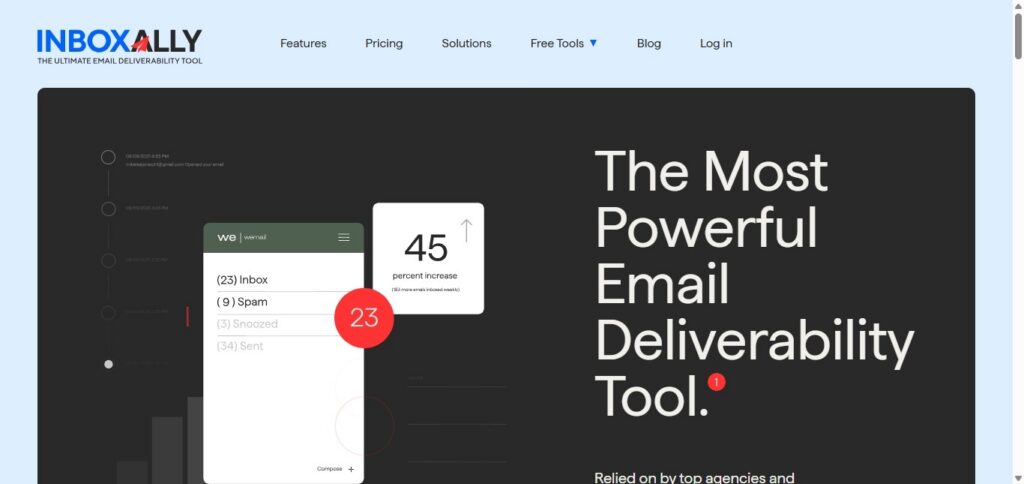
InboxAlly is helpful when the real risk isn’t your copy, it’s your reputation. As campaigns expand, you start sending more often, to more segments, from more domains or subdomains. Even if your intent is good, inbox providers can interpret sudden shifts as suspicious.

InboxAlly focuses on reputation conditioning through engagement patterns and steady sending behavior, which is exactly what keeps you stable while you scale.

A practical way to use it is as part of your “pre-scale checklist.” Before you ramp volume, you want to confirm you’re not already drifting into poor placement.

This is also where pairing it with an Email blacklist checker makes sense. Not because you expect disaster, but because checking early is cheaper than recovering later.

The big win here is consistency. Inbox trust is earned slowly, and InboxAlly supports the slow part.

2. Litmus

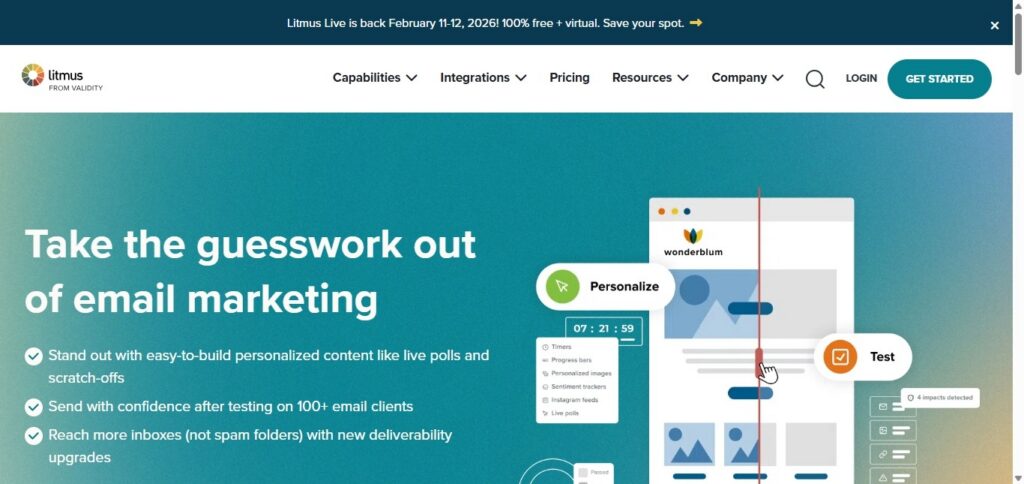
Litmus is one of those tools you appreciate more the bigger your email program gets.

When campaigns expand, you stop having one template and one layout. You have variations. Dark mode issues. Dynamic blocks. Localization. Different teams making small edits that can break things.

Litmus helps you preview emails across clients and devices, check links, and spot rendering problems before they hit your full list. That’s quality control, plain and simple.

It’s especially useful when you’re running high-stakes sends, like product launches or big promos, and you can’t afford a “looks fine in Gmail” surprise.

3. Email on Acid

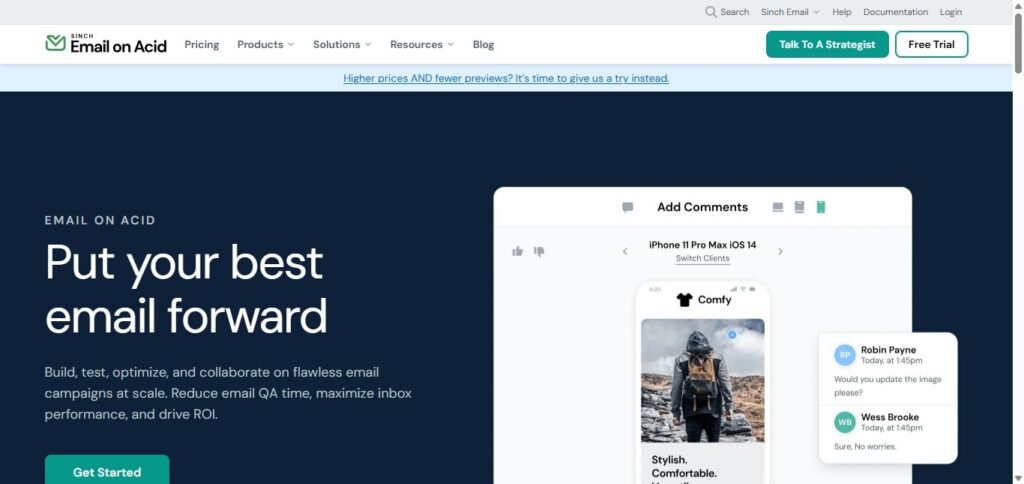
Email on Acid plays a similar role to Litmus, but teams often pick one based on workflow preferences and what kind of testing they do most.

Where Email on Acid shines is catching the stuff humans miss during review. Layout quirks in Outlook. Broken buttons on certain mobile clients. Image scaling that looks fine in one place and messy in another.

As you scale, these issues stop being one-off annoyances. They become reputation risks. If emails look broken, people delete faster. That hurts engagement. Engagement hurts deliverability.

Quality is connected. Email on Acid helps you protect the chain.

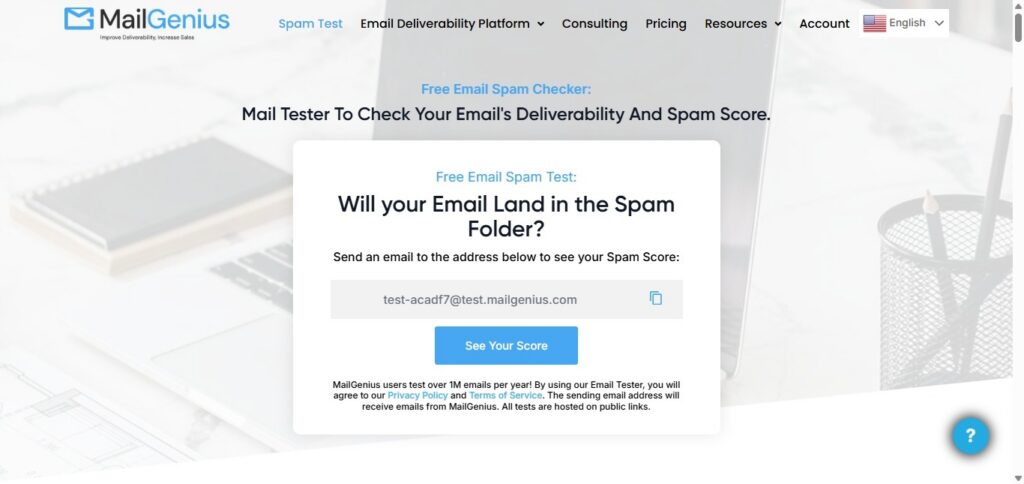
4. MailGenius

When marketers talk about “spam triggers,” it often turns into superstition. Don’t use this word. Avoid that phrase. Never do this.

Reality is more nuanced. Filters care about patterns, formatting, link behavior, and how your message lines up with your sending reputation.

MailGenius is useful because it gives you a quick, practical check on content risk before you send. It’s not judging whether your email is persuasive. It’s checking whether your structure looks risky.

This matters more as campaigns expand because you’re making faster edits, adding more tracking, and moving through approvals with less time to manually spot issues.

Think of it as the last look before the email leaves the building.

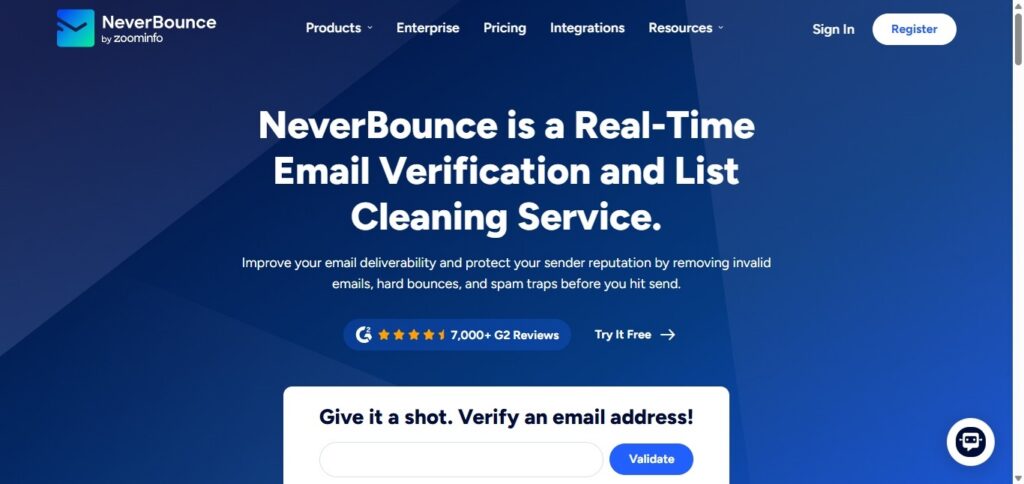
5. NeverBounce

List quality becomes a silent killer when you scale. At a small volume, a few invalid addresses don’t matter much. At large volume, bounces stack up. And inbox providers don’t love senders who keep hitting dead inboxes.

NeverBounce helps by verifying addresses and reducing bounce risk before you mail. It’s especially useful when you’re importing leads from events, partnerships, older CRM lists, or reactivation segments that haven’t been emailed in a while.

The misconception is that list cleaning is “optional” if you’re careful. The truth is, list decay happens no matter what. Verification tools help you stay ahead of it.

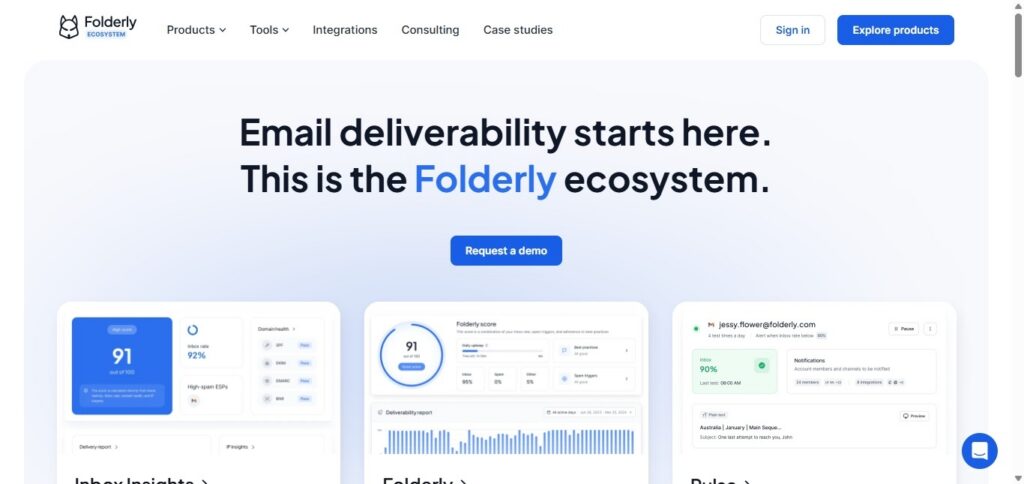
6. Folderly

Folderly sits in that space between deliverability monitoring and deliverability improvement.

As campaigns expand, many teams notice the same pattern: one inbox provider starts filtering more aggressively, while another still performs fine. Or placement varies by segment. Or a domain that used to be healthy starts drifting.

Folderly helps you identify those patterns and improve sending behavior without relying on guesswork. It’s also useful when you’re scaling outreach or adding new sending streams, because those changes can create reputation volatility.

The value here is prevention. If you can spot problems early, you don’t have to “fix” them later under pressure.

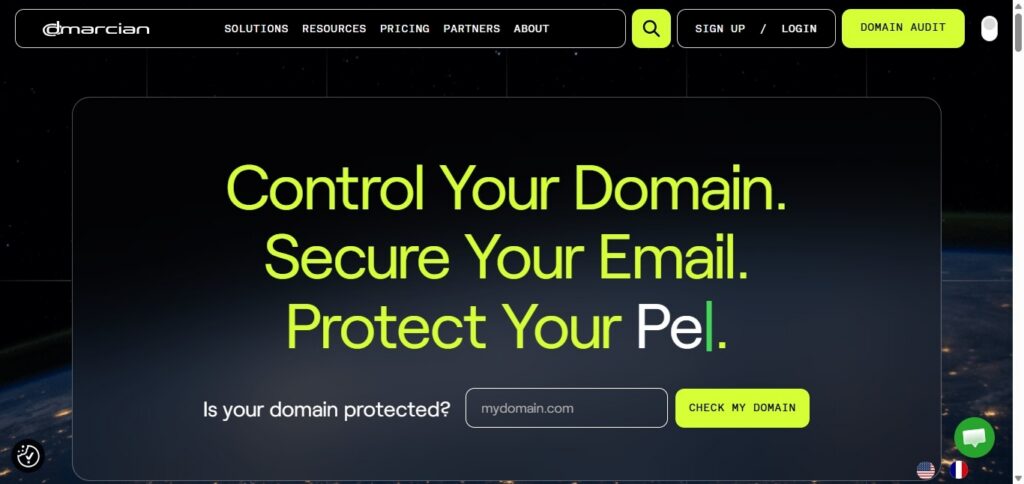
7. Dmarcian

Authentication problems rarely show up like a flashing warning light. They show up like confusion.

Your emails still send, but placement gets inconsistent. A provider throttles. Another starts filtering. Someone asks what changed, and nobody has a clean answer.

DMARCian helps teams monitor DMARC and understand whether SPF and DKIM alignment is holding steady. That becomes increasingly important as campaigns expand because more tools and domains get added, and alignment can drift quietly over time.

If you want fewer deliverability mysteries, authentication monitoring is part of the answer.

8. Valimail

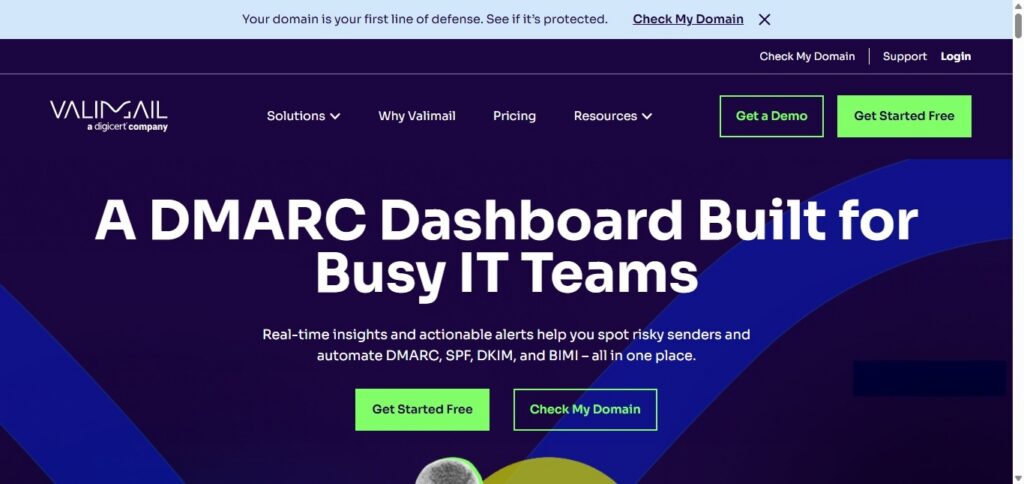
Valimail is another strong option in the authentication and DMARC space, especially for organizations that need ongoing monitoring and enforcement as their email footprint grows.

As you scale, you’re not just protecting marketing sends. You’re protecting the entire domain reputation tied to your brand. That includes transactional emails, support, HR, and any other system that sends mail on your behalf.

Valimail helps teams keep visibility over who is sending, whether authentication is aligned, and where risks are emerging. It’s the kind of tool that supports stability, which is what quality looks like at scale.

The Support Ticket Signal Teams Ignore

One of the simplest indicators that email quality is slipping is the support inbox. If customers or internal teams keep asking, “Why can’t I receive emails?”, it’s rarely a single issue.

It could be filtering, throttling, authentication drift, list hygiene problems, or content triggering stricter filtering than usual. But the point is the same: when those questions increase, your monitoring stack should get louder, not quieter.

That’s the moment to slow down, diagnose, and protect your reputation before you send bigger.

Conclusion: Scaling Email Without Losing Quality Is a System

Email quality isn’t one thing. It’s a set of small disciplines working together.

Rendering checks keep your emails readable. Content tests reduce avoidable filtering. Verification protects your bounce profile. Reputation and authentication monitoring prevent slow drift. And tools like these give you visibility before you make a big move.

When campaigns expand, the teams that stay stable are the ones who treat quality like maintenance, not crisis response. That’s what keeps email reliable, even when everything else scales around it.                                                                                                                                                                                                                                                                                                                                                                                                                                                                                                                                                                                          

Categories
Digital Marketing & Growth

TikTok Comment Likes Growth Hacks Every Creator Should Try

One of the fastest-growing platforms at present is TikTok. Here you can gain visibility as a content creator and cultivate loyal communities of fans. Great videos alone aren’t enough to catch eyeballs in the ocean of content competing for attention. What’s needed is engagement. Engagement provides visibility.

However, an often-overlooked factor is the number of comment likes. They not only push up the perceived authority of your content but also influence how others interact with it. To grow faster, combine smart growth hacks with str

ategic methods to increase your TikTok comment likes even further. Presented here are proven hacks that every creator should try if they want their presence on the platform to take off like fireworks.

Proven TikTok Comment Likes Growth Strategies to Boost Engagement

Explore the proven and realistic TikTok hacks that improve your TikTok comment likes effortlessly to enhance your credibility and TikTok presence..

1. Leverage the Power of Comment Likes

Comments with many likes rise to the top. This makes your profile more visible. A creator worth his or her salt should encourage their followers to like their comments. Or you can directly buy TikTok comment likes.

At this level of engagement, you’re really demonstrating what a thought leader in your field you are. When other users scroll through videos like yours, they will more likely click on your profile, watch your videos, and follow you. This visibility benefit is a simple but highly effective bolt-in for growth on TikTok.

2. Use Trending Sounds Strategically

TikTok thrives on trends, and leveraging trending sounds can boost your discoverability. If you use a popular sound, TikTok’s algorithm sends out your video to more people who are interested in that trend.

When you combine trending sounds with creative captions and engaging comments, sparks of conversation can easily be struck. From that, your traffic is secured. Get people to like your comments or pin them — that’s your most likely cause for an ongoing discussion.

Services that boost TikTok comment likes help you catch whatever is trending at the top. This ensures your content doesn’t get lost in a sea of noise but takes full advantage of how it happens online.

3. Engage in Comment Sections of Viral Videos

Engaging with viral content in your field can be among the most effective ways to capture the public eye. For example, provide insightful, smart, or ideally comical feedback on the videos that are currently trendy.

Once your comments get like boosts, they will ascend to the top of the comment section. Suddenly you will be read far and wide by your tribe and give a whole new circle of fans a chance to hear about you.

And here’s where boosting TikTok comment likes comes in handy. Buying TikTok comment likes from reputable services like GetAFollower guarantees that your comment will still stand out among the masses. This strategy paints you as a voice worth following, and thus, authentic traffic and new followers come straight over to your profile.

4. Pin Your Most Liked Comments

TikTok permits creators to pin comments, a feature that can make a world of difference. When you pin your most popular comment, it’s the first thing new viewers see. Therefore, your credibility gets a major boost.

Funny, useful, or curious — those are the types of comments you should pin. Adding an extra boost by increasing likes on the pinned comment — be it through natural engagement or TikTok comment likes services — strengthens the authority of your profile.

The pinned comment functions as social proof. New visitors are convinced your content and community are well worth their long-term involvement and contributions.

5. Create Comment-Driven Challenges

In TikTok culture, challenges are at the heart of things. To stand out from the crowd, roll out challenges that call on people to comment and interact.

For example, ask a light question like “What’s the most shocking thing you’ve come across on TikTok today?” or “Finish this sentence…” Then give standout feedback or likes to boot. The more people involved, the more your videos will gain.

Follow this up with growth hacks for TikTok comment likes — helping the funniest or most engaging responses to your content stand tall. That, in turn, spurs more to join in, pushing your momentum, engagement, and visibility up further.

6. Inspire Call-to-Action Comments

Your audience is more likely to engage when you tell them exactly what to do. Simple calls such as “Double-tap if you agree” or “Leave a heart in the comments if you have encountered this” provoke interaction.

After the activity, high-five nice feedback: tap or like them, then let others see by forwarding (this is also known as a re-tweet). To boost chances of success still further, pimp up important comments with TikTok comment likes — making sure they stay on top and continue live talk threads.

CTAs not only boost interaction but also educate your audience to engage regularly, which affects the video’s algorithm performance.

7. Collaborate with Other Creators in Comments

Collaboration doesn’t always have to be a duet or joint video. It can start in the comments. Be active on your collaboration partners’ videos and get them to do the same thing back. When the fans of two creators both see these actions, they are more likely to follow and interact with you also. 

Getting likes on collab comments is critical for visibility. By combining organic support with growth tricks like collaborating with others, you make sure these interactions go to the top. It’s a simple but powerful way to mix user bases and grow more quickly.

8. Use Humour to Get Viral Comments

Often, a funny comment will spread faster than the video itself. When people see a humorous line at the top of a comment section, they are likely to interact with it, laugh at it, and check out the creator’s profile.

To dominate the humour area, make sure your most amusing lines are always visible. Services that give TikTok comment likes help keep humorous remarks fixed at the top. A single viral comment can attract thousands of profile visits, helping you build authority while pleasing your audience.

9. Run Engagement Giveaways

Giveaways are a popular strategy for growth on TikTok. In exchange for receiving gifts — such as digital goods or shout-outs — some followers provide comments. You’d better post in a creative theme and make it attractive to visitors and likes. 

This increases the visibility of comments. In turn, more participants will be encouraged to take part. Giveaways help build vitality, lift the mood, and make followers feel valued — all at the same time as providing the kind of engagement TikTok loves.

10. Monitor Analytics and Adjust

TikTok analytics show which content is getting the most comments and engagements. Frequently observe these figures and identify trends. If, for example, humorous videos tend to produce a lot of comments, work out how you can duplicate this elsewhere on your channel. Then, rely on strategies such as organic methods to increase the publicity of your comments. 

The process is simple and clear: data drives your growth strategy and ensures your time is invested properly. As you’re growing in this highly competitive environment, every piece of content should be pushing for long-term success on TikTok.

Final Thoughts

Becoming famous on TikTok requires creativity and hard work, but it also needs smart strategies to spread your influence. While the quality of your content is the foundation, tricks like liking comments give you an edge. From pinning the most popular comments to linking your efforts with collaboration and humour, these are the methods shaping the platform.

To make the best possible use of TikTok comment likes, your engagement must be visible and believable from every angle. It also needs to be something the algorithm will treat kindly. Try out these growth hacks starting today and experience how your TikTok influence skyrockets!

Categories
Digital Marketing & Growth

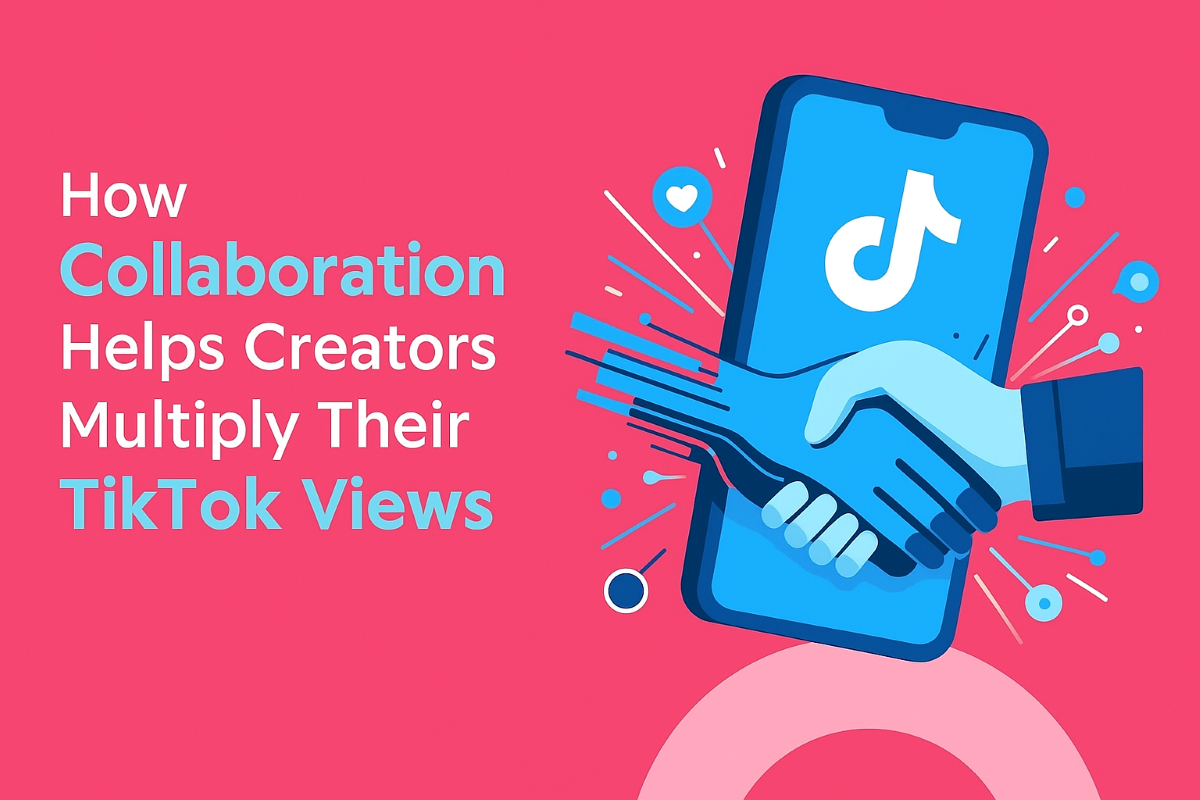
How Collaboration on TikTok Can Multiply Your Views

TikTok is a medium of engagement, trends and joint creativity. Collaboration is among the most effective ways to increase your TikTok views. Collaborating with other creatives introduces your content to new viewers, drives more engagement and extends your video’s reach. 

Collaboration is a mixture of different audiences who can give your videos the push to do better on the algorithm. In this post, we’ll discuss detailed tactics on how collaboration can increase the number of views for TikTok creators.

8 Smart TikTok Collab Strategies That Drive Real Views

1. Utilise Duets and Stitches

Collaborating earnestly with the use of TikTok’s duet or stitch features enables you to engage directly with another creator’s content. This approach allows your video and theirs to be combined, which in turn increases the likelihood that both groups will view it.

When a TikTok favourite posts a duet or stitch with you, their followers interact with your content, increasing the number of views on TikTok. These features also inspire sharing and interaction, and the algorithm likes both, further increasing the odds that your video will be placed on the For You Page, allowing it to reach a wider audience than just you’re following.

2. Buy Real TikTok Views for Exposure

Using these collaboration strategies can significantly multiply your TikTok views, but even the best partnerships sometimes need an initial push to reach their full potential. Without early engagement, your videos may not gain the traction necessary to fully leverage cross-audience exposure, duets, trends, or interactive challenges.

A smart way to jumpstart this process is to Reliable TikTok Views from a trusted provider like GetAFollower. This initial boost enhances social proof, signals value to the algorithm, and increases the likelihood that your collaborative content will attract organic viewers and steadily multiply TikTok views.

3. Align with Trends Together

Participating in trending challenges or sounds will help hasten toward more views. Two creators jumping on the same trend can potentially mobilise each other’s audiences while piggybacking on the momentum of a trend.

When you make use of popular trends in your collaborative content, your video becomes more relevant and is promoted to a larger portion of the public. Engagement from both creators combined tells the algorithm that the video is valuable, and this will help get more TikTok views within a short time and build momentum.

4. Create Interactive Challenges

You can also produce co-branded challenges or interactive videos that involve those watching to participate, comment or share. Encouraging viewers to participate leads to more interaction and higher interaction rates, which increases the number of TikTok views.

Engaging collaborations builds the community around your content. Viewers frequently come back for more videos or share them with friends. The result is a kind of multiplication factor: with every user who interacts with your shared challenge, the more TikTok’s algorithms recommend the video to even broader audiences, thus raising views and prolonging the life of the trend.

5. Leverage Cross-Audience Exposure

When you work together with another creator, your content is instantaneously presented to their audience. When you collaborate on a video with another creator, their followers are introduced to your style and content. Yet, this kind of cross-pollination is helping people get more Instagram followers and quickly grow an engaged audience in the space of weeks. This also directly increases how many TikTok views you have.

It grows your reach and brings in viewers who are fanatical about your niche. The algorithm sees more engagements and viewing time from new viewers, which prompts TikTok to recommend your video to even other viewers, compounding your views organically.

6. Maintain Consistent Co-Posting

Both partisan audiences: Posting collaborative content on a regular basis that keeps both sides in the loop. Consistency makes new videos predictable and increases both retention and rewatching of each video.

With coordinated posting, your collaboration is guaranteed to be in front of your audience when it matters most. With more attention, TikTok’s algorithm increases visibility, making your video more likely to go viral. Frequent collaborative posts drive up continual expansion of TikTok views, which transforms transient exposure into consistent audience interaction with your account.

7. Repurpose Collaborative Content

A single partnership can produce multiple pieces of content. Clips and highlights, as well as remixes of the stream, may be posted separately in order to fetch more views, putting the most exposure on original partnered collaboration content.”

Reusing content will keep your account going and add to the total TikTok views. Each version opens up your content to a slightly new audience or format, and this compounds your reach. This approach means that a single collaboration doesn’t just give you an upward spike for the day or week, but rather it keeps producing consistent views and subscribers long after the initial post.

8. Feature Guest Appearances

Creating and collaborating with a guest in your video can be one of the keys to getting their audience onto your profile. Having popular creators or micro-influencers join your videos can also significantly boost views. A brief cameo is good enough for their followings to get a taste of your content and make them curious, Arens added.

Hiring guests gives credibility and freshness to your content, ensuring that viewers remain engaged. When you have more engagement, it tells TikTok’s algorithm that your content is valuable, and this leads to an increase in views on TikTok. Having guests on over and over again keeps the show fresh and ensures safe viewership growth.

9. Engage in Live Collaborations

A shared live on TikTok increases views exponentially. Live sessions enable both creators to interact with viewers on the fly, pushing them towards engagement in the form of comments and shares that can boost reach.

Live partnerships provide an experience that audiences tune in to and come back for later broadcasts. Not only does this help start things off on the right foot by providing an instant boost in viewership during your live session, but it also helps extend visibility after the session when snippets or clips from that live recording can be repurposed as new content to ensure continued viewer engagement.

Conclusion

Collaboration is one of the best tricks to increase TikTok views. And by sharing audiences, duetting and stitching videos, hitching onto trends and challenges, they leapfrog several viewing opportunities from one piece of content. 

When videos are shared, visibility is also widened by strategic boosts such as buying real TikTok views. And when applied in a methodical and ongoing manner, collaboration not only boosts short-term exposure. It fuels long-term growth, engagement and an ever-flowing feed of TikTok views that contributes to success over the long haul.

Categories
Digital Marketing & Growth

Where to Buy Facebook Verified Business Managers

If you’ve ever tried running ads on Facebook, you already know the struggle. One day your campaigns are flying, and the next – bam! Your account gets flagged without a clear reason.

You’ve got a product ready, money set aside, and ideas flowing. But Facebook throws a roadblock in the form of disabled accounts and limited ad spends. Nothing kills momentum faster than that.

That’s why a Facebook verified Business Manager (BM) isn’t just an option. It’s the ultimate shortcut to peace of mind.

So, where to buy Facebook verified business managers? There are several providers. And I ‘ll share some of the best options in this blog.

But, before diving into the top providers, let’s talk about why you’d even need one in the first place.

Why Buy Facebook Verified Business Managers?

A verified BM is like your golden ticket in the advertising world. It’s like jumping the queue when everyone else is stuck waiting.

Regular ad accounts often face strict limits. Your daily spend might be capped at $50, or worse and you’re suddenly restricted without warning. Verified BMs remove a lot of that uncertainty.

With a strong BM, you can run multiple ad accounts at once. That means more campaigns, more testing, and faster scaling. If you’re serious about growing, this makes all the difference.

Another reason? Security. Verified BMs come with real documents, stronger profiles, and better compliance. That means fewer bans, smoother approvals, and ads that actually stay live.

Plus, Verified BMs don’t just lift ad limits and improve security, they also free you up to focus on scaling with smart tactics. It’s the same reason digital marketing experts rely on proven methods rather than wasting time fighting account restrictions.

Following, I filter out 5 proven providers you can trust to purchase verified Facebook BMs.

1. Uproas

If I had to describe Uproas in one line, I’d say they’re the “no-worries” option. Everything about their service feels built around peace of mind. From live ad guarantees to money-back promises, they’ve covered every possible concern advertisers usually have.

Here’s what stood out to me. Their Facebook verified Business Managers aren’t just standard accounts. You can get BM1, BM5, or even the heavy hitters like BM2500 and BM5000. That means you’re not stuck with tiny limits when you’re ready to scale big.

And next is their Live Ad Guarantee. If you can’t get even one ad live, they refund your monthly fee. That’s bold, and honestly, it shows confidence in their accounts.

Add to that a 24-hour replacement guarantee, and you’re never left stranded if something goes wrong.

And if all that isn’t enough, they’ve got a 60-day money-back guarantee. That’s two whole months to test, scale, and see results without risk. It’s really rare with other providers!

Here’s what Uproas offers a glance:

  • Unlimited BM5s and accounts with unlimited spend.
  • Multiple guarantees
  • Flexible payment options (crypto or bank transfer).
  • 24/7 customer Support
  • Unlimited Stock

Plus you can get a facebook verified business manager from Uproas with instant delivery without any delay. All in all, if you want a risk-free, scalable solution, Uproas definitely stands out as one of the best choices.

2. DFUmedia

DFUme keeps things simple with clear packages. You pay once, get what you need, and that’s it; no monthly commitments hanging over your head.

Their packages start small and scale up. You can grab a basic BM1 if you’re just testing waters, or go straight for BM3/5 if you want to handle multiple campaigns at once.

What makes these deals attractive is the mix: you don’t just get a Business Manager. Each order includes

  • A strong verified profile
  • An aged BM
  • A page with your chosen name
  • Ad Account

I think that’s pretty neat, because starting with an “aged” setup usually means fewer red flags from Facebook. Plus, they don’t just hand over the accounts and disappear. They also provide setup guidance and videos, a solid bonus for newbies.

However, their starting daily spend limits feel a bit tight ($50–$100). You’ll need the higher package if you want unlimited spend. And there are no clear guarantees like refunds or replacements.

Overall, DFUmedia is great if you prefer a straightforward, pay-once solution without all the extras. Especially handy if you’re starting small but still want room to scale later.

3. VerifiedBMBuy

DFUmedia is all about simplicity, With VerifiedBMBuy they focus on stability and compliance, making their BMs ideal for long-term advertising.

Their biggest promise is their guarantee on 100% ban-free accounts. Every BM comes verified with real documents, which keeps you aligned with Meta’s policies and reduces sudden restrictions.

Encrypted transactions, safe payment gateways, and a money-back guarantee to top it all off. Add their global reach and local support, and you’ve got a provider trusted by many agencies worldwide.

Pros:

  • Ban-free, Meta-compliant accounts.
  • Unlimited ad accounts, advanced ad tools.
  • Full ownership transfer.
  • Same-day delivery.
  • Money-back guarantee.
  • 24/7 support.

Cons:

  • Premium pricing.
  • Spend limits not clearly stated.

In short, VerifiedBMBuy is the safe and professional option if you have big budgets.

4. USAOnlineIT

USAOnlineIT is one of those providers that focus on practicality and support. They don’t overcomplicate things. They just deliver verified, phone-verified BMs that are ready to go.

What I like here is the flexibility. You get accounts verified with real ID and photos, which instantly adds credibility.

Another highlight is their 24-hour replacement guarantee. If your BM faces restrictions, they’ll replace it quickly. On top of that, they have 24/7 customer support, which is a lifesaver if something goes wrong mid-campaign.

Here’s what you can expect:

  • 100% authentic BM accounts.
  • Easy login via email invitation.
  • Custom BM options available.
  • Competitive pricing compared to premium providers.

Of course, it’s not perfect. The spend thresholds, while flexible, aren’t truly “unlimited.” And they don’t seem to have the same long list of guarantees that bigger players offer.

Still, for anyone looking for a budget-friendly yet secure option, USAOnlineIT is a reliable pick.

5. Ecomparkour

Another good option for verified Facebook BM is Ecomparkour. Their BMs come with original company documentation, which is a big plus for legitimacy. Plus, the accounts  verification details show up directly in the invite link, which adds transparency.

You can start with a $50 daily spend limit. But, because of the strong documentation, those limits can escalate faster than usual. That makes them a good fit for buyers who don’t mind starting small but want to grow steadily without frequent restrictions.

Here’s the quick breakdown of their services:

  • Verified with real company documents.
  • Starting spend limit of $50.
  • Faster scaling compared to standard BMs.
  • Priced at $250 per account.

Overall if you’re looking for affordable, document-backed accounts that grow over time, Ecomparkour gets the job done.

Bottom Line

After learning where to buy Facebook verified business managers, the most important matter is choosing one that matches your needs. Consider your budget, scaling plans, and whether the provider offers protection like refunds if things don’t work out. So, choose wisely to get the best value.

Categories
Digital Marketing & Growth

Why Facebook Likes Still Matter (Especially on Your Posts)

Facebook has been around for many years, but it’s still one of the best places to voice your ideas and provide visual impact. You’ll have heard people say, “nobody cares about likes nowadays,” but this is just not the case. Facebook likes are still crucial to good performance across Facebook feeds, especially for your content. They help your content reach more people, build trust, and keep your page alive.

In this article, we will discuss why Facebook Likes still matter, how they influence the development of your account and what’s the best way to get more likes: from giving your content a surge to win-win engagement.

Why Facebook Likes Still Matter?

1) Show People You Deserve Following

When someone sees a post that has ‘many likes ‘, they usually think, “This has got to be good.” So there is something deeply human about trusting what others already trust. A high like count will give ‘social proof ‘: your new visitors are more likely to follow you and then seek out other posts on the same page.

2) Expand Your Visibility

Facebook’s algorithm decides what shows up in people’s feeds. Posts with more likes often appear higher in feeds because the platform regards them as interesting and prize-worthy sharing. So you can see that Likes not only help your content to reach more people directly, especially those who are not yet one of your followers.

3) Drive Authentic Engagement

A like on your post is not just a number — it’s a signal that someone has just paused for a moment to interact with the post. People who like your content are also more likely to comment or share it. This creates a cycle: the more people like it, the more people will see your next post, leading yet more people to yet further see and share it, and on and on…

4) Establish Brand Reputation

For both companies and individuals, Likes are an easy way to show that their page is popular and reliable. A link with hundreds of likes makes your site look active, engaging and dependable with an instant blast. In today’s digital world, that is the kind of name everybody wants to have.

How Facebook Likes Impacts Your Social Media Growth

1) Let You Get Followers Faster

When people see one of your posts has ‘many likes ‘, they become curious. So, they might go into your page, wander around your content and decide to follow it. Over time, this snowball effect can lead to steady proportional growth in the number of persons who follow your page.

2) Keep Your Audience Connected

A like suggests that someone wishes to continue reading your page. When someone likes one of your posts, Facebook is much more inclined to show him or her your next piece of content, making it easier for you to get attention without having to fight constantly.

3) Expand Your Reach Without Paying for Ads

Running adverts can be costly, but Likes can help you grow your reach organically. When your content gets more and more Likes, it becomes easier to find out without having to spend your own money or take out promotional content such as this post.

4) Promote Sharing

People are more likely to share a post that is already popular. This high like count on your content makes it take off in a different direction quickly, helping you reach new audiences fast.

6 Proven Tips to Get More Facebook Likes

1. Jumpstart Your Engagement with a Strategic Boost

Before you post on a regular plan, it can help to give content an early push. Great posts still get buried at times, so starting strong can make a real difference. You can run Facebook ads, and you can also consider an additional method, such as paying for Facebook likes from a trusted provider like GetAFollower. 

This strategy acts as an early engagement, helping the system show your post to more people. When viewers see a post that already has likes, they are more curious and more likely to tap the ‘like’ button as well.

2. Post High Quality Content

Once you build momentum, give people a reason to keep engaging. Clear, crisp images and videos add instant visual appeal. Everyone has to see images that look good, but not all of the inane details really stand out. Include short captions that teach, entertain, or motivate. 

Stick to a consistent style – your subscribers will know what they’re going to get from being your follower. Consider what touches on the concerns of your audience: Whether it’s useful tips for trading or how we made products better than they were; simple motivation looks around mankind, and it’s a little tiny light in a vast darkness. Keep on adding value to the world!

3. Post at the Right Time

Even a great post can miss if it goes live when your audience is away. Timing shapes how many likes you earn. Start with your page analytics and note when followers are most active. Many pages see early mornings, lunchtime, and evenings as strong windows. 

Post in those peak windows to raise the odds your post shows near the top while people are actively scrolling. Early likes send a strong signal to Facebook, which lifts visibility and creates more chances for organic engagement.

4. Use Trending Topics and Hashtags

A fast path to new eyes is to join current conversations. Look for popular topics, events, or challenges that are getting attention on Facebook. Add relevant hashtags so your posts can be found in search results and topic feeds. 

Make sure trends match your voice so they feel real. A fitness coach might join a health challenge, while a bakery might join a fun food tag. This way you ride interest without drifting from your niche.

5. Engage With Your Audience

Getting likes is not only about posting. It is also about relationships. When someone comments, reply promptly and in a human tone. If a follower engages often, thank them or give a small shout-out. Ask simple questions in captions or run quick polls to invite action. The more you interact, the more valued people feel, and the more likely they are to keep liking and supporting future posts.

6. Collaborate With Others

If you collaborate with other creators, influencers, or businesses, then you can potentially gain access to an entirely new audience. Collaborating is tapping into their network. You now have an instant connection with them because they followed the person who introduced your account–many of these people would never have seen your page otherwise. 

You could have a mutual giveaway, produce videos together, hold live Q and sessions, or just trade shout-outs. The trick is to pick people with overlapping interests to work alongside you. Then it is easier if your pages feel natural together and even impressive; this benefits both operators equally. 

By promoting each other’s posts, you can get heaps of followers who like what you post. You will also be opening yourself up to a wider and hopefully more reasonable audience.

Conclusion

Facebook likes might seem like a small part of social media, but they have a real impact on growth. They show people your content is worth a look, help you reach new audiences, and build trust in your brand.

If you want better results, follow a simple plan. Start with a small boost to get noticed, post high-quality content, share at smart times, use timely topics, talk with your audience, and work with others.

In the end, likes are not just numbers. They are a sign that people connect with your message. Keep building that connection, and your Facebook page will keep growing.

Categories
Digital Marketing & Growth

How TikTok Algorithm Decides Who Sees Your Content

TikTok has transformed how content goes viral, and at the center of it all is one thing views. Unlike older platforms where follower count dictated visibility, TikTok makes it possible for a single video from a brand-new account to rack up thousands or even millions of views overnight. 

The real question isn’t whether views matter (they do), but how the algorithm decides who gets them, and how you can position your content to benefit from that system.

In this article, we’ll explore how TikTok’s algorithm works, why views are the single most powerful metric, and the strategies you can use to maximize them.

How TikTok’s Algorithm Works

The TikTok algorithm is built on artificial intelligence, constantly trying to match the right video with the right audience. While it looks at many signals such as likes, comments, hashtags, and sounds, the one factor it consistently weighs most heavily is views. 

When a video is played especially if it’s replayed that’s a direct indication of interest. More views tell the system that people actually want this content in their feed, which pushes the video further. 

This is why creators obsess over views: they’re not just a vanity metric, they’re the backbone of TikTok’s recommendation engine.

The Snowball Effect of Early Engagement

Views also drive the snowball effect that makes TikTok so addictive. When you publish, TikTok shows your video to a small group of viewers. If they watch through, or even better, rewatch, the system immediately takes note and sends the video to a wider pool. 

Each cycle of replays and rising view counts signals momentum, which can carry a video from a hundred views to hundreds of thousands. Without enough views in those first 24–48 hours, however, the snowball never builds. This makes views in the early stage the single most important currency for going viral.

5 Key Factors TikTok Uses to Rank Content

1. Watch Time & Completion Rate

TikTok prioritizes videos that hold attention. The longer people watch and especially if they watch until the end the more the algorithm pushes the video. High completion rates indicate value and boost discoverability. More watch time means more chances of TikTok recommending it to wider audiences, which directly increases views. Simply put, videos that keep viewers watching drive exponential view growth and rank higher on the For You Page.

2. Views as the Key Signal for TikTok

Views are the foundation of TikTok’s ranking system. The algorithm closely tracks how many people watch your content and how quickly those views accumulate. A video with strong view velocity in its first hour is far more likely to be pushed onto the For You Page, where it can snowball into viral reach. 

So buy real TikTok views to generate early visibility for the content. This initial boost makes a video look more active, attracting organic viewers and signaling TikTok’s algorithm to expand reach. When combined with strong content, it helps turn visibility into momentum.

More views signal higher relevance and audience interest, helping TikTok prioritize your video over competing posts and maximize visibility.

3. Replays and Rewatches

TikTok tracks how often people rewatch a video. If someone goes back to watch again or if multiple viewers replay it signals deeper interest. The algorithm interprets this as strong content worth showing to more people. 

Replays amplify views significantly because one person can contribute multiple plays. Videos with short, addictive often go viral for this reason, making replays one of the hidden engines behind massive TikTok view counts.

4. Relevance Cues (Hashtags, Sounds, Captions)

TikTok evaluates whether your content matches trending topics and interests. Using relevant hashtags, popular sounds, and clear captions makes your video more discoverable. For example, trending sounds often come with built-in streams of traffic, driving initial views faster. 

When TikTok detects relevance to active user interests, it boosts reach. More relevance = more visibility = more views. Creators who align their content with what’s currently buzzing often see their view counts surge rapidly.

5. Frequency of Profile Posting

While frequent posting aids discoverability on TikTok, consistency alone does not guarantee success. A sophisticated algorithm assesses myriad factors when determining what viewers see. Creators who variably engage audiences through diverse styles and topics shine amid competition. Complex personalities resonating genuine passions endure where others fade.

Inconsistent posting stalls momentum, while steady uploads increase the odds of landing multiple hits. The more active you are, the more opportunities your videos have to gain views.

Conclusion

TikTok is, at its heart, a platform powered by views. Every feature of the algorithm watch time, engagement, hashtags, trends, consistency feeds into generating more plays. When you understand that views are the central currency, you can focus your strategy on increasing them directly and indirectly. 

Whether through strong content, smart timing, or even a push from social proof, the videos that win are the ones that stack up views quickly and keep momentum rolling. Virality isn’t random it’s the result of views compounding until the algorithm can’t ignore your content anymore.

Categories
Digital Marketing & Growth

Why Subtitles Can Turn Your Videos Into Traffic Magnets

You’ve probably watched a video on mute and still followed along perfectly. That’s the magic of subtitles; they’re more than just text at the bottom of the screen.

Done right, they can help your videos climb search rankings, keep viewers hooked, and even open the door to an entirely new audience.

And here’s the best part: adding them doesn’t have to be complicated.

You can simply create subtitles for video in a few clicks, without any technical headaches. But before we get into the how, let’s talk about why subtitles have quietly become one of the most powerful tools in a creator’s toolkit.

Subtitles Do More Than Help People Hear You

Most people think subtitles exist purely for accessibility, so people who are deaf or hard of hearing can enjoy the content. That’s true, but it’s only the beginning. Subtitles help in situations where people can hear but don’t want to turn the sound on. Think about:

  • Commuters on a noisy train
  • Office workers sneaking in a video break
  • Parents watching without waking a sleeping baby
  • Scrolling through social media where sound is muted by default

In all these cases, subtitles keep your message intact. The more people understand your content in these moments, the more likely they are to stick around. And that’s where the traffic boost begins.

Quick Subtitle Benefits at a Glance

BenefitHow It Helps Your VideoSEO Impact
AccessibilityOpens content to viewers with hearing difficulties or language barriersIncreases audience reach and keyword variety
Higher EngagementKeeps viewers watching longer, even when mutedBoosts watch time signals for ranking
Search VisibilityGives platforms text to crawl and indexImproves chances of appearing in related searches
Global ReachMultilingual subtitles attract international viewersRanks in non-English search queries
Brand RecognitionConsistent style builds visual identityStrengthens brand trust and loyalty

Subtitles = Search Engine Candy

Search engines can’t “listen” to your video. They rely on written content to understand what it’s about. When you upload a subtitle file, you’re basically handing Google and YouTube a complete transcript — a treasure trove of keywords they can index.

That means if you’re talking about vegan lasagna recipes, how to fix a leaky tap, or the latest in gaming news, every word you say becomes searchable. Suddenly, your video can show up for dozens of related searches, not just the title you gave it.

This is where a lot of creators accidentally miss out. They spend hours shooting and editing, but skip the step that could make their video discoverable in organic search.

The Engagement Boost You Can Measure

Here’s something that happens over and over: you add subtitles, and your watch time goes up. Why? Because people are more likely to stay with your content when they can both hear and read it.

Subtitles help with:

  • Clarity: If someone doesn’t understand a word or accent, they don’t tune out.
  • Focus: The visual text keeps them engaged instead of drifting away.
  • Retention: They’re less likely to skip ahead because they’re following along comfortably.

Longer watch time tells platforms your content is valuable, which leads to more recommendations and higher rankings. That’s the algorithm giving you a high five.

Making Subtitles Work for SEO

If you’re thinking “Okay, I’ll just auto-generate captions and upload them,” you’re halfway there. The real wins come when you take a few extra steps:

1. Use Keywords Naturally
If your target phrase is add subtitles to video, and you say it naturally in your dialogue, it ends up in the transcript and therefore in search results.

2. Keep It Clean
Auto-generated captions are notorious for typos. Edit them so the text is accurate. Mistakes don’t just annoy viewers — they make your content harder to understand for search engines.

3. Pick the Right File Type
Formats like .srt or .vtt are widely supported and easy for platforms to read.

4. Match the Timing
If your captions lag or race ahead, it’s distracting. Good timing keeps the reading experience smooth, especially for mobile viewers.

Multilingual Subtitles = Global Reach

One of the most overlooked strategies is adding subtitles in multiple languages. Imagine you’re an English-speaking creator whose content is popular in Brazil. By adding Portuguese subtitles, you instantly make your content accessible to a massive new audience.

Not only does this improve accessibility, but it also helps your videos rank in searches conducted in other languages. It’s like opening a second shop in a new country without leaving your desk.

Subtitles in Social Media Marketing

Social media is where subtitles shine the brightest. Think about Instagram Reels, TikTok, or Facebook — most of these videos autoplay muted. If your video doesn’t have text, you’re relying entirely on visuals to stop someone from scrolling.

With subtitles, you can:

  • Hook viewers in the first three seconds with a bold, readable line.
  • Make sure your core message lands even without audio.
  • Build brand recognition with a consistent subtitle style.

Some creators even style their captions with custom fonts, colours, and backgrounds to make them part of their visual brand.

The Time Factor: Adding Subtitles Without Losing Hours

The biggest hesitation creators have is the time commitment. Writing, syncing, and formatting subtitles sounds tedious. That’s why using a tool designed for speed is worth it.

When you create subtitles for video with an online editor, you can:

  • Auto-generate captions in minutes
  • Make quick corrections in a simple interface
  • Download in the format you need for YouTube, Instagram, or other platforms

It’s the difference between spending half a day on captions and getting them done in under an hour.

Subtitles Are a Brand Asset

Treat your subtitle style like part of your branding. Whether you go for bold uppercase letters, a specific color, or a certain position on the screen, consistent styling makes your videos instantly recognizable.

When viewers can spot your content at a glance, even without your logo in sight, you’ve built brand recall — and that’s pure marketing gold.

Tracking the Results

Once you start adding subtitles, keep an eye on your analytics. Look for:

  • Increases in watch time
  • More plays from search results
  • Better engagement rates (likes, shares, comments)
  • Higher retention during muted playback

If the numbers go up, you know your subtitle strategy is working. From there, it’s about consistency — making subtitling part of your workflow so every video gets the SEO and engagement benefits.

Final Thoughts

Adding subtitles to your videos isn’t just about being considerate to your audience — it’s a smart growth strategy. They make your content accessible, searchable, and more engaging, all of which translate into more traffic and better rankings.

If you’re serious about building an audience, give your videos the extra layer they deserve. Start with your next upload, keep refining your process, and watch how something as simple as text on the screen can open doors to bigger opportunities.

Categories
Digital Marketing & Growth

Beyond Guest Posts: Advanced SaaS Link Building Tactics That Drive SEO Growth

In the digital realm, the power of Software as a Service (SaaS) is magnified by the importance of Search Engine Optimisation (SEO). Even though guest posting seems to be the universal go-to way to get businesses out there, businesses must look for more advanced, once-in-a-lifetime tactics rather than the typical guest post strategies, as guest post strategies may be the garbage of marketing strategies. These points discuss some unique link-building techniques that can help SaaS businesses achieve growth through SEO.

Using the informed Content

SaaS companies have tons of data and they can be turned into useful content. These insights can be generated from user behavior, industry trends or product usage statistics and can then be shaped into engaging articles or reports. Distributing this data to eminent publications creates some authority and helps in back-linking the data from reliable sources. This not only builds trust but also boosts search engine rankings.

Developing Interactive Tools & Resources

An interactive tool or resource can get lots of eyeballs from those within your industry and/or potential customers. SaaS calculators, checklists, or templates. Usually, these are well-received. We do notice that when shared on relevant platforms, these resources often lead to natural backlinks, as other users like to pass on nice tools to their networks.

Developing Strategic Alliances

Networking with Businesses or Influencers that complement your Target Audience can greatly help in Link-building efforts. With alliances, SaaS partners can collaborate on content, from webinars to podcasts and co-authored blogs. These collaborations also play a vital role in expanding the scope of the campaign; the partners tend to promote the content through their network as well, thus acting as backlinks, reinforcing the SEO impact.

Webinars are your ultimate best friend

SaaS brands can utilise webinars based on an on-site resource like a webinar tool to move products forward because webinars are an awesome way to promote the brand via real-time engagement from the audience. By hosting webinars on relevant topics, you are getting the eyes of the industry and, in turn, your company website visits as well as backlinks. Backlink creation on platforms where post-webinar related content is distributed (i.e, summaries or recordings).

Using Thought Leaders Papers

No one wants to publish, but publishing thought leadership articles on the best platforms can establish the SaaS companies as the industry experts on your domain. These bits should give new perspectives or solutions for common industry pain points. These pieces often get links from other organisations looking to have legitimate sources on reputable sites, driving even more SEO growth when posted on reputable sites. For companies aiming to amplify this impact, working with the Best link building agency for SaaS can significantly enhance visibility and credibility.

Get the Most Out of Social Media

Social media is an ideal avenue for establishing relationships and presenting useful information. Participating in Industry-Specific Groups or Forums Can Open the Door For Strong Backlinks. You can share interesting articles, have discussions or give an expert opinion in this space, and that can lead back to the website of the SaaS company, making their presence known along with increased ranking on search engines too.

Writing for Trade Publications

Consider writing for industry publications that offer access to targeted audiences. These contributions should aim to provide valuable insights or practical solutions to common challenges facing the industry. It helps you drive referral traffic and improve your SEO with backlinks from articles published on reputable platforms.

Engaging within Niche Communities

Gain exclusive access to like-minded professionals/consumers by joining niche online communities. SaaS Companies Can Gain Credibility By Providing Valuable Insight Or By Throwing In Their 2 Cents In A Conversation, And Going After The Backlinks. A lot of these communities have forums, or perhaps even a newsletter, where members share content, thus creating genuinely cross-promotional link-building opportunities.

Providing Commentary from Industry Experts

Joining the conversation on trending topics in the industry with expert commentaries can establish SaaS professionals as thought leaders. When searching for expert opinions for their articles, journalists and bloggers reach out to experts who often provide backlinks. Citing a news organisation and which to offer relevant information leads to mentions and links to all kinds of SEO efforts.

Getting Started on Influencer Collaborations

Tie Up with SaaS Industry-Relevant Influencers. It shall voice for both partnered influencers and your business objectives. Influencers already have their audience and credibility, so their endorsement is gold. Partnerships like guest blogging, co-hosting webinars, or social media initiatives can bring in organic links and exposure for your brand.

Conclusion

Sophisticated link-building strategies go beyond basic guest posting to help SaaS brands enable and sustain SEO gains. With the help of data-oriented content that can include interactive tools, partnerships, and thought leadership, companies can level up their digital presence and search engine results pages. By adopting these tactics, companies can keep pace with the changing digital landscape and continue to flourish.

Categories
Digital Marketing & Growth

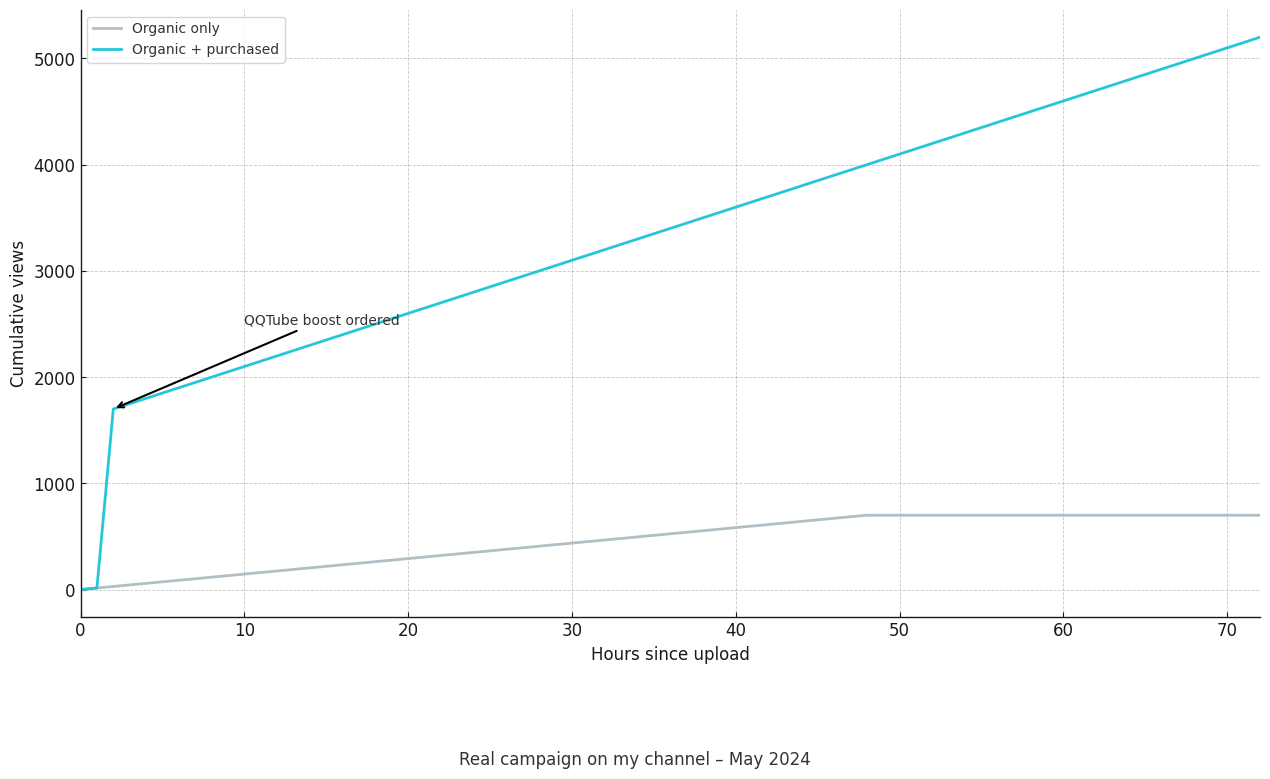
My Personal Guide to Social Media Promotion Tools (and Why I’m Obsessed with QQTube)

I’ve spent a lot of time experimenting with social media promotion tools. As someone who’s grown a blog and a YouTube channel from scratch, I’ve tried everything from advanced scheduling apps to various content creators. Some tools saved me hours of work; others fell flat.

Today, I want to share my personal guide to the top social media promotion tools, what they do, and how I use them. And quick note: I’ll also tell you why QQTube has become my favorite tool for rapidly growing my social presence. (Yes, I’m going to talk about QQTube a bit – it’s just that good.)

Why Social Media Promotion Tools Matter (My Two Cents)

In reality: creating great content is only part of the work. You can post the most amazing video or write a killer blog post, but if nobody sees it, it might as well not exist. I learned this the hard way when I poured heart and soul into content that got almost no response. That’s where social media promotion tools come in – they help get your content in front of people.

From my experience, these tools basically fall into a few categories:

  • Content Creation & Curation Tools – Help you make or find shareable content (images, infographics, articles) so you always have something engaging to post.
  • Scheduling & Management Tools – Let you plan posts ahead of time, manage multiple social accounts, and keep a consistent presence without living on your phone 24/7.
  • Analytics & Listening Tools – Show how your posts are doing and what people are saying about you, so you can tweak your strategy and respond to fans (or critics).
  • Engagement & Growth Tools – Features or services that actively boost your social metrics (likes, shares, followers) or run campaigns/contests to attract attention.
  • Specialized Promotion Services – This is where QQTube shines – services that directly increase your views, followers, and engagement in a real and safe way. (Think of it as giving your account a jumpstart or extra push when needed.

I’ll walk through the tools I’ve used in each category, share what I love (or don’t love) about them, and how they fit together. I’ve also got a running commentary on my experiences, so you know what’s worth trying.

Creating Content That People Want to Share

Before you promote anything, you need content that catches the eye. Over time I discovered a few useful tools to create and curate content without needing a graphic design degree or an army of researchers:

  • Canva – I can’t talk about content creation without mentioning Canva. It’s my go-to for making social media graphics. I’m no designer, but Canva’s drag-and-drop interface and beautiful templates make me feel like one. Need an Instagram quote image, a YouTube thumbnail, or a Facebook banner? Canva has pre-sized templates for each, complete with trendy fonts and stickers. The coolest part is you can choose dimensions for a specific platform (say, a Pinterest pin) and it gives you a head start with the right size and layout. Many elements are free; some premium ones cost $1 or so (I usually stick to free stuff and it’s still awesome). In short: it helps my posts look professional and stand out as I’m scrolling.
  • Infogram – When I had to share some stats and wanted them to look interesting, Infogram came to the rescue. It lets you create slick infographics and charts in minutes. I’m a data nerd, so turning numbers into a visual story was fun with this tool. I’ve used it to make quick infographics that I then share on Twitter and LinkedIn – it definitely grabs people’s attention more than plain text. (There are similar ones like Piktochart and Easel.ly, which are also pretty good for this.)
  • Share-as-Image (now evolved into Stencil) – This little tool (a browser extension) changed how I tweet. The idea is simple: you find a cool quote or a snippet of text, click the extension, and it helps you turn that text into a nice text-overlay image. In our age of visuals, I remember reading that tweets with images are far more likely to be shared – about 94% more likely, in fact! So instead of tweeting a quote as text, I’d use Share-as-Image to make a graphic with that quote on a pretty background. It literally takes a minute and results in a tweet that’s much more eye-catching. My retweets definitely improved after this. It’s a small hack that works because people are drawn to images.
  • Pixabay – Sometimes you just need a great photo without worrying about licenses. Pixabay is full of free stock photos you can use for anything – no attribution needed. I use it weekly, whether I need a background image for a quote (see above) or a header image for a blog post. There are other similar sites (Unsplash, Pexels), but Pixabay’s search function and huge library make it super reliable for me. Having quality visuals from sites like this has saved me from using cheesy clipart or (worse) Google image copyright nightmares. It keeps my social posts and blog looking sharp and legit.
  • UpContent and Feedly – Promotion isn’t just blasting your own stuff; it’s also sharing interesting content from others (so you don’t look totally self-centered and to keep followers engaged between your own posts). UpContent is a content curation tool that finds articles in your niche that are worth sharing. I tried it during a free trial and liked how it surfaces fresh, relevant articles by keyword or category. Feedly is another approach – it’s an RSS reader where I follow all my favorite blogs and news sites in one place. Every morning I skim Feedly and pick a couple of great reads to share on my Twitter or LinkedIn. This positions me as a helpful curator in my industry, not just someone who only yells “me, me, me!” with their own links. It’s an important part of promotion that some people overlook.

In short, these creation and curation tools help ensure I always have something attractive to post. They set the stage so that when I do promote, the content is high quality and share-worthy. And when people start liking what you post, you’ve got to keep that consistency… which brings me to the next set of tools that I basically can’t live without.

Managing and Scheduling Like a Pro (So You Don’t Go Crazy)

When I first started out, I would manually log in to Facebook, then Twitter, then Instagram, multiple times a day and try to post at the right times. It was exhausting and totally inefficient. Thankfully I discovered scheduling tools that changed my life. Here are my favorites and why:

  • Hootsuite – This was one of the first social media management tools I ever used, and it’s still a solid choice. With Hootsuite, I could connect my Facebook, Twitter, Instagram, LinkedIn (and even more, like YouTube or Pinterest) all in one dashboard. The learning curve wasn’t too bad – basically, I got streams of content for each network and could schedule posts to go out at specific times. The best part was setting up automatic scheduling; I’d add a bunch of tweets to the queue and Hootsuite would post them at optimal times throughout the day. It saved me from the “oh no, it’s 3 PM, I need to tweet something!” panic. It also offers team features (like if you have other people helping, you can assign tasks or limit what interns can do on accounts). As a solo act, I didn’t use team permissions much, but I did appreciate the weekly analytics reports Hootsuite emailed me. It was nice seeing a summary of how my posts performed without having to dig into each platform’s stats. Pricing wise, Hootsuite has a free plan (with very limited capacity now) and paid plans starting at around $19/month for one user which unlock more profiles and features. Honestly, for a while I stuck to the free plan and it was enough when I had just a couple of profiles to manage.
  • Buffer – If I had to name one scheduling tool that became my favorite, it’s Buffer. I love how simple and clean Buffer is. The interface shows a queue for each connected account (I connected my Twitter, Facebook Page, and LinkedIn). I just load up interesting posts or my own content into each queue, set the posting times, and Buffer handles the rest. It’s a hands off approach (until you need to top up the queue again). Buffer also started offering content suggestions, which helped on days I ran out of things to share. Another thing: Buffer has a browser extension that lets me add any article or webpage I’m reading straight into my queue. That workflow felt seamless – read something cool, click “Buffer” button, and it’s scheduled to share with my comment added. Buffer’s analytics are straightforward; I can see which posts got the most clicks or engagement and even re-buffer (requeue) top posts easily. It’s been a huge time-saver and keeps my social media active even when I’m busy with other work. Tip: Buffer integrates with Pocket (a read-it-later app). So sometimes I “pocket” articles during the day and later Buffer will suggest them to share. It’s like these tools talk to each other to make my life easier! Pricing was very friendly – I was on a $15/month plan for a long time, which was plenty for my needs (there are higher plans if you manage many accounts or need team collaboration). Nowadays they even have a super basic plan around $5 for individuals, which is great for newcomers.
  • Later – For Instagram and Pinterest, I eventually moved to Later because it specializes in visual scheduling. I’m a very visual planner; Later lets me see a mock-up of the Instagram grid. I can drag and drop my upcoming posts and see how they’ll look together, which is oddly satisfying and helpful for maintaining an aesthetic. It also has a feature for scheduling Instagram Stories and the first comment (useful if you want to preload hashtags in the first comment to keep your caption clean). I used Later extensively when I was running an Instagram for a small ecommerce shop because I needed to plan a consistent look and make sure I posted at times when our followers were online. Later’s free plan allowed 30 posts a month which was enough in that case, and their paid plans are there if you need more. It supports Facebook, Twitter, etc. too now, but I mainly leveraged it for IG and Pinterest visuals.
  • Sprout Social – I’ll admit, I only trialed Sprout Social because it’s a bit pricey for a solo creator (it’s geared more towards businesses and agencies). But I was impressed with its interface and features. It’s one of those tools that does everything: scheduling, monitoring mentions, replying to messages, analytics, even social customer service. The smart inbox was something I envied – it pulled in all messages and comments from all your social profiles into one feed so you can reply without switching accounts. As my following grew, keeping up with DMs and comments became a job in itself, and I saw how Sprout could be useful to manage that centrally. It also would recommend the best times to post based on my account data, which takes the guesswork out of scheduling. Sprout is a premium social tool so not everyone can afford it. At the time I tested it, plans started around $99/month, so I ended up sticking with more affordable options like Buffer for regular use. If you have the budget or work with a team though, Sprout Social is worth a look because it really can be a one-stop-shop (and its reports are probably the best looking – great for impressing clients or bosses).
  • SocialPilot – This one is a bit lesser-known than the giants above, but I used SocialPilot when I was freelancing social media management for a couple of small clients. SocialPilot’s big advantage is value for money. It’s like a more budget-friendly alternative to Hootsuite/Sprout. It allowed me to add many social accounts and schedule content in bulk (it even had a bulk uploader via CSV, which was handy for planning a month of posts in a spreadsheet and importing). The interface isn’t as slick as Buffer’s, but it’s functional. One feature I liked was the client management aspect – I could give my clients a login just to review scheduled posts and approve them. This saved a ton of back-and-forth emails. At around $30/month for up to 25 accounts, it undercut a lot of the competition on price. The trade-off is it doesn’t have as deep analytics or listening tools, but for straight-up scheduling and basic insights, it did the job well. If you’re managing multiple profiles or clients and don’t want to break the bank, SocialPilot is a solid choice.

Between these tools, I manage to keep a consistent posting schedule across platforms without losing my mind. Typically, I use Buffer for my personal content, Hootsuite or SocialPilot when I’m juggling multiple brands, and Later for visual-heavy planning. The exact tools you choose can vary, but the goal is the same: stay active and present on social media with less effort. Consistency is key – people trust and follow accounts that post regularly and seem “alive.” These schedulers make that achievable even if you have a full-time job or other commitments.

Now, scheduling aside, how do you know if what you’re doing is working? That’s where the next batch of tools earns its keep.

Learning From the Numbers and Listening to the Crowd

When I first saw some growth, I got addicted to checking my stats. (Anybody else guilty of refreshing their analytics dashboard too often? 🙋) While raw follower counts and likes are visible on the platforms, the real insights come from digging a bit deeper. I’m talking about analytics and listening tools. Here’s how I use them:

  • Native Analytics (Facebook Insights, Twitter Analytics, Instagram Insights) – Before spending on fancy analytics software, I always tell people to harness the built-in analytics each platform provides for free. Facebook Insights on my page tells me which posts reached the most people, how my follower count is trending, and even info about my audience (age, location, etc.). Twitter Analytics shows me my top tweets each month, my tweet impressions, and profile visits. Instagram Insights (if you have a business or creator account) gives you data on story views, saves, and what times your followers are online. I make a habit of checking these at least bi-weekly. For example, I noticed my Facebook photo posts were reaching more people than link posts – so I adjusted to share more photos (or photo + link in caption rather than link alone). On Twitter, I saw that tweets I sent around 9am performed better than those at 3pm, which aligned with when my followers are most active. These little insights helped me post smarter, not just more. The best part is this doesn’t cost a dime, and it’s right there in the apps.
  • Google Analytics – This might sound odd in a social media context, but GA is a lifesaver for tracking what social media actually does for my website. I use Google Analytics on my blog, and it shows me how much traffic comes from each social network, which posts brought them in, and even what those visitors do (Did they sign up for my newsletter? Did they bounce after one page?). For instance, I learned that while I got more traffic from Facebook, the traffic from Twitter spent longer on my site and viewed more pages. That told me the Twitter audience might be more targeted or interested in my niche. I also track conversions (like e-book downloads) and can attribute those to a social campaign if I used UTM tracking links. It sounds a bit techy, but setting up goal tracking and using campaign URLs means I can measure ROI of my social media efforts. If I run a special promotion and share the link on various platforms, GA helps me see which platform brought in the results. This way, I’m not just chasing likes; I can see real impact.
  • Brandwatch and Meltwater (Enterprise Listening) – I’ll lump these together because unless you work at a big company, you might not use them. I had a client project where I got access to Brandwatch, and I’ve demoed Meltwater. These are advanced social listening and analytics platforms. Think of them as a very comprehensive tool – they can monitor the entire internet for mentions of your brand, your competitors, or any keywords, across social media, news sites, blogs, you name it. When I was using Brandwatch, I could set up queries like “brand name + question?” to find whenever someone asked a question about the brand on any forum or tweet. It was incredible for catching customer inquiries or issues that weren’t even tagged. Meltwater similarly aggregates mentions and does a lot of PR/media monitoring as well. They also crunch sentiment (to tell if the chatter about your brand is positive or negative overall) and can produce fancy reports. Honestly, these tools are overkill for a personal project – they’re more suited to corporations or agencies handling large brands. But it was eye-opening to see what’s possible. One cool insight: I discovered an entire Reddit thread discussing my client’s product (with no tags). We would have missed it entirely if not for the listening tool. This helped the client jump in to clarify some questions and ultimately win over some users. The downside? The cost. These platforms are often in the thousands of dollars per year range. I consider them the “big guns” of analytics.
  • Mention and Google Alerts – On the flip side, for an affordable way to monitor mentions, I’ve used Mention (the tool) and Google Alerts. Mention (the app) is like a streamlined version of Brandwatch for individuals or small businesses. You tell it keywords or names to watch (I, of course, watch for my own name/brand) and it will ping you when it finds something on the web or social media. It’s great for catching a blog mention or a tweet about you that you might otherwise miss. It integrates with your social accounts so you can respond directly through the Mention dashboard if you want. They have a free trial, and then paid plans (when I used it, it started around $25-$30/month). Google Alerts, while not social media specific, is free and surprisingly useful. I have a Google Alert for my name and my blog name. A couple of times, I got alerted that another site reposted my blog content without permission – which let me handle some plagiarism issues. In terms of promotion, these alerts let me quickly engage when someone talks about my content. If a blogger mentioned my article, I’d go thank them in a comment or share their post. If someone asked a question on Twitter and I got an alert, I’d hop in with an answer. Being responsive and engaging where people talk about you builds good will (and often leads to more followers – people appreciate when you notice them).
  • Sprout Social (again) and Agorapulse (for analytics) – I mentioned Sprout earlier for management, but I have to praise its analytics one more time. Sprout’s reports made me look so smart in front of a client. I could generate a cross-platform engagement report that was easy to digest. It would show, for example, that our content reach grew 20% month-over-month, or which social channel had the most user engagement. If you’re in a position of reporting to someone, this kind of tool is worth the cost because it saves a ton of time and presents data in a polished way. Agorapulse is another similar tool I tried briefly; it also has very nice analytics and even an AI feature that evaluates the best times to post and can automatically recycle top posts. It’s a bit like combining Sprout and MeetEdgar’s functionality. I used it when they had a free trial and was impressed, especially with its social inbox and labeling system (you can tag certain followers or categorize comments, etc.). The reason I mention these is to highlight that as you grow, you might outgrow the basic insights and crave deeper data. That’s when stepping up to a paid analytics tool can help fine-tune your strategy. For instance, Agorapulse showed me that one of my Facebook followers had an unusually high number of interactions with our page – essentially identifying a super-fan/influencer I wasn’t aware of. We ended up reaching out to that person for user-generated content, which added great authenticity to our promotions.

The bottom line: analytics and listening tools help me understand what works and what doesn’t. Instead of shooting in the dark, I adjust my content based on real feedback from the numbers and the community. Sometimes the data surprises me (like learning a certain hashtag on Instagram was driving a lot of discovery for me, or that my YouTube videos get a spike of traffic from Reddit of all places). These insights let me double down on what works and fix what doesn’t. They also alert me to opportunities – like conversations I can join or influencers who are advocating for my brand.

Now, with great content created, scheduled beautifully, and performance being tracked, you might be wondering: what else is there? Well, now comes the fun part – giving your content that extra promotional push. This is where I bring out the contests, special campaigns, and yes, my secret sauce, QQTube. Let’s get into those.

Extra Boosters: Contests, Campaigns, and Getting Noticed

Even with all the above efforts, the social world is crowded. There are times I needed a big splash to stand out. Maybe I launched a new product or I just wanted to accelerate growth. Here are some tools and tricks I used for those bigger promotional pushes:

  • ShortStack (Contests & Giveaways) – When I wanted to run a giveaway to increase engagement, ShortStack was a lifesaver. It’s a tool specifically for creating contests, quizzes, and landing pages that tie into your social media. I’ve created Facebook timeline contests and Instagram hashtag contests using ShortStack templates. For example, I ran a photo contest where users had to submit a photo using a specific hashtag. ShortStack helped me set up a campaign page to display entries and had built-in voting functionality. It also collects entries and participant data which is great for building an email list as a side benefit. The reason I prefer a tool like this over doing it manually is fairness and ease – it can automatically pick random winners, enforce one entry per person, etc., and I didn’t have to write any custom code. The result? A fun contest that brought a ton of new user-generated content and new followers (since participation often required following my account). People love free stuff and competitions, so leveraging that in a structured way gave my social presence a nice spike every now and then.
  • Woobox and Offerpop – These are alternatives similar to ShortStack. I used Woobox to set up a “pick a winner from your Facebook comments” promotion. It’s very handy for simple Facebook giveaways (like “comment on this post to enter”). Offerpop (I think it’s called Wyng now) I tried during a conference event – we used it to create an interactive Twitter sweepstakes. Tools like these might not be everyday use, but for campaign-based promotions they’re awesome. They also often have tracking to see how the campaign performs and integrate with your pages easily. With Offerpop, we monitored a hashtag on Twitter and automatically entered those tweets into a sweepstakes – it definitely drove a lot more chatter than we expected because it gave people an incentive to talk about us.
  • Quuu Promote – Earlier I touched on content curation; well, Quuu Promote is like the opposite: it’s a content amplification tool. I discovered Quuu Promote when I was desperately trying to get my blog posts beyond my own network. Here’s how it works: you submit your blog post with a few relevant categories, and Quuu (which has a content suggestion platform) will then push your post out to real people who have opted in to share content in those categories. Essentially, a bunch of folks on Quuu will automatically share your article on Twitter, LinkedIn, or Facebook because they’re signed up to get quality content suggestions (your content becomes one of those suggestions). The idea of real people (not bots) sharing my article was appealing. I gave it a shot with one of my posts. Within a week, I saw dozens of shares that I didn’t have to beg for – my content was reaching new audiences I’d never tapped. It felt pretty great. Quuu Promote is a paid service (with different packages depending on how many posts you want to promote). I used an individual plan that allowed 10 posts and found it useful whenever I had a piece of content I really wanted to get out there in a big way. It’s like hiring a mini street team to spread your content, and it can lead to genuine engagement (I got some comments and new followers from those shares).
  • Triberr – This one is quite unique. Imagine a group of bloggers sitting around a campfire, agreeing to share each other’s content – that’s Triberr, minus the campfire. You join “tribes” with people in similar niches, and everyone in the tribe shares each other’s new blog posts to their social followers. I joined a marketing tribe and a small tech tribe. It was reciprocal: I’d share their stuff (which was usually relevant and interesting to my followers), and they’d share mine. Triberr provides a feed where I can approve which tribe members’ posts to share (so I maintain quality control). It also has a queue to schedule these shares out, so it works a bit like a specialized scheduler. The results varied depending on tribe activity, but when I was in a good tribe, I’d get perhaps 5–10 other people tweeting my new post, which expanded my reach nicely. Plus, I made some online friends through the community. One thing Triberr taught me: cross-promotion with peers can be incredibly powerful, and it doesn’t cost money, just a bit of time and reciprocity. It’s like a barter system for social sharing and can be a win-win if you find the right group of folks.
  • Tailwind – For anyone focusing on Pinterest or Instagram, Tailwind is worth mentioning. I used Tailwind predominantly for Pinterest when I was trying to grow a DIY crafts blog’s audience. Not only does it schedule pins in a smart way (like posting at the times Pinterest users are most active), but it introduced me to Tailwind Communities (formerly called Tribes, confusingly, but they are different from Triberr). Tailwind Communities are groups where members share each other’s pins. I’d submit a pin to the community and others would re-pin it if they liked it, and vice versa. This led to some of my pins getting a lot more exposure than if I just posted them alone. Tailwind also has a feature called SmartLoop, which automatically re-posts your evergreen content over time. This helped me keep older good posts alive without me manually re-pinning them. So in terms of promotion, Tailwind ensured my Pinterest account kept driving traffic steadily and took advantage of group sharing dynamics to reach new eyeballs. If Pinterest or Insta are big parts of your strategy, this tool is a must-have booster (Tailwind’s Instagram hashtag suggestions and scheduling are very handy too).

Okay, I’ve saved the best (at least my favorite) for last. These tools above have all helped me inch forward, but sometimes you don’t need an inch – you need a leap. Sometimes you’re sitting there wondering, “How do I get to 10,000 followers faster?” or “If only my video had a few thousand more views, it would really catch on.” I was skeptical for a long time about services that directly give you followers or views. It sounded too good to be true or even a bit scammy. But then I found QQTube, and it changed my perspective on what’s possible.

My Favorite Tool: QQTube (The Boost You Didn’t Know You Needed)

I’ll admit, I was hesitant to talk about QQTube at first because it feels like my little competitive advantage. But here we are – consider this my honest love letter to QQTube and why I think it’s one of the best social media promotion tools out there.

For those who haven’t heard of it, QQTube is a service where you can buy real views, likes, followers, and subscribers for your social media content. I know, I know, it sounds a bit edgy. But stick with me – this isn’t about fake bots or shady click-farms in the middle of nowhere. QQTube has been around for a while and built a reputation for delivering authentic engagement. That means the views and follows you get are from real accounts, and they stick (no sudden drops or weird behavior that makes your analytics look funky).

Here’s how I personally use QQTube and why I’m such a fan:

  • Jumpstarting New Content: When I upload a YouTube video, the first 48 hours are crucial for momentum. If YouTube’s algorithm sees good engagement early (views, likes, comments), it tends to promote the video more. Sometimes, no matter how much I share on social, a video might start slow. So I’ll head to QQTube and purchase, say, 1,000 real YouTube views to give it that initial push. Those views start coming in within a few hours (often within the same day). Suddenly, my video looks alive and popular, and more organic viewers start to trickle in as well. It’s like seeding a conversation – once a few people are watching, others become more likely to watch too. I’ve genuinely seen a difference in how my videos perform when I give them a QQTube boost versus when I don’t. It’s the difference between a video stagnating at 100 views vs. snowballing to 5,000+.
  • Building Social Proof: We humans are funny – we tend to follow the crowd. On Instagram, I noticed when my posts had more likes, even more people would like them. It’s a chain reaction: high engagement breeds more engagement because it signals “this is worth paying attention to.” With QQTube, I can buy a package of Instagram likes for a post that I want to go the extra mile. For example, when I launched a product, I made an Instagram post about it. I decided to get a couple thousand likes on that post via QQTube right after posting. The post suddenly looked extremely popular for my account size, which not only impressed some of my existing followers (“wow, everyone seems to like this!”) but also hit Instagram’s Explore page for some hashtags I used. That brought in a wave of new organic likes and even some followers who discovered me through that post. In a sense, QQTube helped amplify the post’s visibility beyond what I could have achieved on my own.
  • Multi-Platform Support: Another reason I champion QQTube is that it’s a one-stop shop. I initially thought of it for YouTube and Instagram, but they also cover TikTok, Facebook, Twitter, Twitch, and even lesser-known platforms. When I started a TikTok experiment, I bought some views and followers there to not look like a total newbie. It gave my account a bit of credibility – and honestly, on TikTok, having a few thousand followers made others more inclined to follow me back after they saw my videos. QQTube even has services for platforms like Pinterest, LinkedIn, or Spotify. Pretty much wherever you’re trying to grow, they have something for it. I haven’t tried every single service they offer, but knowing I can rely on the same trusted platform for multiple networks is comforting (rather than Googling separate providers for each).
  • Affordability and Flexibility: I expected that if something actually works, it would cost an arm and a leg. But QQTube is shockingly affordable. To give you an idea (at the time of writing this): you can get 1,000 Instagram views for around $0.10 – yes, ten cents – or 1,000 Instagram likes for well under a dollar. YouTube views packages, followers packages, all priced very low per thousand. I actually double-checked their site at one point because I couldn’t believe I could spend like $5 and get thousands of engagements spread across my posts. This meant I didn’t have to be a big company with a huge budget to use it; even as an individual, I could allocate a small portion of my budget to QQTube and see noticeable results. Plus, they let you choose various targeting options (like if you want views from a certain region for YouTube, or you want high-retention views that watch most of your video – you can choose those specifics with different service options). I usually just go with the default “real views” and it’s been great. And if you’re skeptical, QQTube even often offers free trials for things like a small number of views or subscribers just so you can test it out. I tried a free batch of YouTube subscribers (they sometimes have a promotion for free YouTube subs or Instagram followers) and saw them delivered instantly – that convinced me to go for paid larger amounts.
  • Reliability and Support: You might wonder, is this safe? In my experience, yes – QQTube hasn’t gotten my accounts in any trouble. They promote themselves as providing “real, lasting growth” and so far that holds true. The followers I gained didn’t vanish the next week (unlike some sketchy services that drop off). On the off chance I had any questions, their support was there 24/7 via chat. I actually chatted them at midnight once (I expected no one to be there) and got an immediate helpful response. It’s little things like that which make me trust the platform. They also protect privacy – I was relieved that I didn’t have to give out my passwords or anything (you just provide the link to your content and they deliver the views/likes to that link). It feels very plug-and-play and not invasive.

Now, I want to address the main concern: Isn’t buying followers or views cheating? This was my moral debate initially. Here’s how I see it after using QQTube in a thoughtful way: It’s a kickstarter. It’s like advertising, but instead of paying a platform to show your post as an ad, you’re paying to have real users engage with it directly. You’re not forcing anyone to like your content, you’re just increasing the odds more people will see and engage with it. I still focus heavily on creating quality content and organically engaging with my community – QQTube doesn’t replace that. But it supplements my hard work. It’s the accelerator for when I want to reach a milestone or get noticed. And when used in moderation (and with content that is genuinely good), it can lead to more organic growth than I might get otherwise.

For example, if I have a YouTube video that I believe in, I’ll invest in 5k QQTube views. Those views might push the video’s ranking up a bit and attract another 5k genuine views from search and recommendations. If my content was trash, sure, 5k bought views wouldn’t save it from sinking. But because I pair QQTube with solid content, the combo works beautifully. It’s giving an initial boost.

So yes, I enthusiastically recommend QQTube, especially for fellow creators or marketers who feel stuck at a plateau. It’s easily one of the best decisions I made to break out of the “small account” zone on multiple platforms. And in the grand scheme of things, it’s the quickest tool I’ve mentioned – you literally place an order and the results come while you focus on other stuff.

One more thing: QQTube keeps expanding its services. I even saw options for Kick streaming viewers and things for newer social platforms popping up. They stay up-to-date with social media trends, which is crucial because the social landscape changes fast. It’s nice knowing that as new platforms emerge or algorithms shift, QQTube likely has my back with a promotion strategy.

Wrapping It Up: Using the Toolkit (and QQTube) Wisely

Whew, we covered a lot! If you’ve made it this far, you have a solid overview of the social media promotion tools that I’ve tried and tested over the years. How do they all fit together in practice? Here’s a quick recap with an example of how I might launch and promote a piece of content using everything we talked about:

  1. Create something shareable – I design a catchy infographic in Canva or pull free images from Pixabay to make my content visually appealing. Maybe I use Infogram to add a quick stat chart in my blog post.
  2. Queue up posts – I schedule announcement posts and related content across Twitter, Facebook, LinkedIn using Buffer/Hootsuite for the week of launch. I plan an Instagram post and some Pinterest pins via Later or Tailwind, ensuring they’ll go out at peak times.
  3. Cross post and automate – I set an IFTTT recipe or two (I forgot to mention IFTTT earlier, but it’s another handy automation tool – I have one that if I post on Instagram, it automatically posts the image to Twitter natively, so I don’t have to do it twice). This way my content reaches all platforms smoothly.
  4. Engage the community – I share the content in a Tailwind Community or Triberr tribe so others will share it too. I might also list it on Quuu Promote for a week to encourage lots of social shares from real users interested in my topic.
  5. Listen and respond – I keep Mention/Google Alerts running to catch any mentions of my content. I respond to comments or questions that come up, which boosts engagement further (platform algorithms love active discussions).
  6. Give it the QQTube boost – Right after publishing my YouTube video or blog promo video, I head to QQTube. I order, say, 2,000 views and 100 likes for the video, plus maybe 500 new followers for the associated Instagram account that I’m promoting on. Within a day or so, I see those numbers climb. The higher view count makes other people more likely to click play (nobody wants to be first at the party, sadly). The new IG followers make my profile look more established, which again attracts more real followers who stumble upon it.
  7. Monitor results – I watch my analytics on each platform and Google Analytics on my site. I see which channels are driving the most traffic or engagement and note if the boost is helping convert viewers into subscribers or customers. Often, the combined effect of organic efforts and QQTube’s kickstarter means a big uptick in traffic and often some sales or sign-ups that I can trace back to this campaign.
  8. Adjust for next time – Maybe I notice Twitter didn’t do so hot but Facebook blew up. Or that the QQTube boost on YouTube led to a bunch of organic comments I should reply to. I take those lessons and tweak my strategy for the next piece of content.

So, social media promotion is an ongoing cycle of creating, sharing, measuring, and optimizing

I can’t emphasize enough how much easier my life became after discovering these tools. There was a time I tried to do it all by myself – manually posting, manually finding content, slowly growing one follower at a time. That route works, but it’s slow and can burn you out. By leveraging tools, you work smarter, not harder, and frankly, it’s a necessity if you’re juggling multiple social platforms or if you have a small team.

And about QQTube – I know I talked about them a lot, but that comes from genuine appreciation. I’ve seen great results like higher view counts leading to real subscriber growth and more lively discussions on my posts. It gave me momentum in places where I used to stall. It’s like having a marketing team working quietly in the background, while you continue focusing on content and community.

Final thought

Social media success isn’t just one tool or one trick – it’s the combination that creates momentum. Scheduling consistency keeps you relevant, good content makes sure you’re worth following, analytics guide you in the right direction, and a service like QQTube adds fuel to the fire to make everything burn brighter. When you use all these together, that’s when the magic happens.

So whether you’re a fellow content creator, a small business owner, or just someone trying to build their personal brand, I hope my experiences help guide you on your own. Experiment with these tools, find the mix that works for you, and don’t be afraid to give yourself that extra boost with QQTube if you need it. I wish you the best of luck – may your follower counts grow, your content go viral (in a good way), and your social media become the thriving community of your dreams.

Happy promoting, and see you on the trending page! 🎉

Categories
Digital Marketing & Growth

How to Integrate Email Marketing into Your Website for Maximum Growth

This comprehensive guide is geared toward businesses looking to enhance their website’s marketing power through email integration.

All too often our websites present extraordinarily well, but customers seem to be slipping away at a steady trickle. In this article, we go to great lengths to extol the virtues of your website and its marketing potential. Try to remember that your website is your business’s digital home. It’s the interface between your business and its customers. Want in on a little secret?  Email marketing platforms are key to turning casual website browsers into long-term, satisfied customers.

Let’s wind back the clocks for a moment to 2024. Back then, email marketing revenue surpassed $9.5 billion. Based on this steadily growing figure, email marketing is one of the most powerful tools available to us in digital marketing. Studies suggest that for every $1 spent, email marketing delivers an average return of $36. This is extraordinary. Based on this information, email marketing is a high-ROI strategy that everyone should pay attention to. (Porch Group Media).

But let’s not get too far ahead of ourselves just yet. Sending emails alone isn’t enough. Email marketing must be strategically integrated into your website to unlock its full potential. Business owners must consider high-converting opt-in forms, email-driven engagement strategies, and much more. Gather around marketing aficionados! It’s time to explore how to seamlessly merge all these pieces. It’s all about email marketing, web design, branding, and SEO. If you can blend these elements together, you’re on a winning wicket! 

Why Email Marketing is Essential for Website Growth

FACT: Email Converts Website Visitors into Long-Term Customers

Customers may discover your brand on your website.  But it’s the email marketing that keeps people returning. Here’s why it’s absolutely essential to your business interests:

Boosts Customer Retention – 59% of consumers say that marketing emails influence their purchasing decisions. (Porch Group Media).
Drives Repeat Website Traffic – Personalized email campaigns bring users back to your website.
Strengthens Brand Authority – Email keeps your business top-of-mind long after visitors leave.
Supports SEO – Increased website traffic through emails can lower bounce rates and improve search rankings. This boosts SERP results on Google. 

A well-integrated email strategy ensures every website visitor has a reason to return. It transforms engagement into conversions, loyalty, and revenue growth.

Tips to Optimize Your Website for Email Signups

Strategic Placement of Email Opt-In Forms

Visibility is sacrosanct when growing your email list. We strongly recommend placing signup forms in the right locations to increase conversions. Here’s where they work best:

📌 Header or Navigation Bar – These offer permanent visibility without disrupting the user experience.
📌 Pop-ups & Exit-Intent Forms – Try to engage visitors before they leave by offering incentives like discounts, coupons or guides.
📌 Sidebar or Footer Forms – This is a rather subtle approach, but it’s always accessible.
📌 After Blog Posts – A great way to capture engaged readers who want more content.

Professional Tip: Always keep signup forms simple. For example, HubSpot’s analysis of over 40,000 landing pages revealed that forms with fewer fields generally have higher conversion rates. You can’t argue with commonsense. 

Branding in Email Marketing

Your emails should always look and feel like extensions of your site. Consistency in colour schemes, typography, and tone builds trust and strengthens brand identity. These branding tips are battle tested, and they hold true today and every day. 

Use Website-Matching Designs – Email templates should mirror your website’s style.
Keep Messaging Consistent – The tone in your emails should match the experience on your website.
Mobile Optimization is a Must – 81% of people prefer to open emails on their smartphones.

Remember that maintaining seamless branding between email and website creates a familiar experience that reinforces credibility and customer loyalty.

Email Marketing and SEO: Have You Overlooked This? 

How Email Marketing Improves Search Rankings

Many businesses tend to overlook the connection between email marketing and SEO. Email indirectly boosts search engine performance in various important ways:

Drives Repeat Visits – Search Engine juggernaut Google rewards websites with returning visitors.
Encourages Social Sharing – Engaging emails tend to get shared, thereby increasing organic reach.
Reduces Bounce Rates – Visitors who return via email are far more likely to stay longer.
Generates Backlinks – High-quality content in emails encourages website referrals.

An integrated email and SEO strategy ensures several tactical objectives are met. For starters, your website ranks higher, attracts organic traffic, and sustains longer-term engagement.

Using Email Automation to Maximize Engagement

Automated Email Workflows Boost Conversions

Wait for it! Automation is the secret sauce of high-performing email marketing strategies. Email automation can generate 320% more revenue per email when done correctly compared to standard campaigns.

Listed here are essential automation sequences every business should use:

Welcome Emails – Engage new subscribers immediately and guide them back to essential website pages.
Cart Abandonment Emails – Recover lost e-commerce sales with reminders and incentives.
Behavior-Based Follow-Ups – Recommend products or content based on past user activity.

Example: Consider this business that was struggling with high rates of cart abandonment. By implementing a smart abandoned cart email campaign, the company saw a 19% recovery rate on previously lost sales.

We now know that by leveraging Automation, businesses can increase conversions, enhance customer relationships, and ensure no opportunity is wasted.

Case Study: Real Business Growth Through Email Marketing

Jack Rogers, a heritage shoe brand, faced multiple challenges with its previous email service provider (ESP): 

  • Technical Issues Affecting Revenue: Jack Rogers encountered prolonged wait times to resolve technical problems, directly impacting its revenue streams. ​ 
  • Insufficient Customer Support: A lack of dedicated customer support and hands-on expertise hindered the company’s ability to effectively coordinate marketing programs across SMS and email channels. ​ 
  • Complex Migration Processes: Previous experiences with migrating to new platforms were clunky, requiring significant internal effort and leading to operational disruptions. ​

The Results of the Study:

Jack Rogers experienced a 35% increase in their email program’s ROI after transitioning to a high-performing platform. The new platform boasted an average conversion rate of 14.7% across triggered emails. This surpassed the industry average of 13%. ​Once again, this proves that integrating email marketing into website strategy leads to measurable business growth.

Final Thoughts: Email & Website Integration is the Future

We can confidently state that a great website is more than design. It’s about building an ecosystem where visitors engage, return, and convert.

Key Takeaways:

Email marketing is a retention powerhouse – keeping visitors engaged after they leave your site.
SEO and email marketing work together – increasing rankings and traffic through return visits.
Automation ensures consistent customer engagement – driving revenue effortlessly.

Want to Take Your Website’s Growth to the Next Level?

Always ensure that email marketing is seamlessly integrated into your site. When they work together, businesses boom. The results are evident up and down the value chain. Improved ROI, customer retention, and stakeholder satisfaction are assured.