Categories
Online Tools & Software Reviews

5 Amazon Seller Tools You Need in 2025 (and Why Review Protection Tops the List)

Selling on Amazon in 2025 is less about one clever trick and more about a coordinated stack of tools that protect your store while you scale. Shoppers expect reliable information, and Amazon’s systems reward consistent performance. That makes reputation management a top priority. A single damaging review or a sudden spike in negative sentiment can hurt conversion, rank, and buyer trust. Protecting reviews is not optional anymore. It is an important part of any seller’s operational toolkit.

In the following sections, I will describe five essential tools; I’ll discuss what each tool does, and I’ll demonstrate how they can integrate with each other. I also include practical steps you can take this week to lock in results. If you sell on Amazon and want to build predictable revenue with less firefighting, start here.

1. Review protection and reputation management

Why does it lead the list?

Reviews drive both buyer decisions and ranking signals. Whether unflattering reviews build up over time or come in one sitting with a sudden burst, conversion rates will drop or stall, and listings will lose organic momentum. Looking into 2025, we will need to continuously monitor reviews and receive quick alerts for newly published reviews so we have constant visibility and know exactly how to remediate.

What should a good tool do?

  • Monitor new reviews across all SKUs in real time.
  • Flag sudden increases in negative sentiment or unusual review velocity.
  • Provide escalation options, from formal dispute templates to takedown requests.
  • Offer hands-on remediation when needed.

Practical use case

Set daily alerts for your top SKUs, and define a simple escalation workflow: identify the review, check order data for authenticity, respond publicly if appropriate, and submit a removal or dispute request when policy violations are clear. For serious cases, pair monitoring with a dedicated negative review removal service that can handle the heavy lifting. That combination gives you early warning plus an actionable path to clean up harmful content.

2. Listing optimization and keyword intelligence

Why it matters

Visibility still starts with keywords, but quality matters more than ever. Listings must match buyer intent and read clearly on mobile. Modern tools do more than surface keywords. They score content for conversion, check image sequence, and suggest structural fixes.

What to look for

  • High-intent keyword suggestions backed by conversion metrics.
  • Competitor gap analysis to find low-competition opportunities.
  • Readability and conversion scoring for titles, bullets, and descriptions.

How to act this week

Run a quick listing audit for your top three SKUs. Fix the title for clarity and intent, tighten the top three bullets to focus on benefits, and reorder images to tell a use-case story. Track CTR and conversion changes for four weeks after those edits.

3. Automated review and feedback funnels

Why it matters

More positive, legitimate reviews make your listings resilient. A compliant feedback funnel increases review volume without risking policy violations. The difference between random review requests and a structured funnel is consistency and scale.

Tool features that work

  • Policy-compliant messaging templates.
  • Buyer segmentation, so you ask the right people at the right time.
  • Performance tracking so you can iterate on message timing and copy.

Quick setup tip

Implement a three-step sequence: delivery confirmation, a short follow-up after product use, and a final friendly ask for feedback. Keep messages focused on helpfulness, not incentives. Measure response rates and tweak copy based on product type.

4. Product intelligence and competitor tracking

Why sellers need it

Knowing when a competitor changes price, swaps images, or launches a variant lets you act before you lose the buy box or rank. Real-time alerts and historical trends are the difference between reactive and proactive management.

What to expect

  • Price and listing edit alerts.
  • Historical trend charts for seasonality and competitor moves.
  • SKU-level profitability calculators.

Actionable play

Use triggers to put tactical actions in place: for a short period of time, adjust price, increase ad spending for a week, or offer a small promotion to re-establish momentum. Use trend observations in conjunction with inventory expectations so you never find yourself out of product at an important time.

5. PPC automation and performance analytics

Why it’s essential

Manual PPC management burns time and often misses signals. Automation paired with clear analytics frees you to focus on strategy. The goal is not to stop manual involvement, but to automate routine rules and surface opportunities.

Key features to adopt

  • Bid automation tied to ACOS and ROAS thresholds.
  • Search term mining to find converting keywords.
  • Placement and daypart reporting to trim waste.

Start small

Automate bids for long tail terms with consistent performance and keep testing manual strategies for high-volume keywords. Review automation rules weekly, not monthly, during high season.

How these tools fit together

A strong toolset is integrated, not siloed. Insights from one tool should inform others. For example:

  • A spike in negative reviews should trigger a listing audit and a short PPC push to stabilize conversions.
  • Keyword intelligence should shape your feedback funnel language and A+ content.
  • Competitor price drops should trigger short-term ad budget increases and inventory checks.

Think of the stack as a feedback loop: monitoring and protection reduce risk, optimization increases conversion, feedback funnels grow authentic reviews, and PPC and competitor tools amplify what works.

Implementation checklist you can follow this week

  1. Enable review monitoring for top SKUs and set daily alerts.
  2. Run a listing audit and fix the top three conversion blockers.
  3. Implement a compliant three-step review request sequence.
  4. Turn on competitor price and listing alerts.
  5. Automate a small set of PPC rules for long tail keywords.
  6. Schedule a weekly 30-minute review meeting to act on alerts and tests.

Measuring impact and ROI

  • Review protection: prevents sudden conversion drops. When it catches coordinated attacks, it can save weeks of lost revenue.
  • Listing fixes: expect measurable conversion lifts in 2 to 6 weeks.
  • Feedback funnels: build review volume and buyer trust over months, improving conversion and organic rank.
  • PPC automation: typically reduces wasted spend within 30 days if rules are tuned.

Common pitfalls and how to avoid them

  • Dependence upon one option. Use a few best-in-class products that can integrate, rather than putting faith into one add-on that claims to do everything.
  • Ignoring data flow between tools. Create simple handoffs so review alerts lead to listing audits and PPC actions.
  • Noncompliant review requests. Follow Amazon rules to avoid account risk.

Final thoughts

In 2025, Amazon success combines offense and defense. Offense includes listing optimization and targeted advertising. Defense starts with reputation protection and monitoring. A proactive review protection strategy paired with the right stack reduces risk and frees you to scale.

If you do one thing this week, set up review monitoring for your top SKUs and define a one-page workflow for handling negative reviews. Pair that with a short listing audit, and you will protect current revenue while creating room for growth. If you want, I can draft a one-page workflow template you can implement in under an hour.

Categories
Online Tools & Software Reviews

Exploring How Asset Tracking Streamlines Daily Operations

Asset tracking has become an essential tool for businesses looking to enhance efficiency and productivity. Knowing where their assets are and how they are performing helps businesses make informed decisions. In this article, we will discuss how tracking your company’s assets streamlines daily operations and increases efficiency.

Improving Inventory Management

Effective inventory management is crucial for any business. With asset tracking software, you will always know your inventory counts right away. These systems make sure you don’t end up with overstock or stockouts. With accurate information readily available, companies can optimize their inventory processes. You can reduce wastage and always have the right equipment ready.

Enhancing Equipment Utilization

Maximizing equipment usage is another benefit of asset tracking. Businesses can track how their machines are being used, helping them choose the right time for maintenance. This means your machines stay in operation more often and last longer. Understanding exactly where and when each tool gets used means you can allocate your assets wisely.

Boosting Employee Productivity

Asset tracking helps employees streamline their workflows. By quickly accessing tools and resources, they spend less time searching for assets and equipment. Your team can power through their work and get more done when nothing pulls them away. Finding tools quickly makes work feel much better.

Ensuring Safety and Compliance

Play by the rules. It keeps your business honest. Keeping tabs on your assets means every piece of gear and all supplies are up to par. Access to accurate information makes keeping track of things and checks much simpler. Clients feel safer knowing tracking systems guard your assets. Asset tracking systems constantly monitor your items, reducing the chances of theft or loss.

Facilitating Financial Planning

Financial planning becomes more straightforward with asset tracking. When you understand where your equipment is losing value and what its upkeep costs are, you can budget accordingly. This means you can spend more wisely, which then supports all your organizational goals down the road.

Streamlining Logistics and Supply Chains

In logistics, asset tracking plays a significant role in streamlining supply chains. Knowing exactly where their assets are at any moment helps businesses run their shipping operations more smoothly. It means everyone involved, from parts providers to manufacturers and sellers, can work together more easily. Real-time data ensures that assets move smoothly through each stage of the supply chain.

Increasing Customer Satisfaction

A business thrives and grows when its customers are happy. By tracking your assets, you can make sure products and services get to their destination on time. When businesses have a clear picture of what’s on hand and what’s shipped, they can ensure customers have realistic expectations of delivery schedules. When you’re transparent, customers will feel they can count on you, which strengthens customer relationships.

Reducing Operational Costs

Operational costs are a concern for any organization. Knowing where your equipment is means you won’t buy duplicates, thereby reducing costs. Every moment wasted or dollar lost directly impacts the bottom line. Stopping these problems quickly improves your organization’s financial health.

Adapting to Technological Advancements

Keeping up with technological advancements is crucial for remaining competitive. Modern tracking systems regularly provide smarter ways to monitor assets. This technology can help you stay ahead of your business rivals.

Promoting Sustainability Practices

Sustainability is becoming increasingly important in business operations. Want to use less? Tracking your assets helps you use resources wisely, boosting sustainability and reducing waste. Sustainable practices not only benefit the planet but also appeal to environmentally conscious consumers.

Encouraging Strategic Decision-Making

Informed decision-making is at the heart of successful business operations. Seeing which assets you own and how you use them makes it easier to decide your next steps. Leaders who can identify future threats can tackle problems before they even start. Data-driven decisions often lead to creative breakthroughs. This method consistently lays the foundation for consistent growth.

Conclusion

Tracking company assets helps businesses streamline their daily operations across all departments. Handling your stock becomes a lot easier, and your customers will also be satisfied. When companies track their assets using software, they often work faster, reduce costs, and make smarter decisions, which sets them up for success. 

Categories
Online Tools & Software Reviews

Batch PDF to Text: Online OCR & Parsing Tricks

If you’ve ever tried to pull text from a stack of scanned PDFs, you know the pain curve. A few pages feel manageable; a hundred becomes a week-killer. The solution isn’t one magical tool but a dependable sequence: capture clean images, run a robust OCR pass, normalise the output so it behaves like text, and parse it into structures your team can actually use. Once those steps are dialled in, “PDF to text” becomes a repeatable job rather than a heroic effort you dread every quarter.

Start with a capture that sets OCR up to win

OCR accuracy is capped by the quality of the pixels you feed it, so a little discipline at capture time pays big dividends later. Keep lighting diffuse rather than directional to avoid harsh shadows. Flatten pages physically so page edges don’t curl into the lens. Stick to a consistent resolution. 300 DPI is a safe floor for most documents, while 400–600 DPI helps with small fonts or smudged carbon copies. When capture happens on phones, scanning frameworks that handle edge detection, perspective correction, and binarisation can save hours of cleanup later. An Android-focused guide to mobile image text extraction walks through a practical approach to detecting documents in camera frames, correcting geometry, and invoking on-device OCR so the first pass yields structured content rather than noisy photos.

Batch PDF to text without breaking your stride

Not all PDFs require OCR. Born-digital PDFs produced by export tools often contain embedded text you can extract directly with a text layer scraper. The challenge is stacks of scanned pages or mixed files where some pages are images and others are text. For that, lean on an OCR engine that supports batch processing, language models, and per-page auto-detection. Tesseract has been battle-tested for years in server and desktop workflows; the documentation covers how to tune language packs, page segmentation modes, and character whitelists when you’re dealing with ID-like fields, part numbers, or invoice codes. It’s Spartan but reliable and easy to automate with scripts that can run in the background, and its training data is strong for common Latin scripts and widely used languages.

Clean the output before parsing trips you up

Even good OCR produces quirks. Smart quotes and em dashes can appear as odd glyphs, hyphenated words may split across lines, and tables turn into uneven columns. The fix is a short normalisation pass that standardises what “text” means in your pipeline. Unicode normalisation consolidates characters that look the same but are encoded differently, which prevents failed matches, broken deduplication, and mysterious sort orders. After that, remove repeating page furniture like headers, footers, and page numbers; collapse multiple spaces; and stitch hyphenated words where a line break cut them in two. The goal is to make basic operations search, split, and count work consistently across the entire corpus.

It helps to spot-check the output in a lightweight Text Viewer so you can see repeated noise patterns and fix them before they spread. If you notice a watermark phrase every N lines or a footer that always begins with “Form ID,” add a rule to strip it out once rather than cleaning by hand fifty times.

Turn raw text into rows, then into data you can use

Parsing is where time savings show up. Start by finding predictable anchors. Dates are perfect because they follow formats that are easy to catch with a small set of expressions. Currency and percentage symbols, SKU prefixes, and headings that repeat across sections also make ideal anchors. Once you’ve got a few hold-fast points, pull the fields between them and shape those into rows. A quick pass through a CSV Parser lets you confirm that delimiters are correct, quoted fields stay intact, and line endings don’t multiply. For richer structures, orders, resumes, and case files, map fields into objects and validate them in a JSON Formatter so an extra trailing comma or a stray tab doesn’t break a downstream import.

A sturdy parsing approach treats rules as data rather than code. Store regular expressions, field names, and context hints in a small configuration file so non-developers can propose tweaks. When a vendor changes the placement of “Total,” you update a string in the config rather than ship new code. That keeps your batch flow nimble.

Case study: receipts to CSV for small-biz bookkeeping

A small retailer needed monthly summaries from shoeboxes of receipts. Their starting point was ad-hoc photos from staff, often shot at odd angles with crumpled paper. After a one-time orientation on capture basics, flat surface, even light, and a quick edge crop, the OCR accuracy jumped by double digits. They staged each day’s receipts into a dated folder, ran a nightly batch that produced plain text for each receipt, and parsed vendor, date, subtotal, tax, and total based on anchored cues like the symbol for currency, the pattern for dates, and the nearest “Total” marker. The output landed in CSV and could be reviewed in minutes with quick sampling rather than line-by-line validation. Over time, the parsing ruleset grew a handful of vendor-specific exceptions, but those lived in configuration rather than code, which meant the office manager could maintain them. The end state wasn’t flashy, just quiet and dependable: consistent capture, predictable OCR, normalised text, and a CSV file their accountant actually trusted.

Case study: digitising exam questionnaires at a university lab

A research lab inherited a cabinet of paper questionnaires. The forms had checkboxes, small text, and occasional handwritten comments. The team scanned at 400 DPI to help the OCR engine detect tiny labels and chose language packs that matched the bilingual layout. They normalised output with Unicode routines to avoid broken matches where visually identical characters belonged to different code points. Parsing hinged on headings and question IDs that repeated across pages; comments were collected as free text and flagged for manual review when the confidence score dipped below a threshold. A weekly audit compared counts of checked responses and computed totals against a random set of original PDFs to ensure drift hadn’t crept in. The result was a machine-readable dataset with minimal manual effort and a clear paper trail for reproducibility.

Pre-processing moves that pay for themselves

If you control scanning, choose grayscale over colour unless colour encodes meaning. Grayscale shrinks file size without sacrificing most legibility. Deskew slightly rotated pages so text lines are horizontal; OCR engines stumble when the angle exceeds a small tolerance. Apply adaptive thresholding to improve contrast on faded copies, but avoid aggressive denoise filters that erase punctuation. When documents mix fonts or languages, specify multiple language models in the same OCR pass so you don’t lose non-English names and headings. Keep the original PDFs alongside your normalised text to resolve disputes later; a single click to cross-check the source beats arguing over numbers in Slack.

PDF to text at scale: an automation sketch

A simple folder-driven loop works well. Place incoming PDFs in an “inbox” directory organised by date, origin, or customer. A small script watches for new files, detects whether a page already has a text layer, and sends image-only pages to OCR. The OCR step stores plain-text output in a “stage” directory with the same filename, then a normaliser walks that stage to fix encoding, hyphenation, headers, and whitespace. Parsing routines transform the clean text into CSV or JSON and place the results in an “outbox.” If anything fails, low confidence or missing anchor, the file is routed to an “exceptions” folder for human review. The same framework runs on a developer laptop or a low-cost server, and you can throttle concurrency to avoid starving other processes. This is deliberately boring by design. The point is repeatability you can trust.

Quality checks that prevent silent failures

Most teams do better with a tiny checklist. Review five pages per batch: the first, the middle, the last, plus two pages you expect to be weird, like tables, stamps, or light toner. Verify a handful of numbers against the PDF by eye and scan for obvious artefacts like repeated watermarks. If your OCR engine exposes confidence scores, log them and watch for sudden dips after scanner maintenance or a template change from a document vendor. Keep a changelog for parsing rules so you can correlate anomalies with rule edits rather than guessing.

Privacy and compliance without drama

Text extraction often touches sensitive information. Pseudonymize where you can by redacting obvious patterns such as card numbers, national IDs, or personally identifiable strings. Store raw PDFs and derived text in separate locations with access controls that mirror their sensitivity. If you need to share examples externally, regenerate them with synthetic data rather than masking originals; it’s too easy to miss something. Deletion policies matter as much as backups when a retention period ends, purge both source and derived artifacts so stale data doesn’t create fresh risk.

Troubleshooting patterns you’ll see sooner or later

If numbers don’t add up, check for hyphenated line breaks that split amounts or product names. If everything looks like gibberish, you may be feeding a low-contrast scan that needs thresholding or a mislabeled language pack that can’t recognise characters. If delimiters misbehave in CSV, ensure commas inside fields are quoted, and line endings are consistent across operating systems. When two almost-identical characters break matching rules, think a non-breaking space vs. a regular space, normalise them aggressively at the start so you don’t chase ghosts downstream.

What to keep, what to cut, and how to improve over time

Every batch teaches you something. When you discover a new type of footer, add a removal rule and move on. If you find a symbol that consistently confuses the OCR engine, test a micro-preprocessing step just for that class of documents, like sharpening a postage stamp area or increasing contrast in a total line. Version your rules so you can rerun old batches with the improved pipeline and compare outputs. A small “golden set” of PDFs, ten files that represent the full model, becomes your regression suite; if output diverges after a tweak, you know exactly what changed.

Conclusion

Batch PDF to text isn’t about chasing shiny software. It’s about a tidy rhythm: capture pages in a way OCR can trust, run a dependable engine in bulk, normalise the output so basic text operations behave, and parse the result into CSV or JSON your team actually uses. Once you’ve got that loop, the work stops feeling like wrestling PDFs and starts looking like a quick recipe you run whenever new files arrive. The result is fewer surprises, faster turnarounds, and outputs that stand up to a quick audit.

Categories
Online Tools & Software Reviews

Building Connections With Business Networking Tools

The days of hoping you’d remember someone’s name from a crumpled business card are behind us. Professionals today have access to an entire toolkit of digital solutions that make networking more efficient, trackable, and frankly, less awkward than it used to be. 

But with so many options available, knowing which tools deliver results can be overwhelming. Some promise to revolutionize your networking game, while others are just fancy digital versions of things that already worked fine.  

Let’s cut through the noise and look at what’s worth your time. 

Digital Business Cards 

Traditional business cards served their purpose, but digital business cards have solved problems you probably didn’t realize you had. These are dynamic, interactive tools that can include video introductions, social media links, and real-time contact information updates. 

Many tools let you create professional digital business cards that recipients can save directly to their phones. What makes them particularly useful is the analytics. You can see who viewed your card, when they accessed it, and which information they found most interesting. Some even integrate with your contact management system automatically. 

The real game-changer here is QR codes. Instead of fumbling with physical cards at networking events, you simply display your QR code and let people scan it with their phones. Contact details transfer instantly, and you both have a digital record of the connection. 

Virtual Event Platforms 

The virtual networking space exploded recently, and while some platforms feel like glorified video calls, others have created genuinely engaging experiences. There are features that mirror in-person events: virtual booths, networking lounges, and breakout sessions that facilitate meaningful conversations. 

Other platforms also have an interactive floor plan design. You can move around virtual tables just like you would at a real networking event, making conversations feel more organic than typical video calls. Some also have a “video room” feature that allows for intimate discussions, while larger group discussions help establish thought leadership. 

For hybrid events, you can find platforms that combine physical and digital networking seamlessly. Attendees can connect through these platforms before, during, and after events, extending networking opportunities beyond the event range. 

Social Media Platforms 

LinkedIn remains the obvious choice, but its newer features have made it significantly more powerful. LinkedIn’s event networking tools help you connect with other attendees before conferences, while industry-specific groups provide ongoing networking opportunities. The platform’s messaging system has evolved into a legitimate business communication tool. 

X (formerly Twitter), despite its chaos, offers unique networking opportunities through industry chats and real-time conversations with thought leaders. Its live streaming features let you broadcast expertise to potential connections worldwide. 

Even Instagram has become a networking tool for certain industries. Stories, live streams, and IGTV allow professionals to showcase personality alongside expertise, creating more personal connections than traditional platforms allow. 

Contact Management Systems 

As your network grows, keeping track becomes impossible without proper tools. Modern contact management systems are relationship management platforms, as well. 

There are CRM tools that integrate networking activities with your sales pipeline, tracking how connections move from initial contact to business opportunities. Others also offer customizable contact databases where you can track everything from personal details to interaction history. 

For simpler needs, Google Sheets can work surprisingly well when set up properly. Create columns for contact details, meeting notes, follow-up dates, and relationship status. It’s basic but effective, especially when combined with Google’s other tools. 

The key is choosing a system that integrates with your other networking tools. When your digital business card automatically populates your contact database, or when your calendar scheduling app updates relationship records, the whole system becomes more powerful. 

AI-Powered Networking Assistants 

The newest category of networking tools uses artificial intelligence to enhance relationship building. There are tools that analyze public information to provide insights about communication preferences for your contacts. Imagine knowing whether someone prefers direct communication or detailed explanations before your first conversation. 

Other tools use AI-powered profile matchmaking at networking events, analyzing attendee profiles to suggest high-value connections based on mutual interests, goals, or complementary expertise. 

Some email platforms now include AI writing assistants specifically for networking follow-ups. These can help businesses craft personalized messages that strike the right tone for different professional relationships. 

Event-Specific Networking Tools 

Different networking scenarios call for different tools. Trade shows and conferences often have dedicated apps that include attendee directories, appointment scheduling, and digital business card exchanges. There are apps that specialize in conference networking, using algorithms to suggest valuable connections among attendees. 

For industry events, there are platforms that can help you find and organize networking gatherings in your field. Their integration with social media platforms helps extend conversations beyond the physical event. 

Virtual meetup tools like Zoom and Microsoft Teams have added networking-specific features. Zoom’s breakout rooms can randomly assign participants for speed networking sessions, while Teams’ integration with other Microsoft tools makes follow-up seamless. 

Integration 

The most effective networkers create integrated systems where tools work together. Your digital business card feeds your contact management system, which triggers your follow-up automation, which connects to your calendar scheduling tool. 

Email signature tools can include QR codes linking to your digital business card, making every email a potential networking opportunity. When someone scans the code, they’re added to your contact database automatically. 

Social media management tools help maintain consistent visibility across platforms, keeping you top-of-mind with your network through regular, valuable content sharing. 

Choosing Your Networking Tech Stack 

With so many options available, the key is choosing tools that work well together and match your networking style. If you attend lots of virtual events, invest in good video conferencing tools and virtual networking platforms. If you do more one-on-one relationship building, focus on contact management and scheduling tools. 

Start simple. Pick one tool in each category and master those before adding more complexity. The best networking technology is the kind you’ll use consistently. 

Remember that these tools amplify your networking efforts but don’t replace genuine relationship building. The most sophisticated contact management system won’t help if you’re not providing value to your connections. Use technology to remove friction from networking, not to automate away the human elements that make professional relationships meaningful. 

Categories
Online Tools & Software Reviews

Top 3 Websites for Turning Your Favorite Photos into Coloring Pages in 2025

Turning photos into coloring pages has become a fun and popular activity, letting you turn your favorite moments or pictures into creative coloring sheets. In this article, we’ll compare the top three best websites to turn photos into coloring pages: Coloringbook AI, PortraitArt, and ColorBliss, so you can find the perfect tool to unleash your creativity.

1. Coloringbook AI: Effortlessly Turn Photos into Coloring Pages with AI

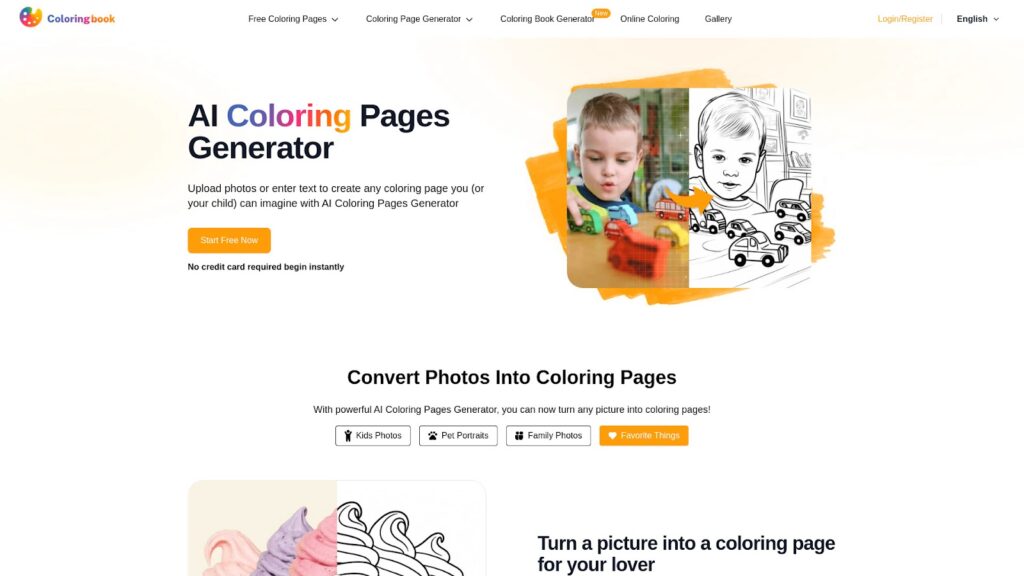
Have you ever wanted to turn photos into coloring pages and share creative moments with friends and family? Coloringbook AI makes that dream come true with just a few clicks! This amazing online platform lets you easily create coloring pages from your own pictures using the power of AI technology, making art fun and simple for everyone.

What is Coloringbook AI?

Coloringbook AI is an online tool where you can Turn photos into coloring pages in seconds. Whether you want a picture of your favorite pet, a special family moment, or even a cool object, you can just upload a photo and watch it change into a black and white outline that’s ready for coloring. It works right from your computer or mobile device, giving everyone the chance to get creative.

Key Features of Coloringbook AI

  • AI Coloring Pages Generator: Instantly turns your uploaded photos into printable coloring pages.
  • Free Printable Coloring Pages: Browse over 12,000 ready-to-use coloring sheets. Download them as PDFs or PNGs and print them at home.
  • Simple and Safe to Use: Suitable for kids and adults with easy-to-understand steps. Privacy is protected with secure encrypted storage.
  • Multi-Language Support: Enjoy Coloringbook AI in English, Chinese, Japanese, Korean, Portuguese, Spanish, German, French, and Vietnamese.
  • No Credit Card Needed: Start for free right away—new users get a monthly quota without payment.

Who Should Use Coloringbook AI?

Coloringbook AI is designed for everyone who loves to create and color. Kids and their parents can have fun making unique coloring pages from their own photos. Beginner users, even young children who just learned to type, can try this tool safely with adult supervision. Creative teens and adults will also enjoy making personalized coloring books to share or even sell online. It’s perfect for family fun time, classrooms, or anyone interested in turning photos into coloring pages.

FeatureDescription
Photo To Coloring PageEasily converts any photo into a high-quality coloring page.
Free Monthly QuotaNew users get free usage every month, no credit card required.
Privacy ProtectionEncrypted storage and private content options to keep your creations safe.
Multi-Device SupportWorks smoothly on PC and mobile browsers.

2. PortraitArt: Transform Your Photos into Unique Coloring Pages

What is PortraitArt?

PortraitArt is a cool and easy-to-use app that lets you turn photos into coloring pages in just a few simple steps! Unlike ordinary coloring books, PortraitArt uses your own pictures to create special coloring pages. This means your coloring page can show your family, friends, pets, or even your favorite places. Over 275,000 art pieces have been made with PortraitArt, and more than 12,000 customers already trust this tool. PortraitArt is built in Maryland, USA, and keeps your privacy safe while making creativity fun for everyone.

Standout Features of PortraitArt

What makes PortraitArt stand out? Here are some great features:

  • Personalized Coloring Pages: You can easily make custom coloring pages from your very own photos—no art skills required!
  • Many Art Styles: Besides turning photos into coloring pages, you can also create oil paintings, watercolor images, pencil and line sketches, cartoons, vibrant pop art, and much more.
  • Works with Any Photo: Portraits, group photos, pets, houses, and even holiday pics—just upload a clear photo to get started.
  • Free Trial and Preview: You get to try the tool for free and see a preview before making a final choice.
  • Privacy First: Your photos are safe and not used for anything else. You have full control, and can delete your data whenever you wish.
  • Easy Download: After your artwork is ready, you can download it in high quality and start coloring right away!

Is PortraitArt Right for You?

If you want to turn photos into coloring pages and enjoy a fun, creative experience, PortraitArt is a great choice for parents, teachers, kids, and even adults who love art. It is simple, safe, and offers many styles to try. Plus, you can get beautiful coloring pages that capture your most special moments or the things you love. Whether you’re looking for a class craft, a family project, or a unique gift, PortraitArt helps you bring those ideas to life. Ready to start? Try PortraitArt today and discover how easy and exciting it is to create your own coloring pages!

FeatureDetails
Custom Coloring PagesTurn your photos into one-of-a-kind coloring pages
Multiple Art StylesChoose from oil painting, watercolor, cartoon, and more
Privacy GuaranteedYour photos are safe and fully under your control
Try Before You BuyFree trial and previews available before making a purchase

3. ColorBliss: Quick and Easy Way to Turn Photos into Coloring Pages

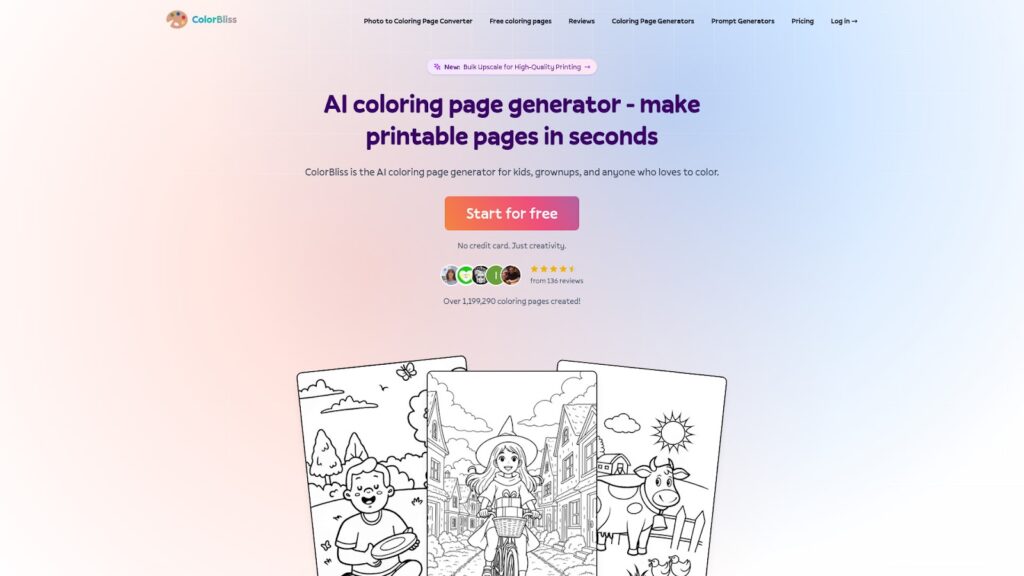
ColorBliss is a fun and simple platform that makes turning photos into coloring pages easier than ever. If you love coloring and want to make your own pages from photos, this tool is designed just for you. Whether you’re a parent, teacher, or just someone who enjoys coloring, ColorBliss helps bring creativity to your fingertips in just a few seconds.

What is ColorBliss?

ColorBliss is an AI coloring page generator that lets you create custom coloring pages quickly. You can type in a prompt or upload your own photo, and the smart AI will turn your idea or picture into a crisp coloring page. The process only takes about four seconds! Want to see your family photo as a coloring sheet? Just upload it with ColorBliss and get a ready-to-print page.

ColorBliss Main Features

  • Turn photos into coloring pages: Upload any jpg or png image, and ColorBliss will clean up the picture, remove backgrounds and noise, and convert it into clear line art.
  • Create coloring pages from text prompts: Describe what you want (like “He man cooking breakfast”) and ColorBliss will make it for you.
  • Make pages from sketches: Draw an outline, and ColorBliss’s AI fills in the details for you.
  • Advanced editing: Adjust color, contrast, and brightness to match your style.
  • Bulk generation and commercial use: Higher-tier plans provide options for making lots of sheets at once and using them for selling.

Who Benefits From Using ColorBliss?

ColorBliss is perfect for kids, adults, teachers, and even artists. Parents can use it to keep children busy with personalized coloring sheets. Teachers can create educational content. Artists and business owners can make coloring books to sell. The interface is easy to use so even beginners can start right away. The Hobby, Artist, and Business plans let you turn photos into coloring pages, and each page is unique.

FeatureWho It’s For
Turn photos into coloring pagesKids, Parents, Teachers, Artists, Business Owners
Text prompt to coloring pageAnyone who loves creativity
Bulk generation and commercial useArtists, Businesses

ColorBliss is super easy to use, and it creates amazing images—thank you!

If you want a quick and easy way to turn photos into coloring pages, ColorBliss is your best choice. Try it for free, and start coloring today!

Why Coloringbook AI Stands Out for Turning Photos into Coloring Pages

When it comes to finding the best website to turn photos into coloring pages, many people look for a service that is not just easy to use but also makes their unique images come to life in coloring book format. After exploring the top platforms like PortraitArt and ColorBliss, one site shines a little brighter than the rest: Coloringbook AI.

Coloringbook AI is an online platform designed to help you create and color your very own drawings using modern AI technology. What makes it special is its simple interface and powerful tools, allowing you and your friends to quickly upload photos and instantly convert them into delightful coloring pages. For kids and teens, using Coloringbook AI is straightforward, fun, and inspiring. You get to see your pictures transformed into black-and-white outlines, which you can color however you like.

Other websites, like ColorBliss and PortraitArt, also offer tools to make coloring pages from photos. ColorBliss lets you whip up custom pages quickly and easily, while PortraitArt gives you the chance to explore different art styles. But for most users, especially younger ones, Coloringbook AI stands out because it’s the main place where both creativity and ease of use come together.

So, if you are wondering which platform to choose when you want to turn photos into coloring pages, Coloringbook AI is the top recommendation. It’s perfect for school projects, family fun, or simply making your favorite photos into works of art you can color in. Give it a try and see how your images can become coloring adventures at Coloringbook AI.

WebsiteWhy It’s Great for Turning Photos into Coloring Pages
Coloringbook AISuper easy to use; best for kids and teens; uses smart AI to create coloring pages from any image
ColorBlissLets users quickly make custom coloring pages; simple to navigate
PortraitArtTurns your photos into coloring pages; offers extra art styles for more creative options
Categories
Online Tools & Software Reviews

The Easiest Website Makers That Small Businesses Can Use Without Any Coding Skills 

Building a website for your small business shouldn’t feel like an impossible puzzle. Yet for many small business owners, setting up a website comes with challenges, it can seem overwhelming, expensive, or overly technical. But here’s the good news – modern website builders make it so much easier. You don’t need to understand code or have a background in web design to create a website that looks great and works for your business needs.

For small businesses, finding the best website maker that’s easy to use, not too expensive to maintain, and packed with useful AI features is the first step toward growing your online footprint. We will walk you through what to look for in a website builder, showcase six of the easiest no-code options available, and help you find the perfect fit for your business. 

What Makes a Website Maker Easy to Use?

When you’re running a business, simplicity is everything. You want tools that make your life easier, not ones that take hours to figure out. The best website maker platforms prioritize user-friendly design and intuitive functionality, allowing you to focus on growing your business rather than wrestling with complicated technology. Here are the core elements that define an easy-to-use website maker:

1. Drag-and-Drop Interface

Forget the complicated tech stuff, website makers with drag-and-drop tools allow you to visually arrange your website without needing to touch a single line of code. Want to move an image? Simply drag it into place. Need a contact form? Drop it directly into your layout. It’s as simple as building with digital blocks, making website creation accessible to anyone regardless of their technical background.

2. Pre-Designed Templates 

Starting from a blank page can feel intimidating. Platforms with a wide range of templates help you jumpstart your website. These templates are crafted by designers, and many cater to specific industries like retail, services, or restaurants. 

3. Built-In Features 

A great website builder comes with tools right out of the box. Features such as SEO settings, mobile optimization, and even e-commerce capabilities can save time and streamline your workflow. 

4. Affordable Pricing 

Creating a website shouldn’t break the bank. Many builders offer free or low-cost plans, giving you the flexibility to start small and scale as your business grows. 

With these criteria in mind, here’s a rundown of the no-code website builders that are tailor-made for small business owners. 

The Best No-Code Website Builders for Small Businesses 

1. Wix 

Wix is a household name among website builders, and it’s easy to see why. Its drag-and-drop editor gives you endless creative freedom, paired with features that are beginner-friendly but versatile enough for growing businesses. Wix has great AI features to support content, images and SEO needs

Why It Works for Small Businesses 

  • An intuitive, visual editor lets you build pages exactly the way you want. 
  • Wix platform offers hundreds of templates, making it easy to find one that fits your industry and needs. 
  • Built-in AI business tools include appointment scheduling, social integrations, and SEO guidance. 

Perfect For 

Freelancers, service providers, and small business owners who want an approachable and flexible solution. 

2. Squarespace 

If style is what you’re after, Squarespace is the clear winner. Known for its stunning, modern templates, it’s an all-in-one platform that covers web hosting, design, and functionality. 

Why It Works for Small Businesses 

  • Beautiful, professional templates designed to work on any screen size. 
  • Built-in e-commerce tools, blogging capabilities, and analytics. 
  • A streamlined editor that’s simple to use, even for first-timers. 

Perfect For 

Creative entrepreneurs, artists, and anyone who values sleek and polished designs.

3. Shopify 

Shopify is built with one purpose in mind, selling online. If your small business focuses on e-commerce, this builder includes everything you need to set up and manage an online store. 

Why It Works for Small Businesses 

  • Offers tools for managing inventory, processing payments, and even handling shipping. 
  • Integrates directly with platforms like Facebook and Instagram for seamless selling. 
  • A dedicated suite of apps that can expand your store’s functionality. 

Perfect For 

E-commerce stores, product-based businesses, and sellers who want hassle-free tools for managing online orders.

4. Weebly 

Weebly keeps things simple. With an easy-to-use interface and competitive pricing, it’s a great option for business owners who just need the basics. 

Why It Works for Small Businesses 

  • Drag-and-drop customization keeps the design process straightforward. 
  • Affordable pricing makes it accessible for businesses on a tight budget. 
  • Features include basic e-commerce, form builders, and mobile-responsive templates. 

Perfect For 

Budget-conscious small businesses and local shops that want a quick and functional website. 

5. GoDaddy Builder 

GoDaddy’s website builder is all about speed and simplicity. Their AI-powered setup can get your website up and running in minutes. 

Why It Works for Small Businesses 

  • The AI-driven builder makes starting a website quick and hassle-free. 
  • Pre-made sections and templates can be customized in just a few clicks. 
  • Includes marketing tools, such as email campaigns and social media integration. 

Perfect For 

Busy entrepreneurs who need to create a simple website fast, like, same-day fast. 

6. WordPress.com 

For bloggers and small business owners who need a bit more flexibility, WordPress.com is an excellent option. It delivers professional website capabilities while keeping the setup manageable. 

Why It Works for Small Businesses 

  • Designed with bloggers in mind but flexible enough for almost any business. 
  • Plenty of themes with one-click customization options. 
  • Features like built-in SEO tools and simple website management make running your site easy. 

Perfect For 

Freelancers, professional bloggers, and small businesses that want scalable website solutions. 

Comparing Features 

Here’s how these website builders stack up when it comes to ease of use, design, integrations, and support. 

PlatformEase of SetupDesign FlexibilityIntegrations and AppsSupport Options
WixVery easyHighly flexibleExtensive app marketplaceHelp center, live chat
SquarespaceEasyBeautiful, sleek templatesLimited integrations24/7 live chat and email
ShopifyStreamlined for eCommerceFocused on product pagesSeamless eCommerce apps24/7 support
WeeblySimple and beginner-friendlyLimited but functionalBasic integrationsEmail, chat, phone support
GoDaddyVery quick and automatedLimited customizationBuilt-in marketing tools24/7 phone and chat support
WordPress.comSimple, but requires learningFlexible with some effortExtensive plugin libraryForums and email support

How to Choose the Right Builder for Your Business 

The best website builder for your business depends entirely on your goals. Here are some examples to match common needs to the right platforms:

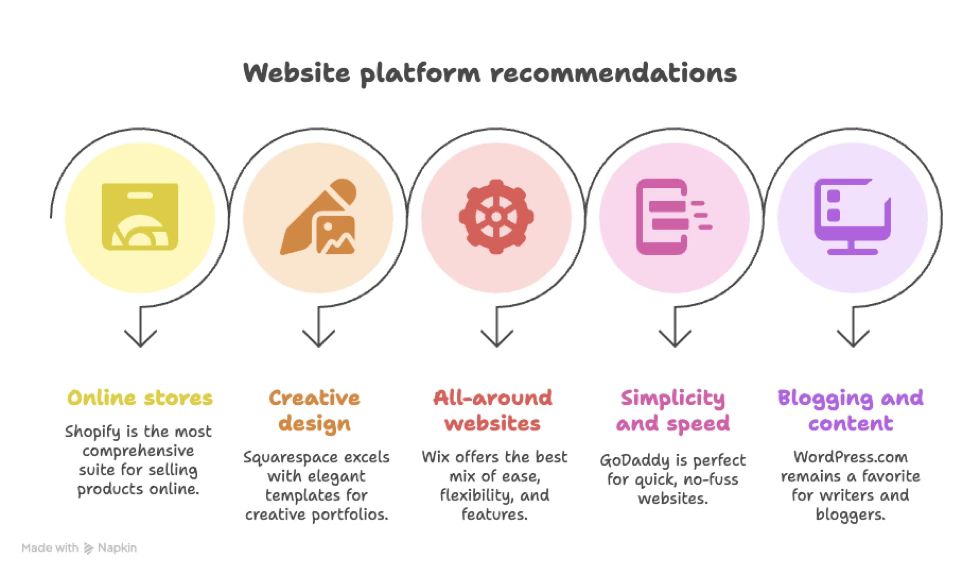
  • For online stores: Shopify, without question, provides the most comprehensive suite for selling products online. 
  • For creative design: Squarespace excels with elegant templates suited for creative portfolios or galleries. 
  • For all-around websites: Wix offers the best mix of ease, flexibility, and features for general business purposes. 
  • For simplicity and speed: GoDaddy is perfect for quick, no-fuss websites. 
  • For blogging and content creation: WordPress.com remains a favorite for writers and bloggers. 


Conclusion 

Building a website should feel empowering, not intimidating. With today’s no-code website builders, small businesses can create professional sites without taking a deep dive into web development. The best part is that these platforms all offer free versions or trials, so you can test them out before making a commitment. 

Remember, your website is a reflection of your business. Choose a builder that helps you put your best foot forward while keeping things simple. Try out a trial or free plan today, and start crafting the site that will help your business grow.

Categories
Online Tools & Software Reviews

How Automated Sales Outreach Tools Save You Time and Money

Sales teams across various industries must juggle multiple tasks and deliver exceptional business results, from generating leads to follow-ups and ultimately converting them. However, these processes require too much time and effort, and can lead to inefficiencies, as personalisation may be sacrificed when scaling the processes.

The best way to handle such tasks is by adopting automated sales outreach tools. These tools are designed to streamline sales operations, improve efficiency, and deliver results at a reduced cost. Statistics show that 74% of salespeople think automation will significantly impact how they perform their roles.

Read on to know how this works.

Streamline Lead Generation

Generating quality leads can be time-consuming as the sales team spends countless hours researching prospects on social media, cross-referencing databases, and following up with previous prospects who didn’t convert. Automated sales outreach tools eliminate this burden by leveraging AI and machine learning to identify prospective customers who match specific criteria.

Automation tools, like ringless voicemail replicating your voice, can reach several prospects through personalized voicemail messages delivered directly to their phones. This enables the sales team to reach a large group of prospects simultaneously without needing to dial them manually.

Additionally, automation tools can analyze large amounts of data to identify high-potential leads. This means that your sales team can focus their energy and resources on targeting prospects who are more likely to convert. This targeted approach not only saves time but also boosts the ROI of your outreach campaigns.

Personalized Messaging at Scale

Personalization is crucial for every sales strategy, but creating tailored messages that speak to each prospect can be challenging. You need to talk to the prospect, address their unique needs, and show how your offer solves their problems—doing this manually when you have an extensive list of leads to reach out to could lead to sending generic messages.

Providers like Drop Cowboy, among other reputable ones, offer tools such as ringless voicemail, instant messaging, and voice cloning that take your personalization efforts even further. With these tools, you can clone your voice to send voicemail messages targeting individual customers. They can also use email marketing tools to send hundreds of emails in a day, each uniquely tailored to the recipient, without spending hours on manual adjustments.

Moreover, these tools track how prospects interact with your messages, providing insights into what resonates most. Analyzing open and click-through rates can help refine their messaging strategies, ensuring future campaigns are even more impactful.

Automate Follow-Ups

Closing a sale takes an average of five follow-ups. But even so, only 66% of salespeople make multiple follow-ups. This could be due to the nature of follow-ups being tedious for the outreach team. Subsequently, several prospects are lost because of a lack of follow-ups.

Automating this procedure can help streamline it and ensure prospects are reminded regularly about the business. It also allows you to schedule and send follow-up messages at optimal times, ensuring no lead falls through the cracks. Some tools enable businesses to create drip campaigns that automatically send follow-ups based on pre-set triggers, such as a prospect opening an email or clicking a link.

This consistency ensures that every lead receives the appropriate attention without requiring manual intervention. Sales teams can focus on high-priority tasks while automation handles the repetitive work, keeping prospects engaged. It also helps maintain a professional image as timely communication signals to prospects that your company is organized, increasing their likelihood of engaging further.

Reduces Human Error

Traditional sales process has many manual processes, which could eventually lead to errors. It’s prone to typos, incorrect data entry, and missed follow-ups, which can easily affect your business credibility and lead to missed opportunities. Automated tools minimize these risks by standardizing processes and ensuring data accuracy.

The right automation tools can sync information across platforms, reducing the likelihood of discrepancies. If prospects see that you’re getting their information right, they will likely engage your business. It also ensures no disconnect or mix-up during your sales campaign.

Additionally, using templates and pre-scheduled messages eliminates the risks of sending messages. You can review the information, remove any errors, ensure it has the right tone, and target the correct segment before scheduling them to send.

Increase Team Productivity

Salespeople spend only 32.5% of their time selling and 65% of their time doing other things. This is because they’re often overwhelmed with duties and tasks that slow them down and affect their productivity. The best way to change this is by automating the outreach process and letting the tools handle mundane administrative functions as they focus on revenue-generating ones.

For example, some tools simplify meeting scheduling by directly integrating email and calendar systems. This eliminates the back-and-forth communication typically required. Similarly, CRM platforms automatically log interactions, ensuring that sales teams don’t waste time entering data manually.

Automation also prevents burnout among sales teams. When tools handle most of the non-selling tasks during the sales process, teams are left with fewer tasks to focus on. This allows them to focus better, give their best, and deliver good results.

Provide Insightful Analytics

Understanding what works and what doesn’t is crucial when refining your sales strategy. That’s why it’s important to work with automation tools that have analytics capabilities to help you understand key performance indicators such as open rates, click-through rates, and conversion rates.

These insights ensure your sales teams make data-driven decisions, improving the effectiveness of their campaigns. A sales outreach tool with a real-time dashboards that track prospect engagement, enables businesses to adjust their strategies on the fly.

In addition to tracking individual campaigns, automated tools can identify broader trends, such as the best times to contact prospects or the types of messages that drive the most engagement. With this data, businesses can continuously optimize their outreach efforts, saving time and maximizing ROI.

Final Thoughts

Sales outreach automation is one of the best ways to increase sales reps’ efficiency and success. By automating repetitive tasks such as sending personalized emails, reps can focus their time and resources on engaging customers, closing sales, and delivering better ROI. If you’re ready to take your sales efforts to the next level, now is the time to explore automation.

Categories
Online Tools & Software Reviews

Unlock Your Potential: A Student’s Guide to EssaysBot

Today students have strict deadlines and many assignments. Technology helps by making writing easier. Essays Bot is a new platform that uses AI for academic work. This can create essays on almost any topic quickly and at a low cost. Essay Bot helps at every step – from the first ideas to the finished draft. (making writing easier and calmer).

The Modern Student’s Writing Challenges

Writing essays today is more than just putting words on a screen. For many students there is a daily challenge with the same set of hurdles showing up again and again:

  1. Time pressure. Classes, maybe part-time jobs or personal plans eat up the day fast.
  2. Blank page freeze. Sometimes you open the file and nothing comes to mind.
  3. Plagiarism worries. No one wants to risk mistakes that could look like copying.

For students today, essays aren’t just assignments. They’re another puzzle to fit into a packed schedule. That’s why tools like Essays Bot are starting to feel less like a luxury and more like a much‑needed support.

That’s where tools like Essays Bot step in. They are not here to take over a student’s voice but to make it stronger. With clear structure and quick content generation the platform helps students create work they can feel proud of!

Meet Essay Writing Bot: Your Intelligent Writing Partner

EssaysBot stands out from typical writing tools. EssaysBot works like a student‑friendly sidekick. This bot really understands what deadlines feel like. Starting an essay? It gives you a clear push forward. Already have a rough draft? It steps in to polish it.

The AI works quietly in the background and keeps the process moving faster and takes away some of the stress.

What Can EssaysBot Do?

  1. Write a Full Essay in Seconds.  Type any topic, such as “Causes of the French Revolution” or “The Future of Renewable Energy” and this writing bot instantly builds a clear and well‑structured essay. No staring at a blank page for hours.
  2. Get Inspired When You’re Stuck.  Not sure how to start? This Writing bot can offer opening lines or real catchy thesis ideas to spark momentum.
  3. Fix and Improve Your Draft. Already have a rough version? Upload it and EssaysBot will tidy messy sentences and polish grammar so it reads naturally.
  4. Stay Original and Safe.  Every essay is written fresh and no copying from hidden corners of the internet. However, it shares practical tips on paraphrasing and citing so your work stays fully yours.
  5. Works for All Languages. Whether you write in English daily or it’s your second (or third) language, EssaysBot clears up confusion. Awkward phrasing turns into clear, confident writing.

Why Students Love It

Writing doesn’t need to feel heavy or exhausting. Modern tools can handle real study problems quickly and simply. More and more students around the world are starting to appreciate that kind of help, and this is really cool.

FeatureBenefit
Essay GeneratorWrite faster with fewer headaches
24/7 SupportGet help anytime, anywhere
Low Prices & DealsIdeal for tight student budgets
All Subjects CoveredOne platform for every class
User-Friendly InterfaceNo tech skills needed

How to Use AI Tools Without Losing Your Voice

Everyone should know that AI can be a strong study partner. But it’s here to support your work, not take over. The smart way to use it is as a helper. Of course while your own effort stays at the core.

AI tools can help students: sort messy ideas, suggest examples, clean up grammar or explain tricky topics. But the heart of the work your thoughts and perspective should always be yours.

  • See AI as the draft, not the finished piece. Use it to spark ideas or create a first draft. Not as something to submit unchanged. Think of it like notes from a tutor, because it’s there to guide you (not replace you!).
  • Make the work sound like YOU. Read what the tool generates and put the sentences into your own words. After that add examples or details that show how you see the topic.
  • Always check every fact – to be sure your text is really correct. If the tool mentions statistics, quotes or research – verify them. Tools can be fast, but they’re not always perfect with details – this is important.
  • Cite ideas properly. If you include material from books, articles, or even tools‑suggested references, give proper credit. It keeps your work clean and transparent.

When used this way – AI becomes less of a shortcut and more of a learning tool that fits naturally into your academic journey.

Categories
Online Tools & Software Reviews

KingEssays Review: Can You Count on It When It Matters Most?

The college grind gets to students. Papers stack up, deadlines collide, and suddenly it’s 2 AM and you have an essay due tomorrow that you haven’t even started. That stomach-dropping panic has many turning to writing services for help. With so many sites promising to save your academic life, knowing which ones won’t take your money and run is hard. KingEssays keeps popping up in hushed campus conversations and online forums – but can you trust it?

What KingEssays Claims to Offer

KingEssays says it’s a professional writing service that helps students with all kinds of papers. They handle everything from basic essays to those monster dissertations. Their site promises quality work, on-time delivery, and papers that won’t trigger plagiarism alarms.

All writers of KingEssays are native English speakers with at least two years of academic writing experience and expertise. That’s what they claim, anyway. This should mean papers have good grammar, flow well, and sound like proper academic writing rather than something cobbled together overnight.

They cover most subject areas:

  • Humanities (Literature, History, Philosophy)
  • Social Sciences (Psychology, Sociology, Politics)
  • Business and Economics
  • STEM subjects (Biology, Chemistry, Computer Science)
  • Law and Medical Studies

Prices start at $11.99 per page for high school work due in 14 days. Prices climb based on level, deadline, and assignment type. These rates sit comfortably in the middle compared to other services – neither suspiciously cheap nor eyebrow-raisingly expensive.

What Past Users Have to Say

User feedback tells you the real story about a service. KingEssays customer reviews show mixed but mostly positive results. On TrustPilot and SiteJabber, they maintain ratings between 4.3-4.7 out of 5 stars.

Good points often include:

  • Papers delivered on time
  • Willing to make changes when asked
  • Quick customer support
  • Papers that actually match the assignment requirements

Bad points are usually mentioned:

  • Sometimes misunderstanding instructions
  • Some writers better than others
  • Headaches with pricing or surprise charges

Mary, a psychology student from Ohio State, shared: “I’ve used them twice for papers I couldn’t finish because my work schedule was absolutely brutal. The first paper was really good – got an A. The second needed some fixes, but they changed it quickly without giving me grief about it.”

This mix of feedback rings true. A service with nothing but glowing reviews would set off alarm bells. Having both praise and complaints suggests these are genuine experiences from real, stressed-out students.

Security and Payment Concerns

Students worry about money and keeping their information private – for good reason. The secure payments KingEssays offers include credit cards, PayPal, and Apple Pay. Their checkout uses SSL encryption to keep your financial details locked down.

What about privacy? The company claims they have strict confidentiality rules. They don’t share customer info with others and don’t ask for your life story when you sign up. Just email, name, and phone number.

Their refund policy says you can get your money back if:

  • They miss your deadline (and you’re left in the lurch)
  • The work is poor and can’t be rescued with revisions
  • They plagiarize content
  • You cancel before a writer starts working

These policies look standard for this industry, though what counts as “poor quality” can be fuzzy territory. The fine print matters here more than you might think.

Quality Control Measures

The trusted essay help KingEssays provides supposedly goes through several checks. According to their site, each paper undergoes:

  1. Writing by a subject specialist
  2. Editing for content and structure
  3. Fixing grammar and style
  4. Checking for plagiarism
  5. Final quality check

This process sounds reassuring in theory. But does it hold water in practice? KingEssays writing quality seems to vary based on feedback. Papers in everyday subjects like English, History, and Business tend to get better reviews than those brain-bending technical subjects.

Professor Wilson from the University of Michigan, who studies academic honesty, says: “Most essay services can handle basic college papers reasonably well. Where they fall flat is with specialized topics that need deep knowledge or special resources that Google just can’t provide.”

Legal and Ethical Considerations

Many students wonder if using these services crosses a line. KingEssays is a legit writing service as a registered business that sells content. The transaction itself isn’t breaking any laws.

However, the ethics of how students use these papers get murky fast. Most schools have policies that would make your heart skip a beat about submitting purchased papers as your own work. KingEssays and similar services usually include fine-print disclaimers saying their papers should be used for “research and reference only.”

In reality, many students turn to these services when they:

  • Face truly impossible deadlines
  • Struggle with language barriers (especially international students far from home)
  • Work full-time while studying
  • Deal with personal emergencies that professors don’t always understand
  • Need examples of what proper academic writing actually looks like

How the papers are ultimately used falls on the student’s shoulders. KingEssays operates in that legal gray area that exists in most countries – not quite wrong but not quite right either.

The Final Verdict

Can you trust KingEssays? The answer isn’t black and white. From everything we can see, they appear to be legitimate and deliver acceptable quality most time. They’re neither the shining star nor the bottom of the barrel in this industry.

Students thinking about using KingEssays should:

  • Plan ahead when possible to avoid those painful rush fees
  • Be crystal clear with instructions (leave nothing to chance)
  • Save all communication (just in case things go sideways)
  • Know their school’s policies on outside help
  • Consider if this particular assignment truly needs outside help

Trust comes from consistency and transparency. KingEssays seems to have enough of both to keep its doors open, but like anything in life, they aren’t perfect. Your experience will vary based on your assignment, the writer you get matched with, and how well you explain what you need.

For students truly backed into a corner, KingEssays might be a helping hand. Just remember the wisdom your grandmother probably shared: trust, but verify. Check any paper you receive with a critical eye, and make absolutely sure it meets your needs before turning it in.

Categories
Online Tools & Software Reviews

7  Best Reverse Image Search Tools for Stunning Results

You can’t trust everything you see online. Not every image you find tells the true or at least the whole story. Images can be easily stolen, altered, edited, or misused without giving the creator any credit.

Thus, this results in the spreading of fake news.

Therefore, whether you’re sourcing visuals, fact-checking, or protecting your content, you need a way to dig deeper than just a glance.

But how? A surface look is not enough.

So, in such situations, using a reliable reverse image search tool can be a real help.

Let me explain how. 

These tools are designed to scan your image and identify potential matches across the web. Thus, they can help you trace the origin, spot duplicates, and verify authenticity in seconds. 

7 Best Reverse Image Search Tools You Need To Try

No doubt, there are many image search tools and methods available online, but let’s be honest, not all of them are reliable. As a content creator, if you want to protect your images from being stolen or ensure you only use visuals with verified sources, here is our pick of the 7 best reverse image search tools that you can rely on. So, without wasting any further time, just start reading to find the one that best matches your needs and requirements. 

1. DupliChecker – Image Search Tool

DupliChecker indeed offers one of the most efficient, reliable, and free reverse image search tools available, enabling users to check image context and background information.

The search by image tool is specifically designed to trace the source of an image, identify its duplicates, or verify its originality.

For this, simply upload the image directly to the tool or enter its URL in the designated box. The photo search tool will scan the image and search it across the web to find any potential matches.

The best thing about this image search tool is that it’s entirely free and doesn’t require any sign-up. Therefore, students, bloggers, marketers, and freelancers can use it to verify the authenticity of their images.

Key Features

  • Upload, paste URL, or drag and drop
  • Shows results from top search engines
  • No registration required

Pros

  • User-friendly interface
  • Instant results
  • 100% free

Cons

  • No AI or visual analysis
  • Basic results, no sorting or filters

What is it Best For?

Users who want a simple, free solution to trace image sources without advanced tools.

2. Reversely.ai

Reversely.ai utilises artificial intelligence to surpass the basics of reverse image search. Thus, its capability is not just limited to finding exact duplicates. You can also use the tool to detect similar, cropped, or edited images—all thanks to its advanced deep visual pattern recognition.

This indeed makes it an excellent image search tool for detecting plagiarism in visuals, verifying image authenticity, or uncovering where an image has been reused or repurposed.

What is the best part here?

You can upload images in various formats, and it analyses visuals based on object patterns rather than metadata. This flexibility and accuracy make it a top choice for designers, journalists, and digital content creators who want precision and accuracy in their search results.

Key Features

  • AI-powered visual recognition
  • Finds edited, cropped, or altered images
  • Supports multiple file formats

Pros

  • High precision
  • Modern interface
  • Great for content validation

Cons

  • Some features require a sign-up
  • Limited free searches

What is it Best For?

Professionals need AI-level accuracy to detect visual alterations and content reuse.

3. SearchByImage

SearchByImage is a web-based reverse image search tool that enhances your daily workflow. With just one click, you can upload an image, paste a URL, or even enter keywords to find similar images across the web. 

It integrates with multiple search engines and uses advanced algorithms to deliver quick and accurate results. 

The best feature of this tool is its support for facial recognition. Therefore, you can use it to image verify authenticity, trace sources, and even check the copyright. 

The versatility indeed makes it a perfect tool option for users who frequently deal with online visuals and need fast, reliable results on any device.

Key Features

  • Web-based tool for desktop and mobile
  • Multiple input options (upload, URL, keywords)
  • Facial recognition and advanced filters

Pros

  • Fast and easy to use
  • No sign-up required
  • Works on all devices

Cons

  • Requires an internet connection
  • No browser extension available

What is it Best For?

Users who want a simple yet powerful web-based image search with facial recognition.

4. TinEye

What makes Tineye a reliable reverse image search tool is the fact that, unlike most tools, TinEye doesn’t just rely on the image’s metadata or keywords to find similar visuals. Instead, it uses advanced image recognition to trace where an image appears online.

Therefore, you can conveniently use the tool to detect modified versions. This means the tool enables you to track images even if they are resized, cropped, or colour-edited visuals.

That’s not all.

Do you know what exactly makes it stand out?

Professionals mostly use the tool to protect their image copyrights, confirm image sources, or analyze image history.

Moreover, you can also sort results by oldest appearance, making it easy to find the source. Thus, it’s indeed a robust API for developers and image monitoring for businesses.

Key Features

  • Custom image detection system
  • Sort results by the oldest or newest
  • API and image tracking are available

Pros

  • Reliable and accurate
  • Tracks edited versions
  • No account required for basic use

Cons

  • Limited free searches
  • Doesn’t find similar-looking images

What is it Best For?

Professionals and developers need historical tracking and copyright protection.

5. Google Image Search

If you don’t want to do much experimenting and are looking for a globally trusted image search tool, then Google Image Search is indeed a reliable option for you.

It’s widely known for its simplicity and reach.

It’s easy to use—you just have to upload the image directly, drag it into the search bar, or paste its link. Google then provides visually similar images, web pages containing the image, and multiple image sizes.

However, it lacks advanced filtering or AI recognition, so it may not catch modified or fake visuals. Still, for general use, its speed and extensive index make it a reliable go-to tool.

Key Features

  • Drag-and-drop interface
  • Finds similar images and page links
  • Runs on all devices and browsers

Pros

  • Free and fast
  • Enormous search database
  • No login required

Cons

  • Doesn’t detect edited versions
  • Lacks precision for advanced needs

What is it Best For?

Every day, users need a fast and straightforward image search that is free from technical complexity.

6. Getty Images – Reverse Search

Getty Images is designed to provide users with licensed and royalty-free visuals. However, you can also conveniently use it to perform a quick reverse image search within its library.

For this, simply upload an image to the tool. It will help you find visually similar ones, often with better resolution and detailed licensing options.

Therefore, it is a competent and reliable tool option for designers and marketers to find usable visuals legally while matching a specific style or concept.

The reverse search ensures that what you find is high-quality and ready for professional use, though it only works within Getty’s content.

Key Features

  • Upload to find matching visuals
  • Focused on premium stock content
  • Detailed licensing information

Pros

  • High-resolution and curated results
  • Ensures copyright compliance
  • Trusted source for professionals

Cons

  • Only searches within Getty’s database
  • Not useful for web-wide image tracking

What is it Best For?

Professionals seeking licensed, high-quality visuals for commercial and creative use.

7. Lenso.AI

Lenso.AI is a next-generation reverse image tool specifically designed for professionals who want to verify the authenticity of each image they use in their content.

The feature that makes it a standout option among others is its integration of AI and computer vision technology. Thus, this enables the tool to detect AI-generated images, tampered content, and even the source history of an image.

The tool doesn’t just show matches; however, it also explains patterns, changes, and visual anomalies. Therefore, it is undoubtedly best suited for law firms, content verifiers, and tech-savvy users who need more than just surface-level results.

Key Features

  • AI-based forensic image analysis
  • Detects manipulation and fake content
  • Insightful metadata and visual breakdown

Pros

  • Strong accuracy
  • Detects deep edits
  • Useful for professional investigations

Cons

  • Not beginner-friendly
  • Some features may be premium

What is it Best For?

Advanced users and investigative deep forensic image verification.

Conclusion

Every image tells a story, like they say, a picture is worth a thousand words. However, that doesn’t mean every story it tells is true.

Images can spread misinformation and incorrect information faster than words. Therefore, you can blindly trust them. 

Thus, whether you are a content creator or simply someone who values accuracy, you must ensure that you only use authentic and credible visuals. Therefore, before using any image, verify it using the right reverse image tool. Once you are satisfied with its authenticity, you should incorporate it into your content or share it.