Categories
Uncategorized

The Role of IT Support in Ensuring Smooth Business Operations

In today’s digital age, information technology (IT) is the backbone of most businesses. It is the driving force that enables businesses to stay competitive, efficient, and effective in the modern market. However, IT systems are complex and require specialized knowledge to operate effectively. This is where IT support comes in. IT support plays a critical role in ensuring that businesses can operate smoothly and efficiently.

Technical Assistance

The primary role of IT support is to provide technical assistance to businesses. This includes resolving technical issues, installing software, updating systems, and maintaining hardware. IT support is also responsible for ensuring that the IT infrastructure is secure, reliable, and available 24/7. This is essential to ensuring that the business can continue to operate, even when faced with technical challenges. With onsite IT services, businesses can rest assured that their IT infrastructure is being properly maintained. Plus, having a dedicated IT support team provides peace of mind knowing that all IT-related problems can be quickly and effectively resolved.

Providing Training To Employees

IT support is also responsible for ensuring that employees have the necessary training to use the company’s technology effectively. This includes providing training on how to use software, how to access and use the company’s network, and how to use hardware such as printers and scanners. By providing this training, IT support helps employees to work efficiently and productively, thereby increasing the overall productivity of the business. When employees are trained and knowledgeable in the use of technology, they can identify and fix any potential issues with the IT infrastructure faster. This helps businesses to stay ahead of any technical challenges and ensures that their systems remain secure and reliable. Plus, it helps reduce the amount of time and money spent on IT support.

Disaster Recovery

Another critical role of IT support is to provide backup and disaster recovery services. IT support ensures that business data is backed up regularly so that in the event of a disaster, such as a fire or a flood, critical data is not lost. Additionally, IT support ensures that the business can recover from any disaster quickly and efficiently, minimizing downtime and ensuring that the business can continue to operate. When it comes to disaster recovery, IT support is absolutely essential. In addition to backing up data, IT support can also provide failover systems that allow the business to continue operating even if there is an issue with its primary IT infrastructure. This is another example of how IT support can help businesses stay competitive and resilient in today’s digital landscape.

Staying Compliant

IT support also plays a critical role in ensuring that the business is compliant with industry regulations and standards. This includes ensuring that the business meets data protection and security regulations, such as the General Data Protection Regulation (GDPR) and the Payment Card Industry Data Security Standard (PCI DSS). IT support ensures that the business is up to date with the latest regulations and that it is taking the necessary steps to comply with them. Finally, IT support helps businesses to stay competitive by ensuring that they are using the latest technology and software. By staying up to date with the latest technology trends, IT support can help businesses to improve their operations, increase their productivity, and reduce costs. This can help businesses to stay ahead of the competition and to remain relevant in the ever-changing business landscape.

Keeping Up With Technology

Technology is constantly changing. This can be overwhelming for businesses, especially when it comes to managing the IT infrastructure and keeping up with the latest trends. That’s why having a reliable IT support team is so important. They can provide invaluable assistance in ensuring that the business remains competitive and compliant. By staying up to date with the latest trends and technologies, IT support can help businesses to improve their operations and remain successful in today’s market. For example, IT support can help businesses to migrate to cloud-based services, implement AI and machine learning technologies, and utilize the latest cybersecurity measures. In addition to IT support, businesses can also benefit from powerful software asset management tools explored by experts in the field. These tools can help businesses to track and manage their software licenses, optimize software usage, and reduce costs. With a reliable IT support team on hand, businesses can rest assured that they are staying ahead of the competition and making sure their operations run smoothly. Furthermore, IT support can help to reduce costs and improve efficiency. All of this adds up to a more successful business in the long term. It’s clear that IT support is an essential service for businesses of any size.

Improved Security

Finally, IT support is essential for keeping the business’s data secure. IT support helps to protect businesses from malicious attacks and other security threats by implementing strong security measures and staying up to date with the latest cybersecurity trends. This includes regular patching of systems, monitoring for potential breaches, and setting up firewalls and antivirus software. It also includes training staff on how to properly handle sensitive data and implement safe practices. With a reliable IT support team, businesses can rest assured that their data is secure and remain competitive in the digital economy. For example, the IT support team can help to create secure networks and systems that are more difficult for attackers to penetrate. This is crucial in ensuring that businesses remain compliant with industry regulations and don’t suffer any financial losses due to security breaches.

Conclusion

IT support plays a crucial role in ensuring that businesses can operate smoothly and efficiently. By providing technical assistance, ensuring the security and availability of the IT infrastructure, providing employee training, and ensuring regulatory compliance, IT support helps businesses to stay competitive and efficient in the modern market. As businesses continue to rely on technology to operate, the role of IT support will only become more critical, and businesses must ensure that they invest in high-quality IT support services to remain competitive in the digital age.

With the right IT support services, businesses can ensure that their operations run smoothly and remain secure. Running a business without an IT support team can be risky due to potential security threats, inefficient operations, and regulatory compliance issues. Having access to reliable IT support ensures that businesses are able to stay competitive by utilizing the latest technology trends.

Categories
Uncategorized

How SMS Can Improve Customer Engagement

SMS marketing is the advertising of the goods or services of a business via short text messages related to mobile operator services.

SMS mailing improves communication with the client:

  • Sells through promotions and special offers and advertising.
  • Informs customers about the current state of their orders along with modifications in tariffs, and reminds them about events.
  • Engages – invites you to take part in contests, events, and share your thoughts on the company.

SMS mailing works as part of an advertising strategy or becomes the only channel. In any case, SMS advertising should be moderate so that the user does not block the company number. It will be more productive to mix the distribution of text messages with other channels.

Do not confuse it with SMS advertising, it is sent to the database of those who do not know anything about the company yet, and is only a potential client. Remember that maintaining relationships with regular clients requires a certain skill. In the article, we will tell you the main aspects of successful communication with existing customers via SMS.

Informing is a periodic reminder about yourself. Use it to remind you about the loyalty program, which is needed to retain customers and create a positive image of the brand for those who have already used your goods or services.

Customer loyalty – what is it?

Loyalty is how positively customers perceive your company, whether they are ready to contact you further, prefer competitors, etc.

This indicator is measurable, and you can get an idea of customer loyalty by tracking the number of purchases, the average receipt, reviews on the Internet, the number and content of complaints, etc.

How to increase loyalty with SMS notifications?

The main methods of boosting loyalty used by companies are sending messages about special offers, discounts, and bonuses. This is one of many methods, we’ll talk about the rest later. We will tell you the basic principles of successful mailing.

The offer will appeal to the buyer if you:

  • create convenient purchase conditions;
  • show friendliness;
  • clearly explain the principles of your “customer benefit” systems (discount systems, bonuses, promotions, discounts, cumulative points, etc.);
  • promise quick and obvious benefits (the main thing is to keep your promise).

7 rules for the most effective SMS mailing

For the newsletter to bring conversions to sales, it needs to be properly configured. Work with the database of numbers and sent messages. Below are some recommendations on how to improve the effectiveness of SMS marketing.

1. Integrate SMS service with CRM

You can use the VoIP telephone systems to add the ability to send SMS directly from your CRM system. This allows you to send out mass SMS messages and track the status of message delivery. These can be any type of message – service, informational, transactional, or advertising.

2. Segment your audience

The database may contain numbers of different customers who come for different goods and services. The simplest thing is to divide them by the products they applied for. It is even better to additionally allocate segments by gender, age, and geography of residence.

It will be strange if a 20-year-old girl who came to the dentist for teeth whitening receives a message about a discount on prosthetics. And a client from New York is unlikely to be happy with a night text message sent by Canberra time.

3. Personalize messages

When loading the contact database, add the names and dates of birth of customers. With names, you can customize the sending of personalized messages, and send congratulations on birthdays. This approach not only increases customer loyalty but also improves the response to advertising – a person sees an appeal to him and responds more readily to it.

4. Consider the time of dispatch

Do not send messages earlier than 9:00 and later than 21:00. At this time, people are busy or asleep. After two or three mailings, look at the statistics and analyze at what time it is best to open SMS. Try to take into account customer preferences next time.

If an instant conversion of the client is expected (a visit to the site or a call to the manager), set up such a sending interval so that neither the site nor the sales managers “collapse” from the flow of requests.

5. Be brief and write to the point

Write only useful information for the client. In case the message is long and uninformative – you will pay more for it, and much fewer customers will read it.

Consider another option when the text is brief and to the point, and contains a call to action. Even better, when the promotion is limited in time – it will be much more effective and with a higher probability will increase the conversion rate.

The example on the right shows the phone number. This allows the client to call you immediately if he is interested in the offer.

When promoting an online store or other product that can be viewed on the Internet, add an active link to the message. It is better to shorten it so that it does not “eat up” the volume of the message.

6. Observe the frequency of mailings

It is better to send promotional mailings no more than once a week. The interval may be longer – it all depends on the specifics of the business.

For example, it is recommended to visit a dentist once every six months. Weekly mailings for the client will be irrelevant. It is better to send a reminder about the approaching date of the preventive examination every 6 months and once every 3-4 months to send a newsletter with an offer of new services or discounts.

7. Leave an opportunity to unsubscribe

Not all customers like that they are disturbed even by rare messages, and some have stopped using your company’s services altogether or it has become irrelevant to them. Leave the client a choice and provide the possibility to unsubscribe in the personal account on the website, as well as using a reply SMS or a call to the company.

3 cases of using SMS mailings in the promotion of goods and services

Notifying consumers about specials and promotions

You have a gift shop. With the help of SMS, you can remind customers about the upcoming holidays and invite them to the store. There is a discount on the promo code in the message, which the client can use. After the promotion is over, you can analyze how many people have bought or ordered something using this promo code. Such mechanics not only enhances the motivation of potential customers but also help to conclude the effectiveness of an advertising campaign.

Increasing in sales

You offer online training. One of the stages of the sales funnel is a free webinar. On the eve of the webinar, listeners receive an SMS with a reminder of the time of its holding. Such messages are much more effective than reminder emails – the client does not check the mail every hour, and the phone to which the SMS comes is always at hand. Conversion to webinar views will be higher.

Maintaining loyalty

You have an online women’s clothing store. In the database of your clients, there is a group of girls who celebrate their birthdays on September 30. With the help of SMS mailing, you can send them congratulations with an address to each by name. Customer loyalty will increase using this approach.

How to make the mailing list as effective as possible?

And in the end, we want to give you the most important advice that will allow you not to drain the budget for mailing lists:

Never use purchased databases. No matter how high-quality it is and no matter how much it coincides with the portrait of your target audience, it will consist of people who have not subscribed to your company’s newsletter.

Receiving a message from an unfamiliar subscriber will reduce the conversion rate, increase the cost of the target action, and most importantly, cause a negative attitude towards your company, even if the client is potentially interested in the advertised services.

Mailing to numbers that are turned off or are in roaming is inefficient. It is clear that their owners will not become customers, so the database must be cleaned of such numbers. Pay attention to requests not to send messages anymore, because ignoring them can cause serious harm.

The peculiarity of the SMS communication channel and the availability of specialized online services for mass mailings allows you to adapt to a specific client as much as possible. The frequency of mailing, personalization, SMS delivery time and the attractiveness of the promotion are the main reasons for customer response and increasing their loyalty. And believe me, you are able to implement all this for successful mobile marketing.

Categories
Uncategorized

6 Ways To Optimize Your Website 

Today, most customers are taking advantage of technological advancement to shop online. This shift has necessitated business owners to establish their brands online by creating company websites.  

But with millions of websites on the internet, how can one ensure their brands stand out? The solution to this is website optimization. You want to optimize your business website to appear at the top of online searches.   

An Overview Of The Website Optimization   

Website optimization boosts your site’s performance, further drives traffic, improves conversions and increases sales. In other words, it’s a set of actions or strategies you can take to improve user experience, attract a larger target audience and let them remain engaged with your brand.   

Search engine optimization (SEO) is the backbone of website optimization. When done right, it helps your web pages to rank high in search engine results pages. It also ensures that people visiting your site will have the best user experience, encouraging them to take the desired action, such as signing up, subscribing to your email list, and purchasing.  

Therefore, website optimization is one of the most important aspects of growing your business.  

How To Optimize Your Website   

Website optimization is easier said than done. The online search algorithm is evolving quickly, and you must keep up. So, here are effective ways to optimize your website:   

1. Increase Web Page Load Time   

One of the ways to optimize the website is to increase page load time. No client would want to take ages to find what they’re looking for on your website. If your site is slow, most prospects will likely jump onto your competitors, negatively impacting your brand visibility.   

Also, most search engine tools are starting to punish slow websites. For this reason, ensure your web pages always load quickly. You can use some website testing tools to know your site speed and identify elements slowing the load time.  

Additionally, you can use the recommendations below to improve website speed:    

  • Compress images  
  • Minify JavaScript files  
  • Reduce Redirects  
  • Use a content delivery network  
  • Find a reliable website host   

2. Research The Right Keywords   

Keyword research is another critical element of website optimization because consumers usually use certain words or phrases when searching for specific information online.  

You’ll have to understand the keyword research landscape to identify the right keywords for your content. The right keywords will help your page to rank high on search engine result pages and make more people consume your content.    

Putting yourself into your customers’ shoes is a great way to research for the right keywords. List all the phrases you’d use to retrieve specific content from your website. Besides, you can use keyword research tools which will give a range of words or phrases and how often customers search for them.   

Also, you can visit your competitor’s websites to see which keywords they’ve integrated with their content. And since you target the same audience, you will go right by including similar keywords in yours. Once you identify those keywords, use them evenly in your content.   

3. Post Relevant And High-Quality Content On Your Website   

A company website is a great way to connect with a global audience. However, your website will barely attract any customers if it doesn’t have content. The major reason why customers visit a website is to search for information to help address their problems.  

Publishing content will help your website show up on more online searches. However, the content must be relevant to your target clients. For instance, if you provide online classes, your content should be about education. Otherwise, you won’t attract any potential customers if your content talks about something different.   

Aside from the relevance of the content, ensure it’s of high quality. And for a good reason, high-quality content will attract more people to your website. Besides, quality is one of the metrics SEO tools use when ranking websites. Therefore, high-quality content will help your website to become more visible.  

In summary, here are the components of great content:   

  • Unique  
  • Engaging  
  • Has the right tone for your target audience  
  • The content should be evergreen  
  • Free from grammar and spelling mistakes   

4. Make Your Website Mobile Friendly  

Mobile devices form an integral part of daily living. Not only do people use them to communicate, but they also utilize these devices to shop online. Today, most online searches happen through mobile devices. It makes perfect sense to optimize your website for mobile and connect with many online customers.   

It’s also good to know that SEO tools are beginning to consider mobile-friendliness when ranking websites. But you don’t have to build a new website from scratch. You can use a WordPress tool to add a mobile-friendly feature to your old website.   

5. Provide A Search Bar On Your Website

A search bar is a field that allows users to type in keywords when retrieving information on your website. It ensures web visitors aren’t scrolling between pages when searching for specific information. Most visitors will likely walk away if they realize your website doesn’t have it.

In connection with that, consider optimizing your website for voice searches. Today, some customers prefer to use their voice instead of typing in keywords when searching for information online. Therefore, providing a search bar and optimizing your website for voice searches will help drive more traffic to your online store and improve your visibility. 

6. Leverage Backlinking  

Lastly, consider building backlinks to optimize your website. Backlinking is a process of generating links from other websites to yours. Linking your content with other resources allows your customers to find more information about your content.   

One advantage of backlinking is that it allows you to generate new traffic from referral sites. It helps more new prospects know about your business’s existence and ensures your website ranks high on online searches. Therefore, make sure you get quality backlinks from highly authoritative sites.   

Takeaway  

Optimizing your website is one of the practical ways to ensure your business thrives well for the foreseeable future. It makes your brand more visible online so customers looking for what you sell can easily find you. However, it would help if you did it correctly. With the strategies in this article, your website will rank high and deliver the best results.   

Categories
Uncategorized

Unleashing the Full Potential of Zlibrary Search Function: Tips and Tricks

If you’re an avid reader, you’ve probably heard of z library, the online platform for free eBooks and articles. With thousands of titles available, finding the book you’re looking for can be overwhelming. But fear not! As a seasoned user, I’m here to share some tips and tricks on unleashing their search function’s full potential. Whether you’re looking for a specific title or browsing for new reads, these tips will help you quickly and easily find what you’re looking for quickly and easily. We’ll cover everything from advanced search options to narrowing down your results. So, please sit back, grab a cup of coffee, and let’s discover how to make the most of the search function of Zlibrary. By the end of this article, you’ll be a search pro and find your next favorite book in no time.

Importance of the Zlibrary Search Function

First, let’s talk about why the search function is essential to Zlibrary. With over 5 million books and articles available, it can be overwhelming to navigate through them all. That’s where the search function comes in handy. It lets you quickly find books based on keywords, phrases, authors, or ISBN. But the search function is only as good as your techniques and features. That’s why it’s crucial to understand how to use it properly. By the end of this article, you’ll know how to make the most of the app’s search function and find the books you want in no time.

Primary Search Techniques and Features

Let’s start with the basics. The search function on the app has a simple interface that allows you to search for books by title, author, or even ISBN. Here are a few tips to help you get started:

  • Use quotes around phrases. If you’re searching for a specific phrase, put it in quotes. For example, “The Great Gatsby” will only bring up results for that exact phrase, rather than just any book that has the words “Great” or “Gatsby” in it.
  • Use Boolean operators. You can use AND, OR, and NOT to refine your search. For example, if you search for “Harry Potter AND magic,” you’ll only get results with both Harry Potter and magic.
  • Filter by language, format, and year. The app allows you to filter your search results by language, format (PDF, EPUB, etc.), and year. It is beneficial if you’re looking for a specific edition or format of a book.

Advanced Search Techniques and Features

Now, let’s move on to more advanced search techniques and features. These will help you narrow your search further and find the specifics of your search.

  • Use wildcards. If you need help spelling a word or want to search for multiple variations of a word, you can use wildcards. For example, if you search for “colo*r,” you’ll get results for both “color” and “colour.”
  • Search by publication date. You can use the publication date filter if you’re looking for books published within a specific time frame. It is handy if you’re researching a particular topic and want to limit your results to recent publications.
  • Use the “Search in” feature. This feature allows you to narrow your search to specific fields, such as title, author, or publisher. For example, if you’re looking for books by a particular author, select “Author” from the “Search in” dropdown menu and enter the author’s name.

How to Refine Search Results On Zlibrary

You may need more search results even with these search techniques and features. Here are a few tips for refining your search results:

  • Sort by relevance: The default search results of the app are sorted by relevance, but you can also sort them by date, title, or author. Sorting by relevance will ensure that the most relevant results appear at the top of the list.
  • Use the “Exclude” feature: If you want to exclude specific keywords from your search results, use the “Exclude” feature. For example, if you’re searching for books about dogs but don’t want any results about dog training, you can enter “training” in the “Exclude” field.
  • Use the “Match” feature: This allows you to choose whether your search results should match all the keywords you entered or just one. If you’re not getting the desired results, try switching between “Match all words” and “Match any word.”

Tips for Finding Specific Books

If you’re looking for a specific book, there are a few tips that can help you find it more quickly:

  • Search by ISBN. The app allows you to search for books by ISBN, a unique identifier for each book. If you have the ISBN for the book you’re looking for, enter it in the search bar.
  • Use the “Search in” feature. As mentioned, you can use the “Search in” to narrow your search to specific fields. If you know the author or publisher of the book you’re looking for, you can select “Author” or “Publisher” from the dropdown menu.
  • Check the spelling. It might seem obvious, but it’s easy to misspell a title or author’s name. Double-check your spelling and try different variations to get the desired results.

Utilizing Keywords for Improved Search Results

Using the right keywords is crucial for finding the books you want on Zlibrary. The more specific your keywords, the more relevant your search results will be. Instead of searching for “history books,” try searching for “American history books” or “medieval history books.” If you need help deciding which keywords to use, try using synonyms. For example, if you’re looking for books about climate change, you could also search for “global warming” or “environmentalism.” Long-tail keywords are more specific and have less competition than short-tail keywords. For example, instead of searching for “fiction books,” try searching for “best-selling romance novels” or “mystery books set in London.”

Troubleshooting Common Search Issues

Even with all these tips and tricks, you might still need help with the search function. Here are a few common problems and how to solve them:

  • No results were found. If you’re not getting any search results, try checking your spelling or using different keywords. You can also use the “Search in” feature to narrow your search.
  • Too many results. If you get too many search results, try using the “Exclude” feature or sorting by relevance. You can also add more specific keywords.
  • Slow loading. If the search results take a long time to load, try clearing your browser cache or using a different browser.

Conclusion

Zlibrary is a powerful tool that can help you find the books you want quickly and easily. Whether looking for a title or browsing for new reads, these tips and tricks will help you make the most of the search function. With advanced search techniques, finding your next favorite book has never been easier.

Categories
Uncategorized

How to Change the Background on Instagram Story

Do you want to change the background on Instagram story? If yes then this article is especially for you because in this article i will show you how to change the background on Instagram story (step by step).

Instagram stories are an excellent way to share your daily life with your friends and followers. With its wide range of filters and effects, Instagram allows you to create unique and eye-catching stories.

One such feature that you can use to enhance your stories is the background color. Instagram lets you customize the background of your story with a color of your choice. In this article, we will guide you through the steps on how to change the background on Instagram story. You can also buy Instagram likes to increase them.

Step 1: Open Instagram

To start, open the Instagram app on your phone. Log in to your account if you haven’t already.

Step 2: Access the Story Camera

Once you’re in the app, you can access the story camera by tapping on your profile picture or swiping right from your feed.

Step 3: Take a Picture or Video

Next, take a picture or record a video for your story. You can do this by tapping the circular button at the bottom of the screen. You can also swipe left or right to switch between the different camera modes.

Step 4: Tap on the Brush Icon

After taking a picture or video, tap on the brush icon located on the top right corner of the screen. This will open up a menu of different editing tools.

Step 5: Select the Background Color Tool

Scroll through the editing tools and select the “Aa” icon with a circle around it. This is the background color tool.

Step 6: Choose a Color

Once you select the background color tool, a menu of colors will appear at the bottom of the screen. You can choose any color you like by tapping on it. If you don’t see a color you like, you can swipe left or right to access more colors.

Step 7: Customize the Background Color

After selecting a color, you can customize the background further. You can adjust the brightness of the color by swiping up or down on the screen. You can also select a different shade of the color by tapping on the color again and choosing a new shade from the menu.

Step 8: Save and Share Your Story

Once you’re happy with the background color, tap on the checkmark icon located on the top right corner of the screen. This will save your story with the new background color. You can now share your story with your friends and followers.

You can also increase your follower growth on Instagram by buy Instagram followers.

Conclusion

Changing the background color on your Instagram story is a simple yet effective way to make your stories stand out. With just a few taps, you can customize the background of your story with a color of your choice. We hope this article has helped you understand how to change the background on Instagram story. Try experimenting with different colors and see what works best for your stories.

Categories
Uncategorized

The Future of Online Education: Predictions And Trends For E-Learning In The Next Decade 

The world of education has undergone a remarkable transformation in recent years, especially with the advent of online learning. In the next decade, e-learning is expected to become even more ubiquitous. 

This is a result of new trends and innovations shaping the industry. From essay examples and research papers to creative writing and professional services for crafting essays, WritingBros provides a platform for individuals to improve their skills for writing essays. It also helps students to achieve their academic or professional goals.

The website features a team of experienced writers dedicated to providing high-quality essays that meet the specific needs of each student.

This article explores the predictions and trends for the future of online education.  It also discusses that online smart classes are the future of education. So, let’s get started.

What Is E-Learning?

E-Learning (electronic learning) is a modern way of studying that takes place through digital devices like; 

  • Computers, 
  • Tablets, or
  • Smartphones. 

In other words, it’s a type of education that doesn’t require you to attend a campus or interact with a teacher physically. Instead, you can access examples of resources such as;

  • Online courses, 
  • Videos, 
  • Lectures, and
  • Other educational papers.

It offers flexibility, convenience, and personalised learning experiences. All are tailored to your unique needs and studying style. And it’s a fantastic way to acquire new skills, knowledge, and qualifications from the comfort of your own home or office.

The Future Of Online Education

It’s believed that online learning is the future of education and is very promising. We can expect to see some exciting developments in the next decade.

Some of the key predictions and trends are;

Personalised Learning Experiences

E-learning platforms can provide tailored learning experiences customised to the individual learner’s needs and preferences. 

This is achieved with the help of advanced technologies like; 

  • Machine learning, 
  • Artificial intelligence, 
  • And data analytics, 

This means that learners can access learning materials. Such as those relevant to their interests, goals, and learning styles. This results in a more engaging and effective learning experience.

Online learning platforms can track the learners’ progress and assess their strengths and weaknesses. It also provides personalised feedback to help them improve their learning outcomes. And as a result, enhance student engagement, motivation, and academic research performance.

Virtual and Augmented Reality

We can expect to see more VR and AR in the upcoming years. This is because online learning is the future of education. In e-learning, these technologies can provide learners with an interactive and engaging studying experience, such as scenarios that simulate real-world situations. 

For example, architecture students can use VR to explore and design buildings. At the same time, language learners can use AR to practise speaking with virtual conversation partners. They can also provide learners with hands-on experience in dangerous or costly environments. Such examples are pilot training or hazardous materials handling.

Adaptive Learning Technologies

These systems use data analytics and AI to personalise the studying experience for each learner. These technologies can analyse learners’ progress. This helps provide them with personalised feedback, recommendations, and learning pathways.

They can also identify gaps in learners’ knowledge and provide them with targeted content to fill those gaps. With adaptive learning technologies, learners can receive tailored studying experiences. This helps meet their unique needs and improve their exam scores and research outcomes.

Gamification

This involves using game mechanics in non-game contexts to motivate and engage learners. It is an effective way to make learning fun and interactive. And, in return, increase learner engagement and motivation. 

Gamification strategies include;

  • Points, 
  • Badges, 
  • Leaderboards, 
  • And challenges 

They can be used to create a competitive campus environment that motivates learners to achieve their learning goals. 

Microlearning

This is a learning approach that delivers small and bite-sized content to learners. Microlearning provides students with concise content that is easy to digest, retain and apply. This is contrary to conventional textbooks. This also improves their exams score.

With the rise of mobile devices, microlearning is becoming more popular. And as such, learners can access short learning modules on the go without using paper. With this model, students can access the information they need to solve problems or perform tasks without books.

Skills-based Learning

With the help of e-learning platforms, learners can access a wide range of skill-based courses. Especially those that are designed to meet the demands of the job market. 

This means that learners can learn in-demand skills such as;

  • Coding, 
  • Digital marketing, 
  • Data analytics, 
  • And project management 

Conclusion

If online learning is the future of education, the prospect looks bright, with e-learning becoming an integral part of the campus teaching system. Smart classes will give learners access to high-quality education, regardless of location or circumstances. This enables them to learn and acquire new skills flexibly and conveniently without physical books.

Categories
Uncategorized

Remote Work Productivity: Tips and Strategies for Staying Focused and Efficient While Working from Home

In today’s world, remote work has become increasingly popular due to technological advancements. During the COVID-19 pandemic, remote work became necessary, and many employees were forced to work from home. While working from home has benefits, it can also be challenging for many people to stay productive. If this is something you have been struggling with, this simple guide will provide you with the tips and strategies you need on how to stay productive at home.

How to Be Productive at Home 

Here are some simple strategies and tips for working from home. 

Create a Routine

Establishing a routine is one of the most important things to do when working from home. This means setting a specific time to wake up, start work, take breaks, and finish work. Having a routine helps your brain to understand that it is time to work, which improves focus and productivity. Moreover, routine helps to establish a work-life balance and avoid overworking.

Set Up a Dedicated Workspace

Having a dedicated workspace is important to remote workers. Your workspace should be comfortable, quiet, and free from distractions. Also, avoid working from your bed or sofa. Ideally, you should have a desk and an ergonomic chair. Additionally, ensure that your workspace is well-lit, has good ventilation, and is well-organised. This will help you to stay focused and avoid distractions.

Use Technology to Your Advantage

Technology can be a blessing for remote workers. There are various apps and tools that you can use to stay organised and focused. For example, using Google Meet to communicate with colleagues is an excellent way to collaborate remotely. You can join Google Meet on Mac and communicate with your team effectively. The app is easy to use and has excellent video and audio quality.

Other useful tools include task management apps such as Trello or Asana, time-tracking apps such as Toggl or RescueTime, and communication apps such as Slack or Microsoft Teams. 

Use these apps to stay organised, track progress, and communicate effectively with your colleagues.

Take Regular Breaks

Taking breaks is crucial for remote workers. It can be tempting to work for long hours without a break. However, this can lead to burnout and decreased productivity. It is important to take regular breaks to recharge your brain and avoid complications like eye strain, back pain, among other health issues. Take short breaks every hour or so and a longer break for lunch. This will allow you to get up from your desk, stretch, and move your body.

Minimize Distractions

Distractions can be a significant barrier to productivity when working from home. There are various forms of distractions that you may encounter when trying to figure out how to be productive at home. These include things like social media, household chores, or family members. Establish boundaries with your family to minimise them and let them know when you are working. Use noise-cancelling headphones to block out noise and avoid checking social media during work hours.

Additionally, turn off notifications on your phone and computer to avoid interruptions. It is also a good idea to avoid watching TV or engaging in other non-work-related activities during work hours.

Stay Connected

Staying connected with colleagues and other people is essential since working from home can be isolating. Use technology to your advantage and schedule regular video calls or virtual meetings with your colleagues. By doing so, you can use these meetings to collaborate, discuss work-related issues, and catch up on each other’s lives. Also, consider joining virtual networking groups or attending virtual conferences to stay connected with others in your field.

Watch your Mental Health

More importantly, it is recommended that you always take care of your mental and physical health when working from home. Exercise regularly, eat healthy, and get enough sleep to stay energized and focused. Also, take breaks to relax and recharge your brain. You can maintain your productivity and well-being by working remotely by taking care of yourself.

Conclusion

Working from home can be a challenge. But you can stay productive and efficient with the right tips and strategies. By following these tips for working from home, you can maximise your productivity and achieve your goals without many problems. Remember, working from home requires discipline and focus, but it also offers flexibility and comfort. With the right approach, you can enjoy the benefits of remote work while staying productive and efficient.

Categories
Uncategorized

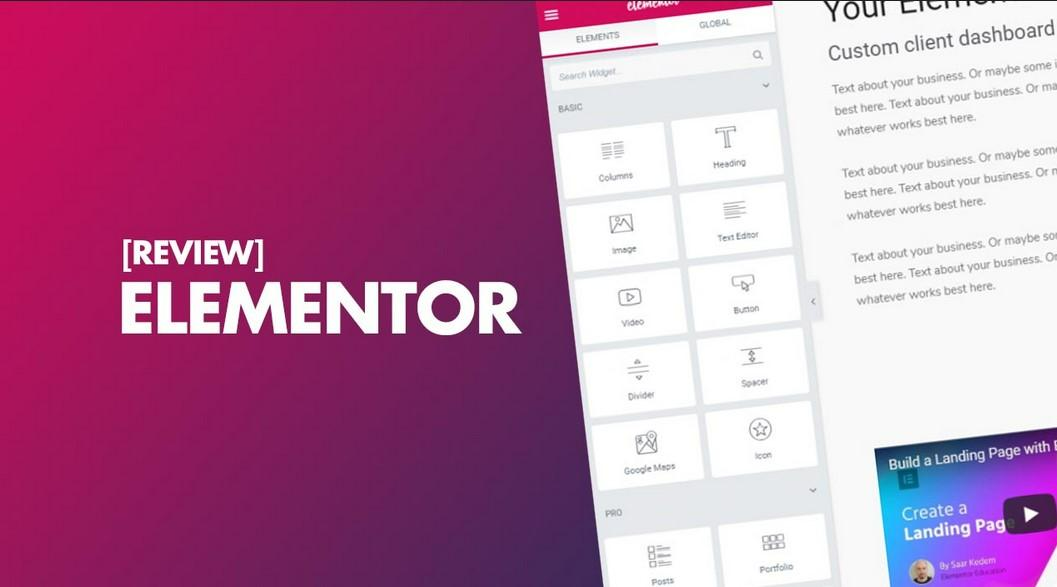
Reasons To Choose Elementor Theme

When you create new projects or plan to update existing ones, you often think about many details. Unfortunately, people overlook some of them. For example, choosing a design for an online store or a WordPress site, not all people even know about the existence of different page builders. The famous examples we can count in one minute. It’s worth studying this question. This point affects how easy it’ll be to work with the new design. The Elementor theme is a frequent request on TemplateMonster. We asked the support service for basic information and looked for articles online. Please read our short review below.

What Is Elementor Theme

This product is a pre-designed website design. At the same time, it is compatible with the most famous software Elementor. So, it facilitates the simplification of editing and is needed. Please note this product isn’t compatible with another web builder.

The Elementor theme features are as follows.

Quick result

You get a ready-made version of the site’s appearance in a few minutes after installation.

Full customization. The installed design is editable as you like. The better the quality of the web developer’s work, the more settings you have in your arsenal. It’s worth using verified marketplaces for purchases — for example, the same TemplateMonster or similar websites with many years of experience.

Ease of use

If you are well-versed in WordPress, you cope with all the settings. Web developers always complete their layouts with detailed instructions to facilitate the process. You can find absolutely everything in the documentation – from changing the background color to carefully editing each page.

Free support

Again, this point depends on which web developer and marketplace you buy from. Most solid, proven, long-standing companies offer six months of free, highly qualified support. This time is enough to use and fully customize the purchased design. Unfortunately, most free Elementor themes don’t have such a service.

Constant updates

The security of the web resource depends on it. However, by purchasing templates on TemplateMonster, you relax and completely forget about this issue. After all, they are exceptionally high-quality and well-maintained. Moreover, the products receive the necessary updates. This point ensures the website’s uninterrupted, stable, and reliable operation.

Low costs

The cost of a high-quality layout is small. At the same time, you get an exceptionally high-quality result. It’s similar to a unique design ordered individually from a web developer. At the same time, you must pay a massive amount for individual work and wait a long time for its appearance. After all, you need to create a project and test it. It takes a lot of time and money.

All Elementor theme buyers get these advantages. Now let’s take a look at the alternatives you may have.

What Is A Page Builder

This product is a unique tool. It’s responsible for the entire process of creating and editing sections.

There are several successful options for this tool for WordPress from different manufacturers. Among the available, in addition to the one discussed today, there are:

  • WPBakery.
  • Beaver.
  • Divi.
  • Spectra.

Each of the listed web builders has its advantages and some shortcomings. Delving into each of the page builders is a topic of a separate conversation. Today we discuss the Elementor theme and the main benefits of this page builder.

Main Pluses Of The Elementor

First of all, it’s both free and premium at the same time. So, many businesses worldwide use its free version. After all, such a cooperation option gives you many opportunities. However, if you buy the paid version, the power becomes even more significant. So, for projects with a small budget, this tool is what you need. After all, you may expand your functionality by switching to premium.

Secondly, all sections become fully adaptive. That is, they adjust immediately to any screen size. A person can open your website on a smartphone, tablet, or a large computer monitor. At the same time, there are both vertical and horizontal gadgets. One thing remains unchanged – the sections adjust to any screen parameters. This feature is available even during free use.

Thirdly, you do all the editing by dragging blocks and elements. This point is crucial if you plan to customize the purchased template for the site. After all, moving the block to the right place is much easier than doing it by editing the site code. And only some buyers of a ready-made layout have coding skills. Therefore, this feature is precious.

Fourthly, it’s perfect for people with minimal experience. The simplicity of management is terrific. Some users may say the interface needs to be updated. However, it’s precisely in this simplicity that absolute benefit. Actions are intuitively clear, and the structure is easy to remember.

Fifth, there are a vast number of templates. For example, when you go to TemplateMonster, you see many options. They are segmented by type of business, color, update date, rating, and more. Therefore, no one limits your imagination and goals.

Conclusions

It’s pretty simple to choose this particular page builder. After all, popularity indicates the product is worth it. Specialists around the world have already created more than 10 million websites. Such mass application is worth your attention and close study. We recommend reading this article by following the link to expand your horizons.

Elementor Theme FAQ

  1. How to choose a template?

It would help if you first filtered out only the designs that suit you. Among the valuable parameters on TemplateMonster is the type of business and color scheme. You may also filter by bestsellers and see the best hits on the marketplace. Finally, watch the demo to see how the site looks after installation. Remember, the demo content only sometimes comes with the purchase of the layout. Read the description to find out all the details.

  1. What are the disadvantages of Elementor?

There are not only positive responses among users. For example, some talk about an outdated interface. However, this point will never break your web resource’s productivity and appearance. There are also people’s reviews of a limited number of templates from the manufacturer of the builder. However, in the example of TemplateMonster, we are convinced of the opposite. It would help if you searched a little.

  1. How to customize the Elementor theme?

The process is quite simple. Some web developers even do the so-called one-click installation. In any case, the instructions for the paid template always help.

  1. Where to buy the Elementor theme?

You can purchase on the TemplateMonster marketplace we mentioned or any other website. Be sure to use verified sources. So you can buy a product that lasts a long time without failure.

Categories
Uncategorized

Control Deadlines with 5 Organization Tools

Are you constantly struggling to stay on top of deadlines? Does a pile of work piling up seem like an inevitable fact of life? If so, it’s time for a change! Being well-organized is essential for succeeding in any venture – and we’ve got just the thing to help. 

In this blog post, we’ll introduce you to 7 must-have organization tools that can help get your deadlines under control and keep you organized. From actionable reminders and list-making apps to digital calendar solutions and more, these tools will ensure productivity wherever you go. Read on for all the details!

The concept of an online organization system for staying on top of deadlines 

In a world that’s constantly on the go, staying organized can be a challenge. And when it comes to deadlines – whether they’re for work, school, or personal projects – it can be downright stressful. 

But what if there was a way to keep all of your tasks and due dates in one convenient place? An online organization system could be just the thing you need. By using digital platforms, you can set reminders to get $100 instantly app or write to the team leader about completing the task, track progress, and even collaborate with others on projects. 

Plus, you can access your information from anywhere, making it easier to stay on top of your to-do list. Say goodbye to missed deadlines and hello to stress-free productivity with online organization systems.

Google Calendar: a tool for organizing due dates and appointments 

Google Calendar has revolutionized the way we manage our schedules. With its user-friendly interface and convenient features, it is a great tool for organizing due dates and appointments. 

The calendar allows you to create multiple calendars, color-code events, and set reminders for important deadlines or meetings. One of the standout features of Google Calendar is the ability to sync with other devices and share calendars with others. 

This is particularly useful for group projects or coordinating schedules with family and friends. With Google Calendar, you can simply add an event or due date and trust that it will be there when you need it. 

No more missed deadlines or double bookings. If you haven’t yet tried Google Calendar, it’s time to join the millions of people who have already discovered its benefits.

Evernote: a tool for checking off tasks as they are completed 

In today’s fast-paced world, it’s becoming more and more important to stay organized and on top of things, both in our personal and professional lives. That’s where Evernote comes in. 

This nifty app allows you to store all your important documents, notes, and to-do lists in one convenient place, accessible from almost any device. Need to jot down a quick idea for a work project? No problem. Want to keep track of your grocery list? Evernote has got you covered. 

Plus, with the ability to check off tasks as you complete them, you’ll find yourself feeling more accomplished and productive than ever before. With Evernote, staying organized has never been easier.

Trello: a tool for creating to-do lists and collaborating on projects with others 

Trello is a powerful tool that can help you stay organized and on top of your work. With Trello, creating to-do lists is a breeze. You can create boards for each project and use cards to represent tasks, ideas, or even people. 

Trello also allows you to collaborate with others on your projects. You can invite team members to join your boards and assign tasks to them. This way, everyone knows what they are responsible for and what they need to accomplish. 

Plus, Trello lets you add due dates, checklists, and attachments to your cards, making it easy to stay on top of everything. Whether you’re working on a small project or a big one, Trello is a great tool for keeping track of your to-do list and collaborating with others along the way.

Asana: a tool for tracking progress on multiple tasks at once 

With so much to do every day, managing numerous tasks can be challenging, to say the least. Fortunately, Asana has simplified the task management process by providing an efficient platform to track progress and stay on top of multiple tasks simultaneously. The Asana platform allows you to create, assign, and track tasks in real time, making it an exceptional tool for project management

One of the most significant benefits of using Asana is the ability to collaborate with your team in real time, ensuring everyone is up-to-date on the project’s progress. Other benefits include streamlined communication, increased productivity, and the ability to prioritize and delegate tasks more effectively. 

Overall, Asana is a game-changer for those looking to manage multiple tasks at once and streamline their workflow in the process.

Slack: a tool for conversations between team members and updating project status

Slack has revolutionized the way team members communicate with each other and stay updated on project progress. With its easy-to-use interface and real-time messaging feature, Slack has replaced the need for endless email chains and time-consuming meetings. 

Team members can quickly and efficiently communicate with each other, sharing ideas, asking questions, and updating project status as needed. Moreover, Slack allows users to create channels dedicated to specific projects or topics, providing a centralized platform for all team communications. 

This not only saves time but also ensures that everyone is working towards a common goal. 

Source: https://www.statista.com/chart/6643/daily-active-users-of-slack/ 

Slack has become a staple in the workplace since its introduction in 2013. Its user base has been growing steadily over the years, and the numbers speak for themselves. With 10 million daily active users as of January 2019 and 88,000 companies paying for its services, Slack is certainly proving to be a valuable tool for organization and communication during the workday. 

Overall, Slack is an essential tool for any team looking to streamline communication and optimize their workflow.

Conclusion

To sum up, an online organization system is essential for staying on top of deadlines and delegating tasks to team members. Google Calendar and Evernote are great options for storing documents, creating due dates and appointments, and keeping track of tasks that have been completed. 

Trello is designed for easily creating to-do lists, sorting items into categories, or collaborating with others on a project. Asana provides a great tool for keeping track of multiple projects and personal tasks at once. 

Lastly, Slack can be effectively used as an efficient way to communicate with team members in real-time and update the status of a project. With the help of all these platforms, anyone can organize their work more efficiently and stay up-to-date with all deadlines!

Categories
Uncategorized

20+ Tips to Improve the conversion rate of Your SaaS landing pages

When we start working with SaaS companies, it’s not uncommon for us to discover that their landing pages have extremely low conversion rates.

The after-effect is that it’s significantly more difficult to get the right customers to connect with your message and ultimately convert. And a poorly converting landing page at the beginning of the customer journey hurts sales. In this article, we’ll look at some ideas for getting these results for our customers.

Ensure your value message is clear and easily visible on the landing page

A value message is a short statement that concisely and clearly describes your product or service’s main benefit. When writing a value message, it is important to keep the following in mind:

Focus on the benefit: instead of talking about the features of your product or service, focus on how it can improve your customers’ lives or work.

Be specific: instead of saying “click here,” state exactly what will happen when the visitor clicks, such as “download our free report.” It is also essential to have correctly and competently written text, so if you do not have a copywriter, applying to the “write my paper for free” type of service makes sense.

Make it easily visible: make sure your value message is prominent and easily visible on your landing page.

Keep it short: avoid using flowery or technical language; instead, use clear and simple language.

Experiment with different designs: test a variety of sizes, colours, and placements for your value message to see what works best for your landing page.

Use a strong, clear call to action so visitors know exactly what they should do

A strong, clear call to action is essential for any landing page, as it tells visitors what to do next. Here are some tips for writing an effective call to action:

  • Use an action verb: use verbs like “get,” “discover,” and “learn” to encourage visitors to take action.
  • Be specific: instead of saying “click here,” state exactly what will happen when the visitor clicks, such as “download our free report.”
  • Use a tone of urgency: use words like “now,” “immediately,” or “quickly” to create a sense of urgency and encourage visitors to take action right away.
  • Make the call to action prominent: make sure the call to action is easily visible and doesn’t get lost among the rest of the page content.
  • Experiment with the design: test different sizes, colours, and locations for the call to action to see what works best for your landing page.

You might be interested to know what a Call to action is and how to generate impactful CTAs. We know that with this, you will be able to make your SaaS landing page a success.

Make navigation easy and clear, so visitors can easily find what they are looking for

Clear and easy navigation is essential for any landing page, as it allows visitors to easily find what they are looking for and navigate your site. Here are some tips to make your landing page navigation easy and clear:

Use a simple, user-friendly navigation menu: make sure the navigation menu has a clean design and use clear titles for the different sections of your site.

Use clear text links: avoid using generic text links such as “click here” and instead use descriptive titles that indicate exactly where the links will lead.

Use icons and graphics to supplement navigation: Icons and graphics can be useful, but ensure consistency and provide text labels for those that may not be intuitive.

Provide a search function: if your site has a lot of content, it is helpful to include a search bar so visitors can easily find what they are looking for.

Make navigation consistent throughout the site: ensure it is consistent throughout the site so visitors know how to find what they are looking for on any page.

Add customer testimonials and reviews to demonstrate the reliability and value of your product

Customer reviews and testimonials are important on landing pages for several reasons:

Help visitors make a buying decision: Customer reviews and testimonials provide an unbiased perspective on your product or service, which can help visitors make a buying decision.

They increase trust: customer reviews and testimonials can help increase visitors’ confidence in your product or service by providing evidence that others have had success with it.

Help improve your SEO: customer reviews and testimonials can help improve your site’s SEO by providing unique and relevant content for search engines.

Improve user experience: Customer reviews and testimonials can improve the user experience by providing valuable and useful information to visitors.

Customer reviews and testimonials are an important part of any landing page, as they can help increase visitor trust and improve your site’s SEO and user experience.

Use images and videos to make your page more attractive and easy to understand

Images and videos can go a long way in making your landing page attractive and easy to understand. When choosing images and videos for your landing page, it is important to keep the following in mind:

  • Choose high-quality images: high-quality images can help enhance your landing page’s appearance and give visitors a good first impression.
  • Use relevant images: make sure to use images relevant to your product or service to help visitors better understand your offer.
  • Use videos to demonstrate your product or service: videos can be very useful to demonstrate how your product or service works and provide a more detailed view of your offer.
  • Use subtitles for videos: if you use videos on your landing page, be sure to provide subtitles so visitors can understand what you are saying without turning the volume up or using audio.
  • Use images and videos consistently: make sure to use images and videos consistently throughout your landing page to keep the visitor’s attention and avoid distractions.

Test different versions of your landing page using A/B testing techniques to see which one works best

Remember that A/B testing is a tool that will help you know what works best for your users. According to figures, 58% of marketers use this technique to make informed project decisions.

To carry out an A/B test, follow these steps:

  1. Choose a hypothesis: determine which element of your landing page you think might affect conversion and hypothesise how to improve it.
  2. Create two versions of the landing page: create two versions of the landing page, changing the element you selected in the hypothesis.
  3. Test: use an A/B testing tool to randomly show each version of the landing page to a portion of your audience and record the results.
  4. Analyse the results: compare the results of the two landing page versions and determine which was more effective in terms of conversion.
  5. Implement the changes: if one of the landing page versions had a higher conversion rate, implement those changes on your main landing page.

Offer a free trial or a trial version so visitors can test your product before committing

Offering a free trial version of your product or service can effectively increase conversion on your SaaS landing page. Some ways you can make the free trial version help conversion are:

Make the free trial offer prominent: make sure the free trial offer is easily visible on your landing page, either in a prominent banner or an eye-catching button.

Provide a clear description of what the free trial includes: Be sure to provide a clear and detailed description of what the free trial includes so visitors know exactly what they are getting.

Emphasise the non-commitment of the free trial: be sure to emphasise that the free trial has no commitment and that visitors can cancel at any time at no cost.

Provide an easy-to-complete sign-up form: make it easy for visitors to sign up for the free trial by providing an easy-to-complete sign-up form.

Follow up with visitors who sign up for the free trial: use an email tracking tool to send visitors who sign up for the free trial follow-up emails to keep them interested and encourage them to try your product or service.

Make sure your landing page is optimised for mobile devices

Your landing page must be optimised because more and more people are accessing the Internet through their phones. So, a landing page optimised for mobile devices can increase the conversion of your SaaS landing page for several reasons:

Increased reach: more and more people are accessing the Internet through their mobile devices, so a mobile-optimised landing page will allow you to reach a wider audience.

Better user experience: A mobile-optimised landing page improves user experience, as it loads faster and is easier to use on a smaller screen.

Higher conversion rate: landing pages optimised for mobile devices tend to have a higher conversion rate, providing a smoother and more seamless user experience.

Higher search engine visibility: Search engines, such as Google, prioritise mobile-optimised landing pages.

Use remarketing techniques to reach visitors who have abandoned your landing page without converting

Remarketing is an online advertising technique that allows you to show ads to visitors who have passed by your website at some point. By using remarketing to show ads to visitors who left your SaaS landing page without converting, you can increase your site’s conversion rate in several ways:

  • Stay top of mind: remarketing allows you to stay top of mind with visitors who leave your site without converting, which can help increase the likelihood that they will return to your site and convert.
  • Offer relevant content: use remarketing to display ads with relevant content to visitors who left your site without converting to keep them interested and encourage them to return to your site.
  • Offer an incentive: use remarketing to offer an incentive to visitors who left your site without converting, such as a discount or special offer, to increase the likelihood that they will return to your site and convert.
  • Track your performance: Use a tracking tool to measure the performance of your remarketing campaign. 

You already know what to consider when making your landing pages for Saas companies. Put them into practice and see what you can achieve.

See you in the next post with very practical tips!