Categories
Uncategorized

How to Optimize Rich Snippets for SEO and Boost Your Click-Through Rates

Search engine optimization has long proven itself to be one of the most powerful marketing approaches for driving growth and sales. With its help, businesses can grow their online visibility and make sure that their prospects find them organically. So, without any doubt, SEO is a must for every company today.

Now, while most of us are well-familiar with conventional optimization tactics, such as keyword research, content optimization, link-building, and others, what about rich snippets SEO?

In this guide, we’ll tell you what rich snippets are and how you can optimize them for greater search engine optimization results!

What Is a Rich Snippet?

Rich search snippets are standard links displayed in Google’s search engine result pages (SERPs) but extended with additional data attributed to them. The extra information is shown under the link’s meta description and can include many types of data, such as:

  • Ratings and reviews;
  • Product details like availability and prices;
  • Recipe info like cooking time, ingredients, and other;
  • Event details;
  • Links to important related pages;
  • Frequently asked questions;
  • How-to instructions;
  • Business/person info, etc.

How Do Rich Snippets Work and Affect SEO?

The extra info displayed in enhanced results is drawn from the site. However, while pretty much every site provides relevant additional information about its business, products, services, events, or content, not all of them implement structured data markup. Structured markup is made of bits of code that Google uses to better understand the website and its content. The information Google pulls from the site, thanks to markup, is then used to give it a richer appearance in SERPs.

Okay, but how does this affect your SEO? While enhanced results don’t directly affect your rankings, rich snippets SEO optimization is important for a reason. To understand why, answer a simple question – how much traffic does your site receive? You can easily track it using a reliable website daily traffic checker to tell whether your site drives enough visitors to help your business grow. 

And what about your click-through rate (CTR)? How many people who see your link in SERPs actually click on it?

If both your daily traffic volume and CTR are reasonably low, your SEO isn’t working to its best ability. Moreover, Google measures a website’s click-through rate to assess the overall quality of the result. So, both traffic and CTR matter to your rankings. They can be improved with the help of search snippets that give users additional info and thus make your links look more appealing and click-worthy.

Implementing Structured Data Markup

So you already know how to create rich snippets – with the help of structured data markup.

Before we move on to specific snippet optimization tips, let us briefly guide you to implementing markup on your site:

  • Open Google’s Structured Data Markup Helper Tool to handle the process easier.
  • Pick a specific type of data you want to mark up from the offered list (e.g., an article, event, product, Q A page, etc.).
  • Paste the URL of the page you want to mark up.
  • Go through your page and mark its different elements with relevant tags.
  • Click the “Create HTML” button.
  • Copy and paste the generated HTML code into the <head> section of the specific page’s HTML.
  • Go to Google’s Rich Results Test tool and enter your URL to test newly added markup. The tool will show you detected markup, as well as errors and warnings that you might want to fix.

Rich Snippets SEO Optimization by Type

Once you add markup, Google will be able to understand your pages better and pull extra information to enhance your results in SERPs.

Now, let’s see how you can optimize each particular type of Google snippet for more clicks:

Product

Enhance your product pages with up-to-date and accurate product property data, such as:

  • The exact product name;
  • High-quality and appealing image (no less than 1200px wide);
  • Indicate the price and currency;
  • Specify the availability status (i.e., in stock, out of stock, or available for pre-order);
  • Specify the product’s rating and the number of reviews.

Review

Ensure the availability of the key review properties:

  • Review rating (can only be from 1 to 5);
  • Product or service that was reviewed;
  • Author’s name;
  • Publishing date;
  • The entire body of the review.

Recipe

Optimize your page to include the following elements:

  • A descriptive and clear recipe name;
  • Author;
  • Relevant recipe category and cuisine;
  • Serving size;
  • A brief list of ingredients;
  • Average cooking time and total time (including preparation);
  • Nutritional value table;
  • Step-by-step instructions for preparation and cooking;
  • High-resolution image of the dish (a video instruction would be a plus);
  • Recipe rating and the number of reviews;
  • List of keywords that describe the recipe.

FAQ

To get FAQ rich snippets, pick the FAQ page as a type of data when creating markup. To prepare your page for getting into FAQ rich snippets, implement the following tips:

  • Brainstorm relevant questions that your prospects might be interested in;
  • Check your competitors’ FAQ pages for inspiration;
  • For every FAQ element, provide a short and straightforward question and give a detailed but brief answer (and mark it up accordingly).

Event

To make your page eligible for this kind of result, make sure to include and mark up the following key data:

  • Event name;
  • Location and venue (for online events, too, use the “VirtualLocation” tag);
  • Event mode (i.e., online, offline, or mixed);
  • Start and end dates with time;
  • Organizer name and other information;
  • Event status (e.g., scheduled, postponed, or canceled);
  • Featured performers and their details (if applicable);
  • High-resolution associated image;
  • Detailed description that gives users more information about the event;
  • Ticket-related details, such as ticket availability, prices, and currency.

CTR SEO: Content Improvement Tips

If you aim for higher CTR, simply getting into search snippets is not enough to encourage more people to click on your link. To do this, you need to strategically improve your content.

Here are a few tips that can help:

  • Regularly audit and update the data on your pages to ensure its accuracy. This is especially crucial for product results that demonstrate prices and availability – these should always be up-to-date.
  • Optimize your pages with high-quality visuals (at least 1200px). Use popular image formats like WebP or JPEGs and provide descriptive alt text for greater accessibility and image SEO.
  • Craft compelling, unique, and intriguing meta tags and descriptions that encourage users to click. Keep them under 60 characters for titles and under 160 characters for descriptions to ensure full visibility on all devices. And don’t forget to integrate your primary target keywords both into titles and descriptions.

Continuous Monitoring and Improving

Once you get into enhanced results and handle the first stages of snippet SEO, don’t stop there. Continuously monitor your key performance metrics, such as organic traffic and CTR, as these can hint at the effectiveness of your links in SERPs.

Generally, a good click-through rate for a business site (regardless of the result type) is between 11% and 12%. If your CTR is lower, consider adjusting your meta tags and descriptions to gain more clicks.

If you are optimizing enhanced results for videos, you need to measure the results slightly differently. Besides monitoring the general CTR, you should also track impression click-through rate (a metric that assesses how frequently users watch a video after seeing a registered impression). What is a good impression click through rate, you may wonder? – The average impression CTR (considered good) is between 2% and 10%.

Source: Freepik

Conclusion

Though getting into a Google snippet won’t directly affect your ranking, it can help your search engine optimization and overall business growth in multiple ways. First of all, it implies that search engines can understand your pages better, which is important for appropriate ranking. Secondly, rich snippets give users more information about your page, increasing the likelihood of them clicking on it from SERPs.

All in all, optimizing your enhanced results can help you boost your traffic, CTR, and rankings. Use the CTR SEO tips we shared with you here to get started!

Categories
Uncategorized

How to Increase Your Website’s Google Ranking

We all want our website to be at the top of search results. It’s as obvious as wanting a sunny day for a beach trip. But how do you get a higher search engine ranking? 
That’s the million-dollar question.

One that we’ll answer in this article; with practical and actionable steps that can take your site from the shadows to the spotlight.

Get comfortable, here’s how to rank higher on Google.

On-page SEO optimization

The first step to ranking higher is optimizing your website itself. This is on-page SEO and it involves adjusting your content and structure to signal to search engines that your site is relevant and valuable to users.

Some important ways to optimize your website pages include:

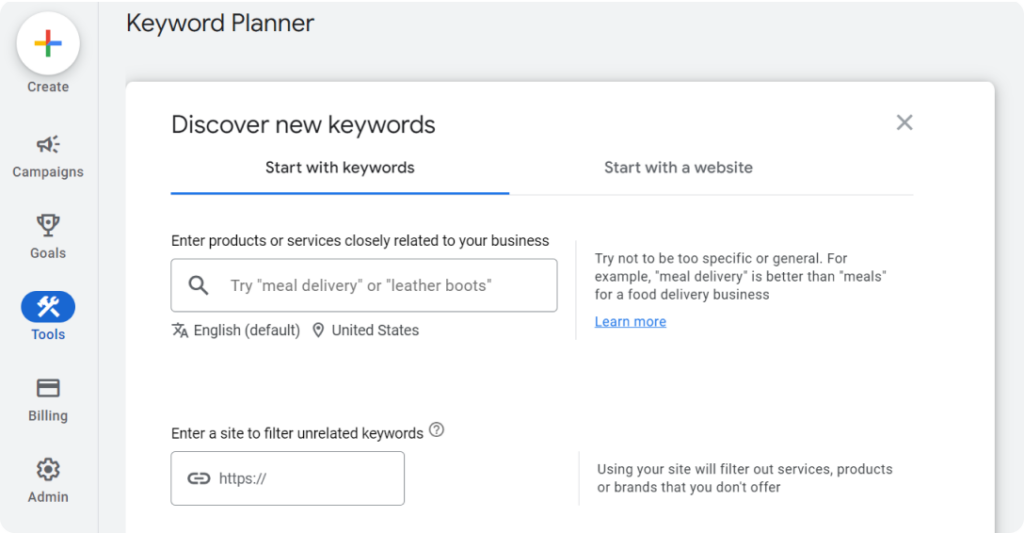
1. Keyword research and integration

Find specific phrases and questions that your users type into search engines. 

  1. In Google Keyword Planner
  2. Click Discover new keywords
  3. Enter the products or services you offer
  4. Enter your website in the input field below it
  5. You can tweak your language or location
  6. Click Get results
Google Keyword Planner page
Source: Google

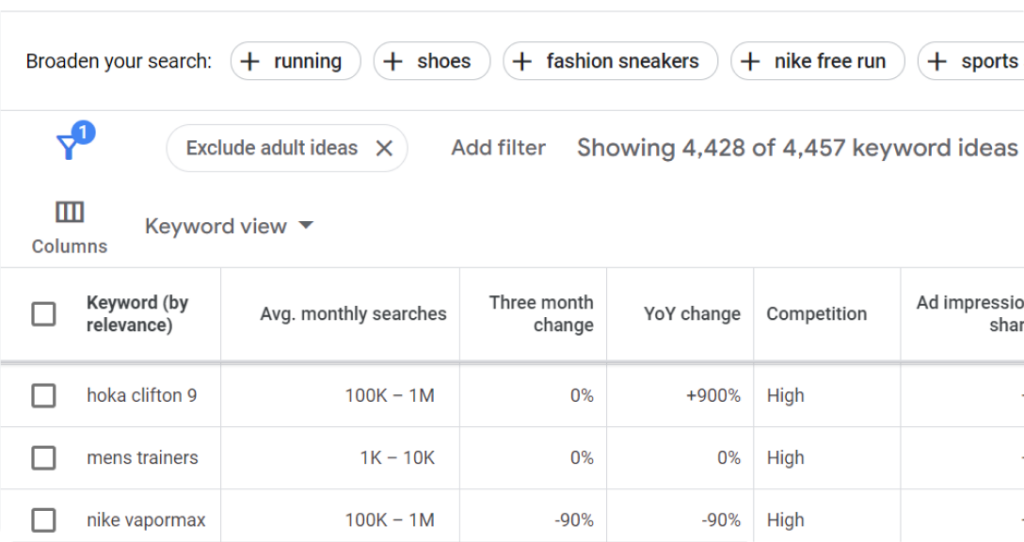
Exclude brands/products you do not offer, filter your results, and select keywords with high search volume but lower competition.

Google Keyword Planner page showing keywords for “running shoes”
Source: Google

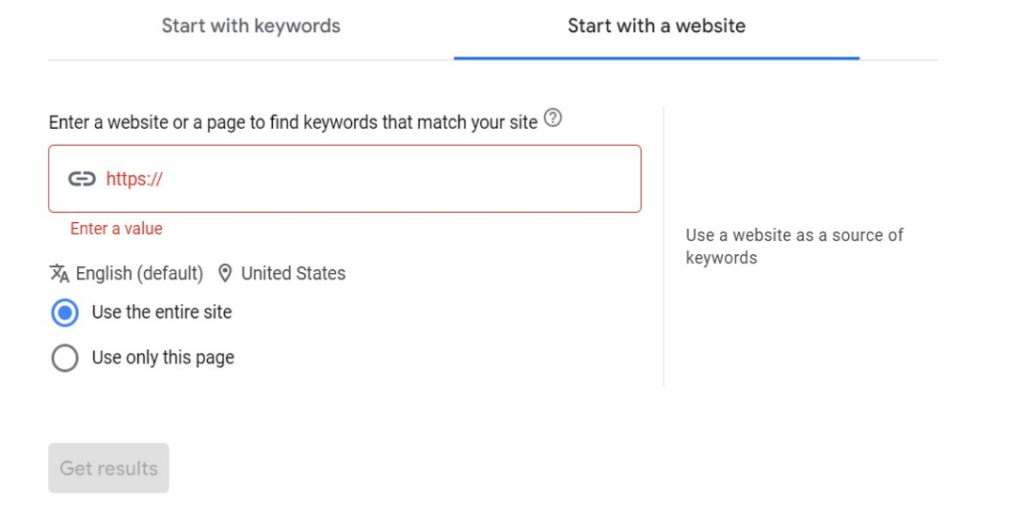
If you’re interested in your competitors’ keywords—and you should be—use the “Start with a website” feature instead.

Google Keyword Planner page showing ‘Start with a website” feature.
Source: Google

Pro tip: Don’t focus on single-word “head terms” with high competition. Pick long-tail keywords too. These are more specific phrases users add to their search.  

For instance, instead of just “running shoes,” a long-tail keyword could be “best lightweight running shoes for women.” These keywords often have lower competition and higher conversion rates since people who search for them are further along the buyer journey.

2. Target topic clusters

Structure your content around topic clusters. These are groups of interlinked pages that comprehensively address a central theme. 

You can actively target topic clusters by weaving in Latent Semantic Indexing (LSI) keywords throughout your content.

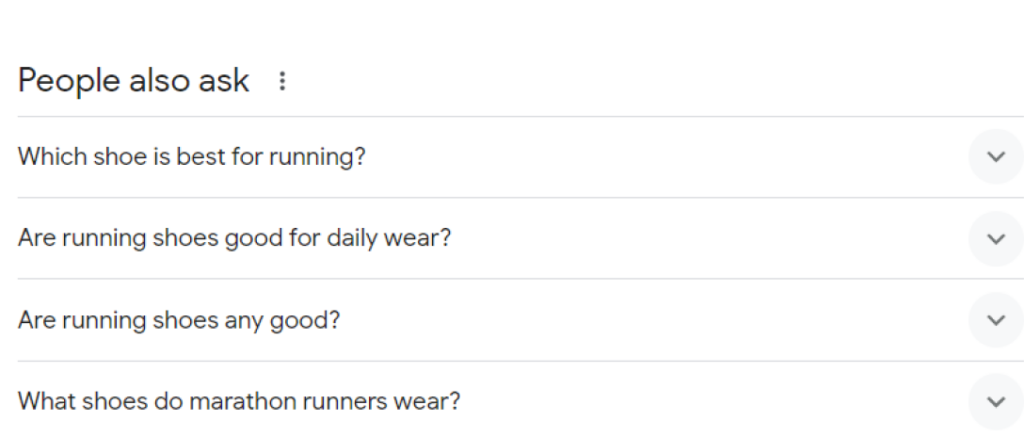
A good way to find low-hanging topic clusters is through the “People also ask” section on Google search.

Screenshot of People also ask section for the “running shoes” search term

3. Match user intent

Create articles that align with your users’ search goals. 

For instance, a Google search for “best running shoes” shows that most websites focus on educational content and product comparisons—not a sales pitch for their brands ❌

Search results for best running shoes

You should do the same. However, you can differentiate by providing evergreen content like “Best Running Shoes for Beginners.” 

Bottomline is, if people cannot find what they need quickly, Google will assume your site is not useful, so it’ll be demoted.

4. Add internal links

Internal linking involves connecting relevant pages on your website with hyperlinks.

For instance, on your product page for “running shoes,” you could link to a blog post titled “Choosing the Right Running Shoes for Your Needs.” 

You can find your internal links through a site search (site:domain.com “[keyword]”)

Finding internal links through a site search

Internal linking helps users discover deeper content, improves website navigation, and distributes “link juice” (ranking power) throughout your site.

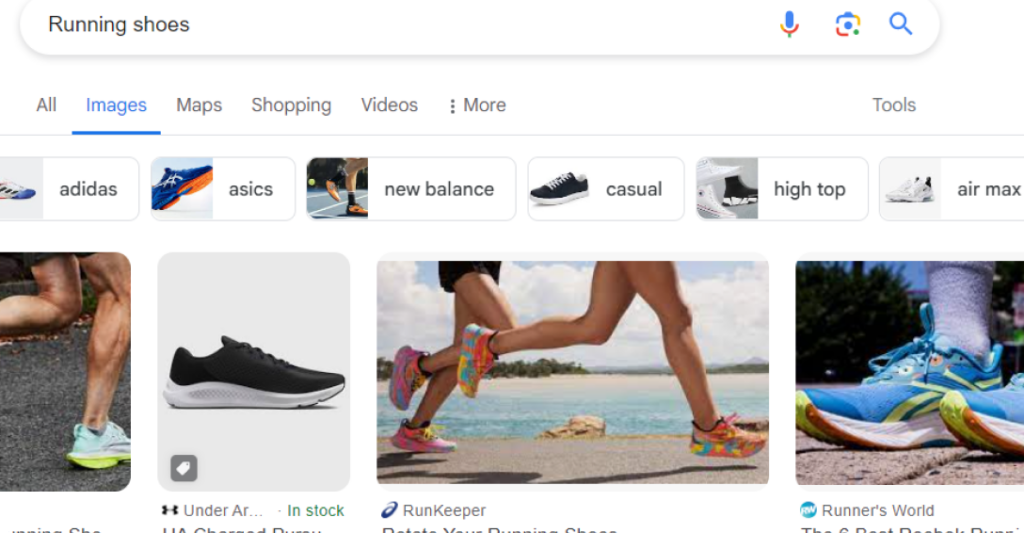
5. Optimize images

High-quality, relevant images engage the reader, yes. But, they also contribute to a high search engine ranking. 

Screenshot of Google’s image results for the keyword “running shoes”

Here’s how to optimize them:

  • Make them meaningful (infographics, workflow screenshots, charts, etc)
  • Optimize image sizes for faster loading times.
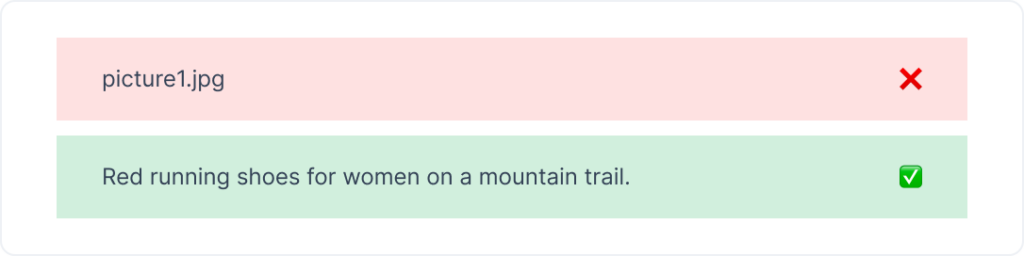
  • Add descriptive alt text and relevant keywords. This helps search engines understand the image content and improves accessibility for visually impaired users.
Instead of "picture1.jpg," use "Red running shoes for women on a mountain trail."

6. Provide helpful content

The heart of on-page SEO lies in offering content that’s genuinely valuable to your users. We’ve covered a bit of this in User Intent, but to be more specific, your content should follow Google’s E-A-T principles

No, they’re not burgers. It stands for:

  • Expertise
  • Authoritativeness 
  • Trustworthiness
How to write E-A-T content for Google

Pro tip: Remember to regularly update your website with fresh content to keep users engaged and signal to search engines that your site is active and relevant.

Technical SEO considerations

Technical SEO involves optimizing the technical aspects of a website to help search engines crawl, index, and understand your site. Some often overlooked aspects of technical SEO include:

  • Site speed: Fast-loading pages provide a better user experience.
  • Mobile responsiveness: All elements of your site should load accurately on mobile.

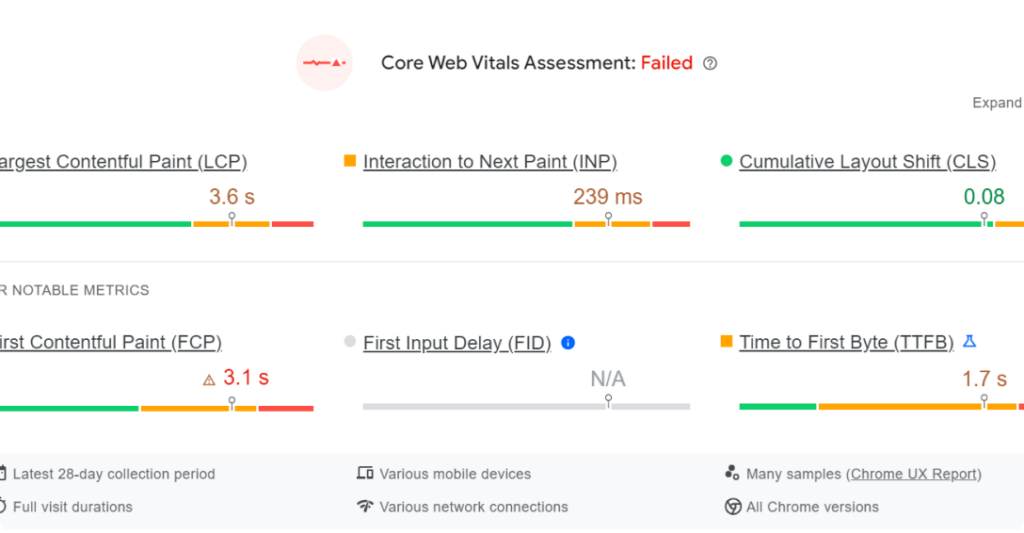
Pro tip: You can test site speed and mobile-responsiveness with Google’s PageSpeed Insights.

PageSpeed Insights showing a failed assessment.

Source: Google

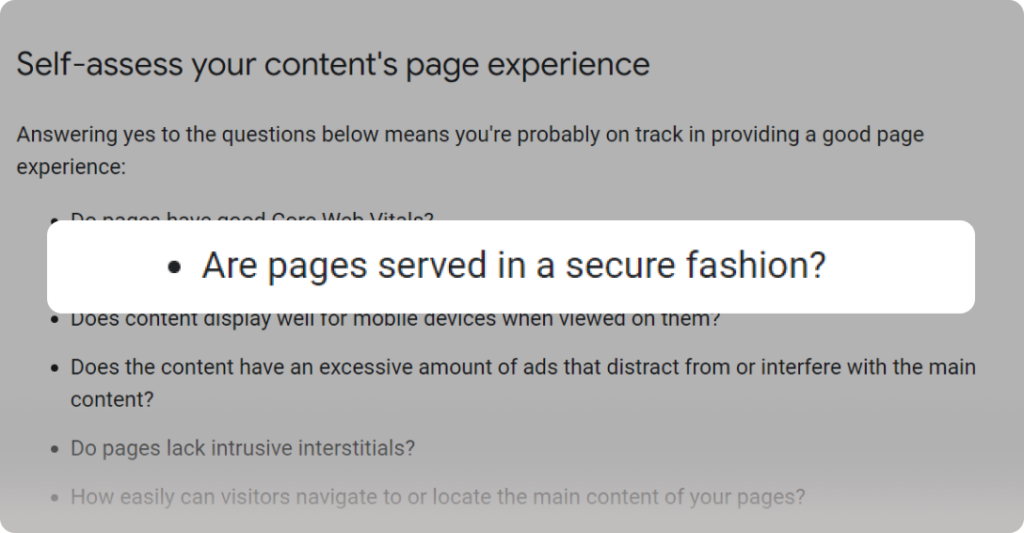
  • Secure sockets layer (SSL): Site security contributes to your page experience, which is an important ranking signal for Google. So, be sure to use an SSL to secure your site.
Screenshot of Google Developer documentation on Page Experience. 
Source: Google
  • Duplicate content: Avoid duplicate content issues by setting up canonical URLs and using the `rel=canonical` tag properly.

Off-page SEO strategies

Off-page SEO are activities outside your website that influence its search engine ranking and credibility. It’s primarily focused on building the authority of your website through links, social media, and mentions from other sites—backlinks.

How to build backlinks

The more high-quality websites linking to you, the more authority you gain in Google’s eyes. Some ways to build strong backlinks include:

Broken link building

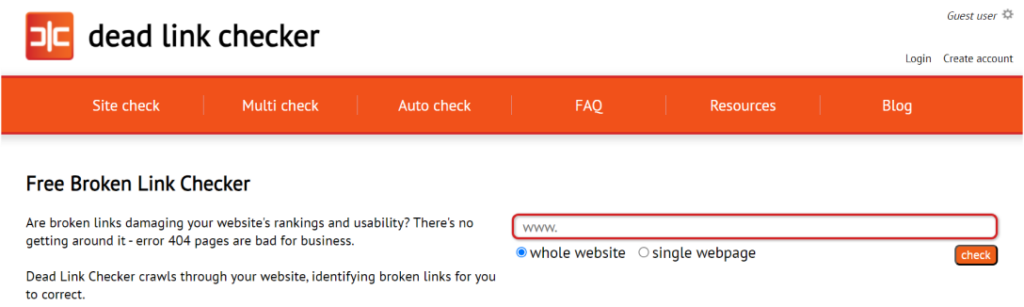
  • How to do it: Find relevant websites with broken or outdated links on topics related to yours. You can search for a website’s deadlinks with Deadlinkchecker.
Screenshot of Deadlinkchecker’s homepage. 
Source: Deadlinkchecker
  • Action: Contact the website owner and suggest your high-quality content as a replacement in exchange for a backlink.

Guest blogging

  • How to do it: Identify high-authority blogs in your niche that accept guest posts.
  • Action: Pitch them a well-written and informative guest post idea that aligns with their audience’s interests.

Brand building & online reputation management

  • How to do it: Submit your websites to trusted platforms like Google My Business, G2, or Yelp. 
  • Action: Encourage customer reviews on those platforms and on social. Respond to both positive and negative reviews professionally.

Multilingual SEO for international businesses

Regular SEO focuses on optimizing your website for search engines in one language. While this is important, international businesses have the potential to reach a much wider audience by implementing multilingual SEO.

And here’s how to do so.

  • Conduct language-specific keyword research: Remember that direct keyword translation may not capture the right intent.
  • Choose a good website structure: Decide on a structure (country-code top-level domain, subdomain, or subdirectory) for each language version of your site.
  • Make locally relevant content: Localize content beyond translation by considering cultural context and regional trends.
  • Add hreflang tags: Implement hreflang tags to specify the language and geographical targeting of a webpage
  • Implement local link building: Get links from websites in the target language region to improve local search relevance.
  • Optimize metadata: Translate page titles, meta descriptions, and alt text for images.

Juggling all these elements and their translations is difficult, especially when done in a rush. Consider using a website localization platform to streamline the process and ensure consistency across all languages. It’s also important to build your multilingual SEO strategy while you’re developing your local website.

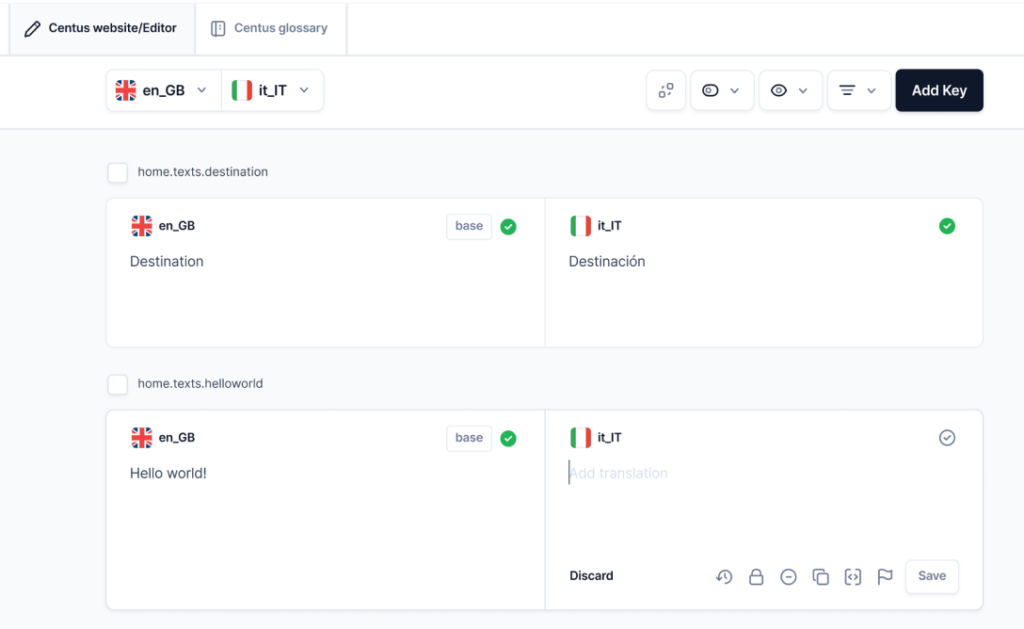
Pro tip: You can simplify your multilingual SEO process with a translation management tool that doubles as a project manager. It’ll do all the checks, manage your translations, and keep you on track.

A screenshot of a translation management tool/project manager (Centus)

Parting thoughts

We’ve explored various strategies to help you improve your website’s Google ranking. They can be summed up in 4 simple sentences.

  • Create high-quality, informative content that answers your target audience’s search intent.
  • Ensure your website is mobile-friendly, loads quickly, and has the appropriate keywords.
  • Build backlinks from reputable websites to your content and establish your website’s authority in your niche.
  • Prepare for multilingual SEO if you want to expand to other markets.

Remember, SEO is not stagnant. Track your website’s performance using analytics tools and see what’s working and what’s not. Don’t be afraid to experiment with different tactics and see what drives the most traffic.

Categories
Best

6 Best CRM Software for Medium-Sized Business for 2026

Customer relationship management software is the foundation of any expanding company since every firm wants to increase lead generation, boost lead-to-deal conversion rates, and deliver top-notch customer care.

Nowadays, many leading CRM businesses offer comparable features, and many business owners are confused about how to select a CRM system that is suited to their particular requirements and ongoing difficulties.

Because of this, we have compiled a list of the best 6 CRM programs that include features like: Overview of the platform, Important pieces of functionality, Top well-known clients using the best CRM software, and Pricing plan overview.

Criteria for Selection: Key Features to Consider in CRM Software

When searching for the ideal CRM software, consider it like selecting a new smartphone. You want something that fits just right, not too complex, but with all the necessary bells and whistles. 

Here’s what to keep your eyes on:

Customizability: You want a CRM that fits your business like a good suit. It should adapt to your processes, not the other way around.

Scalability: Think future-proof. Whether you’re scaling up or down, your CRM should handle the changes without breaking a sweat.

Integration capabilities: It should play nice with other tools you use. Seamless integration means less hassle for you and your team.

User-friendliness: Nobody wants to spend hours training on a new platform. It should be intuitive and easy to navigate, something everyone can get on board with quickly.

Customer support: Good support is like a reliable friend always there when needed. Make sure the CRM provider offers excellent service.

Pricing structure: Money matters, right? Look for transparent pricing without hidden fees that fit your budget.

Choosing the right CRM is crucial, so take your time, weigh these features, and pick the one that best suits your business vibe!

Top 6 CRM Software for Medium-Sized Businesses in 2026 

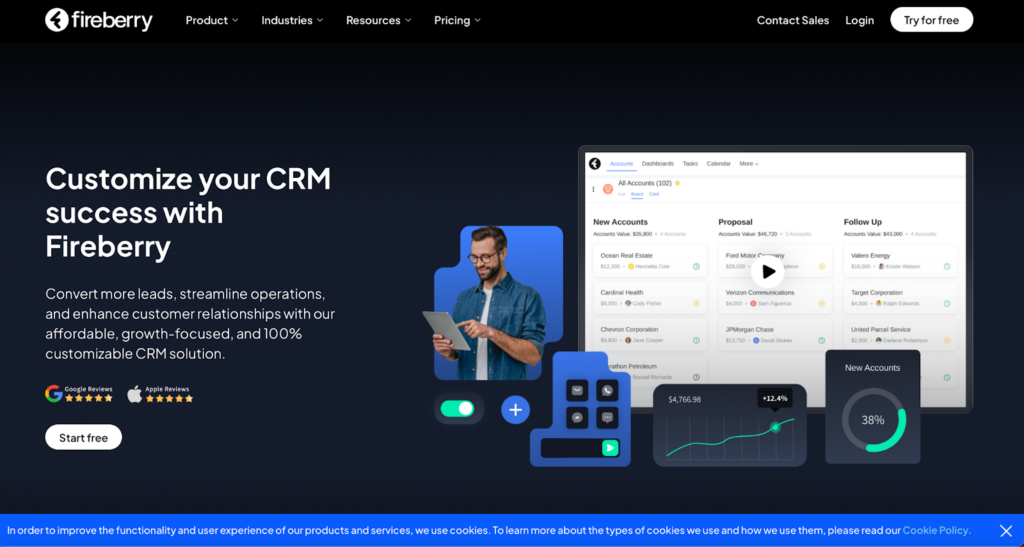
1. Fireberry

Screenshot from Fireberry website

Ever stumbled upon Fireberry? If not, it’s high time you did because it’s quickly becoming the MVP in the CRM league. Think of Fireberry as that super cool newcomer everyone wishes to buddy up with because they just nail their tasks.

What’s the Buzz About?

Fireberry has features that make your daily grind feel like a breeze. We’re talking sleek automation tools that streamline your workflow, detailed reports that don’t spin your head, and customization that lets you do your thing your way. It’s the dream setup for any business looking to keep things neat and efficient. 

The Ups and Downs

People can’t stop talking about how Fireberry makes their lives easier. But let’s be honest, no CRM is flawless. Some users find it tricky to get the hang of it, and a few wish for more integrations to spice things up.

What’s the Damage?

When it comes to pricing, Fireberry has you covered with various plans that cater to different needs and budgets. They even offer a free trial, so you can try it out before spending a dime. It’s like test-driving a car but in the software world.

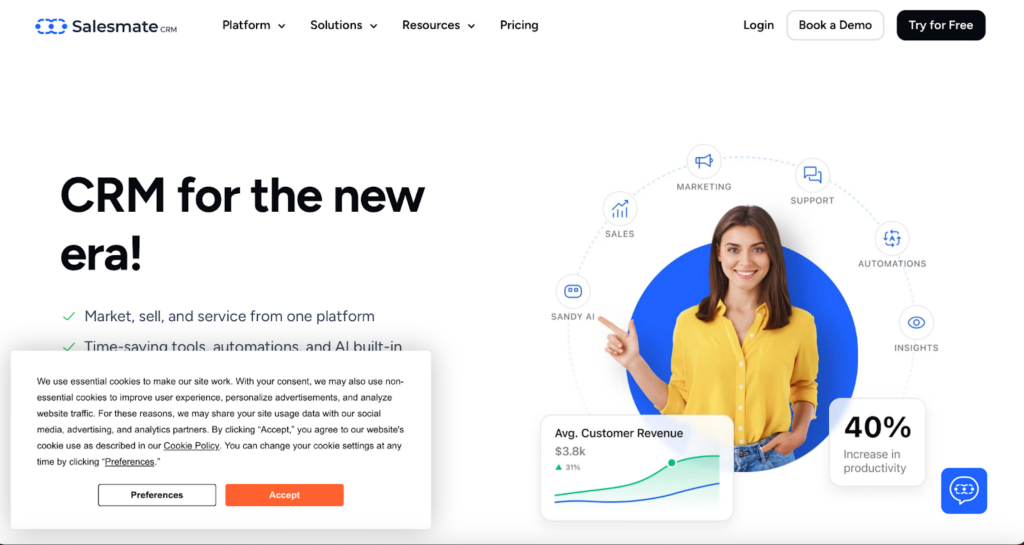
2. Salesmate CRM

Screenshot from Salesmate CRM website

Meet Salesmate CRM, your new best friend if you’re a medium-sized business looking to improve your game. This CRM is not just any other tool; it’s crafted to make your business operations smooth and impactful.

Key Features

Dive into Salesmate, and you’ll find some nifty features. From sales pipeline management that guides you like a GPS to seamless email integration and mobile accessibility, this CRM goes wherever you are, ensuring you’re always connected, whether at a café or mid-flight.

Good & Not-so-Good

Users love Salesmate for its user-friendly design that scales with their business; it’s like a CRM that grows with you. However, some feel it could offer more customization options, and larger enterprises might find it a tad restrictive.

Pricing Tiers

Salesmate has various pricing options designed to fit various needs and pockets. They’re upfront about what each plan includes, helping you dodge those annoying hidden fees. They also offer flexible payment options, monthly or yearly, whatever floats your boat.

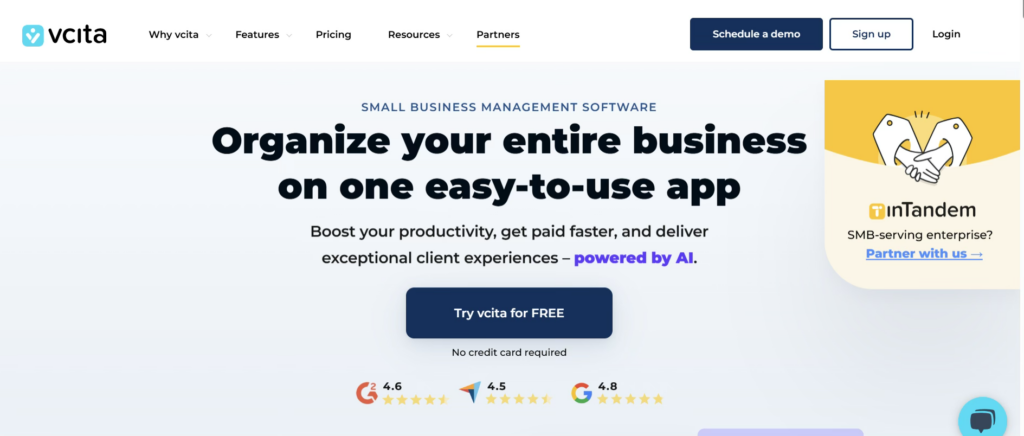
3. vcita

If you’re running a small or service-based business and juggling clients, scheduling, payments, and follow-ups, vcita might feel like the all-in-one helper you didn’t know you needed. Designed with simplicity and automation in mind, vcita focuses on helping businesses manage client relationships without overwhelming complexity.

Key Features

vcita brings together CRM, scheduling, payments, and client communication into a single dashboard. Its standout features include automated appointment scheduling, client intake forms, invoicing, online payments, and built-in CRM tools that track every interaction. The client portal is a big plus, allowing customers to book services, pay invoices, and communicate with businesses effortlessly.

Good & Not-so-Good

Users appreciate vcita for its ease of use and how well it supports service-oriented businesses like consultants, coaches, and local service providers. The automation tools save time and reduce manual follow-ups. On the downside, businesses with highly complex sales pipelines or enterprise-level needs may find vcita somewhat limited in advanced customization and reporting compared to larger CRM platforms.

Pricing Tiers

vcita offers multiple pricing tiers tailored to small and medium-sized businesses. Plans are transparent and scale based on features such as automation, client management tools, and integrations. While it’s not the cheapest CRM on the market, many users feel the bundled scheduling, payment, and CRM features justify the cost.

Best Suited For

vcita is ideal for freelancers, consultants, and service-based businesses looking for a streamlined way to manage clients, appointments, and payments without adopting multiple separate tools.

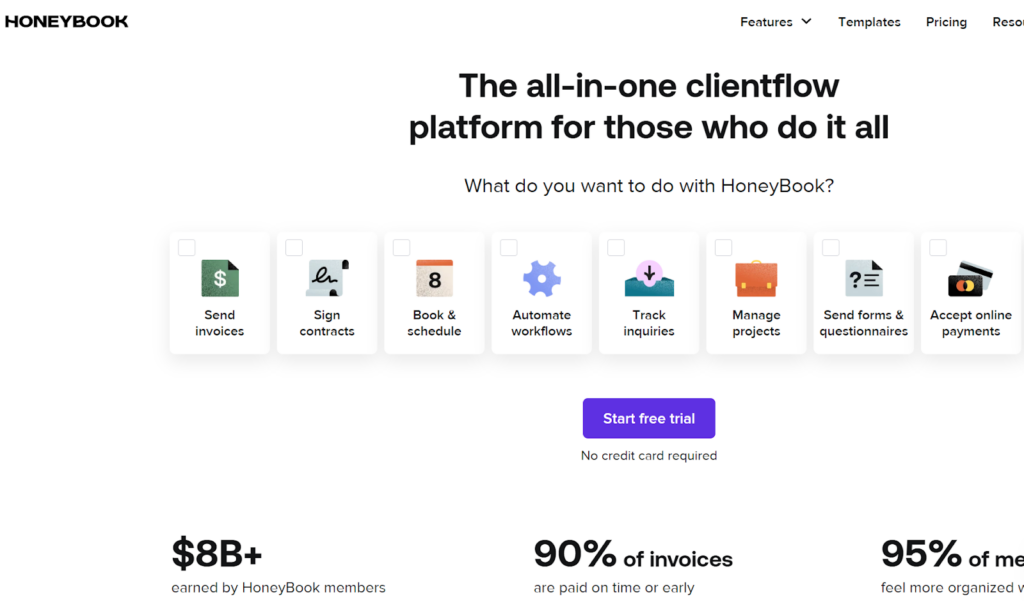
4. HoneyBook

Screenshot from Honeybook website

HoneyBook isn’t just another tool; it’s a full-fledged assistant designed to simplify how you manage projects, communicate with clients, and handle payments. It’s especially great for freelancers, small business owners, and anyone managing multiple client projects.

Key Features

Jump into HoneyBook, and you’ll find a plethora of features designed to ease your workload. From robust project management tools and effortless communication functions to a straightforward invoicing system, it’s like having your own business admin, communication, and finance teams all wrapped into one.

The Sweet and the Sour

Users rave about how HoneyBook turns chaotic workflows into smooth operations. They dig the intuitive design, which is easy to navigate. However, larger projects might find it lacking in scalability, and some wish for more detailed customization in reports.

Pricing Plans

HoneyBook offers clear pricing options that cater to various budgets, often with special deals that add extra sweetness. Whether you’re starting fresh or upgrading, they have a plan that’s just right.

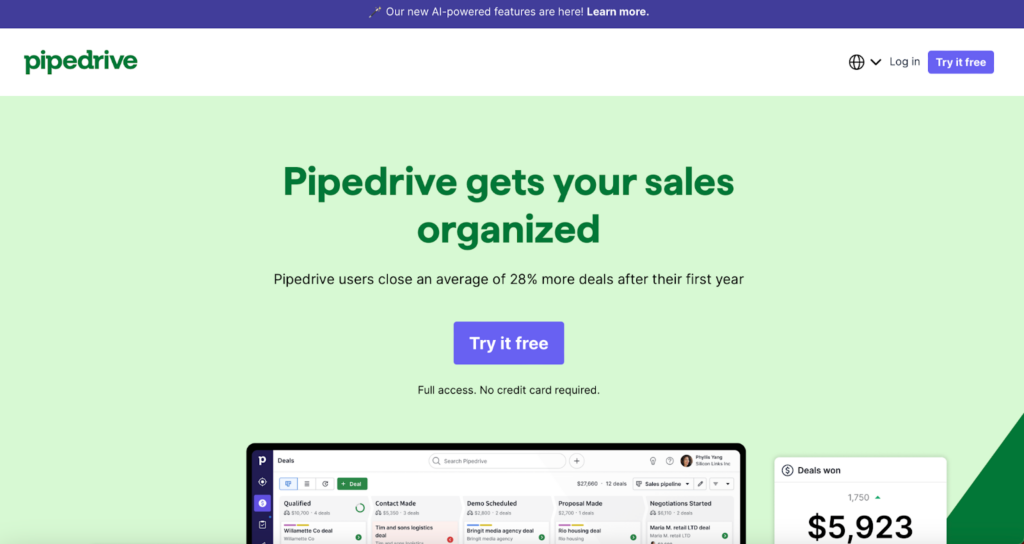
5. Pipedrive

Screenshot from Pipedrive website

In the bustling world of CRM, Pipedrive stands out by putting sales teams in the driver’s seat. It’s favored by sales pros who want to close deals quicker and with fewer headaches.

Key Features

Pipedrive has features that make sales management as intuitive as checking your rearview mirror. Visual sales pipelines provide a clear view of your deals, automation tools reduce busywork, and superb integration capabilities ensure everything runs smoothly.

Pros and Cons

Users adore Pipedrive for its user-friendly interface and efficient setup, which truly understands the sales grind. However, it might fall short for larger enterprises needing more advanced features.

Pricing Simplified

Pipedrive’s pricing is straightforward, with plans suited for various business sizes and needs, from startups to seasoned teams.

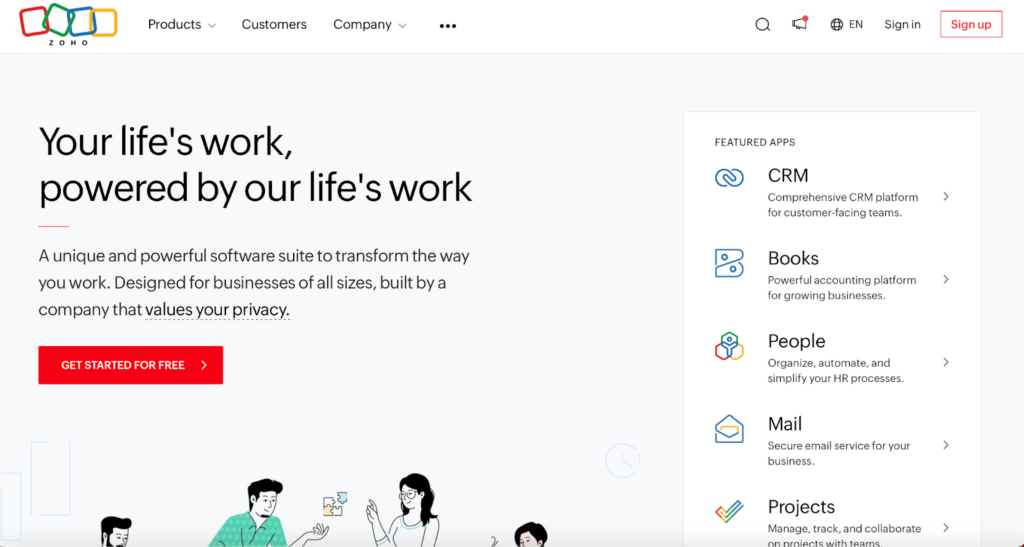
6. Zoho CRM

Screenshot from Zoho website

Zoho CRM is a powerhouse for medium-sized businesses looking to boost their operations. Known for its versatility and intelligent features, it’s a top pick for companies aiming to stay competitive.

Key Features

Zoho CRM excels with AI-driven insights for predicting trends, automating tasks, and making smarter decisions. It’s highly customizable and integrates well with your existing apps, creating a seamless business ecosystem.

The Good and the Complicated

While users praise Zoho for its comprehensive features and customization, some initially find its array of options overwhelming. Also, unlocking its full potential can be costly.

Pricing Diversity

Zoho CRM offers varied pricing plans, from a free basic version to advanced options packed with features suitable for every budget and business stage.

Conclusion: Final Thoughts on Choosing the Best CRM

Selecting the right CRM software isn’t just a minor decision; it’s foundational and can shape how your business operates and grows. 

Before making your final decision:

  • Take the time to evaluate your specific business requirements.
  • Consider factors like team size, the complexity of your sales processes, and the level of customer interaction.
  • Don’t hesitate to take advantage of free trials or demos offered by these platforms.

They are a great way to see each CRM in action and gauge which one feels right for managing your customer relationships effectively.

Categories
Uncategorized

8 Quick Hacks for Customizing JavaScript UI Component Effectively

UI component customization is one of the most important parts of web development. It allows you to tailor your applications to meet the preferences and unique needs of end users. Whether it is ensuring accessibility, enhancing aesthetics, or improving the user experience, UI component customization always helps. 

But how do you achieve UI component customization? Don’t worry, developers! Because we have brought this guide for beginners and expert developers. In this guide, you will learn about UI customization and eight amazing tips to achieve it. Let’s begin our journey NOW!

What Is UI Customization?

Customization of the user interface of our website refers to UI customization. In other words, it helps us customize the appearance of our user interface. For example, the colors, fonts, types, styles, and other appearances of different components on our website. It helps us modify the appearance of our website to make it more visually appealing and attractive.

Now you might be thinking, what is the importance of UI customization? Well, UI customization helps us align with the brand values and requirements. Let’s check out some amazing tips and tricks to achieve the best UI customization.

What Are Some CSS Tricks For UI Customization?

We will be exploring UI customization tricks in different languages and different aspects. If you are a developer, you must know that CSS (Cascading Style Sheets) acts as a cornerstone of web application design. Therefore, we will be exploring CSS tricks first to customize our user interface.

Hack 1: Exploring Specificity 

To avoid a messed-up design, it is important to rely on specific selectors and inline styles. It will help us ensure the desired impact of custom styles of our application without affecting the other parts of the application.

Hack 2: CSS Variables  

As a matter of fact, CSS variables, also known as CSS properties, also play an important role in the customization of the user interface. They help us provide a dynamic way to reuse or store values throughout our style sheets. 

Moreover, we can create a consistent design language. At the same time, it helps us simplify UI customization. Suppose we are defining a color variable for our primary brand color. It will allow us to change that color universally by modifying only a single variable.

What Are Some JavaScript Techniques For UI Customization?

After CSS, there comes JavaScript for UI customization. Let’s explore some amazing JavaScript techniques.

Hack 3: Event Handling

If you want to excel in user interface customization, you must not forget event handling. Event handling in JavaScript helps us handle interaction between components on the user interface. For example, you can deal with buttons, form submissions, and other such components only through event handling. In other words, it helps us achieve a responsive web design.

Hack 4: Dynamic Content.

It is interesting to note that JavaScript helps us load content on our website dynamically. As a result, we can decrease page load times and improve the overall user experience. Moreover, we can achieve this kind of UI customization through client-side rendering and AJAX requests.

Empower your web applications with Sencha for unparalleled user experiences!

What Are Some Library and Framework Tips For UI Customization?

User interface customization strategies or tricks do not stop at CSS or JavaScript. There are some libraries and frameworks that can help us customize the user interface more effectively. So, let’s explore those tricks.

Hack 5: Leveraging UI Libraries

According to experts, using user interface libraries, such as Sencha, helps us reduce development time and achieve consistency in UI. Now, you might be thinking, how is this even possible? Well, that’s because UI libraries like Sencha come with different tools and templates to customize our application looks. When we use those templates, we can achieve consistency across the application.

Hack 6: Framework Integrations 

Being developers, we know that there are always two approaches to building an enterprise application. This can be either developed from scratch or using some good frameworks like Sencha. Experts always recommend integrating frameworks when developing complex applications. It helps us achieve consistency and customization in a much better way. 

Since we get all the components ready-made, it takes less time to develop the application and achieve customization. Other choices are React, Vue.js, and Angular frameworks.

What Are Some Accessibility and Responsiveness Techniques For UI Customization?

Let’s explore some more UI customization techniques that help us achieve responsiveness and accessibility.

Hack 7: Accessibility Considerations 

Let’s begin understanding these techniques with web accessibility. Web accessibility refers to the accessibility of your web applications to users with disabilities. In other words, our website should be accessible to users with disabilities. 

For this purpose, we need to use semantic HTML elements. Moreover, we must know the accessibility guidelines so that disabled users can access and interact with our web application.

Hack 8: Responsive Design

In this age of multiple devices, your website must be accessible on different devices. In other words, we should be able to use it from mobile, laptop, tablet, or any other screen. The website should be designed in such a way that it fits on any screen of any device. This is what we call cross-browser compatibility or cross-platform compatibility. You can use tools like Sencha to achieve a responsive web design. 

Conclusion

User interface customization helps us achieve a better user experience. Moreover, it also helps make our website accessible to disabled users, thus increasing user engagement for our website. In the above article, we have explored 8 quick hacks for customizing JavaScript UI components effectively. From CSS to JavaScript, we have explored hacks that can be life-saving. However, it is important to use a JavaScript UI framework. It will save us a lot of time by giving us ready-made components.

FAQs

What Is UI Customization, and Why Is It Important?

User interface customization refers to creating a more visually appealing user interface. It refers to the customization of buttons, fonts, styles, and much more.

Where Can I Find More Web Development Content Like This?

You can find more web development content like this on the Sencha blog.

What Role Do Javascript Techniques Play in UI Customization?

JavaScript techniques help customize user interfaces in a much better way. For example, event handling for creating a more interactive and responsive user interface.

What Is the Purpose of a UI?

A user interface helps us interact with a particular software or web application.

Categories
Uncategorized

11 Ways To Optimize Email Delivery For Your Business

Your emails are dispatched with purpose, but do they land as intended? A crucial missive buried in a spam folder can mean missed opportunities and failed connections. It’s a common plight – business communications lost in the void of cyberspace.

Optimizing email delivery is not just about avoiding the junk folder; it’s about ensuring your message is received, read, and acted upon. 

Let’s dissect pragmatic measures to bulletproof your email strategy and fortify your sender reputation. The payoff? Seamless integration with email clients and an unmistakable presence in every relevant inbox.

1. Dissecting SMTP: Your Email’s Unseen Ally

Understanding the digital courier of your business communications starts with recognizing the importance of a reliable SMTP service. Maileroo’s SMTP service acts as a pivotal linchpin in this setup, offering robust delivery mechanisms that form the backbone of successful email campaigns. 

It’s not just about sending emails; it’s about delivering them with precision and reliability – qualities embedded within Maileroo’s infrastructure, tailored for your business continuity.

2. The Selection Process: Picking Your Email Champion

Selecting an SMTP service provider isn’t a decision to take lightly. Scrutinize potential allies for their uptime records, scalability, and customer support reputation. 

Services like Maileroo’s come into sharp focus here – proven through performance under varying loads and peak times. Choose wisely; your provider will either be the wind in your emails’ sails or the anchor dragging them down.

3. Crafting the Direct Line: Enhancing Message Routing

The path your emails take can impact deliverability dramatically. Optimal message routing should not resemble a labyrinth but rather a straight road to your recipient’s inbox. 

Leveraging a focused approach to routing ensures that your communications find the quickest route possible, minimizing delays and dodging digital detours that can mar transmission efficiency.

4. Credibility in Transit: Building a Solid Sender Reputation

A sender’s reputation is cumulative; each email adds or detracts from it. A trusted SMTP service helps cultivate trust with Internet Service Providers (ISPs), asserting you as a credible source worth passing through filters unscathed. 

Regular protocol adherence, combined with a consistent quality of content and engagement rates, lays the bricks for establishing an unshakeable sender fortitude.

5. Avoiding the Abyss of Spam Folders

The digital chasm that is the spam folder often swallows emails whole, unseen by their intended audience. Sidestepping this pit requires a tactical approach – and online tools for business owners prove invaluable in this evasion. 

From auditing email content for trigger words to setting up proper authentication protocols, services like Maileroo offer nuanced strategies to reduce the risk of being marked as spam. It’s a deliberate effort to ensure each message you send is welcomed with open arms into the right inbox.

6. Seamless Integration: The Art of Working with Email Clients

Harmony between your email service and clients’ platforms is non-negotiable for high deliverability rates. Prioritize services that tout effortless compatibility across diverse devices and email applications, ensuring your messages render perfectly on any screen. 

This strategic alignment involves meticulous HTML testing and responsive design practices – cornerstones for crafting an unbroken communication chain.

7. Consistency is Key: Automating for Accuracy and Frequency

Automation bridges the gap between intention and action, ensuring your messaging maintains both cadence and precision. Invest in systems that enable you to schedule campaigns, personalize emails at scale, and trigger communications based on user activity. 

A rhythm of relevance not only captivates but compels engagement – leading to a robust loop of interaction where every touchpoint counts.

8. Monitoring Metrics: Understanding Email Analytics

The numbers narrate the nuances of your campaign’s performance – open rates, click-throughs, bounces – all critical metrics offering insights into audience behavior. 

Embrace tools providing granular analytics; dissecting these will guide you in refining tactics for enhanced reach and resonance with your target market. Data-driven decisions are the rudder steering the ship of email optimization forward.

9. List Hygiene 101: Keeping Your Contacts Clean

A pristine email list is a productive one. Regular maintenance, weeding out invalid or unresponsive addresses, is as central to email optimization as the content itself. Employ regular cleanup protocols; this will guard against bloat and decay of your contact base. 

Remember, a leaner list with engaged subscribers far outperforms a sprawling one cluttered with indifference.

10. Engagement Tactics that Hook Recipients

True engagement begins with understanding what compels your audience to act. Craft subject lines that cut through inbox clutter – a concise clarion call to curiosity. Segment lists for tailored content resonance and deploy A/B testing to refine approach tactics continuously. 

Personalization goes beyond names; it recognizes behavior patterns, preferences, and needs – constructing a narrative around these elements captivates attention.

11. Securing Success: Encryption and Data Protection Measures

Trust is the bedrock of any relationship, including those you build digitally via email marketing campaigns. Implement stringent security measures such as encryption and strict data protection policies to shield both your business’s reputation and your customer’s privacy. 

An ethos of security reassures recipients about engaging with your communications fully – all while fortifying your own operational integrity against potential breaches or misuse of sensitive data.

Elevating your email delivery is a journey of meticulous refinement and strategic innovation. Harness these insights for an email presence that’s resonant and robust, ensuring every message sent becomes a potent touchpoint with your audience.

Categories
Uncategorized

The Top 10 Social Media Management Tools to Consider in 2024

Managing multiple social media profiles and executing impactful campaigns across diverse platforms has become an indispensable part of modern digital marketing strategies. However, doing so manually is a tedious task that eats up valuable time. This is where social media management tools come into play by streamlining processes, facilitating collaboration between team members, and empowering marketers to boost engagement in a timely, consistent manner.

In this comprehensive guide, we’ll walk through the top 10 tools that leading social media management professionals recommend for 2024 based on key factors like features, ease of use, pricing, and real reviews from satisfied customers.

1. Sprinklr – A Powerful Unified Platform

Sprinklr offers a robust unified platform to manage your social presence, customer experiences, and marketing efforts at scale through a single intuitive dashboard. As one of the most full-featured players, it covers over 30 major digital channels and comes with built-in AI capabilities.

sprinklr screenshot

Some highlight features include unified customer experience management, Sprinklr AI for personalized responses, persona apps for specialized workflows, global reach with localization options, and flexible approvals to ensure brand compliance. While its in-depth setup involves learning lots of nuanced functions, satisfied customers praise Sprinklr’s ability to optimize omni-channel experiences seamlessly across sales, marketing, and customer service teams.

Though meant for enterprises, its scalability and customizable design have helped global brands like Microsoft and Uber streamline social media publishing globally while delivering top-notch customer service to diverse audiences.

2. Hootsuite – Comprehensive Yet Complex

Hootsuite is a veteran in the social media management tools space with a wide user base thanks to its complete suite of publishing, engagement, listening, reporting, and advertising features rolled into one place. It offers best-in-class integration for Twitter and intuitive analytics dashboards.

hootsuite screenshot

Other favored features include a centralized dashboard, bulk scheduling, AI-powered copywriting, third-party app integration, and smart alerts to flag important conversations. While very good, its interface tends to become complex for non-technical users. 

Additionally, limited free access and steep pricing make Hootsuite unsuitable for individuals or budget-conscious small businesses.

Nevertheless, Hootsuite remains the top choice of many large enterprises for managing Twitter with all premium features available and optimizing marketing campaigns at scale across different regions globally.

3. Reputation – Reviews and Local Search Leadership

Reputation’s sweet spot lies in optimizing online reviews and local search visibility – two aspects critical for customer retention. It facilitates monitoring reviews on leading platforms, guided response templates, and robust sentiment analysis to identify pain points proactively.

reputation screenshot

With location-based listing management as another forte, Reputation helps companies improve local rankings and customer satisfaction scores. However, some users point to its rather basic social media engagement capabilities and lack of native AI-powered solutions for tasks like auto-generated responses.

Still, for businesses targeting local customers through reviews, Reputation stays an attractive option to streamline the publishing and reputation management aspects into one place. It has paid rich dividends especially for services industries like restaurants, contractors, and medical verticals.

4. Buffer – Simplicity for Creators and SMBs

As one of the earliest and most popular players in this space, Buffer has mastered delivering core necessities like cross-network publishing and engagement tracking through a clean interface. It equips individuals and solopreneurs with all essential tools for basic social management on a budget.

buffer screenshot

Some top features include AI-powered content repurposing, a built-in landing page builder called Start Page, smart alerts to surface comments needing attention, and educational resources to help users gain proficiency over time.

While barebones compared to premium products, Buffer’s intuitive design, lifelong free tier, and regular updates make it an excellent starting point for those just venturing into the world of digital PR and online community building. Its simplicity has won fans across developers, marketers, and CEOs scaling modern brands efficiently on emerging platforms.

5. Sprout Social – Powerful Reporting Dashboards

Sprout Social steps up to compete with heavyweights like Hootsuite by integrating key capabilities spanning social publishing, engagement, team collaboration, robust reporting, and optional CRM functionality within its all-in-one platform.

sprout social screenshot

Its detailed charts and visualizations aim to transform raw user data into actionable insights that help optimize effectiveness. Many users praise Sprout Social’s reports as some of the clearest, easiest to understand breakdowns available in this industry.

Although its calendar interface could use improvements, Sprout Social has established itself as a scalable solution trusted by mid-market brands and agencies to enhance engagement across owned channels while demonstrating ROI of marketing activities. Its top-notch customer support sweetens the deal further for businesses.

6. Brandwatch – All-Inclusive Yet Imperfect

Formerly known as Falcon.io, Brandwatch aims to be a one-stop-shop covering everything from publishing and engagement to competitive benchmarking, first-class analytics, customer experience management, and a DIY landing page builder.

brandwatch screenshot

On paper, it offers all key ingredients needed to strengthen digital presence and tap rich user sentiment data. However, several users report experiencing glitches with the platform over time. Some have also flagged inconsistent support for visual platforms like Instagram and TikTok along with room for improving automated insights.

While feature-rich on the whole, Brandwatch will require commitment from businesses to look past its rough edges. For sophisticated analytics needs, it remains a strong contender – as long as user experience deficiencies don’t outweigh its technical strengths for your use case.

7. SocialPilot – Affordable Basics

As one of the more affordable options out there, SocialPilot attracts budget-conscious small businesses with its easy-to-use interface for cross-posting to linked channels and simplified content curation features.

socialpilot screenshot

Key criteria it ticks include support for over 50 social networks, team collaboration tools, calendar-based scheduling, and integrated AI for auto-generating hashtags and copy variants.

Though lighter than counterparts, SocialPilot strikes an ideal balance between essential features and reasonable pricing. However, it may lack certain advanced analytical capabilities expected at the enterprise level. Overall, a great starter tool for newbies and solopreneurs.

8. CoSchedule – Rock-Solid Content Planning

CoSchedule pitches itself as a winner for the ‘best marketing calendar’ stake, bringing all your social, blog, email, and event activity under one roof for collaborative planning and execution.

Social Media Management Tools

With its clear calendar interface, automated social publishing, reusable content templates and ReQueue feature to resurface old hits, it delivers an intuitive visual workflow appreciated by content teams of all sizes.

Still, some brands find its interface overwhelming initially while others demand more inclusive features for the asking price. Nevertheless, CoSchedule remains a go-to for digital PR and inbound teams juggling publishing across multiple channels smoothly each month.

9. SocialBee – Emphasis on Engagement

SocialBee prioritizes user engagement with capabilities like generating post variations to recycle evergreen content while keeping it fresh. Its centralized dashboard organizes all social accounts for simplified oversight. Additionally, SocialBee facilitates cross-channel publishing and analytics inclusive of major networks. 

Social Media Management Tools

While its interface may not be the most visually appealing, satisfied users appreciate SocialBee’s emphasis on engagement optimization through tactics like permission-based collaborative workflows and multilingual support accommodating diverse audiences globally. It presents a well-rounded option for international businesses.

10. Loomly – Unique Custom Networks

Social Media Management Tools

Loomly differentiates through its ability to create custom social networks that publish to any external service like your blog, email list, or beyond – all via seamless Zapier integration.

This expands its utility for syncing updates everywhere. Otherwise, Loomly is fairly basic, lacking some standard features present even in free tiers of major competitors. Still, as a versatile multi-channel publishing option, it deserves consideration for specific automation use cases.

Upbeat Agency offers a comprehensive suite of specialized TikTok marketing services to help businesses unlock the full commercial potential of this powerful platform. As a dedicated TikTok agency, they have the expertise to develop optimized targeting strategies, produce engaging native content, manage impactful influencer campaigns, and implement data-driven paid ads tailored for each client’s unique goals.

Making Your Choice

Each of these 10 leading social media management tools brings unique strengths. But your pick ultimately depends on hard factors like team size, budget, technical competence, industry, scalability needs, and desired level of control over analytical capabilities and automation.

Carefully assess core and optional features, consulting reviews from experts and existing customers within similar domains. Request generous free trials from top contenders to test interface compatibility before any investment.

With the right selection aligned with your strategic growth goals, these platforms empower businesses of all sizes to engage audiences proactively, optimize efforts, and reap the rewards of streamlined digital conversations.

Categories
Uncategorized

Top 15 Website Builders: Creating the Ultimate Online Presence

In the digital age, having an online presence is crucial for anyone looking to engage with a broader audience—whether you’re a small business owner, an artist, or running a nonprofit organization. Website builders make it easier than ever to create a professional-looking site without needing to know how to code. In this comprehensive guide, we will explore the top 15 website builders that can help you create a website today, with a special focus on why Elementor is our top choice.

What are the Website Builders and how do they work?

Website builders are online tools that allow individuals and businesses to create a website without manual code editing. Essentially, they provide a platform where users can construct their websites using a visual editor, making the process accessible even to those without any technical knowledge or design experience.

These builders typically operate on a drag-and-drop principle where users can select various elements—like text boxes, images, videos, and interactive features—and place them onto a page exactly where they want them. Each element can be customized in terms of size, color, font, and more, giving users a lot of creative control over the design.

Most website builders come with a variety of pre-designed templates that are tailored for different uses, such as personal blogs, e-commerce stores, or corporate websites. These templates provide a basic structure, which can be customized further to suit the user’s needs.

Additionally, website builders handle all the technical aspects of website hosting and maintenance. They typically offer domain registration, web hosting services, and tech support as part of their packages. This all-in-one approach not only simplifies the web development process but also ensures that the websites are optimized for performance, mobile responsiveness, and SEO.

Top 15 Website Builders in 2024:

1. Elementor

top website builders

Overview:

Elementor leads the pack as a versatile and user-friendly website builder for WordPress users. It simplifies the design process, allowing you to create, manage, and host a website with ease.

Features:

  • Drag-and-drop editor
  • Responsive design options
  • Comprehensive widget selection
  • Full theme builder
  • WooCommerce builder
  • Popup builder

Pros:

  • Intuitive interface suitable for beginners and professionals alike.
  • Extensive customization capabilities.
  • Regular updates and a strong community.

Cons:

  • Requires WordPress, which might not suit everyone’s needs.
  • Some advanced features are locked behind a premium plan.

Elementor is ideal if you want to create a website today that’s robust, flexible, and beautiful. Its powerful tools and user-friendly interface make it the best choice for WordPress users.

2. Wix

top website builders

Overview:

Wix is known for its simplicity and rich array of features, making it a popular choice for those looking to create a website quickly.

When comparing Wix vs Shopify, Wix offers more flexibility for design and a broader range of templates, while Shopify is tailored specifically for e-commerce with powerful tools for online stores.

Features:

  • Drag-and-drop interface
  • Over 500 designer-made templates
  • App market for additional functionality
  • Advanced SEO tools
  • Mobile optimization
  • ADI (Artificial Design Intelligence)

Pros:

  • Extremely user-friendly.
  • Offers a lot of creative freedom and flexibility.
  • Strong suite of tools to support online stores, blogs, and more.

Cons:

  • Can get expensive with add-ons and premium plans.
  • The site can become slow with too many features added.

Wix is a great tool for those who need to create a website today and want a range of design options and tools at their fingertips.

3. Squarespace

squarespace screenshot

Overview:

Squarespace is favored for its sleek design templates and intuitive editing tools, ideal for creatives looking to showcase their work.

Features:

  • Award-winning design templates
  • Built-in mobile websites
  • SEO management
  • E-commerce capabilities
  • Blogging tools
  • Custom CSS

Pros:

  • Beautiful, professional-looking designs.
  • All-in-one platform with hosting and domain services.
  • Excellent customer support.

Cons:

  • Less flexibility in terms of third-party integrations.
  • Higher learning curve compared to other builders.

4. Shopify

shopify screenshot

Overview:

Shopify is a top choice for online merchants due to its powerful e-commerce features and scalable platform.

Features:

  • Comprehensive e-commerce tools
  • Over 70 themes
  • Powerful marketing and SEO features
  • Mobile commerce ready
  • App marketplace
  • 24/7 support

Pros:

  • Specialized in e-commerce.
  • Scalable for businesses of all sizes.
  • Extensive app store to extend functionality.

Cons:

  • Monthly fees can be expensive for small businesses.
  • Limited content management capabilities outside of e-commerce.

5. Weebly

weebly screenshot

Overview:

Weebly is a solid all-rounder, offering an easy-to-use interface with powerful built-in features for both websites and online stores.

Features:

  • Drag-and-drop editor
  • Custom headers and footers
  • Video backgrounds
  • Integrated analytics
  • SEO tools
  • App center

Pros:

  • Straightforward design tools.
  • Affordable plans with good features.
  • Good for basic online stores.

Cons:

  • Less flexibility and customization than competitors.
  • Designs are not as modern as some other platforms.

6. GoDaddy Website Builder

godaddy screenshot

Overview:

Known primarily for its domain registration and hosting services, GoDaddy also offers a user-friendly website builder aimed at beginners.

Features:

  • ADI (Artificial Design Intelligence)
  • Mobile-friendly design
  • SEO optimization
  • Email marketing tools
  • Simple e-commerce functions
  • 24/7 support

Pros:

  • Very easy to use for beginners.
  • Fast setup to get online quickly.
  • Effective integration with other GoDaddy services.

Cons:

  • Limited design flexibility.
  • E-commerce features are basic compared to specialized platforms like Shopify.

7. Adobe Dreamweaver

dreamweaver screenshot

Overview:

Adobe Dreamweaver stands out as a website builder for those who prefer to manually edit website code while still having access to a visual interface.

Features:

  • Code editor
  • Live view
  • Multi-monitor support for Windows
  • Git support
  • Flexible coding engine
  • Integration with Creative Cloud

Pros:

  • Powerful for those with coding knowledge.
  • Offers full control over web design and development.
  • Integrates seamlessly with other Adobe products.

Cons:

  • Steep learning curve.
  • Not a traditional drag-and-drop builder; more suitable for experienced developers.

8. Jimdo

jimdo screenshot

Overview:

Jimdo is perfect for users looking for simplicity and speed in creating a basic website, using AI to streamline the design process.

Features:

  • Dolphin AI-powered builder
  • Responsive design
  • SEO tools
  • Photo galleries
  • Blogging tools
  • Basic online store features

Pros:

  • Extremely quick setup.
  • No technical skills required.
  • Automatically designed websites based on user input.

Cons:

  • Limited customization options.
  • Not suitable for complex e-commerce needs.

9. Zyro

zyro screenshot

Overview:

Zyro (owned by hostinger) is a newer player in the website builder market but has quickly gained recognition for its affordability and simplicity.

Features:

  • AI content generator
  • Drag-and-drop editor
  • Logo maker
  • AI Heatmap
  • SSL security
  • E-commerce functionality

Pros:

  • Very affordable with straightforward pricing.
  • Innovative AI tools help with various aspects of website creation.
  • User-friendly interface suitable for beginners.

Cons:

  • Limited features and integrations compared to more established competitors.
  • Templates and design options are more basic.

10. BigCommerce

bigcommerce screenshot

Overview:

BigCommerce is designed for larger online stores that need a powerful, scalable e-commerce platform.

Features:

  • Advanced product search
  • Multi-currency sales
  • API access
  • SEO features
  • Integration with various payment gateways
  • Customizable templates

Pros:

  • Focuses on large e-commerce businesses.
  • Extensive features for growing stores.
  • Strong SEO capabilities.

Cons:

  • Can be overwhelming for small businesses or beginners.
  • More expensive than some other options.

11. Strikingly

Strikingly screenshot

Overview:

Strikingly specializes in creating one-page websites that are easy to build and navigate, making it perfect for personal projects and portfolios.

Features:

  • Simple Store for e-commerce
  • Blogging tools
  • Sign-up and contact forms
  • Social feed integration
  • Responsive templates
  • Domain registration

Pros:

  • Ideal for quick, simple websites.
  • User-friendly interface.
  • Affordable pricing.

Cons:

  • Limited by the nature of single-page sites.
  • Not suitable for complex or large-scale websites.

12. MotoPress

motopress screenshot

Overview:

MotoPress offers a WordPress-based website builder that enhances the functionality and design possibilities for users looking to create a website today.

Features:

  • Visual builder for WordPress
  • Content modules for various media
  • Pre-built templates
  • Full integration with WordPress
  • WooCommerce support
  • Slider and lightbox functionality

Pros:

  • Integrates well with WordPress.
  • Suitable for users who prefer a plugin over a full platform.
  • Offers additional plugins for extended functionality.

Cons:

  • Requires some familiarity with WordPress.
  • Not a standalone site builder; depends on WordPress for hosting.

13. Site123

site123 screenshot

Overview:

Site123 is known for its straightforward approach to website building, making it easy for anyone to get a site up and running quickly.

Features:

  • Free hosting
  • SEO tools
  • Mobile optimized
  • Multi-language support
  • E-commerce capabilities
  • Blogging tools

Pros:

  • One of the easiest builders to use.
  • No design skills necessary.
  • Free plan available.

Cons:

  • Less design flexibility.
  • More basic features compared to other builders.

14. Webflow

webflow screenshot

Overview:

Webflow is aimed at designers who want more control over their site’s design and interactions without diving deep into code.

Features:

  • Visual CMS
  • Interactions and animations
  • Client billing
  • Integrated SEO tools
  • E-commerce integration
  • Exportable code

Pros:

  • High degree of customization.
  • Professional-grade design capabilities.
  • Allows for complex interactions and animations.

Cons:

  • Steeper learning curve than other builders.
  • Pricing can be high for premium features.

15. Duda

duda screenshot

Overview:

Duda is designed for web professionals who build multiple websites and value speed and efficiency.

Features:

  • Team collaboration tools
  • Client management
  • Widget builder
  • Personalization tools
  • E-commerce solutions
  • Multilingual capabilities

Pros:

  • Strong set of features for professionals.
  • Focuses on collaboration and client management.
  • Efficient building process.

Cons:

  • More expensive than solutions aimed at individual users.
  • May be overkill for users with simpler needs.

Conclusion

Each of these website builders offers unique tools and features that can help you create a website today. However, Elementor stands out as the best choice for WordPress users due to its flexibility, comprehensive design options, and strong community support. Whether you’re building a simple blog or a complex e-commerce platform, Elementor provides the tools you need to create a powerful and engaging online presence. Remember, the best website builder for you will depend on your specific needs, skills, and budget. Explore these options and choose the one that best fits your vision for your online space.

Categories
Best

8 Best Pinterest Video Downloader in 2025

Do you want to download a video from the Pinterest website? If so, this article is especially for you. I will show you the seven best Pinterest video downloaders in this article and their features.

Pinterest started as an image-sharing social media platform, but for some time Pinterest allowed video sharing so now people also share short videos on Pinterest.

Best Pinterest Video Downloader

  1. SavePin
  2. BotDownloader
  3. Expertstool
  4. PintoDown
  5. Pinterestvideodownloader.io
  6. Offeo
  7. Pinterest Downloader
  8. Pinterest Video

1. SavePin

SavePin is the most popular Pinterest video downloader in 2025. Pinterest is amongst the most famous platforms where you can share your videos and photos. SavePin is safe, secure, and compatible with all devices.

Using savepin almost 42 million videos downloaded till now and it has 1.5 million active users.

2. BotDownloader

BotDownloader is another free Pinterest video downloader. This tool is not different from others. You can use BotDownloader to download Pinterest videos, images, or GIFs. You can also convert Pinterest videos to mp4 with botdownloader’s built-in features.

The best part of this tool is it’s free and you don’t need to sign up to use their service. The worst part of this tool is it contains ads.

3. Expertstool

Expertstool is a simple cloud-based Pinterest video downloader tool that doesn’t need any installation. Just paste a link to the content you want to own and get it right on your device fast. Downloading Pinterest videos, stories, and reels Pinterest are made easy with this tool.

The best part of this tool is you can download Pinterest videos, stories, and even reels and the worst part of this tool is it takesa little bit more time to provide downloading links.

Also read – Best Online Photo Editor

4. PintoDown

PintoDown is not different from other Pinterest video downloaders. It is a simple and easy video downloading tool that can be used on your pc, desktop, laptop, tablet, or Android smartphone.

The best part of this tool is you can download videos in different video qualities i.e., 240p, 360p, 480p, 720p, and 1080p. And the worst part of this tool is it contains too many ads.

Also, read – Best Youtube Video Downloader

5. Pinterestvideodownloader.io

Pinterestvideodownloader.io is similar to other Pinterest downloader tools in terms of its functionality. This user-friendly tool allows you to effortlessly download videos from Pinterest on various devices such as PCs, desktops, laptops, tablets, and Android smartphones. 

It supports both Short and Long URLs and you can download unlimited videos using the tool without any link break.

6. Offeo

Best Pinterest Video Downloader

Offeo Pinterest downloaders are apps that enable you to download videos from Pinterest and save them in video or music format on your device so you can play them anytime you like.

The best part of this tool is you can download videos in 4K if the video is uploaded in 4K and I did not find any worst part of this tool.

Also, read – Best Instagram Video Downloader

7. Pinterest Downloader

Best Pinterest Video Downloader

Pinterest Downloader is a free Pinterest video downloader online tool. You can also download Pinterest Images and GIFs directly to your computer, tablet or mobile by using Pinterest Downloader.

The best part of this tool is you can download videos and gifs in high definition and the worst part of this tool is it takes too much time to provide downloading links.

8. Pinterest Video

Best Pinterest Video Downloader

Pinterestvideo is one of the best tools for downloading videos, gifs, stories and reels from Pinterest sites in high quality. Using this tool you can download Pinterest videos in HD, SD, and, FULL HD and 4K.

The best part of this tool is Fast downloads and conversions with no rate limiting and the worst part of this tool is it contains ads.

In this article, I listed almost all the popular Pinterest video downloaders. Now you need to choose which one is suitable for you.

Categories
Best

9 Best Free Video Editors in 2025

Are you looking for the best free video editor? If yes, then this article is especially for you because in this article, I will show you the 9 best free video editors in 2025.

Good video editing software helps you showcase your products from every possible angle. It gives your product a professional promo for social media platforms like Instagram, Facebook, YouTube, etc., where you can share these videos like your brand videos. Several easy-to-use free video editing programs may help you stand out from others on the internet.

Well-produced video products have a more engaging form of content marketing than just photographs alone, and something authentic that automatically reduces a customer’s hesitation in making a purchase. E-commerce product videos can increase conversion rates up to around 144 per cent. Therefore, making a well-collected and enjoyable video can help you get a lot of responses online.

There are many modern laptop and desktop-based editing software available for businesses looking to make something promotional as their brand videos. The most substantial advantage of free video editing software for laptops or desktops is that they tend to have more additional features than smartphone video editing applications.

Suppose you are someone looking to edit your promotional video on a simple and small budget. In that case, the applications below are just perfect for you as you can use them to edit long forms of content for social media platforms like YouTube or your eCommerce site.

There is a list of the best video editing software from all around the internet. Each entrepreneur has their own needs and requirements, so this list runs down some of the most valuable features of each best free video editors.  

Best Free Video Editors:

  1. Filmora
  2. Camtasia
  3. Video Pad
  4. InVideo
  5. Adobe premiur pro
  6. iMovie
  7. Final Cut Pro
  8. Animotica
  9. HitFilm Express

1. Filmora (Recommended)

Wondershare Filmora is one of the top and best free video editors. Filmora comes with many amazing features, but picture-in-picture mode, green screen, split screen, auto reframe, silence detection, motion tracking and AI portraits are the best features.

Filmora is a popular video editor among YouTubers and video content creators.

Top features:

  • Audio Equalizer
  • 4K Resolution Editing Support
  • GIF Support
  • Split Screen
  • Video And Audio Controls
  • Layer Multiple Video Clips
  • Video Stabilization
  • Colour Grading Presets
  • Advanced Text Editing
  • Tilt-Shift
  • Mosaic (Blurring)
  • Noise Removal
  • Social Import
  • Frame By Frame Preview
  • Speed Control
  • Audio-Mixer
  • Chroma Key Backgrounds
  • Screen Recording
  • Audio Separation

If you want to try filmora for free, then check out the filmora free trial guide.

2. Camtasia

Camtasia allows you to create engaging instructional content using powerful video content as well as other features. These include animated backgrounds, graphics, callouts, and clickable links within the videos created. Therefore, your end-user can easily be engaged by your finished product due to these features available in Camtasia Studio. Nevertheless, Camtasia is not free.

Top features:

  • Video Capture
  • Image Editor
  • Scrolling Capture
  • Text Extraction
  • Screen Record
  • File Sharing
  • Platform Search

3. Video Pad

Video Pad is a great free option for anyone who wants to make some high-quality videos without having to spend a dime on it. With the help of this video editing software, you will find all kinds of simple and easy-to-use features, for example, 3D video editing and a sound effects library to try various types of video compositions and styles.

You can use editing features like special effects, overlays, texts and transitions, colour adjustments, and sound effects on your video to make it look more stunning and eye-catching. Then you can even export all your finished videos directly to social media platforms like YouTube and Facebook, or directly to your Google Drive and other mobile devices quickly and easily.

Top Features:

  • It has a built-in double screen for easy and intuitive editing.
  • It has pre-made, customizable transitions for more polished professionalism
  • Exporting presets to easily create video files for specific platforms is very easy in this software

4. InVideo

InVideo helps you change your video clips into spectacular videos. They have helped many media companies, small businesses, and brands and have extended their audience engagement with the help of video content.

The one thing that every user would love in the application is that they have at least 100 different categories of templates to choose from, where every template is captivating and straightforward.

The templates also use an artificial intelligence (AI) engine. That works behind all the scenes to provide you with all the visuals and music selections, so you do not have to spend time searching for them. It has an all-the-time open world-class support system, making it a very dependable application at any time needed.

Top features:

  • 60 unique video exports a month.
  • 4000+ fully customisable templates.
  • Access to 1M+ images and video clips.
  • Make videos in any language.
  • Unlimited users.
  • Add your branding.
  • Automated text-to-speech.

5. Adobe Premiere Pro

Adobe Premiere Pro is the most popular video editor that can turn your computer into a full-featured device for creating multimedia files that include gaming videos. You can include this program on your list as it gives you high-quality results. It does not even have any limitations when it comes to importing your video in different formats. It has the following features included;
Social media sharing and publishing tools to share videos online through the applications themselves. It has an extensive library of video transitions and visual effects to customise videos. Premiere Pro also includes some more innovative features, including an AI video editor for faster, more advanced editing across all skill sets, and other professional-grade video optimization tools like stabilization.

But this video editor has a straightforward user interface and can be very simple for some advanced video editors. It does not even have as many advanced features as other free video editing software on this list, but it has features like light effects, fine-tuning colours, and over texts and images; there’s enough here to make it worthy of your download.

Top features:

  • Simultaneous Projects.
  • Motion Graphics Templates.
  • Shared Projects.
  • VR Editing.
  • VR Rotate Sphere.
  • VR Audio Editing.
  • Video Titling & Graphics.

6. iMovie

The iMovie users also get optional templates to use. That means people can add their photos and videos with titles and music to their timelines together to create stunning videos.

Top features:

  • The biggest pro of iMovie is that it has some fantastic tools for free.
  • Many special effects are available, including slowing down or speeding up the video clip, the picture-in-picture feature, and the green screen effect.
  • If a user does not want to add their music to the video, then the application offers more than 80 soundtracks to use, and it also has the option to use your voice as the soundtrack.
  • The users can also shift between Mac devices to work on the projects.

With such excellent capabilities, many people can get motivated to give this software a crack.

Also read – Best Online Photo Editor

7. Final Cut Pro 

Best Free Video Editor

Many professionals use it now and then, and it allows you to combine your video editing tools with a media organisation. It helps you to extend your capabilities by adding features like third-party workflow extensions.

If you are looking for an option that Adobe does not own, this software is your best option. With little work and patience, you can master the software without any problem whatsoever. Final Cut Pro is very significant with Mac systems and is also compatible with iPads. The software is smooth even when you work with large media files.

It has many features like drag and drop, colour correction, etc., which give you high-level results. The user interface is simple and easy to use; it supports almost all kinds of video and audio formats.
Top features:

  • Workflow extensions.
  • Batch sharing.
  • Video noise reduction.
  • Timecode window.
  • Comparison viewer.
  • Tiny planet.
  • Comicization,
  • Improvements to 360° video

8. Animotica

Best Free Video Editor

This video editor and movie maker is straightforward to use and has a very user-friendly Video Editor, Movie Maker, and Slideshow video maker interface. The software encompasses all the traditional tools and features that you would expect from top-quality video editing software.

This video editor and movie maker software has features like video trim, split, combining video and phone, adding music, and so much more. The software becomes an accessible replica of a professional video editing application like Adobe Premiere Pro.

Top features:

  • Chroma key / Green Screen.
  • Speed Up & Slow Down Video and Audio.
  • Export In 4k.
  • Blur Video Background.
  • Video Blending.
  • Fade the video to White/black. 

9. HitFilm Express

Best Free Video Editor

If you do not have a lot of experience with video editing, this application will make you a little advanced at first. This application is usually used to produce Hollywood-style films, but it’s worth the learning curve as it’s one of the best video editors available.

HitFilm includes animation tools that would let you create and edit audio-video transitions without the need to create composite shots, which is a huge time saver when it comes to editing.

Top Features:

  • It has professional-grade video editing with motion tracking, colour pickers, and cropping tools.  
  • This video editor gives you composite shot enhancements that allow you to animate two separate shots together for surreal video effects.
  • It even has an auto stabiliser to make shaky footage look smooth
  • You will get different transition options like push, zoom, dissolves, etc, from this awesome editor.

Conclusion

So, these are the best free video editors that you must try in 2025. So, without wasting any more time, start trying them. Each option may come with its own set of advantages and disadvantages. Hopefully, with the help of this list, you will be able to find out the most useful features of each editor.

According to that, pick Filmora editor if you want a free video editor, and if you want a premium editor, then go with Camtasia and start video editing to make them utterly impressive for the audience. Happy video editing!

Categories
Uncategorized

10 Best Facebook Video Downloader in 2025

Are you looking for the best Facebook video downloader? If yes then this article is especially for you because in this article I listed the 10 best Facebook video downloaders in 2025 😍

What is Facebook Video Downloader?

Facebook video downloader is an online website or application that can be used to easily download any videos from Facebook. Facebook video downloader comes with many excellent features. So it’s an important subject to know all about this type of website/application.

Best Facebook Video Downloader:

  1. FBDOWN.net
  2. GetfVid
  3. BitDownloader
  4. KeepVid
  5. ClipGrab
  6. Savefrom.net
  7. iTube
  8. FB Downloader
  9. Snapsave
  10. ContentStudio

1. FBDOWN.net

Best Facebook Video Downloader

FBDOWN.net is a free website that helps users download their favourite videos off Facebook and save them for offline viewing by generating direct links to the Facebook video.

Features of FBDOWN.net:

  • Chrome Extension 
  • Support HD videos.
  • Multi-language Support.
  • Download the video from Facebook.
  • Download private Facebook videos.
  • Download videos from the news feed.
  • Download videos from the groups and pages.

Availability:

  • Website
  • Extension

2. GetfVid

Best Facebook Video Downloader

Getfvid is one of the best online tools for downloading videos from Facebook. This tool helps convert videos from Facebook to mp4 (video) or mp3 (audio) files.

Features of GetfVid:

  • Download the video in a single click
  • Convert video directly
  • Download the video in any available format
  • Download private video
  • No subscription required
  • Extension available

Availability:

  • Website
  • Extension

3. BitDownloader

Best Facebook Video Downloader

BitDownloader is a free downloader tool that allows you to download videos from many platforms including YouTube, Facebook, Instagram, and many other services. 

Features of BitDownloader:

  • Download videos from multiple platforms
  • Download the video in the available format
  • Download the Facebook page video
  • Download the Facebook group video
  • No subscription required
  • Extension available

Availability:

  • Website
  • Extension

4. KeepVid

Keepvid is the place to download Facebook videos. Keepvid offers multiple formats and can convert your FB video to MP3. If you need a Facebook video downloader, keepvid is one of the best solutions.

Features of KeepVid:

  • Instant downloading
  • Download any type of Facebook video
  • Convert Facebook video to mp3 
  • Download video in high-quality
  • Know the size of the video

Availability:

  • Website

5. ClipGrab

ClipGrab is a multi-platform software package for downloading videos from various websites such as YouTube, Vimeo, Dailymotion, or Facebook.

Features of ClipGrab:

  • Built-in search tool
  • Supports lots of video-sharing websites
  • Download Facebook video
  • Clipboard monitoring
  • Allows video-to-audio conversion

Availability:

  • Windows app

6. Savefrom.net

Savefrom.net helps you to download Facebook videos in mp4 or mp3 without leaving the website, you have to install “SaveFrom.Net Helper!”. It is a free browser extension that helps you to save preferred videos without the need to leave the website.

Features of Savefrom.net:

  • Download private Facebook video
  • Download the live Facebook video
  • Download the video in any available quality
  • Download the video in mp4 or mp3

Availability:

  • Website
  • Extension

7. iTube

With iTube HD Video Downloader, you’re able to download videos or extract audio from YouTube, Facebook, Vimeo, etc. You can download videos by pasting the URL or using the browser plugin (available for Chrome, Safari, and Firefox) to download full HD videos in the browser directly.

Features of iTube:

  • 10,000+ Video Sites Supported (including Facebook)
  • Download HD Video
  • Download YouTube to MP3
  • Download Audio Only
  • Batch Download Videos
  • Fast Download Speed

Availability:

  • Website
  • Windows app
  • Mac app

8. FB Downloader

FB Downloader is a fast and free way to download and save Facebook videos as MP4s. FB downloader also enables you to convert Facebook videos to MP3 audio files.

Features of FB Downloader:

  • Download Facebook video
  • Download private Facebook video
  • Download the live Facebook video
  • Download unlimited videos
  • Completely free

Availability:

  • Website

9. Snapsave

Snapsave is high quality Facebook video downloader. You can download all types of Facebook videos for free. Snapsave also provides a native Android app for free.

Features of Snapsave:

  • Download high-quality video
  • Download any type of Facebook video
  • Download live stream video
  • Download the video in 4K
  • Free android app

Availability:

  • Website
  • Android App

10. ContentStudio

ContentStudio provides a free facebook video downloader that helps you to download Facebook videos without a watermark in high quality. It supports the fastest downloading of video.

Features of ContentStudio:

  • Download the video without the watermark
  • Download video in high-quality
  • Easily share fast video downloadable link

Availability:

  • Website

I mentioned almost all popular Facebook video downloaders. Now you need to decide which one is best for you.