Categories
AI Tools & Artificial Intelligence

Top AI Translators in 2025: Breaking Language Barriers with Precision

In today’s interconnected world, effective communication across languages is no longer a luxury—it’s a necessity. Whether you’re a global business, a researcher, or simply someone exploring new cultures, an AI translator can be your gateway to seamless communication.

With numerous options available, finding the right AI translator can be challenging. Each tool offers unique features, catering to different needs like text translation, document localization, or real-time multilingual communication. In this article, we’ll explore four leading AI translators and evaluate their strengths, weaknesses, and pricing to help you make an informed choice.


1. Lufe.ai

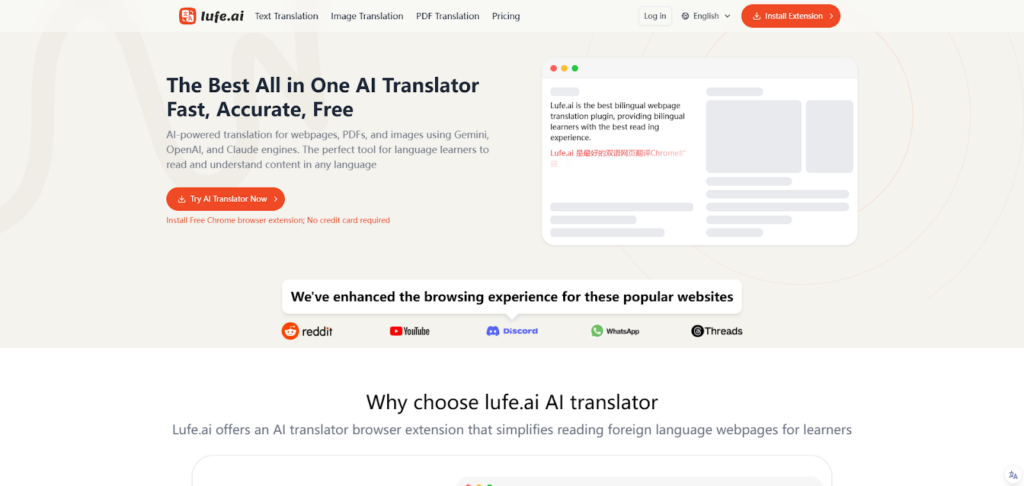
Lufe.ai is a cutting-edge AI translator that combines advanced contextual understanding with versatility, catering to both casual users and professionals. Designed to handle everything from simple text to industry-specific jargon, Lufe.ai has quickly established itself as a reliable solution for accurate and secure translations.

Pros

  • Contextual Precision: Lufe.ai excels in understanding the nuances of text, ensuring translations retain tone, intent, and meaning.
  • Real-Time Multilingual Communication: Ideal for meetings, conferences, or live conversations.
  • Industry-Specific Customization: Users can train the AI to handle specialized terminology in fields like medicine, law, and technology.
  • Data Security: All translations are encrypted, ensuring sensitive information remains protected.
  • User-Friendly Interface: Clean design and seamless navigation make it accessible to all.

Cons

  • Requires an internet connection for most features.
  • Advanced features may have a learning curve for first-time users.

Price

Lufe.ai offers flexible pricing plans tailored to different user needs, including free trials for casual users and premium options for businesses requiring advanced features.


2. DeepL Translator

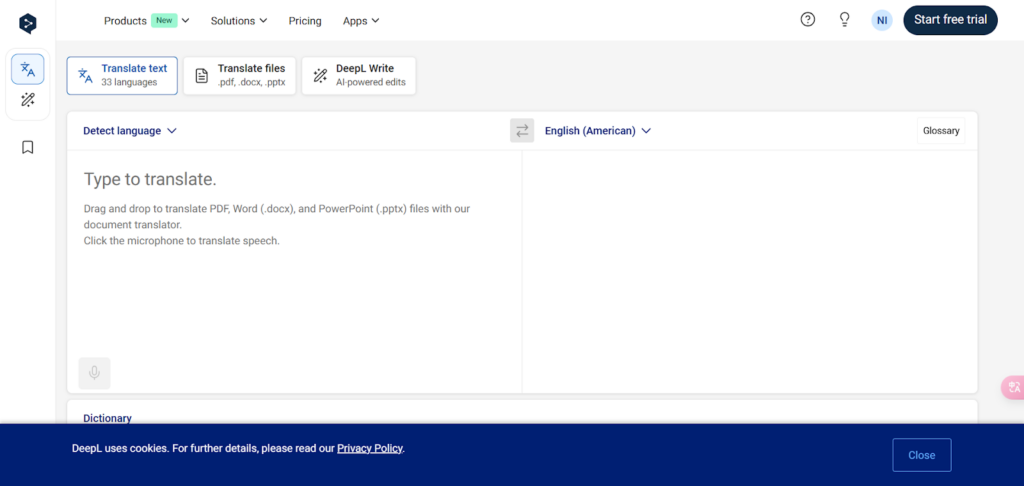
DeepL is a widely regarded AI translator known for its exceptional accuracy and natural-sounding translations. With a strong focus on European languages, it’s a favorite among professionals and businesses looking for high-quality results.

Pros

  • Exceptional Accuracy: DeepL delivers translations that feel natural and fluent.
  • Document Translation: Maintains formatting while translating large files.
  • User-Friendly Interface: Simple and intuitive, suitable for casual and professional users.
  • Paid Plans for Advanced Features: Includes options for businesses and teams.

Cons

  • Limited language support compared to competitors like Google Translate.
  • Free version lacks advanced features, which are locked behind paid plans.

Price

DeepL offers a free version with basic features and premium plans starting at $8.99/month, ideal for businesses and frequent users.


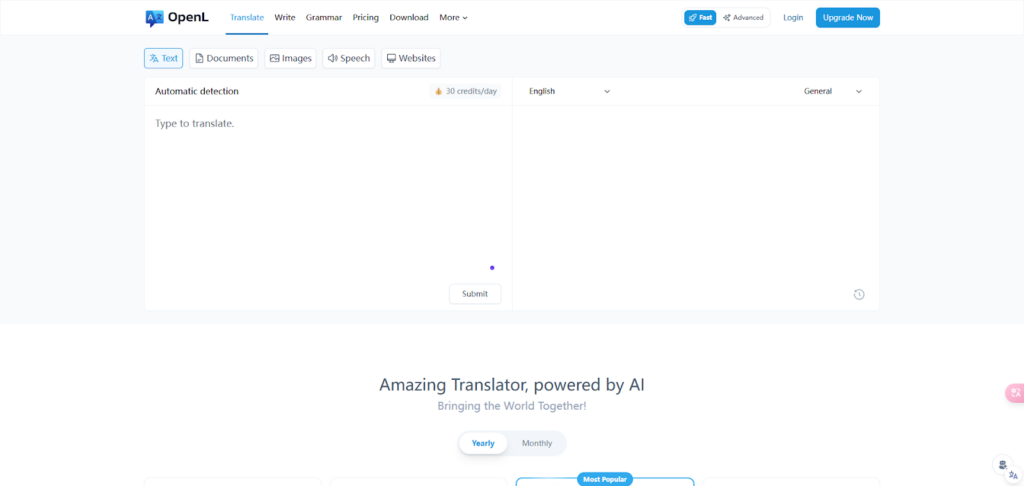
3. OpenL Translator

OpenL is a straightforward AI translator designed for users who need quick and reliable text translations. While it doesn’t offer advanced features like real-time communication, it’s a solid option for casual users and small businesses.

Pros

  • Fast Translations: OpenL prioritizes speed without sacrificing accuracy.
  • Simple Interface: Easy to navigate, even for first-time users.
  • Affordable Options: Great for budget-conscious users.

Cons

  • Limited customization for industry-specific needs.
  • Lacks advanced features like document translation or image recognition.

Price

OpenL offers free access to its basic features, with affordable premium plans available for users seeking higher limits or additional functionality.


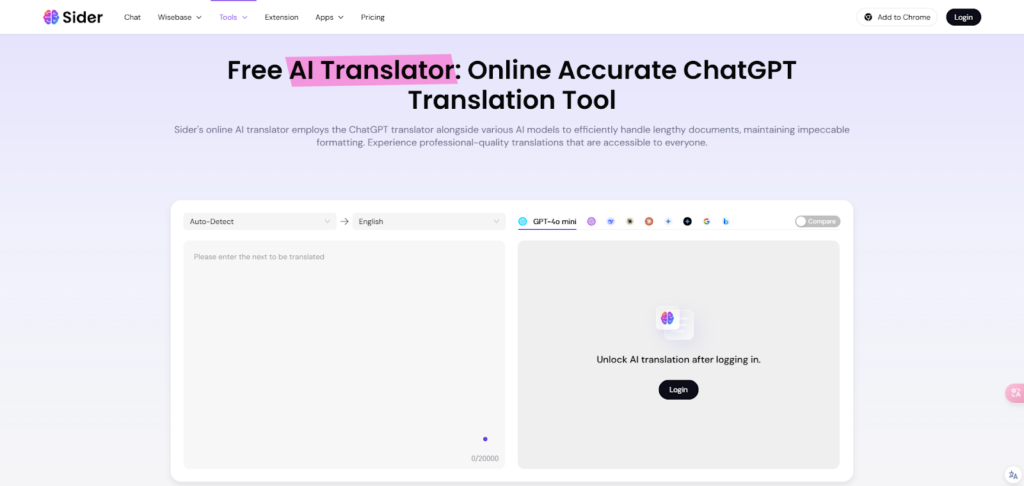
4. Sider.ai Text Translator

Sider.ai’s text translator is designed for quick and efficient text translations, making it an excellent choice for users who need straightforward solutions. It’s particularly useful for translating emails, reports, or short texts.

Pros

  • Wide Language Support: Covers major languages for global communication.
  • Fast and Reliable: Offers quick translations with decent accuracy.
  • User-Friendly Interface: Simple and clean design for hassle-free use.

Cons

  • Limited contextual understanding for complex or nuanced text.
  • Lacks advanced features like real-time communication or image translation.

Price

Sider.ai provides free access to its basic text translation tool, with paid plans available for users requiring higher translation limits or additional features.


Comparing the AI Translators

When choosing the best AI translator, it’s important to consider your specific needs. Are you looking for a tool to handle simple translations, or do you require advanced features like real-time communication and industry-specific customization?

  • For Casual Users: Tools like OpenL and Sider.ai offer quick and reliable text translation without overwhelming users with complex features.
  • For Professionals: Platforms like DeepL and Lufe.ai excel in accuracy and customization, making them ideal for businesses and specialized industries.
  • For Security-Conscious Users: Lufe.ai stands out with its encryption and focus on data privacy, making it a trusted option for handling sensitive information.

Why Lufe.ai Deserves Attention

While established platforms like DeepL dominate the market, newer solutions like Lufe.ai are pushing boundaries and redefining expectations. Its ability to balance contextual accuracy, real-time communication, and industry-specific customization makes it a standout choice for users who demand versatility and precision.

Additionally, Lufe.ai’s commitment to data security and user-friendly design ensures that it’s not only effective but also accessible. Whether you’re localizing a website, translating technical documents, or engaging in live multilingual meetings, Lufe.ai offers a comprehensive solution for modern translation needs.


Final Thoughts

AI translators have revolutionized global communication, making it easier to connect across languages and cultures. Each of the tools mentioned here brings unique strengths to the table, catering to different needs and budgets.

When choosing the right translator, consider factors like accuracy, scalability, and ease of use. And while established names like DeepL and Sider.ai are excellent choices, emerging platforms like Lufe.ai are worth exploring for their innovative features and adaptability.

As the demand for seamless communication grows, investing in the right AI translator can unlock new opportunities—whether for personal growth, professional success, or global collaboration.

Categories
AI Tools & Artificial Intelligence

Best 7 AI Avatar Generators for 2025

Whether you’re a content creator, business professional, or social media enthusiast, having a unique and professional avatar can make a significant impact on your digital identity. AI avatar generators have revolutionized the way we create digital representations of ourselves, offering sophisticated tools that can transform simple photos into stunning, customized avatars. In this comprehensive guide, we’ll explore the best AI avatar generators available in 2025 and help you choose the perfect tool for your needs.

Best 7 AI Avatar Generators List

1. D-ID

D-ID is a leader in AI-driven avatar generation, specializing in photo-realistic avatars and animated videos. It is widely recognized for its text-to-video capabilities, making it a top choice for businesses and creators looking to add a human touch to digital communication. D-ID leverages cutting-edge AI algorithms to create avatars that can speak and express emotions naturally, making it ideal for applications like e-learning, marketing, and virtual customer service.

Key Features:

  • Realistic facial animations that adapt to various scenarios.
  • Text-to-video functionality for creating talking avatars from scripts.
  • Multiple language support, enabling global reach.
  • Advanced privacy controls to protect user data.

D-ID is an excellent choice for businesses looking to enhance their digital communication strategy with lifelike avatars.

2. Deepbrain AI

Deepbrain AI stands out as a platform designed for professional use, particularly in corporate training, e-learning, and video presentations. Its AI avatars can narrate scripts with realistic voice synthesis, making it a valuable tool for creating instructional content. Deepbrain AI uses advanced text-to-speech technology combined with lifelike facial animations, ensuring high-quality results.

Key Features:

  • Script-based avatar narration for professional video presentations.
  • Realistic voice synthesis supporting multiple languages.
  • User-friendly interface for quick avatar generation.
  • Customizable backgrounds and branding options.

Deepbrain AI is an ideal solution for companies and educators aiming to create engaging and informative content.

3. Fotor

Fotor is a versatile platform that combines photo editing with AI avatar generation. It is particularly popular among social media users and casual creators who enjoy experimenting with artistic and cartoon-style avatars. Fotor offers a simple drag-and-drop interface, making it accessible to users of all skill levels.

Key Features:

  • Artistic and cartoon-style avatars with vibrant designs.
  • Background customization to suit various themes.
  • Intuitive drag-and-drop interface for effortless editing.
  • Affordable pricing plans, including a free version with basic features.

Fotor’s focus on artistic styles and simplicity makes it an excellent choice for casual users looking to enhance their social media presence.

4. Vidnoz

Vidnoz is a powerful tool for creating animated avatars specifically designed for video marketing and content creation. It offers pre-designed templates and text-to-speech capabilities, allowing users to create engaging videos quickly. Vidnoz is a favorite among marketers and content creators who want to add a creative flair to their campaigns.

Key Features:

  • 3D animated avatars with lifelike movements.
  • Text-to-speech functionality for dynamic video narration.
  • A library of pre-designed templates to streamline video creation.
  • Customizable avatar styles and settings.

Vidnoz is perfect for professionals in the video marketing space.

5. Magic AI

Magic AI is a trailblazer in hyper-realistic 3D avatar generation. It is widely used in gaming, virtual reality, and immersive experiences. Magic AI’s advanced technology replicates gestures, facial expressions, and movements, creating avatars that closely mimic human behavior. This makes it a top choice for industries requiring high realism.

Key Features:

  • Hyper-realistic 3D avatars with detailed textures and features.
  • Gesture and movement replication for lifelike animations.
  • Seamless integration with VR platforms.
  • Advanced customization options for fine-tuning avatar appearance.

Magic AI is the go-to tool for professionals in gaming and VR.

6. Avaturn

Avaturn is a user-friendly platform that specializes in customizable 3D avatars. It is highly versatile, making it suitable for gaming, branding, and social media. Avaturn’s real-time editing feature allows users to make instant adjustments, ensuring their avatars perfectly match their vision.

Key Features:

  • Extensive customization options for 3D avatars.
  • Real-time editing for quick adjustments.
  • Exportable 3D models compatible with various platforms.
  • Easy-to-use interface for all skill levels.

Avaturn is an excellent choice for users who prioritize customization and ease of use.

7. Replika

Replika is an AI-powered companion app with integrated avatar creation features. It is unique in its focus on emotional interaction, offering users a virtual friend who can chat, empathize, and grow with them. Replika’s customizable avatars add a personal touch to its conversational AI experience.

Key Features:

  • Customizable avatars for personal AI companions.
  • Advanced conversational AI capable of emotional interaction.
  • Options to personalize clothing, hairstyles, and accessories.
  • Cross-platform availability, including mobile and desktop apps.

Replika’s innovative approach to combining conversational AI with avatar customization makes it a standout tool.

Comparison of the Best AI Avatar Generators

Below, we’ve reviewed the top AI avatar generators for 2025 based on features, pricing, and usability.

PlatformKey FeaturesBest For
D-IDRealistic facial animations, text-to-video, privacy controlsE-learning, marketing, customer service
Deepbrain AIScript-based narration, lifelike audio-visual outputCorporate training, e-learning
FotorArtistic styles, background customization, drag-and-drop interfaceSocial media, casual creators
Vidnoz3D animations, templates, text-to-speechVideo marketing, content creation
Magic AIHyper-realistic 3D avatars, VR integrationGaming, virtual reality
AvaturnReal-time editing, 3D exportable modelsGaming, branding, social media
ReplikaCustomizable avatars, conversational AI integrationCompanionship, personal use

Choosing the Right AI Avatar Generator

Selecting the best AI avatar generator depends on your specific needs, goals, and budget. Here are some factors to consider:

  1. Purpose: Are you using avatars for gaming, marketing, social media, or personal interactions? Tools like Magic AI are better for gaming, while D-ID excels in marketing and professional settings.
  2. Customization Options: If you prioritize creative control, platforms like Avaturn and Fotor offer extensive customization features.
  3. Ease of Use: For beginners, tools like Fotor and Vidnoz provide intuitive interfaces.
  4. Budget: While some platforms are affordable or free (e.g., Replika and Fotor), others like Magic AI and D-ID may require premium subscriptions.
  5. Integration Needs: Choose tools that seamlessly integrate with your existing software or workflows, such as VR platforms or video creation tools.

By weighing these factors, you can identify the AI avatar generator that best aligns with your requirements.

AI avatar generators have transformed how we create and interact with digital representations of ourselves and others. Whether you’re a casual user looking for a fun social media avatar or a professional seeking lifelike animations, there’s a tool for every need.

Categories
AI Tools & Artificial Intelligence

8 Top AI Tools For Agencies To Try for 10X Growth

Today’s agencies are in continuous competition to produce better results in a shorter time and with fewer resources. The use of AI tools in their operations has turned out to be one of the most effective ways of realizing these objectives. 

Thus, agencies can benefit from AI in terms of process optimization, creativity enhancement, and productivity increase. 

In this article, we will look at eight of the best AI tools that can help agencies get 10X growth, but before that, let’s consider the general benefits of implementing AI in agencies.

Advantages of Using AI Tools in Agencies

The use of AI tools in agencies has many advantages that can help to improve the efficiency and effectiveness of the agencies. Below are some of the key advantages:

  • Increased efficiency: AI automates repetitive tasks, allowing team members to focus on more strategic and creative activities.
  • Improved decision-making: AI analytics provide data-driven insights, enabling better decision-making and more targeted strategies.
  • Enhanced creativity: AI tools can suggest new ideas and approaches, sparking creativity and innovation within teams.
  • Cost savings: By automating tasks and improving productivity, AI helps agencies reduce operational costs.
  • Scalability: AI tools enable agencies to handle more projects and clients without a proportional increase in resources.

With these benefits in mind, let’s take a look at the particular AI tools that can help your agency advance to the next level.

Streamline Your Workflow with Project Management AI

Coordinating several projects for different clients is not always easy, but with the help of AI project management tools, agencies can change. These tools employ the use of artificial intelligence to help in assigning tasks, monitoring progress and even forecasting for any possible set backs. Through streamlining of work processes, agencies can take up more projects at a go without compromising on quality or time.

AI project management tools also offer predictive analysis, which enables agencies to know what can go wrong before it happens. This allows teams to make changes as necessary and keep projects on schedule and within cost constraints. Lastly, these tools are effective in increasing efficiency while at the same time providing excellent service to the clients through standardization of services.

Boost Your Content Creation with AI-Powered Writing Tools

Creating content is one of the most fundamental services that many agencies offer, but creating quality content in large quantities is not an easy task. Traditional writing tools present a problem in that they do not help with different stages of writing, such as brainstorming, writing, and editing. These tools help in the analysis of big data to generate content that is not only informative but also interesting to the target market.

To agencies, the use of AI writing tools can save much time that would have been used in writing content so that the teams can work on other more important tasks. Also, these tools can improve the quality of the content by pointing out the changes in the tone, structure, and style. The end is a higher efficiency of content production and better results for the clients.

Enhance Client Communication with AI Chatbots

Communication is a critical component of any business and especially when it comes to the relationship between the business and its clients, and this is where AI chatbots come in handy. These chatbots are able to perform various types of client communication including basic questions and answers, appointment setting, and feedback collection. Since the chatbot is always online, the clients are always assured of receiving an immediate response which enhances satisfaction.

AI chatbots can be used in the communication processes of agencies to release human resources for more important tasks related to clients. Furthermore, chatbots can solve a growing number of requests, while maintaining the same level of service, which is perfect for agencies that need to expand their business.

Transform Audio to Text with AI Transcription Tools

There are several cases when agencies that deal with audio or video content need accurate and fast transcription services. It is here that AI transcription tools come in handy since they are capable of transcribing spoken language to written text in a short span of time and with a high level of accuracy. These tools are especially helpful in making subtitles, taking notes of meetings, or converting podcasts into blogs.

By adopting finetuned AI transcription tools like Transkriptor, agencies can be in a position to reduce the cost and time used in transcription while at the same time being assured of the accuracy of the transcription. These tools are very useful in any agency because of the flexibility that comes with them when it comes to content creation.

Supercharge Your Marketing with AI Analytics

Marketing through data is crucial for agencies that wish to achieve the best results in their campaigns. AI analytics tools give the ability to process large volumes of data within a short span of time and with high accuracy, which is very important while developing the right marketing strategies. These tools can help to find trends, to predict the behavior of customers, and to suggest the best ways to reach the target groups.

For agencies, AI analytics translates to better targeting, improved conversion rates, and superior campaign performance. By making decisions based on data instead of relying on the agency’s own instincts, the agencies can guarantee that their marketing strategies are not only cost-effective but also provide the best results for their clients.

Improve Design Efficiency with AI Design Tools

Design is one of the most important services that any agency can provide to its clients in branding, website development, or promotional materials. AI design tools can greatly improve the productivity of the design process since it can help in creating templates, finding color matches, and suggesting layouts. These tools employ computational methods to identify design trends and come up with ideas that are compliant with the current trends.

For agencies, the use of AI design tools can save time that would otherwise be spent on redesigning and can also help check whether all the designs are in line with the client’s brand. When the design process is made more efficient, agencies can work on more projects at the same time, increasing their ability to sign on new clients without compromising on quality.

Optimize Social Media Strategies with AI Social Tools

Social media management is a very delicate process that needs to be monitored and adjusted all the time. AI social tools assist in this by automating the posting of content, tracking engagement levels, and finding out what topics are popular. These tools can also recommend the most appropriate time to post content, to reach as many people as possible.

The agencies that adopt the AI social tools can be able to monitor the trends in social media and adapt to changes quickly. This agility is important to sustain the online presence and guarantee that the client’s social media plans are efficient. AI can help agencies to get the most out of social media and provide more value with less work.

Enhance Customer Experience with AI-Powered CRMs

Customer Relationship Management (CRM) systems are important tools for handling client relations and guaranteeing satisfaction. AI-integrated CRMs go a step further by providing analytical information, setting follow-up reminders, and ensuring that clients are treated individually. Such systems assist agencies in enhancing their rapport with their clients hence improving the chances of repeat business.

AI-integrated CRMs help agencies to predict the needs of the client and offer solutions before the client demands them. This level of personalization makes the clients to feel valued and understood and hence improves the customer experience. Also, the repetitive tasks’ automation frees up the teams to work on more important projects, which enhances the quality of the service delivered.

Categories
AI Tools & Artificial Intelligence

How to Utilize a No-Login AI Chat Alternative to ChatGPT

The evolution of AI chat technologies furnishes individuals and businesses with unprecedented capabilities. Among the constellation of chatbots is HIX Chat, a pioneering AI chat solution offering versatile and efficient conversation experiences. This comprehensive guide will shed light on how to leverage the full spectrum of features offered by HIX Chat without the prerequisite of an account setup or financial investment.

Discovering the Advantages of HIX Chat as a No-Login AI Chatbot

Free Access to AI Chat Without Login Hassles

HIX Chat emerges as a stellar alternative to ChatGPT, democratizing access to AI conversation partners. The absence of a login gate simplifies immediate interaction with AI, catering to a swift and hassle-free user experience. This platform stands as a testament to uncomplicated accessibility, aligning with the increasing demand for quick and direct AI chat engagements.

Robust Selection of AI Models

The backbone of HIX Chat is its array of advanced AI language models, including GPT-3.5, GPT-4, and others, consistently updated to harness the latest in AI. This plurality ensures that users can select chat experiences that align best with their requirements, whether for simpler tasks or more complex inquiries.

HIX Chat’s Cutting-Edge Features

Engaging With a Continuously Updated AI Chatbot

Contrary to AI chatbots constricted by outdated knowledge, HIX Chat is persistently connected to the pulse of the internet. This dynamic feature distinguishes HIX Chat, an AI chat that can pull and process current information online, serving users with the most relevant and date-specific data.

Implementing ChatPDF for Document Interactions

HIX Chat transcends traditional AI interactions with its ChatPDF capability. This function allows users to upload a variety of document formats and promptly interact with the extracted content, posing questions or engaging in discussions pertinent to the document’s subject matter.

Interactive Dialogue Options Using Web URLs

The capability to converse about a webpage’s content, simply with a URL submission, amplifies HIX Chat’s application. By digesting and comprehending webpages, it initiates an interactive dialogue, providing insights and understanding of web content.

Video Content Summarization at Your Fingertips

HIX Chat stands out with an innovative function to condense the essence of YouTube videos. Once a video URL is provided, the AI generates a summary, thereby allowing users to glean information quickly and direct queries regarding the video content.

Leverage HIX Chat Across Various Domains

A Tool for Marketers to Foster Originality

Intelligently mining data and generating original marketing ideas, HIX Chat aids marketers in drafting personalized campaigns. It can analyze buying behaviors offering profound insights into customer preferences and market trends.

Strategic Advantage for Advertisers

As advertisers continually seek to optimize messaging, HIX Chat serves as an indispensable aid to enhance ad copy. It also assists in deciphering campaign analytics, enabling advertisers to tweak and target with precision.

The Copywriter’s Assistant

Copywriters can harness the capability of HIX Chat to refine strategies, suggest linguistic improvements, and develop compelling narratives across multiple formats, enhancing the potency of written communication.

A Companion for Bloggers

Bloggers find in HIX Chat a fertile source for topic generation, content structure planning, keyword incorporation, and error rectification, elevating blog quality and search engine visibility.

Entrepreneurial Strategy Development

For entrepreneurs, HIX Chat is an essential contributor to formulating business strategies, identifying customer bases, and advocating effective marketing techniques to augment business growth.

Students and Academic Support

HIX Chat addresses the academic sphere by engaging with students in myriad topics, assisting in writing endeavors, and providing references from the depth of its online research capabilities.

Frequently Asked Questions About HIX Chat

Can HIX Chat be used freely and without registration?

Yes, HIX Chat is on the leading edge of the free AI chat spectrum, removing the barriers of account creation or financial commitment for users to engage with its powerful suite of features.

Does HIX Chat support multilingual interactions?

Indeed, HIX Chat distinguishes itself with an aptitude for discourse in over 50 different languages, presenting a truly international AI chatbot that can cater to a global user base.

Is online information accessible through HIX Chat?

Yes, HIX Chat stands out as an AI chatbot online that actively incorporates fresh, credible data from the internet, enabling it to generate original and relevant responses.

What security measures does HIX Chat employ?

HIX Chat prioritizes user security, shielding data with robust encryption and maintaining privacy by not sharing information with unaffiliated third parties.

Conclusion

As an AI chat solution of choice for anyone preferring a no-login and continuously updated AI chatbot online, HIX Chat holds a privileged spot. Its multitude of features and security promises a free, accessible, and potent resource to interact with AI. Embracing this guide can lead users across various industries and educational backgrounds to harness the might of AI chat with confidence and ease.

Categories
AI Tools & Artificial Intelligence

How Generative AI Development Services Are Transforming Businesses

In today’s technological world, every businessman wants to take their businesses to high levels and look for ways to boost growth and efficiency.

They must optimize their processes, enhance productivity, and reduce costs to improve performance. In recent years, generative AI has opened up new possibilities for achieving the goals of businesses.

Generative AI is a powerful technology for creativity, allowing for the creation of unique content and ideas. It enables more detailed and personalized communication that brings the customer experience to new heights.

This technology lets businesses respond to customer needs and preferences in real time, resulting in a stronger and more loyal customer base.

This article will explore how generative AI development services are transforming business and the benefits of generative artificial intelligence. Let’s dive into the topic with a quick introduction to generative AI!

What is Generative Artificial Intelligence (AI)?

Generative AI development services focus on producing new content or information. It refers to deep-learning models that can produce high-quality images, text, and other content depending on the information they were taught.

Generative AI applications include ChatGPT, Gemini, and Copilot, among others. The landscape of AI tools has expanded dramatically over the last two years, reflecting generative AI’s growing prominence.

Importance of AI Technologies

We are all living in an era of technological change that was fiction ten years ago. But now it has become a reality. As you can see, things are rapidly changing with technological advancement. Thus, everybody must embrace change and adopt advanced technologies to remain competitive.

Generative AI has great importance in today’s world because the other side is all about suffering. If you don’t adapt and learn, your business will suffer.

How Can Generative AI Help You Improve Your Business Operations?

Next, we are going to discuss some benefits of generative AI that you must know:

Enhance Customer Experience

Generative AI plays a critical role in improving customer support. For example, you can use AI-powered chatbots, visual assistants, and virtual assistants to answer questions, provide information, and troubleshoot problems.

It will enhance the overall customer experience by providing instant responses and freeing up support teams to focus on more complex and personalized customer interactions. They can boost customer engagement by offering custom deals and communicating uniquely.

Automating Content Generation

Content creation is a part of any company’s marketing and branding strategy. However, consistently producing high-quality content can require a lot of resources. Generative AI provides a solution by automating the content generation process.

AI-powered tools can quickly and efficiently generate engaging content, such as blog posts, product descriptions, and social media posts, freeing human resources for more strategic tasks.

Improving Decision Making with Predictive Analytics

In today’s data-driven business environment, making sound decisions is critical to success. Businesses can use generative AI algorithms and predictive analytics to analyze historical data, identify patterns, and forecast future trends.

Whether predicting customer behavior, optimizing supply chain management, or mitigating risks, AI-powered predictive analytics provide valuable insights that enable businesses to make better decisions and capitalize on new opportunities.

Optimizing Design And Innovation

Product development and branding rely heavily on design, influencing consumer perceptions and purchasing decisions. Designers and innovators can use generative AI tools to quickly explore different design options.

AI-driven design tools streamline the creative process and spark innovation, allowing businesses to stay ahead of competitors in changing markets.

Uncovering Hidden Opportunities

By analyzing massive amounts of data and identifying emerging trends, generative AI helps businesses discover new opportunities. Its algorithms can provide valuable insights into customer behavior, market dynamics, and competitive landscapes by identifying patterns and correlations.

Businesses can use this information to identify untapped markets, develop innovative products, and create targeted marketing strategies. Generative AI works like a strategic tool, allowing businesses to make informed decisions and capitalize on market opportunities.

Common Applications of Generative AI

Generative AI allows you to use machine learning for your business more quickly and across a wider range of use cases. It can be used in any line of business, including engineering, marketing, customer service, finance, and sales. Numerous applications for generative AI can significantly improve the customer experience, employee productivity, business efficiency, and creativity.  

Examples of generative AI capabilities that can be used to improve the customer experience include chatbots, virtual assistants, intelligent contact centers, personalization, and content moderation.  You can also increase your employees’ productivity by using generative AI for conversational search, content creation, and text summarization, among other things.  

Intelligent document processing, maintenance assistants, quality control and visual inspection, and the generation of synthetic training data can all improve the efficiency of your business. Finally, generative AI can be used to accelerate the creation of all types of creative content, including art, music, text, animation, video, and image generation.

Final Thoughts

Generative AI is changing how businesses approach strategy and innovation. Organizations can use its capabilities to drive growth, optimize operations, and open new opportunities.

Here, we discussed how generative AI development services are transforming businesses. I hope you found our article informative and now understand more about how technology changes business strategies.

Categories
AI Tools & Artificial Intelligence

Growth of AI Chatbots in Enhancing CSR

An emerging trend taking the business world by storm is the upsurge of AI capabilities in business operations to improve and revolutionize internal processing systems and increase productivity.

ML chatbots are growing rapidly sophisticated with modernized designs for businesses struggling to communicate and interact with their clients.

Chatbots are programmed to respond to queries with prompt answers. This is a crucial means of meeting client expectations. Such quick personal replies also mean higher client participation and total satisfaction.

Recently, these tools have advanced functionalities, utilizing conversational AI and ADMs to link with clients or workers. End users can reap multiple functionalities, including scalability, usability, flawless integration, and sturdy analytics. 

What Are Its Functionalities?

These are advanced assistants with a conversational interface designed to smoothen communication with large organizations. These advanced AI models perform much more than answering consumer responses, optimizing internal processes, generating leads, reducing costs, and using machine learning. 

Leveraging these functionalities allows employees to complete tasks independently. Generally, it reduces human resources costs, which increases productivity for different departments and teams within the business. 

Like other chatbots, the AI version employs 24/7 operational support and handles multiple client conversations for businesses like medical offices, legal offices, insurance agencies, or academic services like essayusa.com. It reduces wait times and improves productivity. 

How Do They Work?

Your business type decides the type of bots to create. If your business involves customers reaching out for services and products, then chatbots are the way to go, and they will already help assess the economic benefit they provide.

Today, however, a single virtual assistant species of chatbot is being used for this purpose. This is why such posted virtual personal assistants are automated with chatbot-based corporate virtual assistants. To such an effect, it facilitates ‘protocols,’ affecting this virtual chatbot.

With Natural Language Processing, each user query is dissected into sentences. Thus, the machine can understand what you’re asking. Furthermore, machine learning allows bots to learn from human interaction and improve their answers automatically. They are immersed in diverse data, constantly providing effective feedback. In addition, their performance is optimized.

Step-By-Step Guide on How They Work

Here is a procedural guide on how these chatbots work to provide useful output for consumers:

User input: The operation begins when a customer presents an input—any input, such as words, images, videos, or audio.

Input analysis: The advanced program processes the input using NLP. Later, it breaks down the sentence into individual words or phrases to further comprehend the original intent. 

Intent recognition: Once the user makes a request, the intelligent assistant recognizes the user’s intent to respond. This is done by the machine learning algorithm that associates the user’s input to an intent based on what the virtual assistant learned from past user responses.

Response generation is the stage at which the chatbot processes the user’s query, command, or response and generates a reply. If it is query-driven, a rule-based chatbot selects a pre-written response from its software engine. Other more sophisticated self-learning chatbots employ machine-learning algorithms to generate appropriate responses.

User output: The assistant responds the purchaser. Later on, the end user can reply to the program, and the operation begins over again. 

Significant Role AI Plays for Businesses

These advanced AI conversational platforms currently bear multiple use cases in the practical business landscape. The popular roles of these tools include:

Cost Saving

Using the capabilities of these tools is affordable and more scalable than hiring customer service agents. For instance, the best essay writing service can rely on chatbots to automate routine responsibilities, such as customer service, task management, data entry, invoice processing, or reporting.

It allows human employees to carry out other responsibilities that require a personal touch, such as decision-making, accounting and auditing, general administration, or sales and marketing.

Customer Service

The entry-level requirement for chatbots is offering round-the-clock customer support, appropriately answering queries, and resolving consumer-related issues. Furthermore, these programs can collect feedback and insights to improve products and services. 

It can also automate customer service-related tasks like automated email responses, automated ticket routing, customer surveys, workflow automation, or password resets. 

Sales and Marketing

Most companies already use capabilities to generate leads in their sales and marketing departments. First, with their help, one of the most common 24/7 customer services is provided, to which all those who need help can always turn.

Implementing this tool will bring the highest satisfaction and loyalty to the clientele. Moreover, such tools can make personalized recommendations and suggestions based on collected client data and thus make the most efficient sales, leading to the largest conversions.

User Engagement

For instance, using these AI tools, business management can detect possible gaps in the customer conversation and quickly resolve inquiries or complaints.

Still, the tone and pace of the conversation with the customer can be changed mid-conversation to improve customer response and satisfaction. Advanced NLPs help precisely understand the client’s question and deliver a quick response.

Data Collection

The entry-level part of these programs responds to queries, while advanced algorithms gather data to gauge satisfaction levels with these replies. Also, it adjusts the conversation flow to provide better, more accurate, more relevant, and restored responses depending on the nature of the customer’s interactions. It helps a business understand its customers and their needs better. It can track what products customers are more interested in, their preferences, and their general feelings about them. 

Improving Employee Experience

A positive employee experience is essential for business success. Most companies invest in positive employee experiences to build their brands and attract and retain the best talent. Integrating these tools guides new employees through routine customer service training programs to get acquainted with the work environment.

Moreover, it provides immediate responses and answers to customers’ commonly asked questions. It can also create personalized training paths for new employees to accelerate their learning process for fast customer handling skills. 

Personalized Services

Users can easily program the software to converse with end users and foster a mutual relationship. Chatbots can also gather data to comprehend preferable customer needs and expectations. Afterward, they can analyze these insights to tailor responses and recommendations. Customers can use personalized services like feedback and guidance to support them through the initial learning phases. 

Final Words 

Machine learning programs present limitless opportunities to enterprises that want to take advantage of their features and functions in the modern business world. It helps improve operations of business and enhances customer involvement. Sales acceleration, price reductions, user engagement, and better personal services are some outlets to be used by businesses to continue growing.

Categories
AI Tools & Artificial Intelligence

The Future of AI and Web Design

AI is making big inroads into every conceivable industry these days. Understandably, being a technologically-driven industry by nature, web design is also very much part of this trend. Although this fact in and of itself is not new, the degrees to which it is influencing the field are growing faster than ever before.

But just how is AI influencing the sphere? And where is it heading in the future? Let’s take a closer look at just a few of the major things that are changing. While this list is not exhaustive, it provides a fascinating insight into the design world that is shaping up in the future.

Coding

While AI is revolutionizing every aspect of the field, let’s start by looking at the design process itself. A lot of the work involved in creating websites used to be relatively menial. Constant updating of codes and testing requires a lot of time doing repetitive tasks that AI tools are finally relieving developers of. 

AI is instrumental in the actual generation of code, for example. Once it knows the user’s objectives, advanced tools can come up with coding in much the same way (and at a much greater speed) as humans can. This allows developers to focus on the larger picture, and think about what they want to do with their sites on a more general level. 

User experience

AI is assistive in analyzing user behavior in subtle ways that are beyond human capability. In performing these analyses, AI-driven tools can produce content that is personalized for specific individuals, make suggestions for products or services, and answer queries in real-time. 

AI is also helping to reshape user preferences as far as web layouts, the positioning of toolbars and other web features, and content types are concerned. While programmers have always had some ability to speak to user needs in this respect, AI can detect and analyze user behavior with far greater specificity than humans can.

Image depiction

Generative AI is one of the big buzzwords in web design. Generative AI is the creation of text or images based on user instructions. For example, if a company wants to create product visualization AI that will really give consumers a precise idea of what they will receive with a given customized product, generative AI can be used to produce remarkably life-like and accurate models of the product in question. This is creating a whole new world for customized product services.

And not only can AI come up with the images that companies need; it can speak to user requirements by analyzing preferences in a way that is beyond human capability. Because AI is able to analyze huge volumes of data in a short period of time, it can come up with results that are both more accurate and infinitely faster than humans can.

Search engine capability

AI is even helping websites become more visible in assisting with SEO. While webmasters have traditionally had to handle this process by themselves (or pay another company to do it for them), AI tools are becoming available that will guide developers to better adhere to search engine standards and thereby end up higher on SERPs. 

AI is assistive in optimizing websites not only because it can take care of the work of people. Search engine standards are constantly changing, and therefore it takes research on the part of people to figure out what the new standards are. Keywords, content requirements, and other aspects of SEO are ever-changing. Only AI is capable of keeping up with all of this on a real-time basis. 

Designers’ lives will be easier and more interesting

All of this means that the jobs of designers will be both easier – in that many of the menial tasks they now have to perform will be unnecessary – and more interesting, in being able to focus on the larger picture and think more broadly about what they and their customers want out of the web experience. Of course, AI isn’t eliminating the need for web designers altogether, but in utilizing these tools the user-technology experience is enriched, and the end products are of far higher quality than they have ever been before.

Categories
AI Tools & Artificial Intelligence

Using Artificial Intelligence for Mobile Apps: Major Highlights

Does AI sound like something very complicated to you? Do you think that you have never faced AI options before? You will be surprised when finding out that you have worked with AI technologies many times in your life. 

And this approach is not as terrifying as it may appear to be at the first glance. JatApp professionals who created learning apps like Duolingo using AI (go to this website to have more information jatapp.co) will explain to you the essence of this technology and showcase how it is practically used. Find out brief info about how to code a language learning app using AI technologies.

The Importance of AI for Mobile Apps

Artificial intelligence (AI) is used for making decisions by applying real-time data. This technology is more flexible compared to machines that are more passive in decision-making. AI is associated with the capability to predeterminate the responses. That is why it is widely used for eLearning and benefits such areas as production, economics, and medicine. AI is effective at combating identity theft and different cyber threats. It is applied to make browser fingerprinting work. Many businesses state that AI helps with gaining competitive advantages and delivering better customer service. AI is widely used for problem-solving.

Recently, AI started to be integrated into mobile apps too. The trend is growing rapidly as mobile apps lack AI facilities.

Routes of AI Popularity

AI has become extremely popular for many reasons. The most interesting and important ones:

  1. Neural networks

Neural networks are used to accompany the process of resolving many daily tasks. The most popular examples are these ones:

  • automatic recognition and email sorting;
  • computer games images and algorithms;
  • digital camera operation and automatic facial detection;
  • automatic voice recognition;
  • signature authentication.
  1. Attentive to user feedback

The AI application will enable users to collect and process user feedback in a more effective way. This is especially important for those developers who are interested in how to make an app like Duolingo. AI enables ensuring real interaction between the users and a tool. Considering likes and dislikes more precisely also becomes possible. This information serves as a valuable source to improve customer experience next.
  1. Automated reasoning

This feature is extremely important for problem-solving. It helps to identify the best solution taking into account the parameters of a given situation. The best example, in this case, is Uber. Its algorithms help to identify the shortest route among all the possible ones. This makes the user experience more convenient and cheaper.

  1. Conversational UI

This feature enables one to interact with a computer or mobile phone in human terms. AI enables the conversation to be resilient. Providing effective replies matters a lot for customer experience and problem-solving. This is especially important if you want to develop an app like Duolingo.

  1. Finalize monotonous tasks faster

AI provides opportunities to complete repetitive tasks faster and more effectively. Thanks to this feature users are allowed to have more time for creative and important things to do.  Keep this feature in mind if you want to make your own language app. It will help you to ensure a better user experience.
  1. Accuracy

AI introduces an amazing opportunity to get more accurate results. Speedy outputs also become possible in this case without sacrificing accuracy in any way. And what is also important is that the risk of mistakes is decreased a lot thanks to applying AI.

AI Technologies to Know about in the First Turn

If you want to find out more about AI as a user or even interested in how to make a learning app, be aware of these major points of the recent AI application:

  1. Speech recognition

This is one of the most popular AI technologies for mobile applications now. It represents a voice control system with automatic speech recognition. The technology is based on the conversion of human language into a language that a computer can understand.  Many mobile app developers decided to implement the same feature in their tools as well. It makes the user experience far more convenient.

  1. Chatbots

When the story comes to mobile applications, the said feature is of great importance. It enables people to provide feedback about the customer experience they have gained. Mobile apps developers consequently can use this feedback to enhance the user experience and make it more adaptable to the needs of customers.

  1. Machine learning

This is the future that is widely used in most applications. It is extremely helpful for classification and forecasting. A business that is based on forecasting needs this AI feature for sure. It is also important for those who want to create a language app.

  1. Biometrics

AI technologies provide a great room to analyze, identify, and assess human behavior. Thanks to its application, it becomes possible to easily recognize physical aspects of the human body, including structure, shape, and size. This technology is also associated with sensory and voice recorders, gesture control, etc.

Source: Pixabay
  1. Natural language technology

If you are interested in ways of developing an application for better customer experience, natural language technology is one you should integrate. It helps to track user feedback more effectively.

Duolingo Case of AI Application

Duolingo has become an extremely popular application for many reasons. It has a convenient user interface, provides quality learning materials, and is also boosted by AI features. Such AI features will be especially important for those readers who are interested in how to create a language learning app:

  • Speed repetition

Duolingo has created very detailed profiles based on the things that users don’t know and the things they want to know. For instance, some word is repeated a specific number of times. This helps an app forecast how long a user will remember this word. 

Duolingo introduces some words that a user has not seen. It is included in the exercises that are repeated more or less frequently. This approach helps with overcoming possible learning and memorizing challenges. The app will suggest exercises that will help a user memorize a certain word. It will also introduce extra exercises for those points where you experience some learning difficulties. For instance, if you make mistakes with past simple, the app picks the exercises exactly with past simple to enhance your knowledge. 

  • Birdbrain

This approach helps to pick the exact exercise to make your knowledge enhanced and ensure you can tackle this exercise without any extra stress. The approach enables developers to predict that a user will likely answer a certain question or task correctly with the probability of 90%, for instance. So, if a user steadily gives the wrong answers, an app gives tasks that are a bit simpler.

  • Blame

Apart from the task customization based on the previous correct and incorrect answers, Duolingo also needs to identify why a user fails to complete a specific exercise. The app identifies the reason for making a mistake whether it was associated with the tense, sentence structure, a part of speech, etc. So, Duolingo gets a chance to pick the most suitable exercises to fix the problem and make it solved.

  • Active learning

This approach is based on the analysis of previous mistakes made by the user. If a customer has challenges with remembering specific words or sentence structures, tenses, or similar things, the app picks the most suitable tips to make a user memorize the right spelling or grammar rule. The app helps to learn faster and avoid forgetting about a problem.

  • Logic regression

This approach is widely applied to challenging questions. If a user picks an incorrect answer, there is always an opportunity to request a report and find out what was wrong. If a user thinks that his/her answer was correct, it is possible to appeal such the answer suggested by the app. This makes the learning process more interactive.

  • Bandit

The app sends everyday notifications remembering that you have to practice more on the matter. Duolingo even analyzes the effectiveness of its notifications to improve it. AI defines when to send the exact notification and what to say to a customer to interest him/her in learning a language further. This is made based on tracking the activities that a customer does in Duolingo.

Source: Unsplash

Final Words

Applying AI is a promising thing in many industries, including business, medicine, and education. It is widely used to automate processes and work with information more effectively. AI also helps to make the user experience better. And now, AI is widely brought to different mobile apps to make them more useful.

Duolingo has become one of the most popular language learning apps thanks to the application of advanced AI technologies, such as speed repetition, Birdbrain, Blame, and many others. These technologies will be especially useful for those users who are interested in how to make a language learning app, like Duolingo.