Categories
Uncategorized

Benefits of Remote LATAM Teams for Small Business Growth

Small businesses are constantly searching for ways to scale efficiently without stretching budgets or sacrificing quality. One strategy gaining momentum is building remote LATAM teams. Companies across industries are turning to Latin American talent for roles in customer support, marketing, finance, operations, and tech because of the strong balance between cost-effectiveness, skill, and time zone alignment. Unlike traditional outsourcing models, remote LATAM hiring often creates smoother collaboration and faster communication with US-based businesses. 

As competition grows and hiring challenges continue, leveraging remote LATAM teams is becoming a practical growth strategy for small businesses aiming to expand sustainably and stay agile.

Core Advantages of Remote LATAM Teams for Small Business Growth

The upside here goes well beyond salary savings. Think margin expansion, revenue impact, and competitive positioning that’s genuinely hard to replicate in a hurry.

Direct Impact on Profit Margins and Cash Flow

Hiring from the Latin America remote workforce typically saves 30–60% compared to equivalent U.S. roles, depending on the country and function. But beyond base salaries, you’re also shedding office overhead, equipment budgets, and benefits costs.

Consider this: swap one U.S. full-time marketing hire at $80,000/year for two LATAM professionals, a marketing coordinator, and a customer success rep, at roughly the same total spend. You’ve doubled output capacity and added direct revenue impact through improved customer retention. That’s not a minor operational tweak. That’s a meaningful business outcome.

Faster Scaling Without Heavy Fixed Costs

With salary savings freeing up capital for reinvestment, the natural next question is: how do you add headcount without locking yourself into expensive, inflexible commitments?

Small business LATAM outsourcing addresses this directly. You can structure hires as fixed-term contracts, project-based retainers, or part-time arrangements that convert to full-time roles as needs evolve. Testing a new service line? Bring in a fractional analyst or a specialist without committing to permanent headcount. That flexibility protects cash flow in growth phases where revenue hasn’t fully stabilized yet.

For finance and analytics roles specifically, partnering with finance recruiters who understand the Latin America remote workforce can cut both time-to-hire and the risk of a costly mismatch considerably. These finance recruiters bring working knowledge of compensation benchmarks and know exactly where the strongest FP&A talent pools sit, particularly in Brazil, Colombia, and Mexico.

Better Collaboration Thanks to Time Zone Alignment

Flexible hiring models protect cash flow, but fast scaling only works if your remote team can actually operate in sync with your business.

Most of Latin America overlaps with U.S. time zones by one to three hours. That translates to same-day decisions, live stand-ups, and fast feedback loops, none of which are possible with offshore teams in Asia or Eastern Europe, where 8–12-hour gaps slow everything from code reviews to urgent customer issues. For small businesses where speed is a real competitive variable, this alignment isn’t just convenient. It’s decisive.

Cultural Proximity and High Customer Empathy

Operational alignment is important, but there’s another layer that determines whether your LATAM team genuinely integrates rather than just technically functioning.

Many Latin American professionals have spent years consuming U.S. media, brands, and business culture. English proficiency in major LATAM hubs, Bogotá, Mexico City, Buenos Aires, and San José, is strong and steadily improving. For customer-facing roles like support, sales development, and account management, that cultural fluency shows up directly in conversation quality, NPS scores, and client retention.

Strategic Ways Remote LATAM Teams Help Small Businesses Grow Revenue

These foundational advantages create the conditions for something more valuable: building your remote LATAM team as an actual revenue engine, not simply an overhead reduction.

Extending Sales and Marketing Capacity

SDRs, marketing coordinators, content creators, PPC managers, email marketers, and remote LATAM teams can significantly expand outreach volume without a proportional payroll increase. Bilingual professionals also open Spanish-speaking U.S. markets and LATAM expansion opportunities simultaneously, something a domestic-only team cannot replicate at the same price point.

Senior remote professionals in Latin America can save companies $30,000 to $60,000 annually per role, achieving an ROI of 150–200%, according to HireTalent. That math is especially compelling when you’re building a sales function from the ground up.

Upgrading Customer Experience and Retention

New business coming through the door matters. But the real compounding value comes from keeping those customers longer.

LATAM support reps, onboarding specialists, and customer success managers can extend your coverage hours without exhausting your domestic team. Combining U.S. and LATAM shifts creates near 24/5 availability that reduces response times and churn, two metrics with direct impact on recurring revenue. For SaaS and service businesses particularly, this structure tends to pay for itself within a few months.

Strengthening Product and Operations Without Overstretching Budget

Stronger retention improves your revenue baseline. Pair that with a leaner, faster product team, and you start building advantages that compound in ways competitors struggle to close.

LATAM developers, QA engineers, data analysts, and operations coordinators can be organized into cross-functional pods aligned to specific outcomes, faster onboarding, churn reduction, and upsell automation. Small businesses using this pod structure consistently ship faster and run cleaner operations without inflating headcount unnecessarily.

Building Resilience and Reducing Key-Person Risk

Shipping faster is critical. Sustainable growth, though, also requires protecting what you’ve built.

Distributing key functions, finance, marketing, operations, across U.S. and LATAM locations means no single departure derails your momentum. LATAM teammates provide natural redundancy for sick leave, vacations, and role transitions. It’s the kind of resilience most small businesses undervalue, right up until they desperately need it.

In-Demand Roles to Fill with Remote LATAM Talent in Small Businesses

Knowing the strategic value is one thing. Knowing which roles to prioritize is where strategy becomes real action.

Role CategoryTop LATAM RolesPrimary Benefit
Revenue & SalesSDRs, appointment setters, PPC managersVolume + bilingual reach
Customer ExperienceSupport agents, onboarding specialistsRetention + coverage
Finance & HRAP/AR staff, payroll analysts, HR coordinatorsCompliance + cost savings
Tech & ProductDevelopers, QA engineers, data analystsSpeed + quality

Revenue-Generating Roles for Small Business LATAM Outsourcing

SDRs and inside sales reps consistently rank among the highest-ROI LATAM hires for small businesses. Add SEO specialists, email marketers, and social media managers, and you’ve assembled a full growth function at a fraction of domestic cost. Appointment setters alone can meaningfully lift booked demo volume for agencies and consultancies working with limited sales headcount.

Customer-Focused Roles that Delight Clients

Once your pipeline is running, the next priority is making sure every new customer has an experience worth staying for.

Tier 1 and Tier 2 support agents, onboarding coordinators, and bilingual account managers are among the most consistently high-impact hires available. For SMB-focused businesses managing broad client portfolios, bilingual LATAM account managers handle both English and Spanish accounts, a real competitive advantage in growing markets.

Financial, HR, and Talent Acquisition Roles

Junior-to-mid-level accountants, AP/AR staff, payroll analysts, and HR coordinators are cost-effective and widely available across the Latin America remote workforce. If you engage finance recruiters with genuine expertise in distributed team hiring, your business can access specialized FP&A support without needing an enterprise-level budget to make it happen.

Technical and Product Roles that Accelerate Delivery

Software engineers, QA testers, data engineers, and no-code builders are well-represented across Latin America’s tech ecosystems. AI workflow specialists, professionals fluent in tools like Zapier, Make, and various AI assistants, are particularly valuable as small businesses accelerate internal automation.

Growing Smarter with Remote LATAM Teams

The picture here is genuinely clear. Remote LATAM teams are not a stopgap; they’re a deliberate growth lever that small businesses can use to build real competitive advantage. From profit margins and faster scaling to stronger customer experience and operational resilience, the benefits of Latin America remote staff compound meaningfully when you approach them with intention.

Take an honest look at your current org chart. Identify where execution is bottlenecked, where costs are disproportionate, or where coverage gaps are quietly hurting your customers. Then seriously consider how the Latin America remote workforce could close those gaps, ethically, efficiently, and at a pace that actually helps you grow business with LATAM remote teams faster than you might have thought realistic.

Frequently Asked Questions

What makes LATAM remote teams different from hiring in Asia or Eastern Europe?

Time zone alignment is the biggest differentiator. LATAM professionals typically overlap with U.S. business hours by 6–8 hours daily, enabling real-time collaboration that offshore teams simply can’t match consistently.

How should a small business decide which roles to staff locally versus remotely in LATAM?

Keep core strategy, executive leadership, and sensitive client relationships in-house. Assign execution-heavy roles, support, marketing operations, finance admin, and development to remote LATAM team members for maximum efficiency.

What’s a realistic salary range for a full-time LATAM professional compared to a U.S. equivalent?

Depending on role and country, expect 40–65% of the U.S. equivalent salary. Senior developers might earn $55K–$85K annually in LATAM versus $120K–$180K in the U.S.


Categories
Uncategorized

How Generative AI Is Changing the Way We Create and Imagine Human Faces

Introduction

Artificial intelligence is one of the digital technologies that rapidly developed after being an experimental concept in research and became a common use. Over the past few years, computing power and machine learning have made AI systems extremely realistic in creating images, videos, and any other media. Such technologies are frequently referred to as AI generator since they can generate completely novel content on the basis of patterns acquired with the help of large datasets.

This is because today, AI generator tools are seen in most industries. AI platforms are used in the creation of images, visual experimentation, and the acceleration of creative processes by designers, developers, and content creators. The creation of natural human faces is one of the most fascinating capabilities of the contemporary AI systems.

The AI image generator systems have the ability to create faces that appear natural although the faces do not belong to any real person. Such innovation is transforming the way of creating digital media and is providing new opportunities of creativity, experimentation and research.

What Is Generative AI?

Generative AI is a term that is used in reference to the artificial intelligence systems that are created to generate novel content and not merely to analyze information. Such systems are based on neural networks that are computational models that are based on human brain structure.

The neural networks operate the data in multivariate layers enabling the machines to identify the patterns in large data sets. These systems are taught millions of images, and thus, learn how shapes, colors, light, and textures are mixed to create realistic images.

These processes are refined with the help of machine learning models and deep learning techniques. The AI systems can learn to produce the images that look similar to actual-world photographs gradually through repeated training.

Contemporary generative algorithms, including diffusion models and generative adversarial networks, can create detailed and very convincing images. Due to these developments, the image generation technology of artificial intelligence has emerged as a big subject of innovation of AI.

AI and Synthetic Image Creation

Synthetic image creation is one of the most amazing applications of AI generators. Image generation models examine the trends in image datasets and consequently create new images based on the same format.

Deep learning methods enable AI programs to reproduce intricate aspects of human faces such as facial proportions, lighting, as well as skin texture. These technologies are able to create faces that look very realistic.

The synthesis of faces using digital faces has become a captivating field of artificial intelligence studies since there are numerous nuanced details and emotional cues in human faces. This information would need massive datasets and sophisticated machine learning algorithms to train AI systems to replicate it.

Today, various online tools allow people to experiment with AI-generated faces. Some platforms even let users explore what a future child might look like by analyzing facial features with baby generator prediction. These applications demonstrate how AI generator tools can combine entertainment with advanced artificial intelligence imaging.

Real-World Applications of AI Image Generation

There are already areas where AI-generated faces are applied in various industries. The film studios and video games developers apply AI tools to creating video game characters and video game visual effects. Such technologies assist in accelerating the production and providing new creative opportunities.

The AI image generator can be used in design and media, concept art, marketing, and creative experimentation. It enables the designers to create numerous variations of the visual ideas or characters promptly and is therefore more efficient in the creative process.

Generative AI tools also have the advantage of education. Students that study artificial intelligence and digital media may examine its neural network picture creation, and learn more about machine learning concepts.

Moreover, a great number of individuals are engaged in the technologies because of experimentation. The AI devices enable users to experiment with innovative concepts and engage with advanced technology in a not so complex manner.

Ethical and Technological Considerations

Although positive, AI image generation is accompanied by some serious ethical concerns. One issue is privacy especially when the AI system is being trained on a mass of images.

Deepfakes are the other topic that has been much discussed and are artificial media that are capable of imitating the look of actual persons. Although this technology can be used in entertainment and education, it can also be abused to distribute false information.

Deepfakes remain one of the most serious concerns surrounding AI, synthetic media capable of imitating real individuals and potentially spreading false information. To address this, researchers and developers have been working on tools such as AI image detector technology that can help identify whether an image was artificially generated.

To overcome these issues, scientists and technology corporations are developing responsible AI development guidelines. The various measures that will be helpful in ensuring ethical use of generative technologies include transparency, enhanced data practices, and labeling of AI-generated content.

Conclusion

Generative AI is changing how individuals generate and visualize digital images. Artificial intelligence is now able to create natural human faces and other complicated images through neural networks and deep learning models.

Entertainment, design and education are also some of the industries that these technologies are impacting and also providing more opportunities to be creative and experiment with digital technology. Meanwhile, conscientious development and moral aspects are also necessary.

The use of generative AI tools is likely to become even more prominent in the future of digital media and innovative creativity as the tools are going to continue developing.

Categories
AI Tools & Artificial Intelligence

8 Best AI Humanizer Tools in 2026

AI humanizers polish machine-generated text into natural, human-like content that bypasses detection tools, adds a personal touch, and reads better. The global AI market should exceed $826 billion by 2030, yet most humanizer tools don’t meet expectations. 

Despite AI-powered writing tools growing 25% yearly, finding reliable options remains challenging. This blog covers the 8 best AI humanizer tools that stand out based on actual performance statistics rather than guesswork. 

1. Quillbot 

QuillBot’s AI Humanizer is a renowned tool that transforms AI text differently than other tools in the market. The company started as a paraphrasing tool and grew to include many writing features that boost your work. You can easily combine this tool with Chrome, Microsoft Word, and macOS through extensions, so you can use it on whatever platform you write on.

Key features

QuillBot’s AI Humanizer stands out by turning robotic AI-generated text into natural language with better tone, clarity, and flow. The tool goes beyond minor changes and analyses writing patterns to rephrase content while keeping the original meaning.

QuillBot works as a detailed writing assistant with these built-in tools:

  1. Paraphraser: This tool rewords text in different styles. You get two modes with a free account (Standard and Fluency), while Premium users can access nine unique modes like Formal, Academic, Simple, Creative, and more.
  2. Grammar Checker: Spots and fixes spelling, punctuation, and grammar errors in six languages
  3. Summarizer: Breaks down long texts, articles, or research papers into main points or paragraphs 
  4. Citation Generator: Makes properly formatted citations in hundreds of academic styles 
  5. Plagiarism Checker: Looks through billions of online sources to find potentially unoriginal material
  6. AI Detector: Checks text to find how likely AI was involved in creating it
  7. Translator: Changes text between more than 40 languages

Quillbot Advantages: 

  • User-focused interface: You can humanize text with just one click, making it available even to beginners.
  • Adjustable settings: Control how many changes you want and pick specific words to modify 
  •  Cross-platform compatibility: Works with apps and websites of all types through extensions
  • Free tier availability: Simple features work without payment or signup 
  • Multiple language support: Handles many languages for translation and core features.

Quillbot pricing

  • Free Plan:  125-word limit for each paraphrase
  • Premium Plan: USD 20.00 per month and no word limits

2. Clever AI Humanizer

Free Clever AI Humanizer is a 100% free online tool designed to make AI-generated text sound natural and human-like. Unlike most similar tools, it doesn’t require registration, subscriptions, or payment; you can paste your text and get instant results. The platform specializes in rewriting ChatGPT or GPT-4 outputs so they sound authentic while significantly reducing AI detection rates from systems like ZeroGPT, GPTZero, or Originality.ai.

It allows up to 4,000 words per run and offers a generous monthly limit of 120,000 words for free. AI Humanizer focuses on preserving the original meaning of your text while enhancing tone, rhythm, and sentence structure to mimic real human writing. The interface is simple and intuitive — you paste your text, click “Humanize AI,” and receive fluent, undetectable content within seconds.

Key features

  • Human-like rewriting that adjusts tone, phrasing, and emotion.
  • Strong AI detection bypass for tools such as GPTZero and Grammarly AI.
  • Completely free, with no ads or login required.
  • Saves your content history for easy access.
  • Supports more than 15 languages, including English, Spanish, French, German, and Japanese.

Pricing:

  • Free plan with up to 120,000 words per month.
  • 4,000 words per run limit.

3. Undetectable AI

Undetectable AI helps you convert AI text to human-like writing that feels clear, natural, and easy to read. It bypasses all detectors, including Originality.ai, GPTZero, Turnitin, etc

Unlike basic rewriting tools, Undetectable AI at the sentence structure, tone, and meaning. It rewrites your content so it sounds like a real person wrote it, while keeping the original message.

Key features

These are the key things the tool can do:

  • Bypass AI Detection
  • Humanize your material
  • Preserve the main idea of the text
  • No registration necessary
  • Free of charge

Pricing

  • Free Plan: $0 (1000 words allowed per scan)
  • Paid Plans: Lite 9.99$, Pro 25$, Unlimited 59$

4. Undetectable AI

Undetectable AI stands as one of the most innovative services that help make AI-written text look human-written. This platform helps students, content creators, and professionals make their AI-assisted work appear more natural. The company started in 2023 and quickly became a go-to solution.

Key features

The platform has a complete set of tools that focus on AI content changes and detection:

  1. AI Humanizer: This tool makes AI text more human-like. It modifies patterns of chaos and confusion that are usually detected by AI detectors.
  2. AI Detector: The system uses shared, consensus-based detection to analyze content against algorithms from major detection systems.
  3. Customization Options: Users can adjust humanized text based on different reader levels like university, high school, or legal documents.
  4. Human Auto Typer: The tool copies typing patterns. This prevents document history flags that might show the content was pasted instead of typed.

Undetectable AI Advantages

  • High Bypass Rate: It passes many popular AI detection tools.
  • Free Trial Available: Users can try the service at no cost before buying.
  • Side-by-Side Display: Users can compare original and humanized versions easily.
  • Multiple Tool Integration: The interface combines eight major AI checkers.

Pricing 

  • Monthly Plans: starts from $9.99
  • Annual Plan Benefits: Users save 50% with yearly subscriptions

5. Humanize AI

Humanize AI turns your AI-generated text into naturally flowing, human-sounding content. Whatever you’ve written using tools like ChatGPT, Bard, Jasper, Grok or others, this tool helps it read like real, relatable human writing. It also supports multiple tones (Standard, Academic, Simple, Flowing, Formal, Informal, Expand, Shorten), so you can choose the style you need

Key features

  • Converts AI-generated text into human-like content, retaining meaning and tone.
  • Works across major browsers and devices: desktop, tablet, mobile.
  • No registration or signup required, just paste your text and go.
  • Keeps your original context, is SEO friendly, and makes content less likely to be flagged by AI detectors.

Advantages

  • Free to use: Unlimited access at no cost.
  • User-friendly: Straightforward interface; easy even for beginners
  • Fast processing: Get your humanised content quickly.
  • More authentic voice: Makes your writing feel personal, genuine and human.

Pricing

  • Free Plan: $0 (no cost with limited features)
  • Lite Plan: $19/month
  • Standard Plan: $29/month
  • Pro Plan: $79/month

6. Writesonic 

Writesonic sets itself apart as an AI humanizer that offers text humanization capabilities at no cost. This AI Humanizer has caught users’ attention among Writesonic’s AI writing tools because it makes AI-generated content sound natural and human-like. This tool processes up to 200 words per scan and allows you to choose from 14 different tones, such as “friendly” and “formal”.

Key features

Along with an AI Humanizer, Writesonic also offer these AI tools:

  1. Site audit: It allows you to review your website to analyse any issue and improve site health.
  2. Research tool: You can use keyword research to find the high-ranking keywords for seo. 
  3. Article writer: It’s an AI writer that helps you write a well-researched and informative article within minutes.

Writesonic Humanizer Advantages

  • Free access: Writesonic provides 100% free AI humanization services.
  • User-friendly interface: The clean design lets beginners humanize text without hassle.
  • Quick processing: Content transformation happens within seconds, perfect for tight deadlines.
  • Multilingual support: Global users benefit from multiple language options.

Pricing 

  • Plan Monthly Price: Free $0 
  • Annual Plan: $16.00 if billed annually

7. WriteHuman

This online AI text humanizer turns machine-generated content into natural, human-like text. The service says it can make AI content undetectable by popular detection systems using advanced Natural Language Processing (NLP) technology.

Key features

WriteHuman brings several powerful features to transform AI-generated text:

  1. Easy-to-use interface with a simple three-step process: copy AI text, paste it into WriteHuman, and click to humanize.
  2. Built-in AI detector that checks if your content might be flagged as AI-generated.
  3. Natural Language Processing technology that adjusts sentence structure to match human writing patterns.

WriteHuman Advantages

  1. Affordable: Free trial option gives you 3 free requests monthly (up to 200 words each).
  2. Multilingual: Multiple language support helps global users create content in different languages.
  3. Secure: Data security protects user privacy with advanced encryption.
  4. Tone: Style customization matches writing tones to audience expectations.

Pricing 

  • Basic:  $12.00/month 
  • Pro version:  $18.00/month 

8. BypassGPT

BypassGPT offers an advanced AI humanization technology that changes AI text into content that passes through the most sophisticated AI checkers. The platform works with content from any AI language model, including ChatGPT, GPT-4, Gemini, and Jasper, making it a versatile choice for users.

Key features

Here are its standout features:

  1. Different modes: Multiple humanization modes with Fast, Creative, and Enhanced options that use different rewriting techniques.
  2. AI checker: Built-in AI checker that shows if your content might get flagged as AI-generated.
  3. Undetectable rewriting that changes your text’s word choices, sentence structures, and style.
  4. Multilingual support to humanize content in over 50 languages while keeping proper grammar.
  5. Error-free: highly readable outputs that keep the original meaning intact.

BypassGPT Advantages

  • Removes AI traces from content most of the time.
  • Clean interface with everything on one page.
  • Quick processing for different text types.
  • Keeps the original meaning during humanization.
  • Could bypass several detection systems, including Turnitin and Originality.ai.

Pricing 

  • Plan: Free $0 
  • Basic plan: $8.00/month 
  • Premium plan: $30.00/month

Conclusion  

AI Humanizer is a time-saving tool that quickly makes your content engaging and readable. The best results come from mixing AI help with human checking. Look for weird phrases, word mix-ups, and gaps.

Without a doubt, machine-generated and human-written content will become harder to tell apart as AI writing gets better. These were the best AI Humanizer tools in 2026, having a perfect system that beats all detection systems and keeps content quality high.

Categories
Productivity, Workflow & Remote Work

9 Habits for Remote Workers to Implement to Maximize Efficiency

Remote work is becoming more common and accepted, with 22 million Americans working fully remote jobs or hybrid schedules that split work time between the office and home. Remote workers are typically 35-40% more productive than office workers, in part because they are less likely to be distracted

Being efficient in a remote office environment requires changes to your lifestyle and work structure, and some essential office technology (you can’t expect to work efficiently from home without a reliable internet service, for instance). Without a supervisor, you need to be intentional about your efficiency until the best practices for remote workers become habits. 

Habit 1: Start with a Clear Morning Routine

A predictable morning routine makes it easier to get into work mode. Otherwise, it’s all too easy to let yourself get distracted by social media, texting, or housework. Routines give you structure, which helps you be more efficient. 

The exact nature of your pre-work routine doesn’t matter, as long as it’s consistent. You might shower, have a coffee, and spend an hour doing a non-work activity like reading every morning. At the end of this routine, start work at the same time every day. 

Habit 2: Use Time-Blocking to Prioritize Deep Work

“Deep work” describes an uninterrupted period when you focus entirely on a task. Everyone has a different time when they’re at their most efficient. Once you know what that time is for you, you can use it to prioritize important work. 

This means time-blocking or calendar batching to create focused workflows for many people. Time-blocking simply means dividing your workweek into blocks of time and assigning particular tasks to specific times. Doing so lets you plan your week and helps you manage deadlines and prioritize tasks.

Calendar batching is a slightly different strategy, where you group similar tasks and assign time blocks in which you always work on those types of tasks. It’s a more general productivity strategy than time-blocking, which schedules time for specific projects. 

All you need for either strategy is an online calendar like Google Calendar or a workspace app like Notion. To keep you focused while blocking out time for short breaks, consider using Pomofocus

Habit 3: Set Up Tech That Works With You

Your tech and office equipment directly impact your efficiency, so choose equipment, software, and even furniture carefully. An ergonomic mouse and a well-made office chair help reduce wrist and back strain so you can work more comfortably. A webcam, microphone, and noise-cancelling headphones help you get the most out of video calls, while high-speed fiber internet improves all online activities, from video conferences to working with cloud-based software. 

Habit 4: Optimise Internet & Run Regular Speed Tests

Optimising your router helps you improve your wireless network while protecting yourself and your employer or clients from security breaches. For dedicated home offices, consider installing Ethernet cables, which provide faster, more secure data transfers than Wi-Fi. 

Regularly testing your internet speed is a good idea, so you can catch any problems before a big presentation or project. Use an online speed tool once a week to ensure you’re getting the speeds your internet provider advertises. 

Source: Brightspeed Internet Speed Test

Consider switching to a different ISP if your speed tests reveal consistently underwhelming internet speeds. Choose one that offers reliable, high-speed fiber internet, helpful customer service, and excellent online reviews. Your internet is the foundation of your home office, so don’t try to cut costs in this area. 

Habit 5: Establish a No-Distraction Zone

Remote workers don’t have to worry about Gary from Accounting interrupting “for a quick chat,” but they still need to deal with distractions. From kids and pets to dishes that will “just take a few minutes” to put away, the home offers plenty of obstacles to work. 

One significant factor influencing a remote worker’s ability to maintain a no-distraction zone, especially for parents, is the availability of affordable childcare. This is where government programs, like child and dependent tax credits, can play a crucial role. By providing financial relief for families, these credits can help offset the cost of childcare, enabling parents to secure dedicated care for their children during work hours, thereby significantly reducing distractions and boosting productivity.

Have a designated work space and set work boundaries with family members or roommates. If you can set aside a room as a work office, keep the door closed while you work.

If you don’t have room for a separate office, a pair of noise-cancelling headphones can help block distractions. Don’t forget about the many distractions the internet offers. Use app blockers to help resist the temptation to check in on social media or visit your favourite online store or news site.

Habit 6: Make Breaks Intentional

Regular breaks help combat stress and replenish your mental resources. Avoid using your breaks to doom scroll or answer a few emails: that’s not a break, it’s just more computer or phone time. Plan for a five-minute break every 30 minutes so you can stretch, walk, do some yoga, or grab a glass of water away from the computer.

Habit 7: Maintain Clear Work-Life Boundaries

Effectively working from home requires hard start/stop times so that you can make a clear distinction between work and life. Without clear work-life boundaries, you could work overlong hours or, conversely, spend too much time away from work. 

Set established hours for work,  and don’t deviate from them. Have a daily ritual to start the workday, such as checking email or reviewing your calendar. Have a ritual to indicate work is over, such as tidying your desk or writing down your goals for tomorrow. Once the ritual is complete, leave your workspace and don’t return to it until the start of the next work day. Some remote workers put a lock on their office door. Locking and unlocking the door helps them set boundaries between work and at-home hours.

Habit 8: Communicate Before You Need To

Regular communication with managers, team members, and clients is essential if you work from home. One of the best practices for remote workers is to take a proactive approach to communication. Send updates, emails, and requests for information well in advance, to give people time to respond, especially if you work in a different time zone from your coworkers. 

Message boards and other asynchronous tools allow information to flow freely when people are online at different times. Remember, clear communication builds trust, especially when dealing with supervisors who may have doubts about the efficiency of remote work. 

Using an AI note taker during these calls ensures action items and decisions are captured automatically, so nothing gets lost between the meeting and execution. End every review with documented decisions, owners, and measurable next steps.

Habit 9: Audit, Adjust, Repeat 

Efficiently working from home isn’t about perfection. It’s about making small, incremental choices that stack up to real productivity. Choose one or two of these habits and test them over a week. Start with some of the smaller, more straightforward suggestions, such as an internet speed test to assess your current internet plan. The best practices for working from home will change over time, so you’ll occasionally want to reflect on what’s working for you and make some tweaks to improve productivity. 

Categories
SEO & Search Optimization

How to Increase Your Website’s Google Ranking

We all want our website to be at the top of search results. It’s as obvious as wanting a sunny day for a beach trip. But how do you get a higher search engine ranking? 

That’s the million-dollar question.

One that we’ll answer in this article; with practical and actionable steps that can take your site from the shadows to the spotlight.

Get comfortable, here’s how to rank higher on Google.

On-page SEO optimization

The first step to ranking higher is optimizing your website itself. This is on-page SEO and it involves adjusting your content and structure to signal to search engines that your site is relevant and valuable to users.

Some important ways to optimize your website pages include:

1. Keyword research and integration

Find specific phrases and questions that your users type into search engines. 

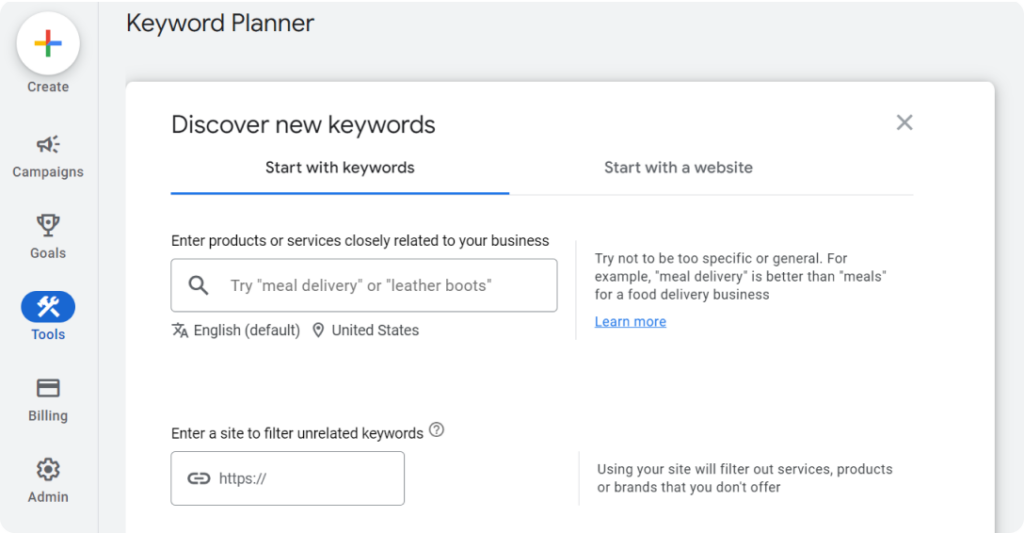
  1. In Google Keyword Planner
  2. Click Discover new keywords
  3. Enter the products or services you offer
  4. Enter your website in the input field below it
  5. You can tweak your language or location
  6. Click Get results
Google Keyword Planner page
Source: Google

Exclude brands/products you do not offer, filter your results, and select keywords with high search volume but lower competition.

Google Keyword Planner page showing keywords for “running shoes”
Source: Google

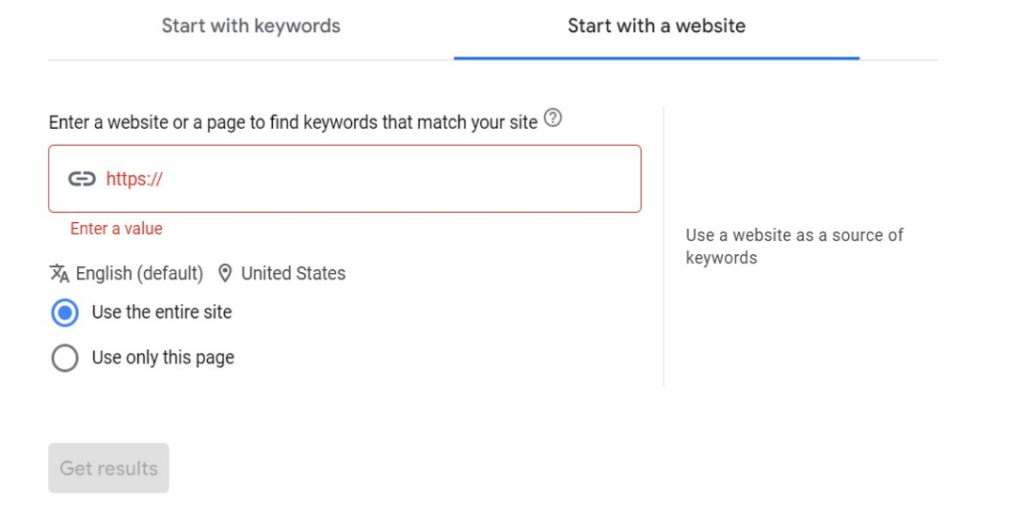
If you’re interested in your competitors’ keywords—and you should be—use the “Start with a website” feature instead.

Google Keyword Planner page showing ‘Start with a website” feature.
Source: Google

Pro tip: Don’t focus on single-word “head terms” with high competition. Pick long-tail keywords too. These are more specific phrases users add to their search.  

For instance, instead of just “running shoes,” a long-tail keyword could be “best lightweight running shoes for women.” These keywords often have lower competition and higher conversion rates since people who search for them are further along the buyer journey.

2. Target topic clusters

Structure your content around topic clusters. These are groups of interlinked pages that comprehensively address a central theme. 

You can actively target topic clusters by weaving in Latent Semantic Indexing (LSI) keywords throughout your content.

A good way to find low-hanging topic clusters is through the “People also ask” section on Google search.

Screenshot of People also ask section for the “running shoes” search term

3. Match user intent

Create articles that align with your users’ search goals. 

For instance, a Google search for “best running shoes” shows that most websites focus on educational content and product comparisons—not a sales pitch for their brands ❌

Search results for best running shoes

You should do the same. However, you can differentiate by providing evergreen content like “Best Running Shoes for Beginners.” 

Bottomline is, if people cannot find what they need quickly, Google will assume your site is not useful, so it’ll be demoted.

4. Add internal links

Internal linking involves connecting relevant pages on your website with hyperlinks.

For instance, on your product page for “running shoes,” you could link to a blog post titled “Choosing the Right Running Shoes for Your Needs.” 

You can find your internal links through a site search (site:domain.com “[keyword]”)

Finding internal links through a site search

Internal linking helps users discover deeper content, improves website navigation, and distributes “link juice” (ranking power) throughout your site.

5. Optimize images

High-quality, relevant images engage the reader, yes. But, they also contribute to a high search engine ranking. 

Screenshot of Google’s image results for the keyword “running shoes”

Here’s how to optimize them:

  • Make them meaningful (infographics, workflow screenshots, charts, etc)
  • Optimize image sizes for faster loading times.
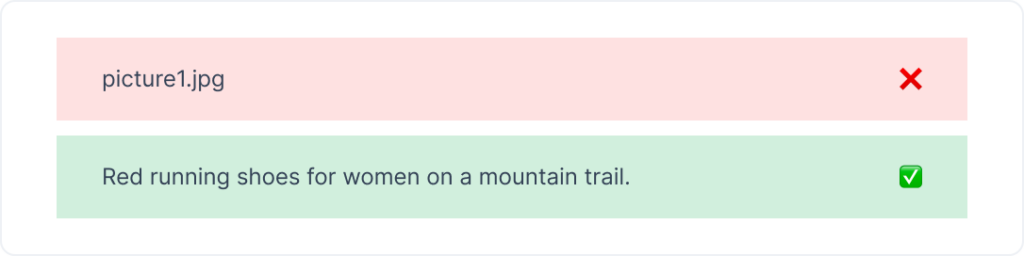
  • Add descriptive alt text and relevant keywords. This helps search engines understand the image content and improves accessibility for visually impaired users.
Instead of "picture1.jpg," use "Red running shoes for women on a mountain trail."

6. Provide helpful content

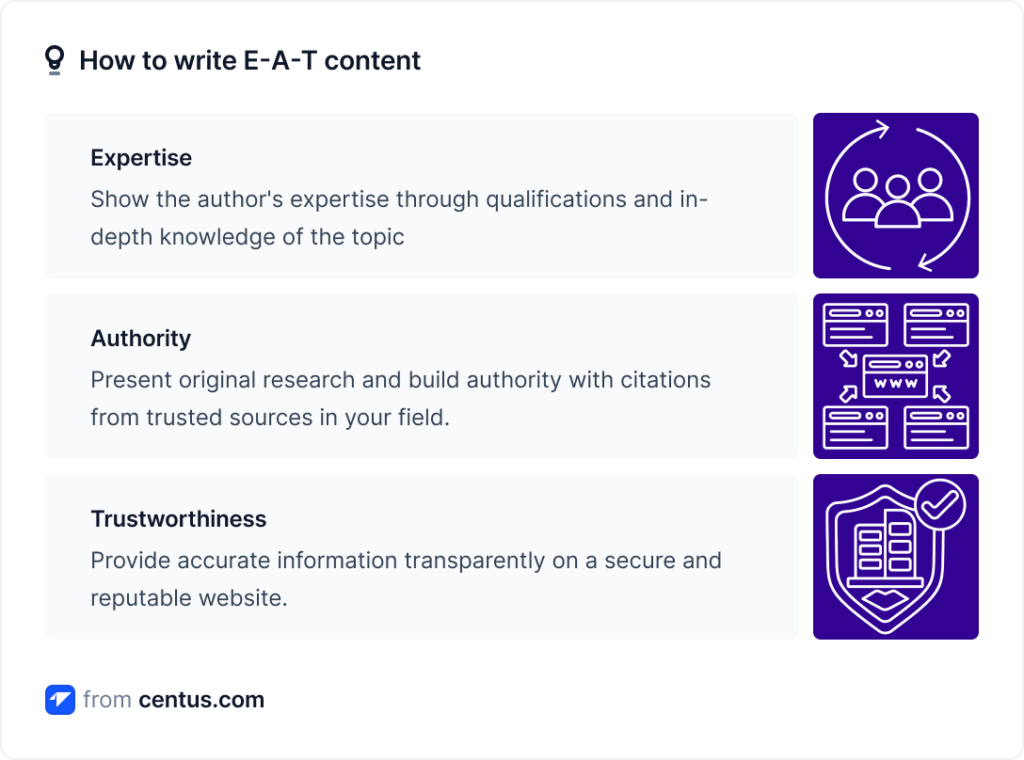
The heart of on-page SEO lies in offering content that’s genuinely valuable to your users. We’ve covered a bit of this in User Intent, but to be more specific, your content should follow Google’s E-A-T principles

No, they’re not burgers. It stands for:

  • Expertise
  • Authoritativeness 
  • Trustworthiness
How to write E-A-T content for Google

Pro tip: Remember to regularly update your website with fresh content to keep users engaged and signal to search engines that your site is active and relevant.

Technical SEO considerations

Technical SEO involves optimizing the technical aspects of a website to help search engines crawl, index, and understand your site. Some often overlooked aspects of technical SEO include:

  • Site speed: Fast-loading pages provide a better user experience.
  • Mobile responsiveness: All elements of your site should load accurately on mobile.

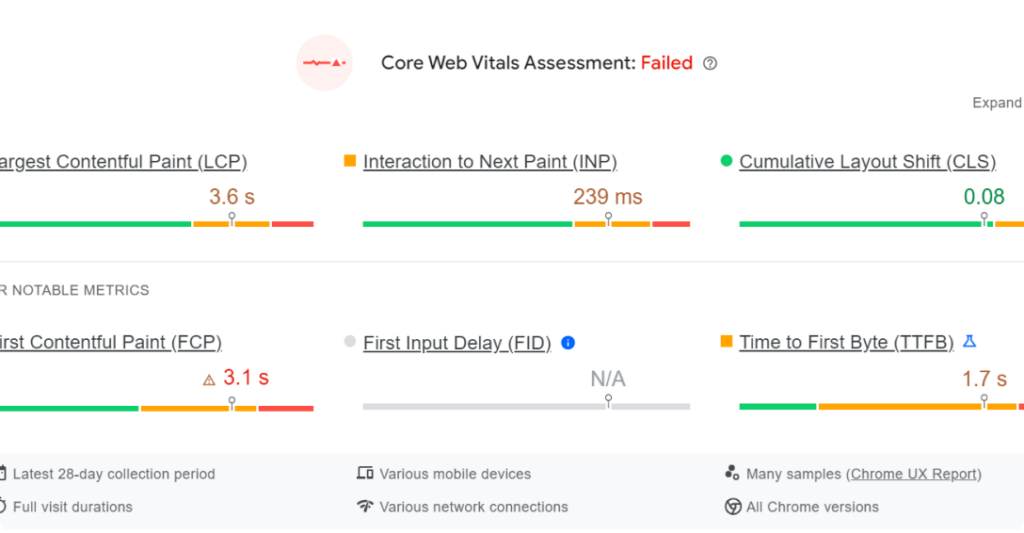
Pro tip: You can test site speed and mobile-responsiveness with Google’s PageSpeed Insights.

PageSpeed Insights showing a failed assessment.

Source: Google

  • Secure sockets layer (SSL): Site security contributes to your page experience, which is an important ranking signal for Google. So, be sure to use an SSL to secure your site.
Screenshot of Google Developer documentation on Page Experience. 
Source: Google
  • Duplicate content: Avoid duplicate content issues by setting up canonical URLs and using the `rel=canonical` tag properly.

Off-page SEO strategies

Off-page SEO are activities outside your website that influence its search engine ranking and credibility. It’s primarily focused on building the authority of your website through links, social media, and mentions from other sites—backlinks.

How to build backlinks

The more high-quality websites linking to you, the more authority you gain in Google’s eyes. Some ways to build strong backlinks include:

Broken link building

  • How to do it: Find relevant websites with broken or outdated links on topics related to yours. You can search for a website’s deadlinks with Deadlinkchecker.
Screenshot of Deadlinkchecker’s homepage. 
Source: Deadlinkchecker
  • Action: Contact the website owner and suggest your high-quality content as a replacement in exchange for a backlink.

Guest blogging

  • How to do it: Identify high-authority blogs in your niche that accept guest posts.
  • Action: Pitch them a well-written and informative guest post idea that aligns with their audience’s interests.

Brand building & online reputation management

  • How to do it: Submit your websites to trusted platforms like Google My Business, G2, or Yelp. 
  • Action: Encourage customer reviews on those platforms and on social. Respond to both positive and negative reviews professionally.

Multilingual SEO for international businesses

Regular SEO focuses on optimizing your website for search engines in one language. While this is important, international businesses have the potential to reach a much wider audience by implementing multilingual SEO.

And here’s how to do so.

  • Conduct language-specific keyword research: Remember that direct keyword translation may not capture the right intent.
  • Choose a good website structure: Decide on a structure (country-code top-level domain, subdomain, or subdirectory) for each language version of your site.
  • Make locally relevant content: Localize content beyond translation by considering cultural context and regional trends.
  • Add hreflang tags: Implement hreflang tags to specify the language and geographical targeting of a webpage
  • Implement local link building: Get links from websites in the target language region to improve local search relevance.
  • Optimize metadata: Translate page titles, meta descriptions, and alt text for images.

Juggling all these elements and their translations is difficult, especially when done in a rush. Consider using a website localization platform to streamline the process and ensure consistency across all languages. It’s also important to build your multilingual SEO strategy while you’re developing your local website.

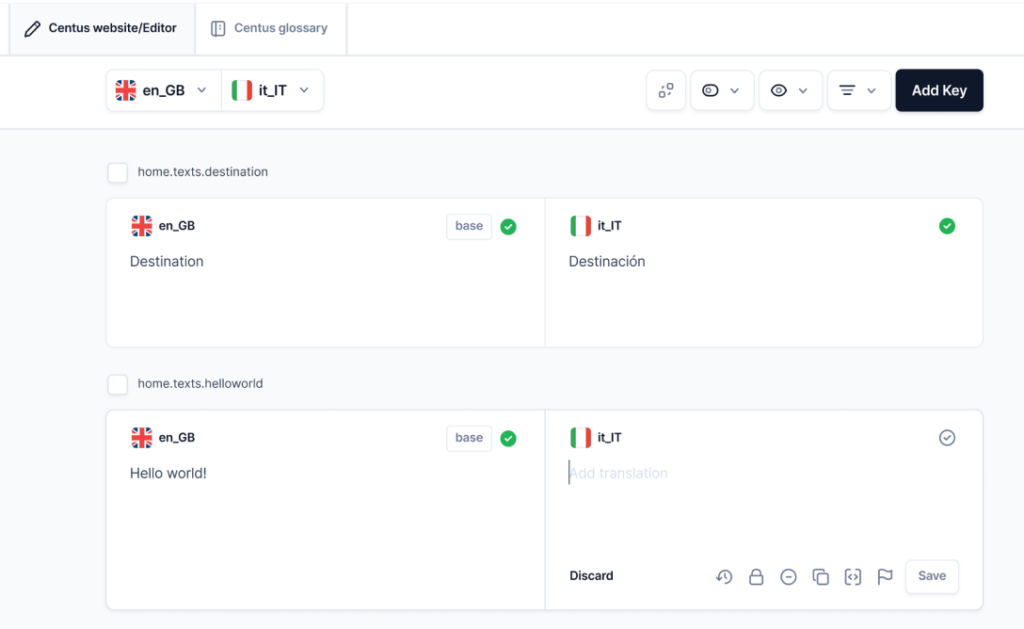
Pro tip: You can simplify your multilingual SEO process with a translation management tool that doubles as a project manager. It’ll do all the checks, manage your translations, and keep you on track.

A screenshot of a translation management tool/project manager (Centus)

Parting thoughts

We’ve explored various strategies to help you improve your website’s Google ranking. They can be summed up in 4 simple sentences.

  • Create high-quality, informative content that answers your target audience’s search intent.
  • Ensure your website is mobile-friendly, loads quickly, and has the appropriate keywords.
  • Build backlinks from reputable websites to your content and establish your website’s authority in your niche.
  • Prepare for multilingual SEO if you want to expand to other markets.

Remember, SEO is not stagnant. Track your website’s performance using analytics tools and see what’s working and what’s not. Don’t be afraid to experiment with different tactics and see what drives the most traffic.

Categories
Online Tools & Software Reviews

6 Best CRM Software for Medium-Sized Business for 2026

Customer relationship management software is the foundation of any expanding company since every firm wants to increase lead generation, boost lead-to-deal conversion rates, and deliver top-notch customer care.

Nowadays, many leading CRM businesses offer comparable features, and many business owners are confused about how to select a CRM system that is suited to their particular requirements and ongoing difficulties.

Because of this, we have compiled a list of the best 6 CRM programs that include features like: Overview of the platform, Important pieces of functionality, Top well-known clients using the best CRM software, and Pricing plan overview.

Criteria for Selection: Key Features to Consider in CRM Software

When searching for the ideal CRM software, consider it like selecting a new smartphone. You want something that fits just right, not too complex, but with all the necessary bells and whistles. 

Here’s what to keep your eyes on:

Customizability: You want a CRM that fits your business like a good suit. It should adapt to your processes, not the other way around.

Scalability: Think future-proof. Whether you’re scaling up or down, your CRM should handle the changes without breaking a sweat.

Integration capabilities: It should play nice with other tools you use. Seamless integration means less hassle for you and your team.

User-friendliness: Nobody wants to spend hours training on a new platform. It should be intuitive and easy to navigate, something everyone can get on board with quickly.

Customer support: Good support is like a reliable friend always there when needed. Make sure the CRM provider offers excellent service.

Pricing structure: Money matters, right? Look for transparent pricing without hidden fees that fit your budget.

Choosing the right CRM is crucial, so take your time, weigh these features, and pick the one that best suits your business vibe!

Top 6 CRM Software for Medium-Sized Businesses in 2026 

1. Fireberry

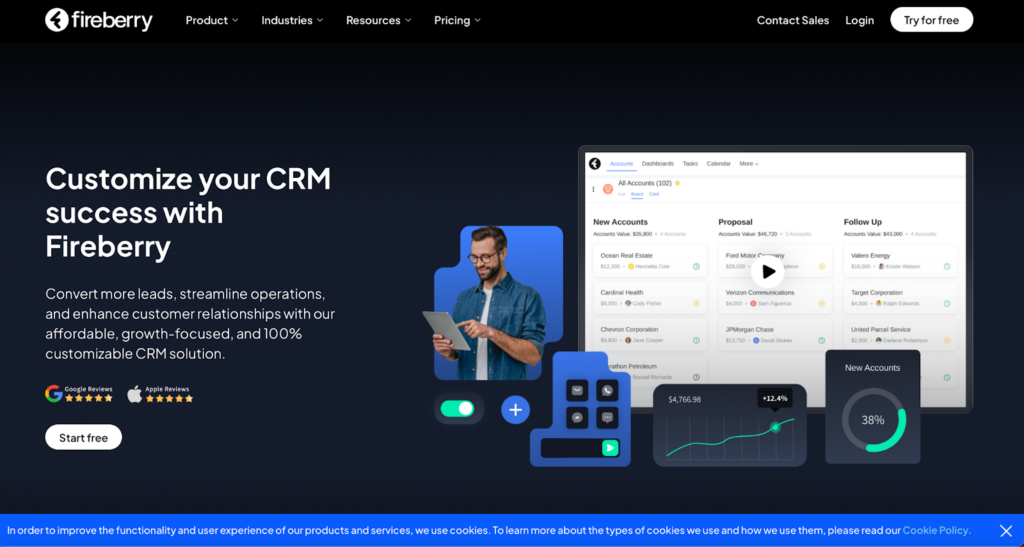
Screenshot from Fireberry website

Ever stumbled upon Fireberry? If not, it’s high time you did because it’s quickly becoming the MVP in the CRM league. Think of Fireberry as that super cool newcomer everyone wishes to buddy up with because they just nail their tasks.

What’s the Buzz About?

Fireberry has features that make your daily grind feel like a breeze. We’re talking sleek automation tools that streamline your workflow, detailed reports that don’t spin your head, and customization that lets you do your thing your way. It’s the dream setup for any business looking to keep things neat and efficient. 

The Ups and Downs

People can’t stop talking about how Fireberry makes their lives easier. But let’s be honest, no CRM is flawless. Some users find it tricky to get the hang of it, and a few wish for more integrations to spice things up.

What’s the Damage?

When it comes to pricing, Fireberry has you covered with various plans that cater to different needs and budgets. They even offer a free trial, so you can try it out before spending a dime. It’s like test-driving a car but in the software world.

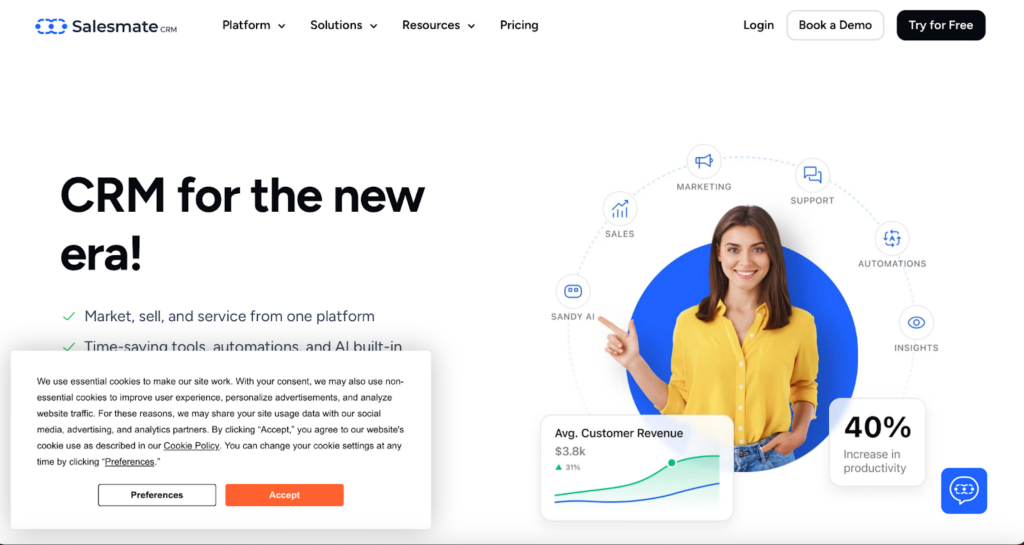
2. Salesmate CRM

Screenshot from Salesmate CRM website

Meet Salesmate CRM, your new best friend if you’re a medium-sized business looking to improve your game. This CRM is not just any other tool; it’s crafted to make your business operations smooth and impactful.

Key Features

Dive into Salesmate, and you’ll find some nifty features. From sales pipeline management that guides you like a GPS to seamless email integration and mobile accessibility, this CRM goes wherever you are, ensuring you’re always connected, whether at a café or mid-flight.

Good & Not-so-Good

Users love Salesmate for its user-friendly design that scales with their business; it’s like a CRM that grows with you. However, some feel it could offer more customization options, and larger enterprises might find it a tad restrictive.

Pricing Tiers

Salesmate has various pricing options designed to fit various needs and pockets. They’re upfront about what each plan includes, helping you dodge those annoying hidden fees. They also offer flexible payment options, monthly or yearly, whatever floats your boat.

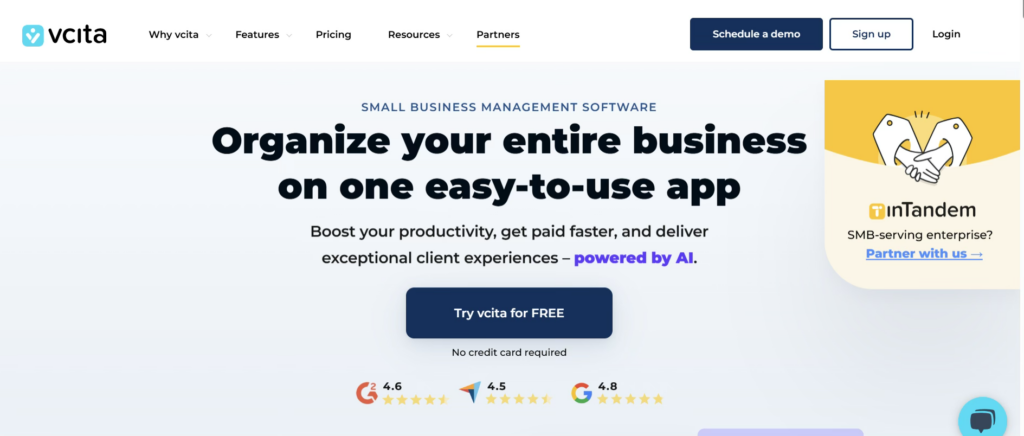
3. vcita

If you’re running a small or service-based business and juggling clients, scheduling, payments, and follow-ups, vcita might feel like the all-in-one helper you didn’t know you needed. Designed with simplicity and automation in mind, vcita focuses on helping businesses manage client relationships without overwhelming complexity.

Key Features

vcita brings together CRM, scheduling, payments, and client communication into a single dashboard. Its standout features include automated appointment scheduling, client intake forms, invoicing, online payments, and built-in CRM tools that track every interaction. The client portal is a big plus, allowing customers to book services, pay invoices, and communicate with businesses effortlessly.

Good & Not-so-Good

Users appreciate vcita for its ease of use and how well it supports service-oriented businesses like consultants, coaches, and local service providers. The automation tools save time and reduce manual follow-ups. On the downside, businesses with highly complex sales pipelines or enterprise-level needs may find vcita somewhat limited in advanced customization and reporting compared to larger CRM platforms.

Pricing Tiers

vcita offers multiple pricing tiers tailored to small and medium-sized businesses. Plans are transparent and scale based on features such as automation, client management tools, and integrations. While it’s not the cheapest CRM on the market, many users feel the bundled scheduling, payment, and CRM features justify the cost.

Best Suited For

vcita is ideal for freelancers, consultants, and service-based businesses looking for a streamlined way to manage clients, appointments, and payments without adopting multiple separate tools.

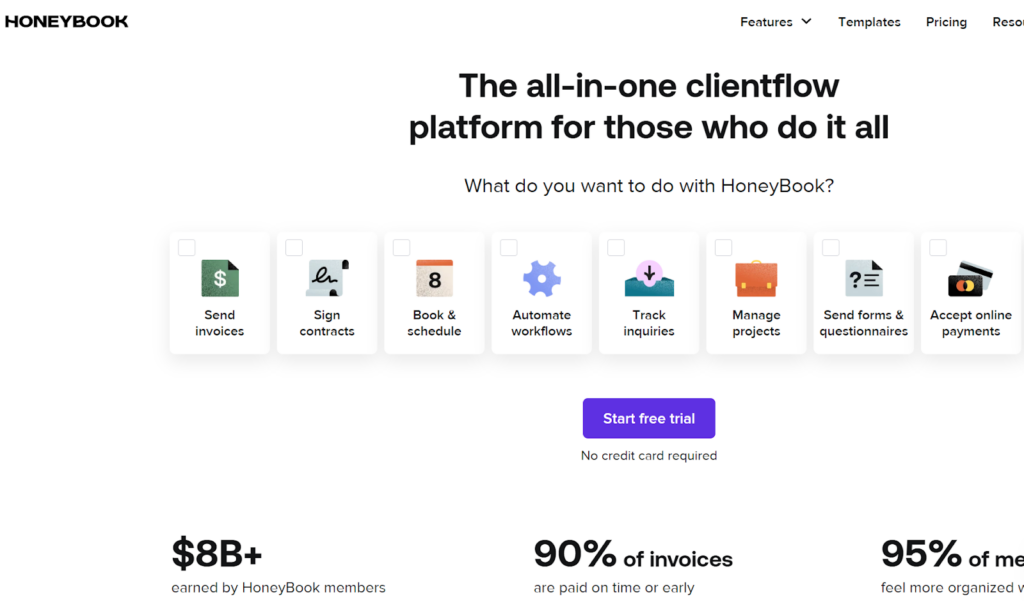
4. HoneyBook

Screenshot from Honeybook website

HoneyBook isn’t just another tool; it’s a full-fledged assistant designed to simplify how you manage projects, communicate with clients, and handle payments. It’s especially great for freelancers, small business owners, and anyone managing multiple client projects.

Key Features

Jump into HoneyBook, and you’ll find a plethora of features designed to ease your workload. From robust project management tools and effortless communication functions to a straightforward invoicing system, it’s like having your own business admin, communication, and finance teams all wrapped into one.

The Sweet and the Sour

Users rave about how HoneyBook turns chaotic workflows into smooth operations. They dig the intuitive design, which is easy to navigate. However, larger projects might find it lacking in scalability, and some wish for more detailed customization in reports.

Pricing Plans

HoneyBook offers clear pricing options that cater to various budgets, often with special deals that add extra sweetness. Whether you’re starting fresh or upgrading, they have a plan that’s just right.

5. Pipedrive

Screenshot from Pipedrive website

In the bustling world of CRM, Pipedrive stands out by putting sales teams in the driver’s seat. It’s favored by sales pros who want to close deals quicker and with fewer headaches.

Key Features

Pipedrive has features that make sales management as intuitive as checking your rearview mirror. Visual sales pipelines provide a clear view of your deals, automation tools reduce busywork, and superb integration capabilities ensure everything runs smoothly.

Pros and Cons

Users adore Pipedrive for its user-friendly interface and efficient setup, which truly understands the sales grind. However, it might fall short for larger enterprises needing more advanced features.

Pricing Simplified

Pipedrive’s pricing is straightforward, with plans suited for various business sizes and needs, from startups to seasoned teams.

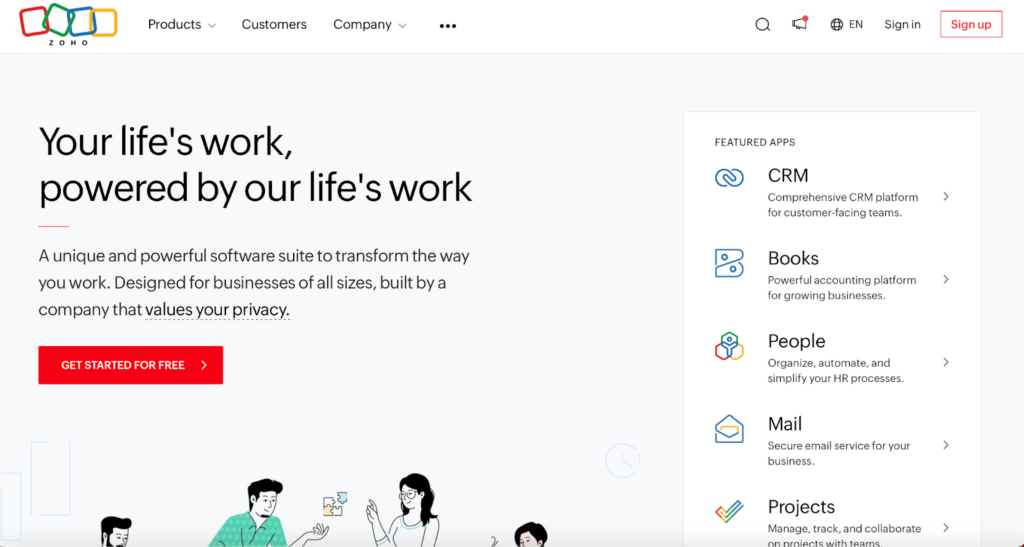
6. Zoho CRM

Screenshot from Zoho website

Zoho CRM is a powerhouse for medium-sized businesses looking to boost their operations. Known for its versatility and intelligent features, it’s a top pick for companies aiming to stay competitive.

Key Features

Zoho CRM excels with AI-driven insights for predicting trends, automating tasks, and making smarter decisions. It’s highly customizable and integrates well with your existing apps, creating a seamless business ecosystem.

The Good and the Complicated

While users praise Zoho for its comprehensive features and customization, some initially find its array of options overwhelming. Also, unlocking its full potential can be costly.

Pricing Diversity

Zoho CRM offers varied pricing plans, from a free basic version to advanced options packed with features suitable for every budget and business stage.

Conclusion: Final Thoughts on Choosing the Best CRM

Selecting the right CRM software isn’t just a minor decision; it’s foundational and can shape how your business operates and grows. 

Before making your final decision:

  • Take the time to evaluate your specific business requirements.
  • Consider factors like team size, the complexity of your sales processes, and the level of customer interaction.
  • Don’t hesitate to take advantage of free trials or demos offered by these platforms.

They are a great way to see each CRM in action and gauge which one feels right for managing your customer relationships effectively.

Categories
Business, Startups & SaaS

What To Look for In a White Label SEO Agency

As opting for a white label solution is often the best way to provide a new service for your customers without the inconvenience and expense of doing it in-house, you may have already decided to take this route. They can provide you with the expertise to give your customers the quality they already expect from you and also have your new SEO service under your banner available much faster than anything your competitors can come up with.

You do, however, need to find the right partner, and this can provide its own fair share of problems. After all, this company will be doing work under your brand name, and selecting the wrong one could do untold damage to your reputation. If you are finding this to be a major stumbling block, here are five ‘must haves’ that all of the best white label SEO agencies have in common.

#1 They play by the rules

As they will be using your brand name to supply a service to your clients, you need to make sure they only use the most ethical of practices and adhere to search engine guidelines. Using black-hat SEO tactics can seem like a shortcut to success, but that is not the case at all. Such underhand activity can mean that your customers’ websites can be penalized, sending them down the search engine rankings instead of up. So, when choosing a white label SEO partner, you should ensure they use only white-hat strategies.

#2 They have the right level of experience

As well as finding a company that can uphold your reputation, you also need one that matches your track record when it comes to results. To ensure this, you need one with the right amount of expertise and proven results in delivering exactly what your customers are after. By choosing a company like www.clickintelligence.com, you are opting for somebody with experience across a number of niches, so your customers will be in safe hands.

#3 Communication and transparency

Communication is the heart of all business relationships and absolutely essential for any partnership like this. Your chosen SEO partner should be able to offer reporting (under your branding, of course) of the strategies they have employed and the results they have gotten. They should also have clear channels of communication so you can take up any issues with them and get fast replies to pass on to your customers. In addition to this, transparency should also stretch to the fees that they charge you so you can define your own pricing structure for your customers and not end up with any nasty surprises.

Final thoughts

Selecting the right white label SEO agency from the many that are out there is a decision that should not be taken lightly. You need to look for expertise and experience, as well as proven results gained by only using white-hat tactics. Communication is also key so that your customers do not suffer, and the service you offer under your banner will be one that you are proud to call your own.

Categories
Web Development & Programming

Coding Made Simple: Must-Have Tools to Enhance Your Programming Experience

The process of writing code, however, can be daunting for both beginners and seasoned programmers alike. 

Photo by cottonbro studio: https://www.pexels.com/photo/boy-in-white-t-shirt-sitting-on-chair-in-front-of-computer-4709285/

Looking to excel in a coding interview? Successfully navigating the complexities of programming requires the strategic use of essential tools. Such tools are crucial for simplifying the development workflow, boosting productivity, and improving the quality of your code.

Integrated Development Environments (IDEs)

Integrated Development Environments (IDEs) are the cornerstone of programming productivity, acting as the powerhouse of coding efficiency. These comprehensive environments provide developers with a suite of tools and features designed to simplify the coding process. 

With tools such as code editors, compilers, debuggers, and version control systems, IDEs offer a unified platform that streamlines the development workflow. This seamless integration facilitates a more efficient coding process, enabling developers to focus on writing high-quality code rather than toggling between disparate tools.

IDEs like Visual Studio Code, IntelliJ IDEA, and Eclipse stand out for their robust functionality. They offer features such as syntax highlighting, code completion, and debugging capabilities that vastly improve coding efficiency. 

These IDEs support a wide range of programming languages and frameworks, making them versatile tools for developers working in diverse development environments.

  • Visual Studio Code: 

A lightweight yet powerful source code editor that runs on your desktop. It comes with built-in support for JavaScript, TypeScript, and Node.js, and has a rich ecosystem of extensions for other languages such as C++, C#, Python, PHP, and Java.

  • IntelliJ IDEA: 

Known for its robustness, IntelliJ IDEA is a preferred IDE for Java developers. It offers advanced coding assistance, automation, and supports a multitude of languages and frameworks beyond Java.

  • Eclipse: 

An open-source IDE primarily for Java, Eclipse also supports C/C++, PHP, and JavaScript development through plugins. Its extensive plugin ecosystem allows for customization and extension to fit any programming needs.

The adoption of an IDE can significantly impact a developer’s productivity and efficiency. By automating routine tasks and offering intelligent suggestions, IDEs reduce the potential for errors and enhance code quality. 

Version Control Systems

Version control is an essential practice in modern software development, serving as your code’s time machine. It allows developers to track and manage changes to codebases, facilitating collaboration and ensuring that any version of a project can be retrieved at any time. 

Git, along with platforms like GitHub, GitLab, and Bitbucket, has become the standard for version control due to its efficiency and scalability.

  • Git: 

A free and open-source distributed version control system designed to handle everything from small to very large projects with speed and efficiency.

  • GitHub: 

Provides cloud-based hosting for Git repositories, simplifying team collaboration. GitHub has revolutionized how developers store code and contribute to open-source projects.

  • GitLab: 

Offers a comprehensive DevOps platform, not just a repository manager. GitLab includes CI/CD tools and supports private repositories, known for its powerful merge request feature.

  • Bitbucket: 

Catered to professional teams, offering unlimited private repositories and deep integration with JIRA, Trello, and other Atlassian products.

The integration of version control systems into the development process enhances collaboration among team members, secures code history, and streamlines project management. 

Code Editors

Transitioning from the structured world of IDEs and version control systems, code editors offer a more flexible and lightweight environment for coding. 

They serve as essential tools for developers in search of a straightforward yet potent interface for writing and editing code. Distinguished from IDEs, code editors are generally faster and boast the ability to be customized extensively with plugins and extensions, supporting a wide array of programming languages and development tasks.

While IDEs provide a comprehensive suite of features for development, there are instances when a lightweight code editor is precisely what’s needed. 

For quick edits, script writing, or projects with lighter requirements, code editors like Sublime Text and Atom shine due to their speed, flexibility, and community-driven enhancements.

  • Sublime Text: 

Celebrated for its rapid performance and efficiency, Sublime Text provides an exceptionally fast and feature-rich text and development environment. Its “Goto Anything” feature facilitates swift navigation to files, symbols, or lines, making it a favorite among developers for its productivity enhancements.

  • Atom: 

Designed as a hackable text editor for the 21st century by GitHub, Atom is open-source and highly customizable. It’s adept at handling multiple programming languages and file formats, making it a versatile choice for developers who value customization and flexibility.

The choice between code editors and IDEs often boils down to the specific needs of the project and the personal preference of the developer. Code editors, with their speed and adaptability, offer an appealing option for those who prioritize a streamlined, efficient coding environment.

Debugging Tools

Debugging is an indispensable step in the development cycle, crucial for ensuring that code is error-free and behaves as intended. Tools like Chrome Developer Tools, tailored for web development, and IDE-integrated debuggers for other programming languages, are pivotal in this process.

  • Chrome Developer Tools: 

Embedded directly within the Google Chrome browser, this suite of web developer tools is instrumental in on-the-fly page editing and problem diagnosis. These tools significantly aid in the creation of better, more efficient websites by allowing developers to quickly identify and rectify issues.

  • IDE-integrated debuggers: 

Most IDEs are equipped with built-in debuggers that support intricate debugging features like step-through execution, breakpoints, and variable inspection. These functionalities simplify the process of discovering and correcting bugs in the code.

Debugging tools are vital for maintaining the integrity of the codebase and ensuring the delivery of high-quality software. 

Continuous Integration and Continuous Deployment (CI/CD) Platforms

CI/CD platforms are at the forefront of automating software delivery processes. They compile, test, and deploy code upon every change, maintaining the application in a constant state of readiness for deployment.

  • Jenkins: 

An open-source automation server, Jenkins empowers developers worldwide with the tools to build, test, and deploy their software reliably. Its extensive plugin ecosystem allows for the customization of the build process to suit various development needs.

  • Travis CI: 

This hosted continuous integration service is designed to build and test projects hosted on GitHub and Bitbucket. Travis CI simplifies the process of integrating changes into the project, ensuring that new code contributions do not break the build.

  • CircleCI: 

Providing cloud-based CI/CD, CircleCI enhances the development process by automating the build, test, and deployment phases. This ensures rapid delivery of software, aligning with the agile methodology of continuous improvement and deployment.

Final Word

Transitioning from IDEs to code editors like Sublime Text and Atom offers developers a nimble and customizable coding environment, ideal for simpler projects or quick edits. 

These tools stand out for their speed, adaptability, and the ability to enhance productivity through a wide array of plugins and themes. Selecting the right code editor can significantly streamline your coding process, hinting at the importance of choosing tools that best fit the task at hand.

Categories
Cybersecurity, Privacy & Online Safety

Enhancing Security: Essential Tools for Safeguarding Your Online Presence

Protecting your online presence has become more crucial than ever before, as cyber threats continue to evolve and increase in sophistication. 

We’ll explore essential tools designed to enhance your digital security, ensuring that your personal and professional data remains safe from unauthorized access and cyber-attacks.

Password Managers

Password managers are indispensable tools in the quest for digital security. 

They generate strong, unique passwords for each of your accounts, which is crucial because using the same password across multiple sites is akin to having one key for every lock in your life. 

Security and convenience

If one account is compromised, all are at risk. Password managers mitigate this by ensuring each password is unique and complex, significantly reducing the risk of breaches.

Most password managers come with browser extensions and mobile apps that autofill your login details for you, streamlining the login process for every website and app you use. This not only saves time but also encourages the use of stronger, more complex passwords since you don’t need to remember them.

Top Picks

  • LastPass

LastPass stands out for its user-friendly interface and a secure vault that stores passwords. It also offers form-filling capabilities, secure notes, and the option for emergency access to trusted individuals.

  • 1Password

1Password is celebrated for its strong encryption and the ability to store various forms of data securely, beyond just passwords. This includes documents, credit card information, and secure notes, all protected under a single master password.

  • Bitwarden

Bitwarden is a standout open-source option that appeals to those who prioritize flexibility and transparency. It allows users to host their server for ultimate control, offering a high level of security and customization.

Identity Verification 

These tools verify the identity of users during account creation or transaction processes, using various methods to ensure that individuals are who they claim to be. 

This is especially important in sectors like banking, e-commerce, and online services, where verifying the identity of users is critical to prevent fraud and comply with Know Your Customer (KYC) and Anti-Money Laundering (AML) regulations.

Fraud Prevention

Identity verification tools are essential in the fight against online identity fraud and theft. By accurately verifying the identity of users, these tools help to significantly reduce the risk of fraudulent activities, ensuring that only legitimate users can access services or complete transactions.

Compliance and Trust

For businesses operating in regulated industries, identity verification is crucial for compliance with KYC and AML regulations. These tools not only help in meeting legal requirements but also build trust with customers by safeguarding their personal information and transactions.

Modern identity verification solutions are designed to provide a frictionless onboarding experience. By automating the verification process, these tools can quickly validate identities without the need for cumbersome manual checks, improving the user experience and speeding up the onboarding process.

Leading Identity Verification Tools

  • Jumio

Jumio automates the online identity verification process, offering a solution that prevents identity fraud and identity theft while simplifying compliance with KYC/AML regulations. Jumio’s technology uses a combination of biometric facial recognition, document verification, and artificial intelligence to verify the identities of users in real-time. 

  • Veriff

Veriff provides a comprehensive identity verification service that supports various document types and verification methods across multiple countries. Its sophisticated technology, which includes facial recognition and machine learning, allows for quick and accurate identity checks, making it an excellent tool for businesses.

  • Onfido

Onfido offers an identity verification service that combines document verification with biometric analysis to help businesses verify the identities of their users securely and efficiently. Onfido’s technology is designed to reduce fraud, increase conversion, and streamline the user onboarding process.

Virtual Private Networks (VPNs)

A Virtual Private Network (VPN) is an essential tool for maintaining privacy online. It encrypts your internet connection, making it impossible for Internet Service Providers (ISPs) and eavesdroppers to monitor your online activities. 

The best vpn for multiple devices encrypts ensures that all data transmitted and received is secure and private, even when using public Wi-Fi networks, which are often unsecured and vulnerable to interception.

Access to Restricted Content

VPNs are also invaluable for bypassing geographical restrictions and censorship. Whether you’re facing content blocks imposed by governments, workplaces, or educational institutions, a VPN can help you access the internet freely and without constraints. 

By connecting to servers in other countries, you can explore a global internet, accessing services and content that might be restricted in your region.

Leading VPN Services

  • NordVPN

NordVPN is celebrated for its strong encryption protocols and fast connection speeds, making it ideal for streaming, downloading, and secure browsing. It also boasts a no-logs policy, ensuring that your online activities are not recorded. It’s also ranked as one of the best VPNs for Windows PCs, offering user-friendly apps and advanced security features tailored for the platform.

  • ExpressVPN

ExpressVPN offers a vast network of servers across the globe, ensuring reliable and speedy connections. Its commitment to privacy and security is evident in its TrustedServer technology and strong encryption methods.

  • ProtonVPN

ProtonVPN places a strong emphasis on security and privacy, with a free tier that’s perfect for basic use. Based in Switzerland, it benefits from some of the world’s strictest privacy laws and offers Secure Core servers for additional protection against network-based attacks.

Antivirus Software

Antivirus software plays a critical role in defending your devices against viruses, spyware, ransomware, and other malicious software. It scans files, applications, and downloads for malware, automatically removing or quarantining threats. 

This proactive approach to security helps prevent malware from causing damage or compromising your personal information.

Malware Protection in Real-Time 

Modern antivirus solutions offer real-time protection, continuously monitoring your system for signs of malware and other threats. 

These ensure that any new threats are detected and dealt with immediately, offering a constant shield against cyberattacks and emerging vulnerabilities.

Highly Recommended Antivirus Programs

  • Bitdefender

Bitdefender delivers comprehensive protection with a minimal impact on system performance. Its multi-layered approach includes behavioral detection, web protection, and ransomware remediation.

  • Norton 360

Norton 360 extends beyond basic antivirus protection by including a VPN, cloud backup, and parental controls. It’s an all-in-one cybersecurity suite designed to protect your entire digital life.

  • Kaspersky

Kaspersky is known for its advanced detection capabilities, offering robust protection against a wide range of security threats. It includes features like payment protection and privacy tools, ensuring a secure online experience.

Secure Email Providers

Secure email services provide end-to-end encryption, ensuring that your emails are readable only by you and the recipient. This level of security is crucial for protecting sensitive information from interception during transmission.

Privacy Guarantees

Many secure email providers are based in countries with stringent privacy laws, offering additional protections against surveillance and data requests. 

These services often include features like anonymous sign-up and minimal data retention, further safeguarding your privacy.

Top Secure Email Services

  • ProtonMail

ProtonMail leverages end-to-end encryption and is based in Switzerland, offering one of the highest levels of privacy protection. It’s designed to be user-friendly and is accessible via web, iOS, and Android apps.

  • Tutanota

Tutanota provides a secure and affordable encrypted email service, focusing on privacy and simplicity. It offers automatic encryption of emails and attachments, ensuring that your communications are protected from prying eyes.

  • Mailfence

Mailfence offers a comprehensive secure email suite, including digital signatures and encryption. Based in Belgium, it provides robust privacy protections and integrates easily with other email clients.

Firewall Solutions

Firewalls serve as a barrier between your network and the internet, monitoring and controlling incoming and outgoing traffic based on predefined security rules. 

This includes blocking unauthorized access while permitting outward communication, providing a crucial layer of security for both personal and business networks.

Intrusion Prevention

By inspecting incoming traffic for malicious activity, firewalls play a key role in preventing unauthorized access and cyberattacks. Advanced firewall solutions can detect and block sophisticated threats, ensuring that your network remains secure against potential vulnerabilities.

Pen testing services are essential alongside having strong firewall solutions. For organizations, it is highly recommended to work with experts when choosing a pen testing services company to thoroughly test and identify vulnerabilities in their security infrastructure.

Recommended Firewalls

  • ZoneAlarm

ZoneAlarm provides a powerful firewall solution for personal use, offering easy setup and robust protection against inbound and outbound cyber threats.

  • GlassWire

GlassWire combines network monitoring with a built-in firewall, offering a unique visual approach to network activity. This allows users to easily detect and block suspicious activity, enhancing security.

  • Sophos XG Firewall

Sophos XG Firewall offers a comprehensive solution for businesses, featuring advanced protection, visibility, and response capabilities to secure networks against a wide range of threats.

Employing these tools is not just a matter of enhancing security; it’s a necessary step towards maintaining privacy, ensuring compliance, and fostering trust in the digital realm. 

As cyber threats continue to evolve, so too should our approaches to safeguarding our online presence, making the adoption of these tools an essential practice for anyone navigating the digital world.

Categories
Uncategorized

Boosting Efficiency: Top Software Solutions For Streamlined Operations

In today’s fast-paced business environment, enhancing operational efficiency is paramount for organizations seeking to maintain competitive edges and optimize productivity. 

This drive towards streamlined operations has catalyzed the adoption of sophisticated software solutions, offering a pathway to automate routine tasks, reduce errors, and free up valuable resources for strategic activities. 

As we delve into the realm of technological advancements aimed at boosting efficiency, it becomes evident that the right set of tools can significantly transform business processes, leading to improved outcomes and sustainability.

Anti-Spam Software Tools

In the digital age, where communication is predominantly conducted online, businesses face the incessant challenge of managing and mitigating spam. 

Anti-spam software tools stand at the forefront of this battle, offering robust solutions designed to filter unwanted emails, protect against phishing attacks, and ensure the integrity of email communications. 

These tools not only safeguard an organization’s digital communication channels but also enhance productivity by ensuring that employees are not bogged down by irrelevant or harmful content.

Finding An Online Guide

When navigating the complex landscape of anti-spam software tools, consulting a relevant online guide can be invaluable. 

These guides provide comprehensive insights into the features, benefits, and operational nuances of various anti-spam solutions, enabling businesses to make informed decisions tailored to their specific needs. 

They cover a broad spectrum of tools, from those offering basic filtering capabilities to more advanced systems equipped with machine learning algorithms for dynamic threat detection and mitigation. 

By leveraging these resources, organizations can select software that aligns with their security policies, communication volume, and budgetary constraints, ensuring a fortified email environment conducive to efficient operations.

Evaluating Features And Capabilities

When considering anti-spam software tools, evaluating their features and capabilities becomes a critical step. 

The effectiveness of these tools is determined by their ability to accurately identify and filter out spam, while minimizing false positives that could block legitimate emails. 

Advanced features such as machine learning algorithms, customizable filtering rules, and integration with existing email platforms enhance the tool’s adaptability to evolving spam tactics. 

The software’s capability to provide detailed reports and analytics on spam trends and blocked messages offers valuable insights for adjusting security measures. 

This evaluation process ensures that businesses adopt a solution that provides robust protection against spam, enhancing overall communication efficiency.

Understanding Regulatory Compliance

In the context of anti-spam software tools, understanding and adhering to regulatory compliance is paramount. 

Different regions and industries have specific regulations governing electronic communications, including spam. 

Tools that ensure compliance with laws such as the CAN-SPAM Act in the United States, GDPR in Europe, and other similar regulations globally, are essential. 

Compliance features might include mechanisms for obtaining recipient consent, easy unsubscribe options, and maintaining privacy standards for personal data. 

By choosing software that is compliant with these regulations, organizations not only protect themselves from legal repercussions but also build trust with their clients and partners by upholding high standards of communication ethics and privacy.

Navigating The World Of Online Microservices In 2024

The adoption of microservices architecture has revolutionized the way we think about software development and deployment. 

Unlike traditional monolithic architectures, microservices break down an application into a collection of smaller, independent units, each designed to perform a specific function. 

This modular approach not only enhances agility and scalability but also facilitates easier maintenance and faster deployment cycles.

Identifying The Right Microservices For Your Needs

Identifying the right microservices for your project involves understanding the specific requirements of your application and the capabilities of various microservices frameworks and tools. 

Key factors to consider include the language and technology stack compatibility, the scalability needs of your application, resilience, and fault tolerance requirements, and the level of community and vendor support available for the microservices framework or tool you are considering.

Leveraging Cloud Platforms For Microservices Deployment

Cloud platforms like AWS, Azure, and Google Cloud have become the backbone of microservices deployment, offering a range of services that support the development, deployment, and scaling of microservices-based applications. 

These platforms provide a robust infrastructure that includes managed services for containers, functions as a service (FaaS), and orchestration tools, enabling developers to focus on building and optimizing their applications without worrying about the underlying infrastructure.

Choosing The Right Tools For Development And Monitoring

The right set of tools is crucial for the effective development, deployment, and monitoring of microservices. 

Development tools such as Spring Boot, Vert.x, and Micronaut offer extensive libraries and templates that simplify the creation of microservices by addressing common patterns and challenges. 

For monitoring and managing microservices, tools like Compass, Prometheus, and Postman provide critical functionalities ranging from service discovery and configuration management to API testing and performance monitoring. 

These tools help ensure that microservices are performing optimally and that any issues are quickly identified and addressed.

Embracing The Microservices Mindset

Adopting microservices is not just about technological transformation; it also requires a shift in mindset. 

Successful microservices adoption involves embracing principles such as decentralization, continuous improvement, and a focus on well-defined, loosely coupled services. 

This shift encourages a culture of ownership and accountability, where small, cross-functional teams are empowered to develop, deploy, and manage their services independently.

Final Remarks

In the journey towards operational excellence, the strategic adoption of anti-spam software and microservices architecture underscores a broader movement towards efficiency, security, and innovation in business operations. 

These technological solutions not only address specific challenges—such as combating digital spam and enhancing software development and deployment processes—but also embody a shift towards more agile, responsive, and decentralized approaches to business technology management. 

As organizations navigate the complexities of the digital age, the emphasis on selecting the right tools, adhering to regulatory standards, and embracing a culture of continuous improvement is paramount. 

Ultimately, the path to streamlined operations is paved with informed decisions, strategic investments in technology, and a commitment to evolving alongside the digital landscape, ensuring businesses remain competitive, secure, and poised for growth in an ever-changing global market.